Google Business Profile Optimization Tool
Overview
We’re excited to introduce GBP Optimization, a powerful new feature that helps businesses effortlessly manage and enhance their Google Business Profile (GBP) right inside the Reputation tab. With this launch, agencies and their clients can update key GBP details, keep listings complete and engaging, preview changes live, and boost local visibility — all in one place.
GBP Optimization is currently available in Labs.
✨ What’s New?
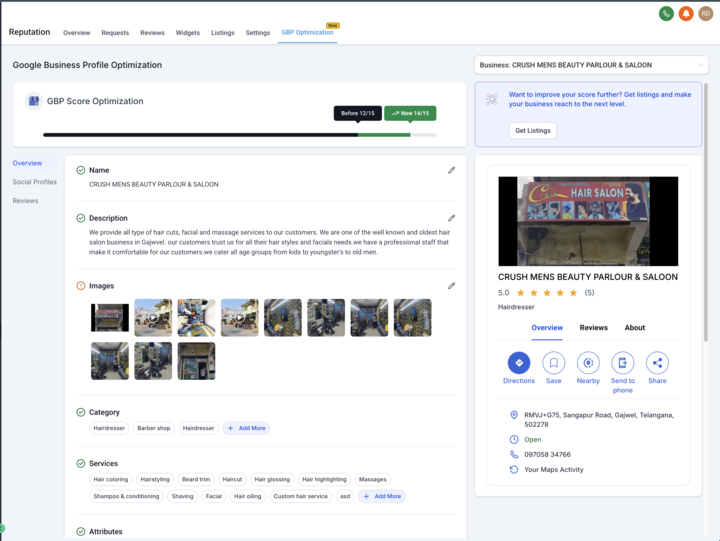
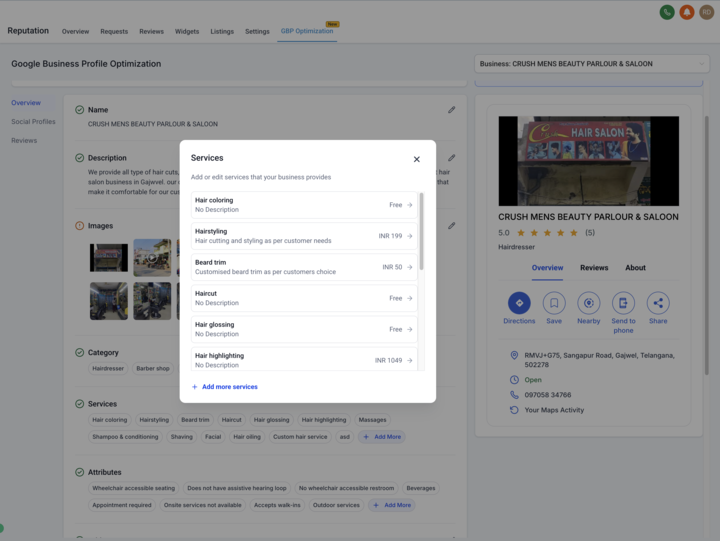
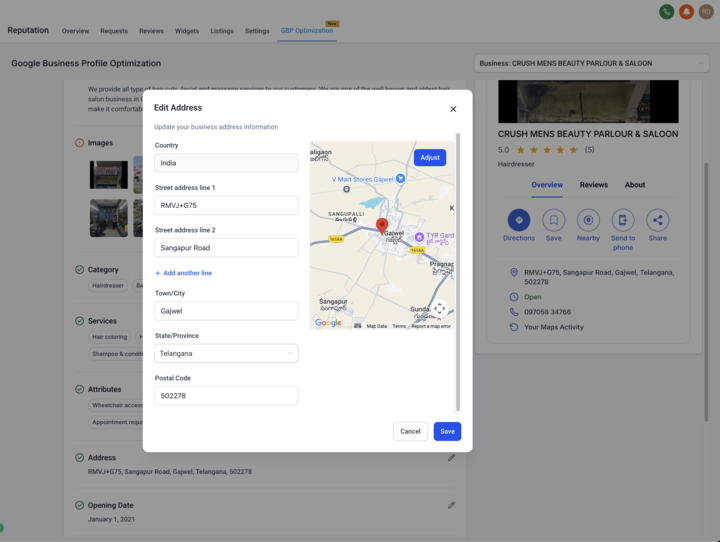
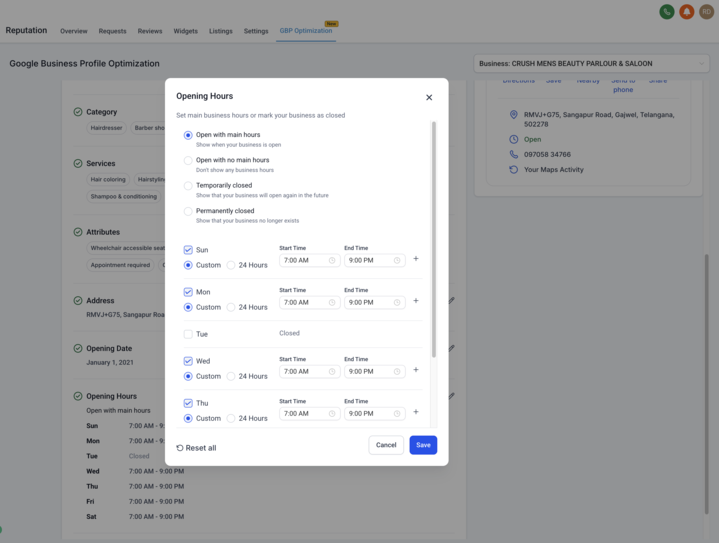
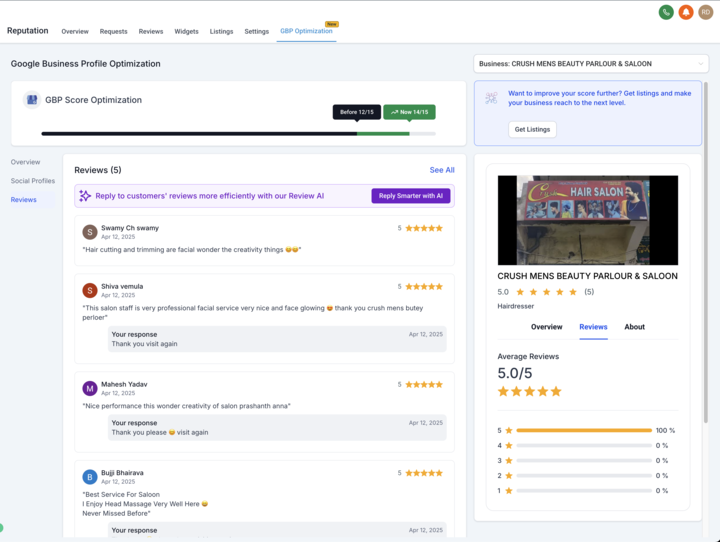
✅ All-in-One GBP Management: Update essential profile details — from business name and phone number to images, services, and attributes — without leaving the Reputation tab.
✅ Live Preview: Instantly see how your profile appears to customers on Google Maps and Search while you make updates.
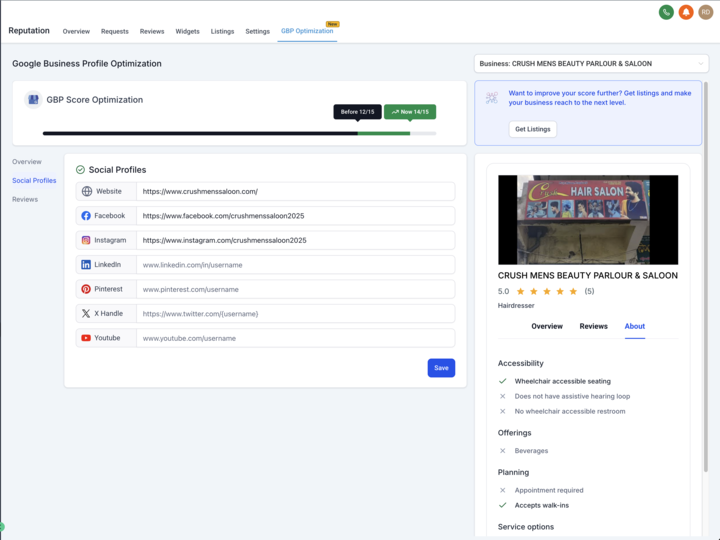
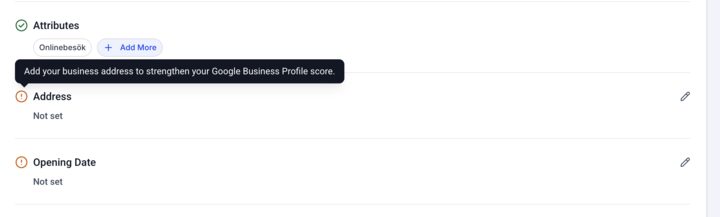
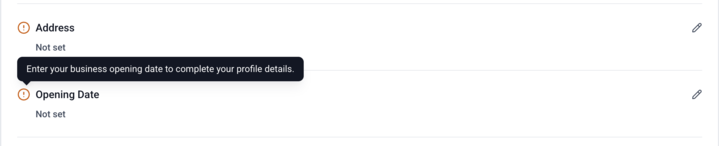
✅ Profile Score & Alerts: Get a real-time profile completeness score, plus alert icons and tooltips to guide you step-by-step toward a fully optimized listing.
🔑 Key Features in Detail
✅ Manage Core Business Info:
– Update your business name, description, address, opening date, hours, and phone number.
– Add and edit categories and services to match customer searches.
– Highlight special attributes to stand out locally.
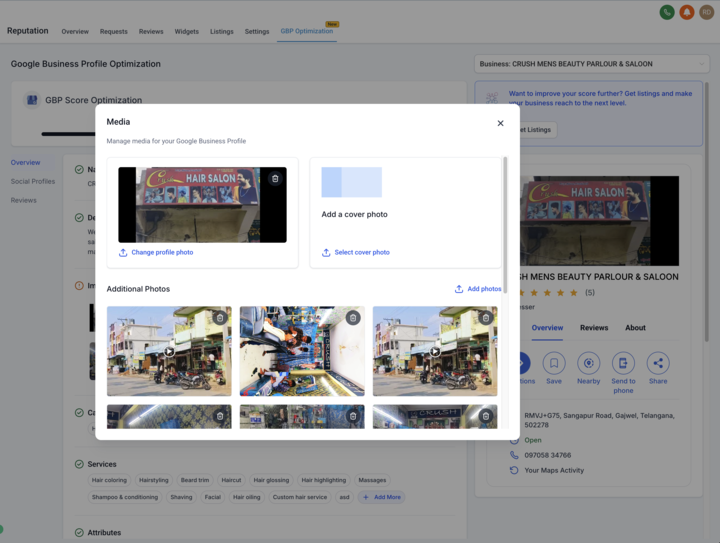
✅ Visual Media Management
– Upload and update your profile, cover, and additional images to keep your listing fresh.
✅ Social Links
– Connect social profiles to build trust and provide more ways for customers to reach you.
✅ Reviews Overview
– View and monitor your GBP reviews to stay on top of customer feedback.
✅ Live Preview
– A real-time panel shows how your GBP listing appears to customers — make updates confidently.
✅ Profile Score
– A built-in score indicates how complete your GBP listing is.
– Incomplete sections are flagged with alerts and helpful tooltips so you know exactly what to fix.
✅ Labs Control
– Agencies can enable or disable GBP Optimization for their locations as needed.
💡 Why We Built This
Keeping a Google Business Profile accurate, complete, and engaging is critical for local SEO and building trust — but it’s often tedious and scattered across tools. GBP Optimization brings it all into the Reputation tab, so agencies and businesses can keep listings up-to-date and optimized without friction. The result? Higher local rankings, better customer engagement, and more leads — with less effort.
🚀 What’s Next
🔜 WhatsApp & Text Messaging
Let businesses add WhatsApp and SMS contact options to their GBP, giving customers instant new ways to connect.
🔜 GBP Posts Scheduler
Businesses will soon be able to view existing GBP posts and quickly redirect to the Social Planner to create and schedule new posts — all from the same hub.
To know more about Online Listings and how you can resell it to your clients, 👈🏻 Have some suggestions for Online Listings? Simply post your ideas in our 💡 Ideas Board, and we will prioritise your suggestions!
Streamlined Integration for Existing Dedicated Sending Domains
What’s New
Seamless Domain Onboarding: Users can now add and manage their existing dedicated email-sending domains directly within our platform, even if those domains are currently in use with another provider. This enhancement centralizes domain configuration and streamlines the transition process.
Impact
– Faster Migration
– User flexibility on domain usage
– Improved Deliverability
Considerations
If a domain is already registered in any Mailgun account, users will be blocked from adding it to prevent conflicts.
Workflow – Action Sidebar Optimisation
Overview:
– This Release involves Optimisations (Virtualisation) in Actions and Triggers side bar.
What’s New
– Significant improvement in speed of loading the actions in the sidebar
– Ensuring a smooth browsing experience.
Impact?
– No lagging in the action and trigger sidebar.
🚀Reviews Management – Understand Reviews with AI-Powered Review Summaries
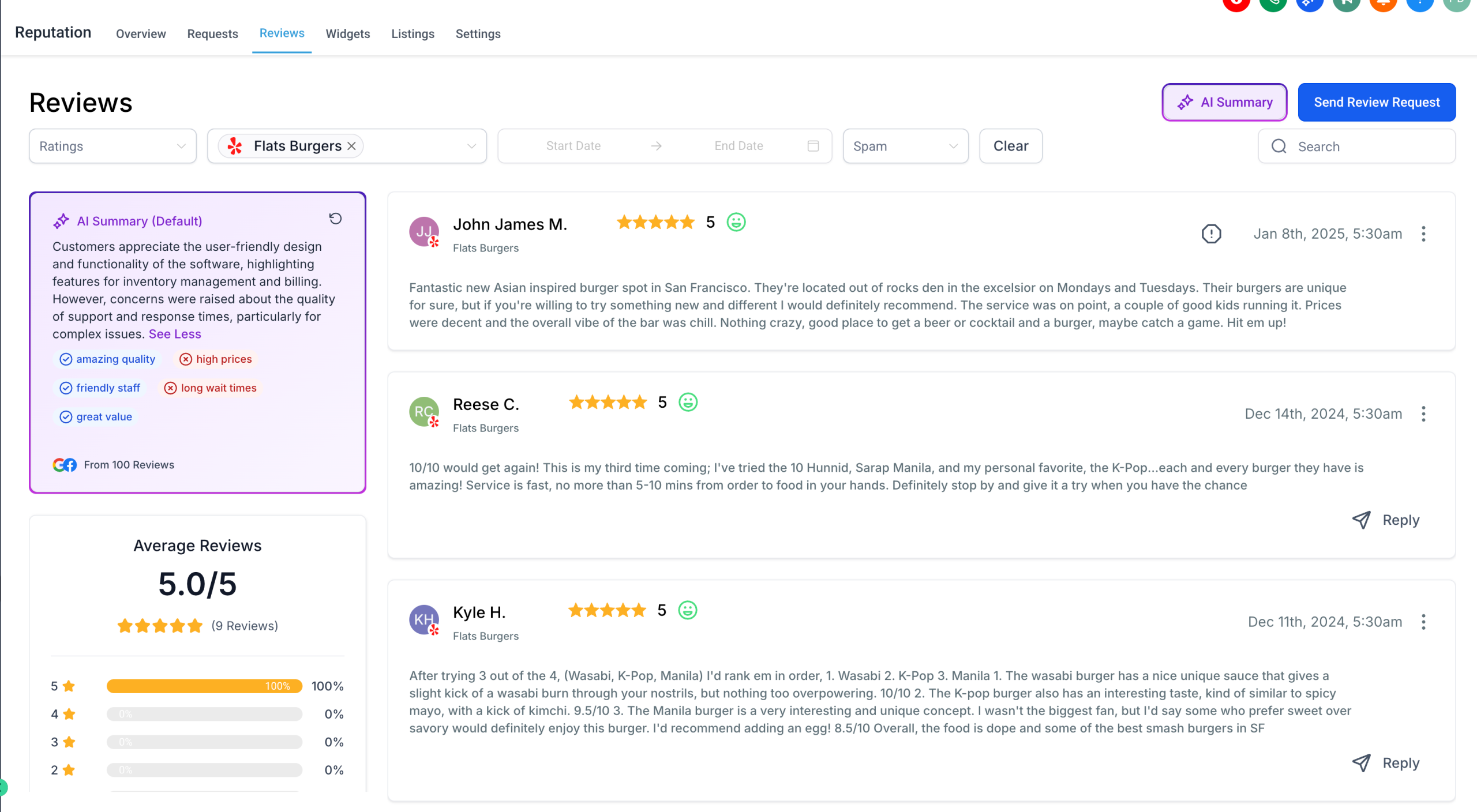
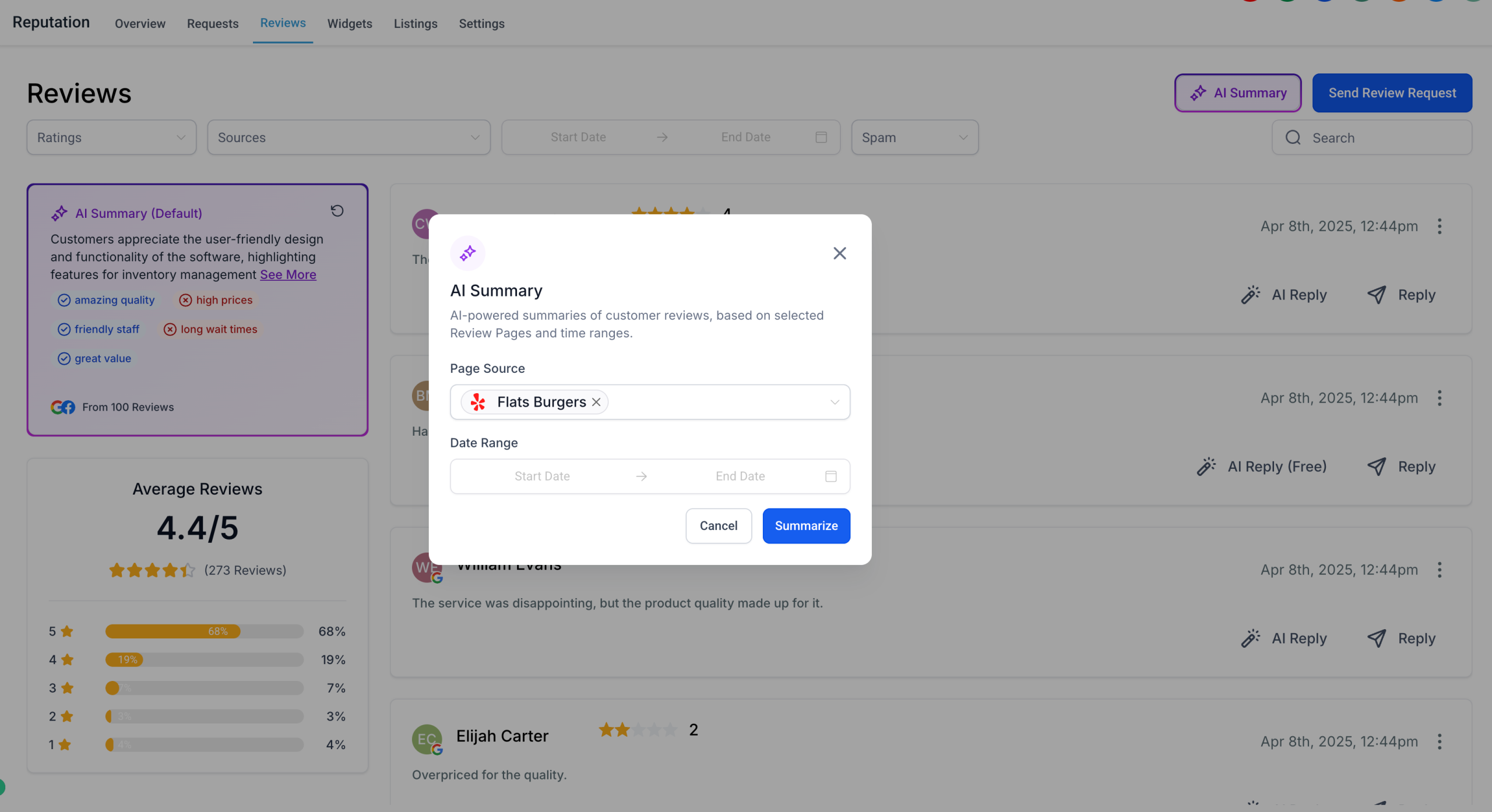
We’re excited to announce a powerful enhancement to Reputation Management — AI-Powered Review Summaries are now live!
🧠 What’s New?
With this release, users can now quickly understand customer sentiment with intelligent summaries of reviews across all connected location pages. Here’s what’s included:
– AI Summaries Across Pages: By default, the system provides a combined AI-generated summary of reviews from all connected locations, offering a holistic view of customer feedback.
– Filter by Page and Timeframe: Users can narrow down the AI summary using filters for specific review pages and custom date ranges to get more focused insights when needed.
– Summary Highlight Tags: Automatically generated highlight tags surface recurring themes and popular topics from reviews — such as “responsive staff,” “clean facilities,” or “long wait times” — to help businesses act on what customers care about most.
🔒 Coming Soon: Permissions for Agencies
To give you more control, we’re also introducing permissions functionality soon. This will allow agencies to disable AI summaries for specific sub-accounts, tailoring the experience to each client’s needs.
🔧 How It Works
– Navigate to Reputation → Reviews.
– Customise the Time frame and Reviews Pages.
– Checkout the review sentiment of your customers in an instant.
Have more questions or feedback? Reach out to us at 📩 [email protected] or [email protected] — we’d love to hear your suggestions and queries!
Conversation AI – Round Robin Calendar
What’s New?
Conversation AI: Book Appointments with Contact’s Assigned User
Conversation AI now supports booking appointments directly with the contact’s assigned user when using round-robin calendars. Previously, appointments were scheduled randomly with any available user, which could lead to inconsistent customer experiences.
How it Works?
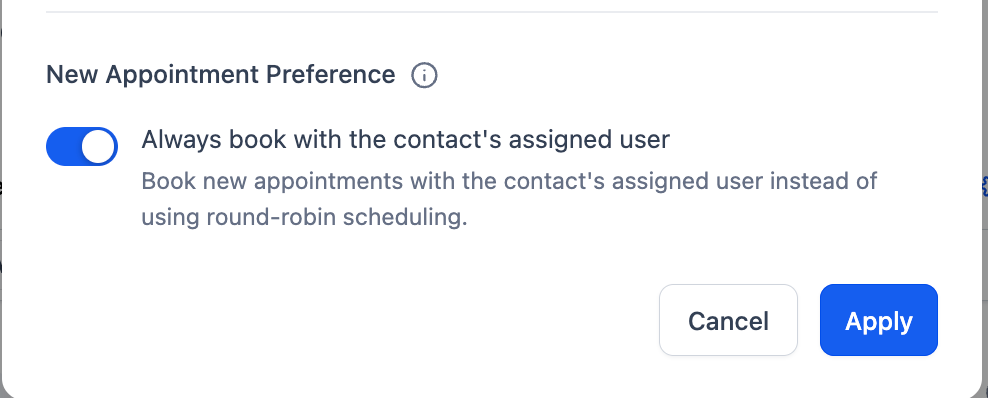
When the appointment preference “Always book with the contact’s assigned user” is enabled, Conversation AI will:
– Automatically book new appointments with the user assigned to that contact.
– Bypass the standard round-robin scheduling logic to ensure continuity
To enable this:
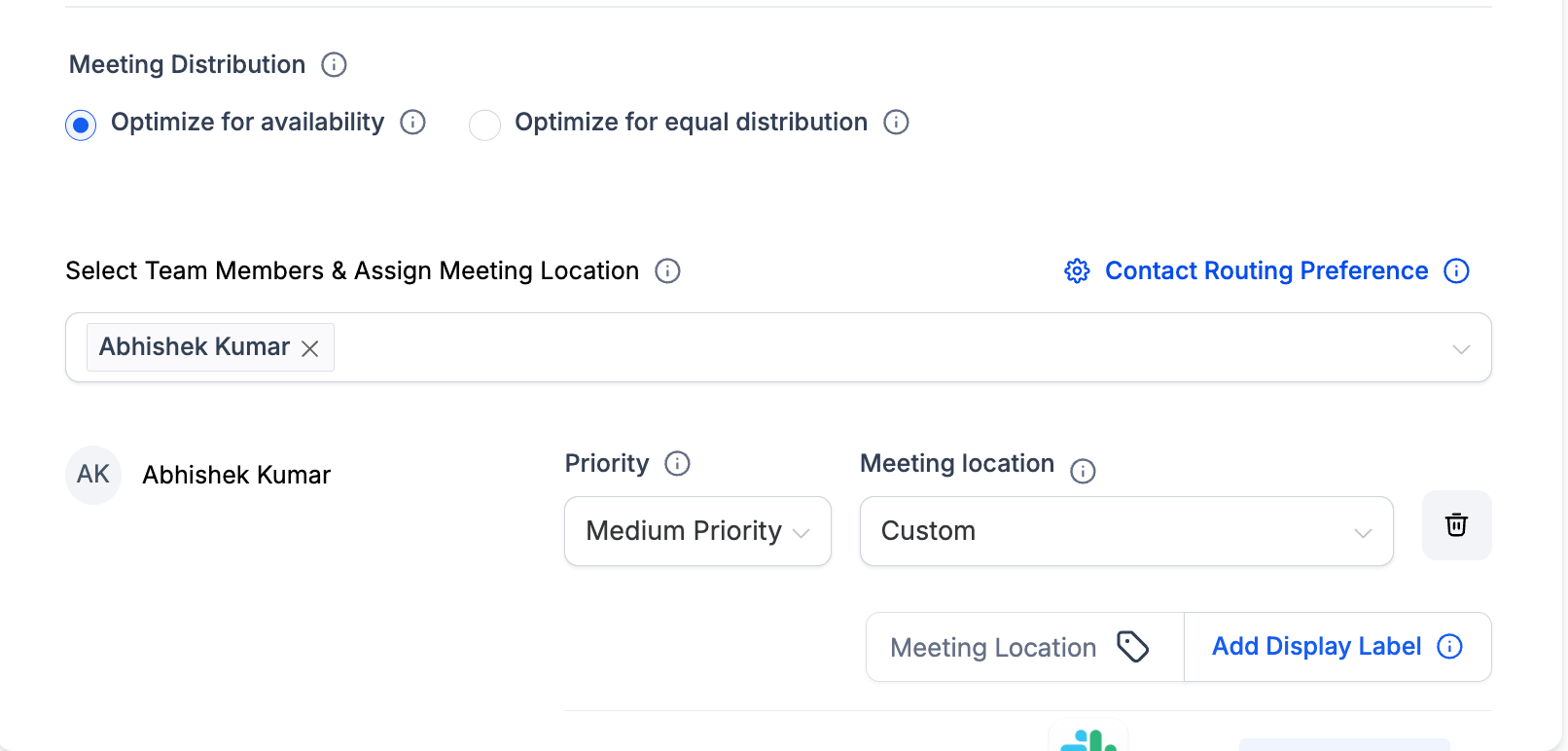
– Go to your calendar settings
– Edit a round robin calendar
– Select the contact routing preference
– Toggle Always book with the contact’s assigned user to the ON position.
– Click Apply to save your changes.
NO settings or changes required inside conversation AI