
Increase Call Answer rates with Local Presence Dialing (via Labs)
4th of August, 2025
Increase Call Answer rates by calling contacts from the same area code automatically
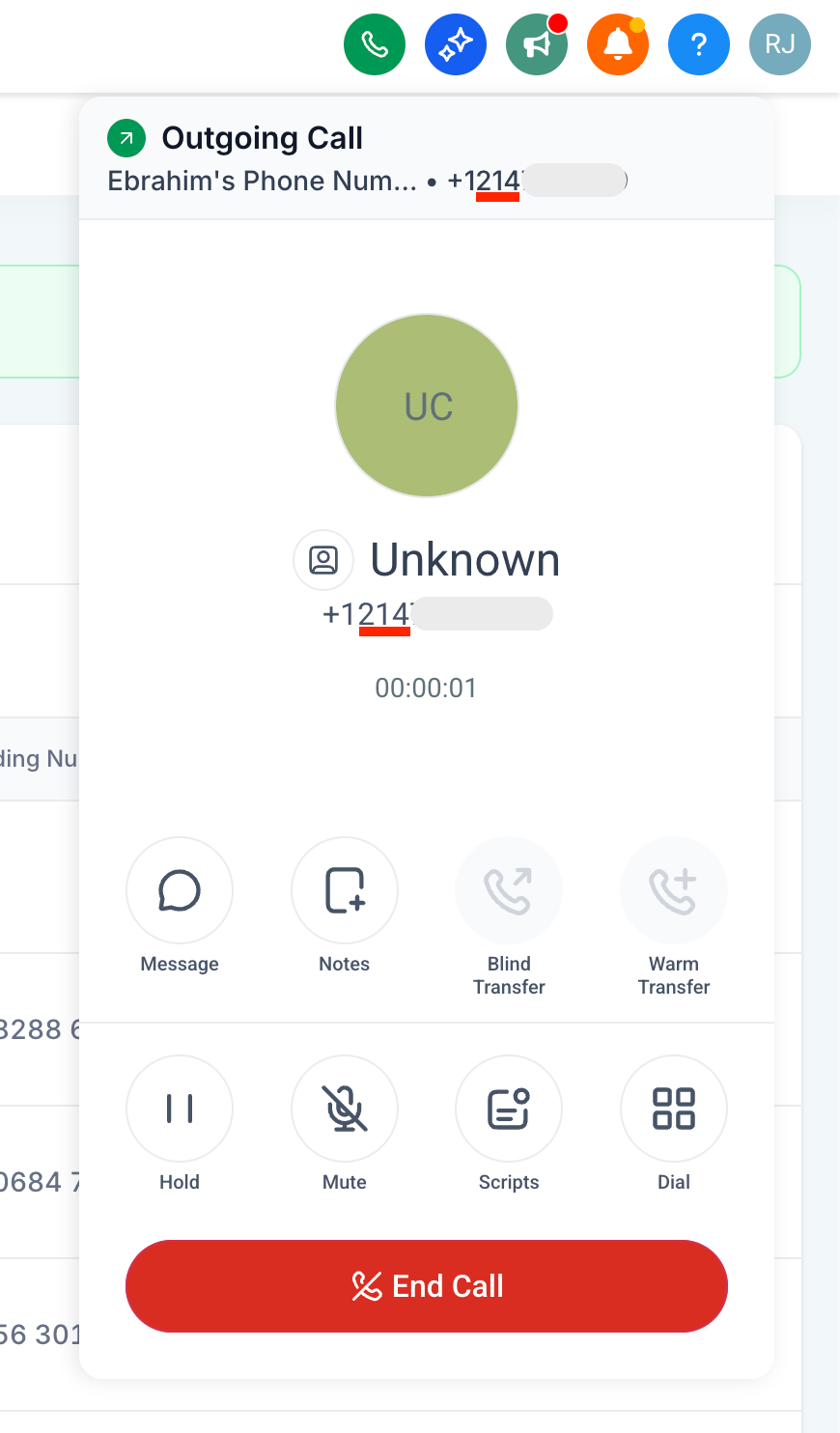
– Calling someone in Dallas, Texas (area code of Dallas is 214)
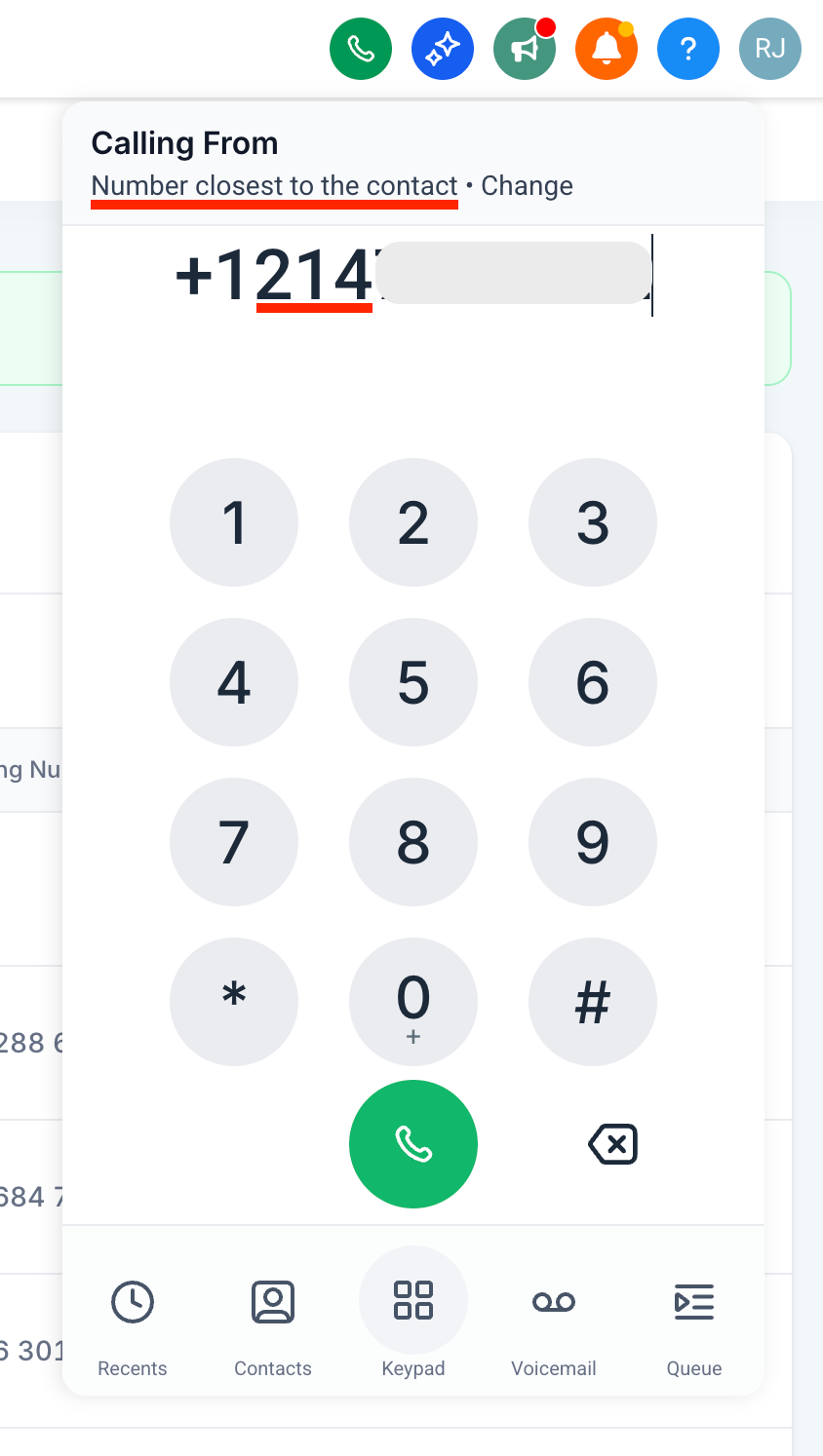
Automatically uses a number from Dallas (if available)
– Calling someone with area code 888
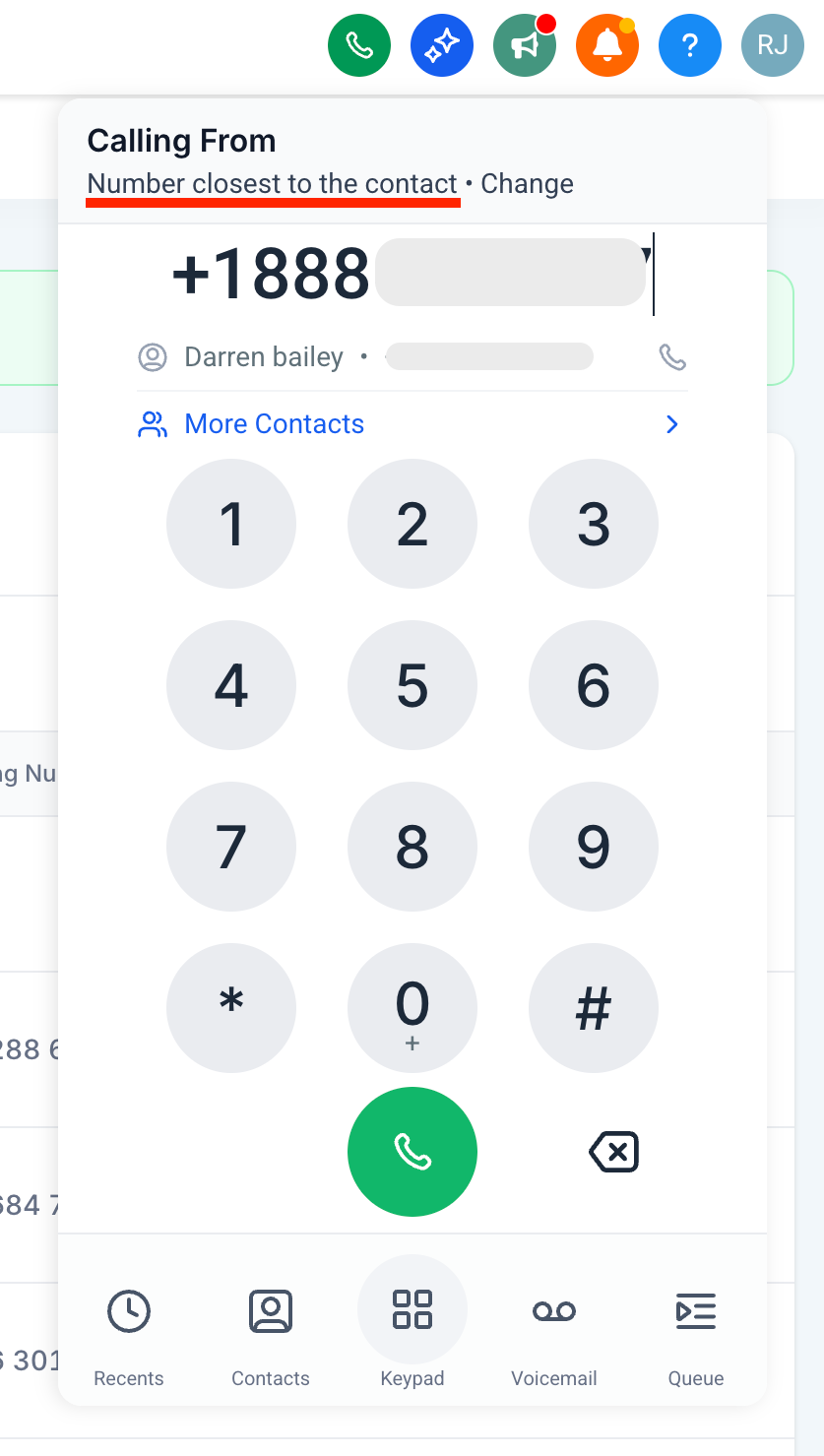
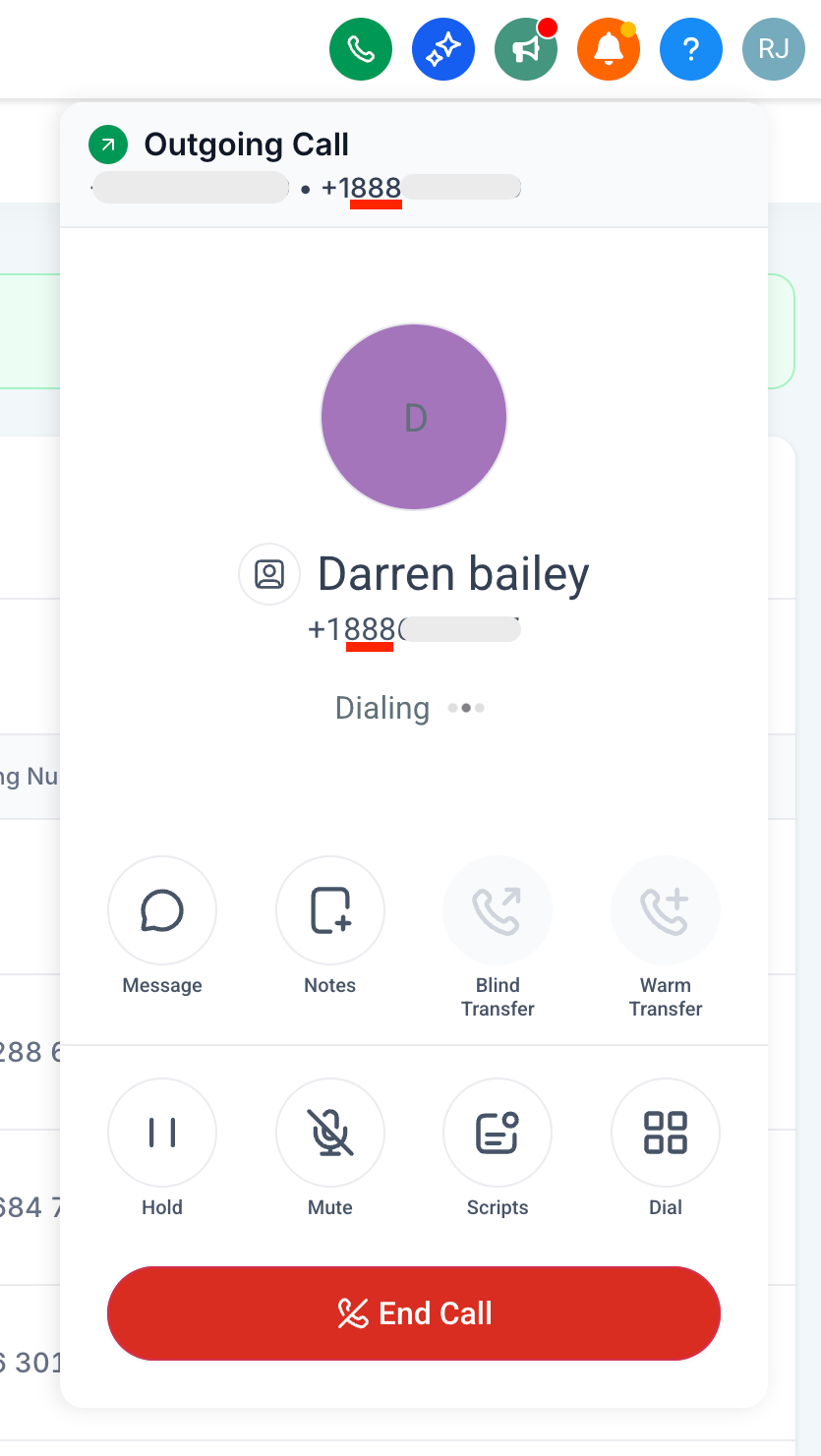
Of all the phone numbers available, call from the phone number with the same area code as the contact automatically; increasing trust and increasing chances of the call being answered.
How to use it?
– Enable the feature under Agency settings > Labs > Sub-account tab
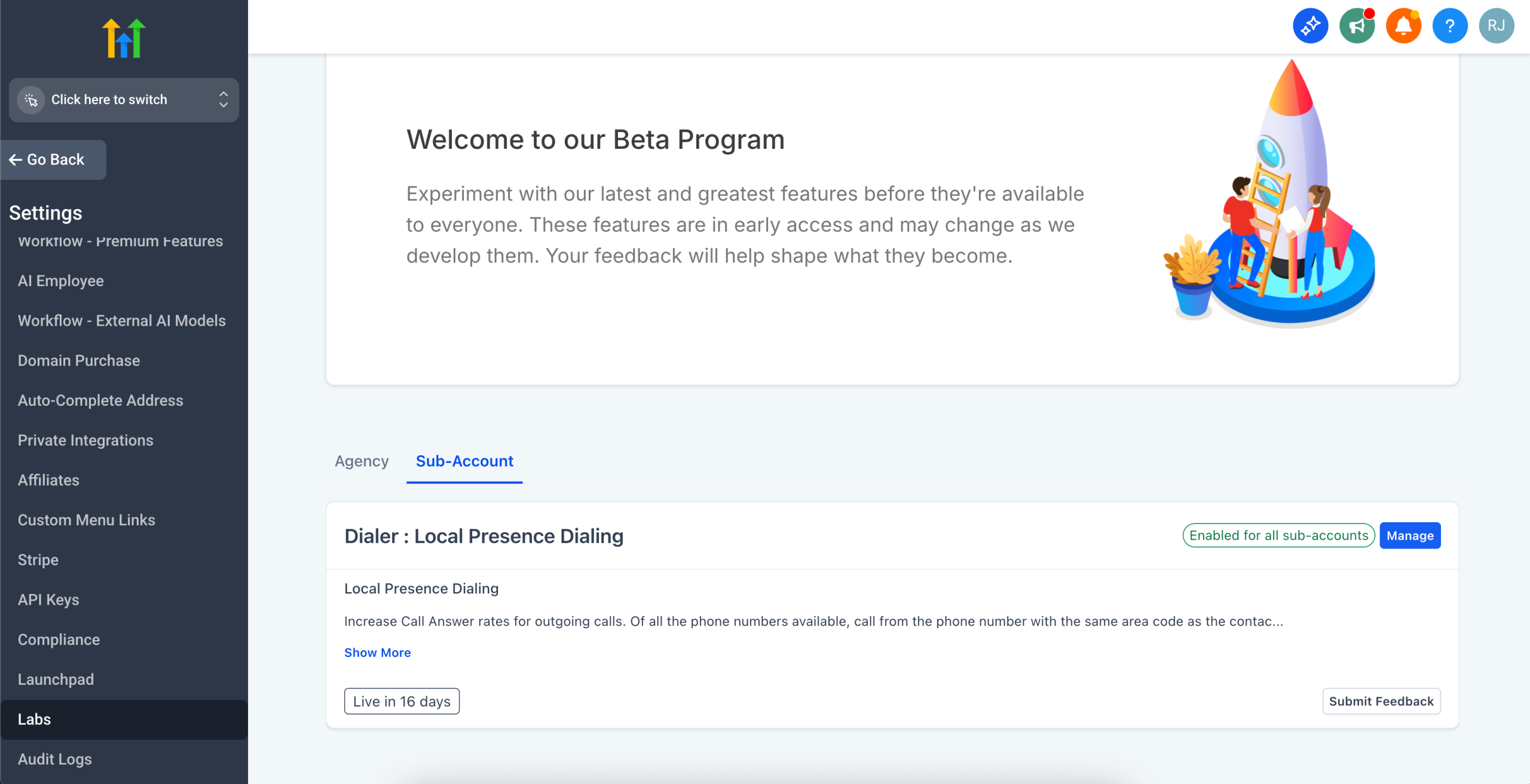
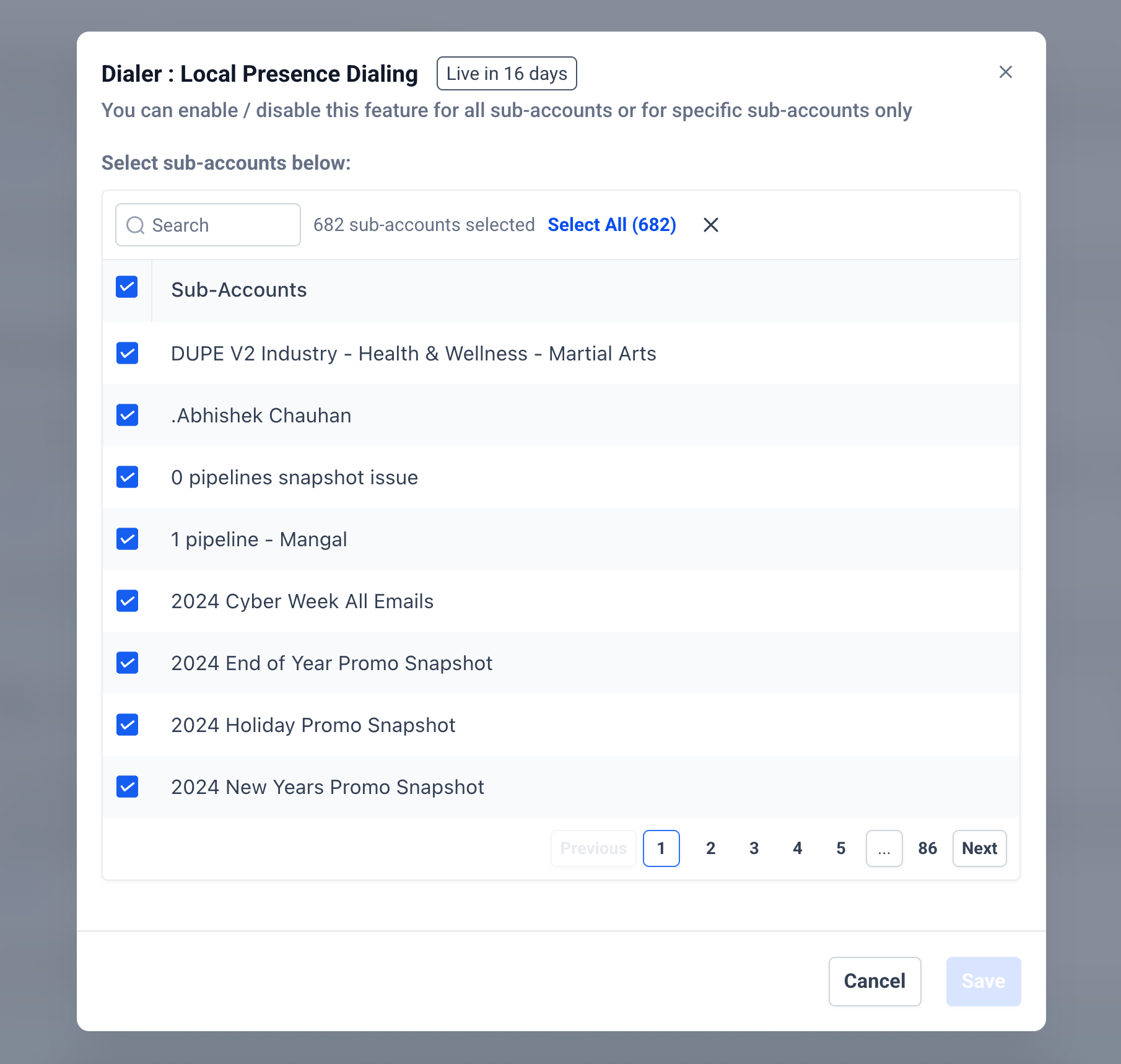
– Go to Sub-account settings > Phone Numbers > Advanced Settings > Voice Calls > Outbound Call > Default Phone Number for Outbound Calls
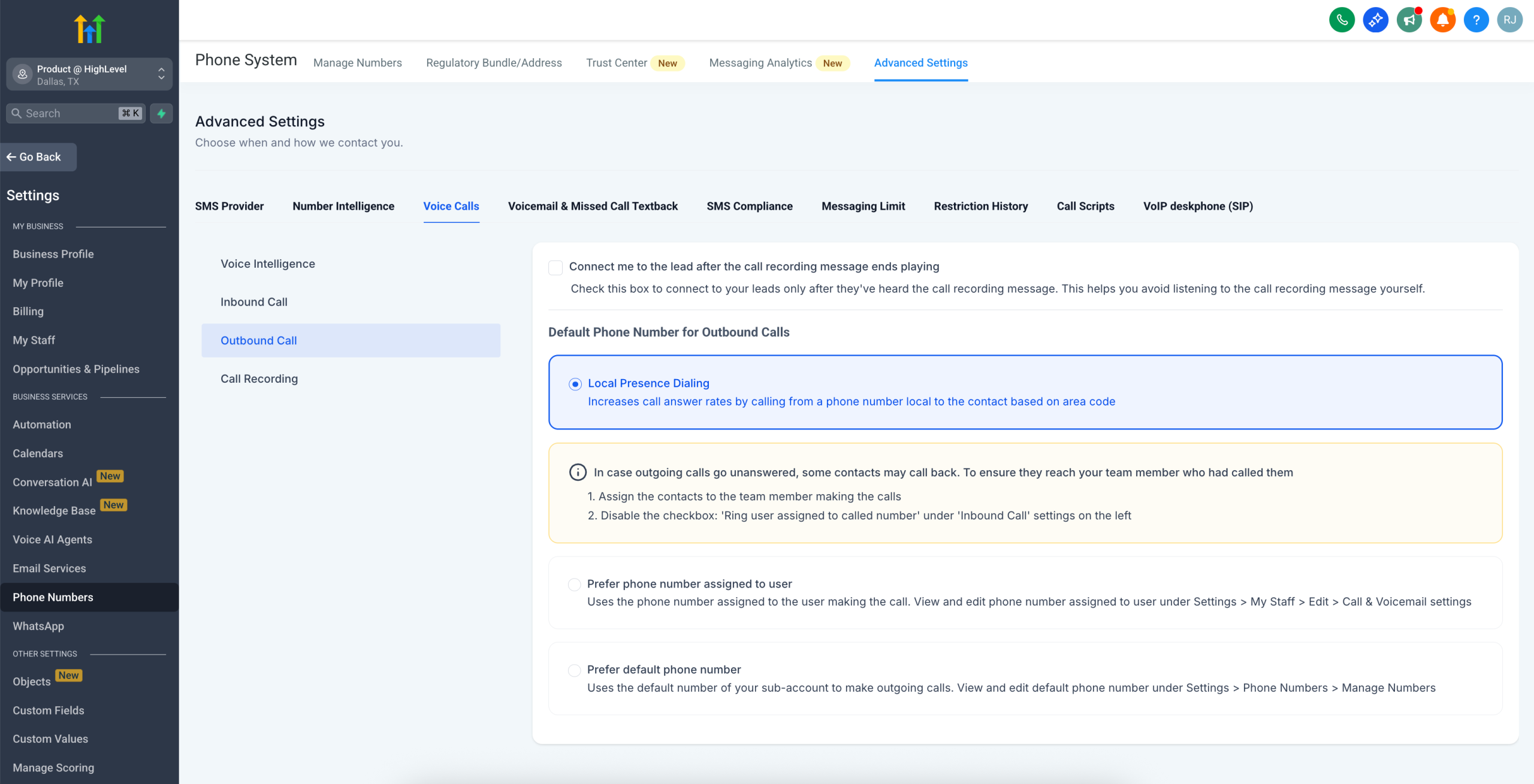
– Choose Local Presence Dialing
Notes
– Supports all area codes of a region: If calling a contact with area code 241 in Dallas, you do not have a phone number with area code 241. But you do have a Dallas number with area code 972, the 972 number will be used to make the call
– Sub-account’s default phone number is used as the backup in case no phone numbers matches the region
– Supports USA/Canada only
– Supported only on Web currently. Mobile App support coming soon
Review Integration Release: 10 New Review Platforms Now Supported 🚀
You asked — we listened!
We’re expanding our Reputation Management capabilities by adding support for 10 new high-demand review platforms, allowing you to monitor, fetch, and manage reviews from more sources — all in one place.
✨ What’s New?
You can now connect and manage reviews from:
– Doordash
– UberEats
– BBB
– WeddingWire
– The Knot
– Thumbtack
– TrustRadius
– Yell
– GoodReads
– Caring.com
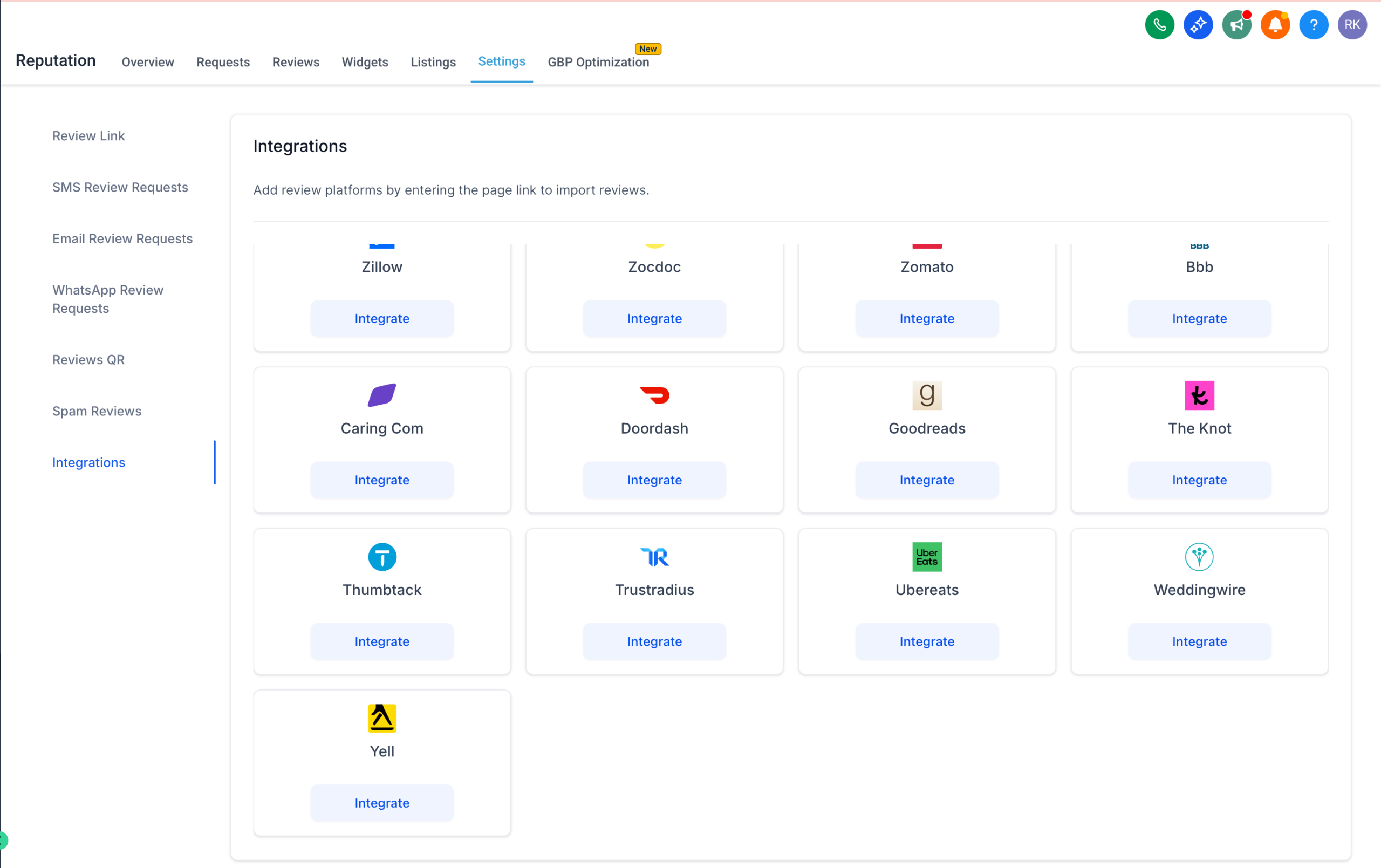
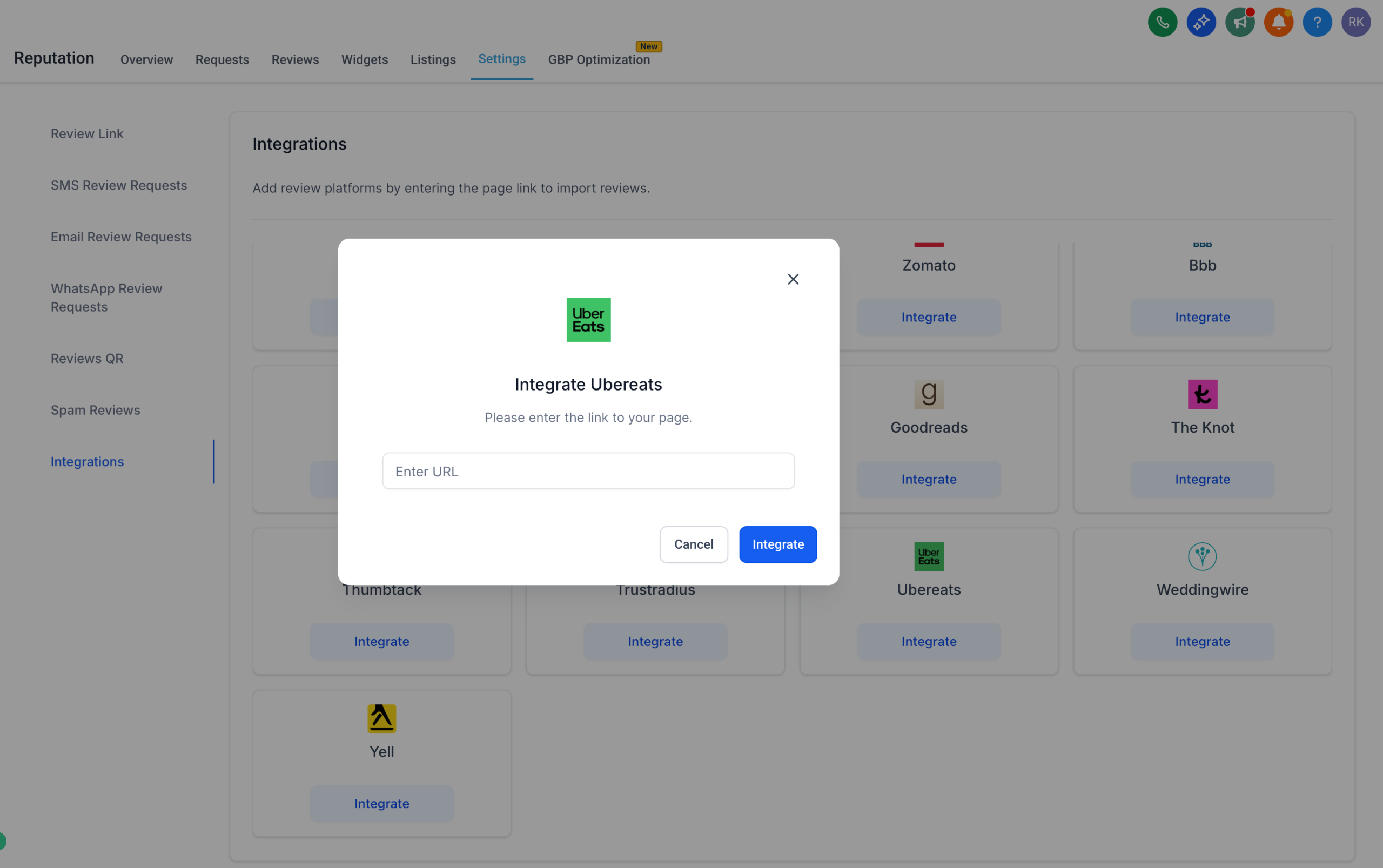
These integrations bring even more power to your unified review dashboard — no switching tabs, no manual tracking.
✅ What You Can Do:
1. View and manage reviews from all supported platforms
2. Centralise your reputation insights across industries
3. Showcase reviews in the Review Widget
4. Improve client visibility with cross-platform reporting
5. Collect reviews via Email, SMS, or WhatsApp for these platforms
📍 Available under: Reputation → Settings → Integrations
We’re actively exploring ways to integrate even more review platforms — and we’d love your input!
If there’s a platform you’d like to see supported, drop us a note at [email protected] or reach out directly at [email protected]
Your feedback helps shape what we build next. 🙌
Snapshot Workflow Email Action – Enhanced Flow
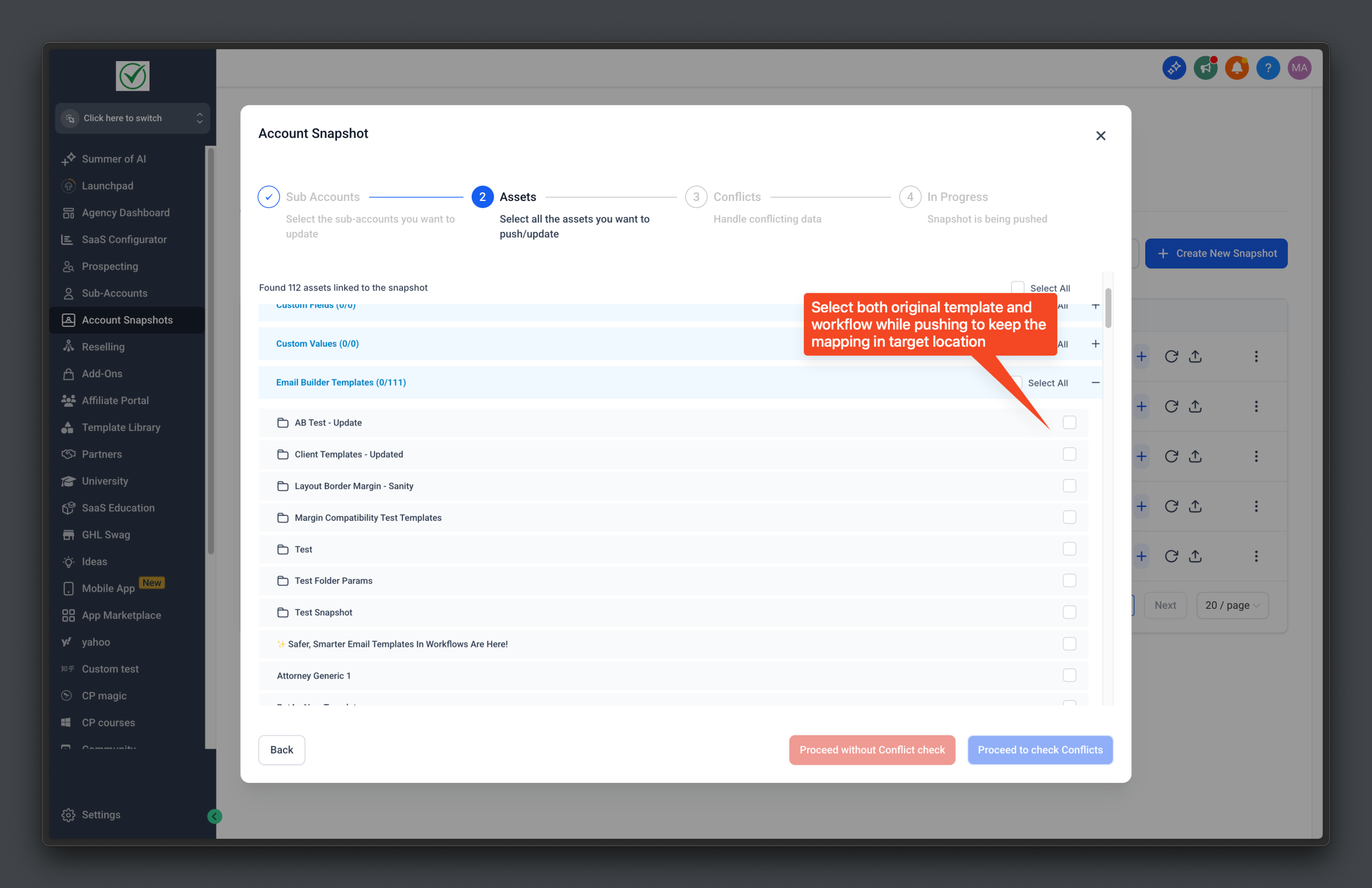
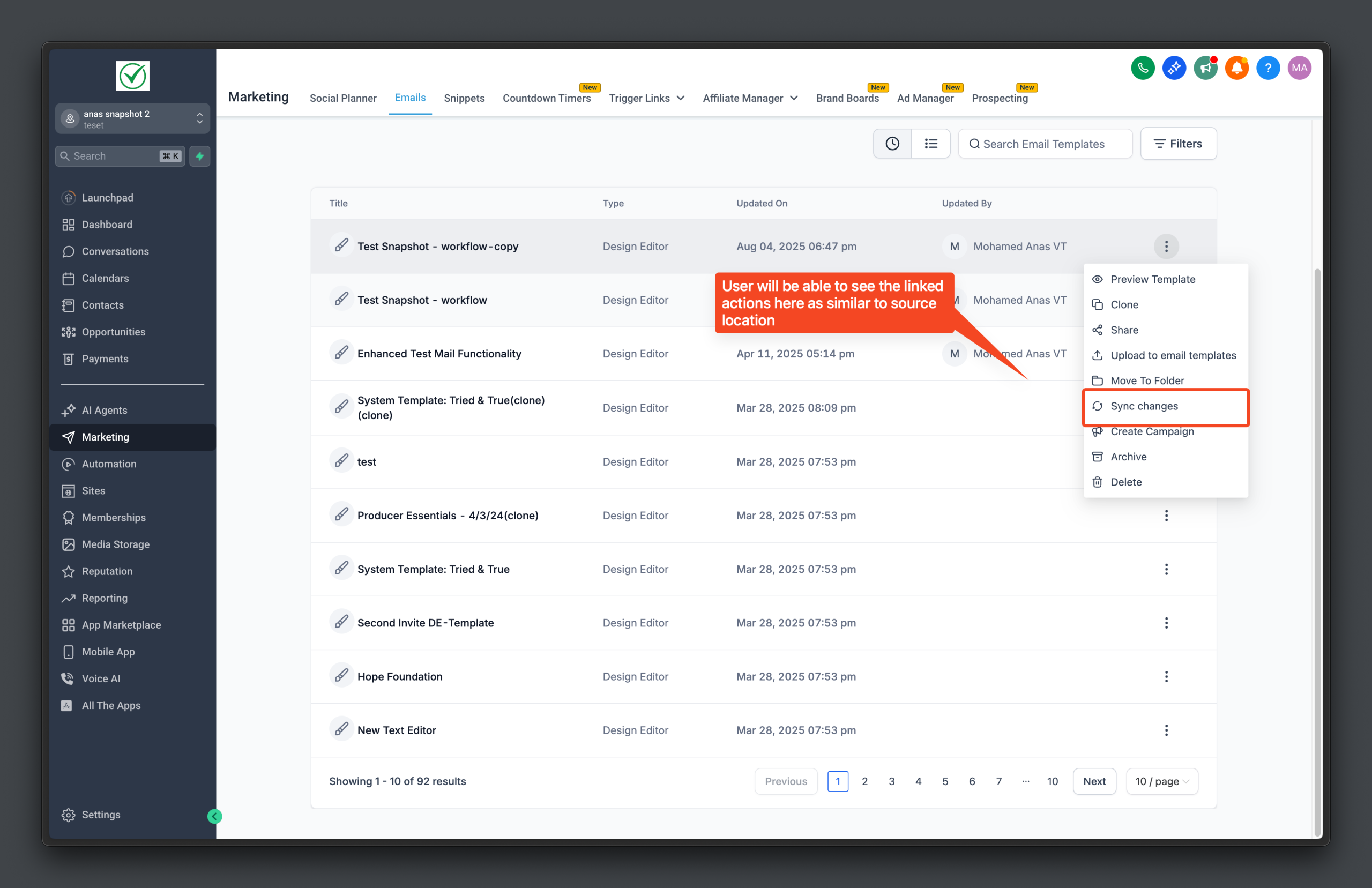
Template management just got simpler! Only original templates and workflows appear in the target location, with email actions handled automatically in the background.
Overview
The target location’s template list now only displays original templates and workflows, eliminating the clutter caused by email action templates. These email action templates are still imported and mapped in the background, but they remain hidden from users. This enhancement streamlines the template management process and improves the syncing of workflows and templates.
Benefits
– Clean Interface: The target location now shows only original templates and workflows.
– Reduced Clutter: Only core templates and workflows are visible, improving navigation.
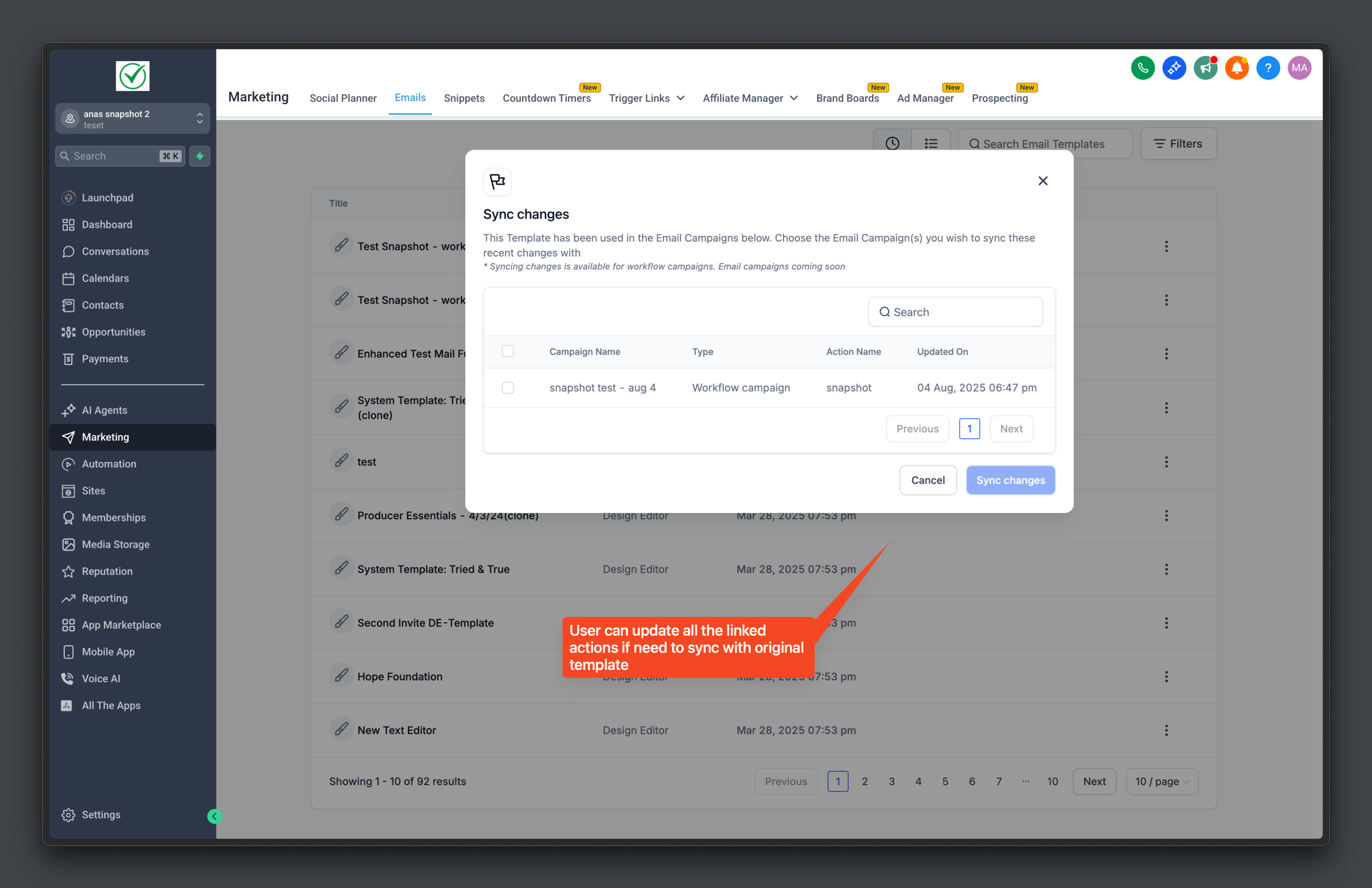
– Reliable Syncing: Email action templates are automatically mapped and synced with workflows.
✅What’s New
– Clean Target List View: Only original templates are displayed in the target location’s template list, while email action templates are hidden but still imported in the background.
– Streamlined Snapshot Listing: The snapshot modal now only shows original templates and workflows. Email action templates remain hidden but are imported and mapped in the background.
– Improved Sync Logic: Syncing works as expected when both the workflow and template are pushed together, or if the template is pushed before the workflow.
How to Use
1. Take a Snapshot: From the source location, select the workflows and templates to snapshot.
2. View in Target Location: In the target location, only original templates and workflows will appear in the template list.
1. Automatic Background Management: Email action templates are automatically imported and mapped to the selected workflows, with no additional user action required.
NOTE :
To ensure expected behaviour, existing workflows and email actions must be deleted and re-pushed after a snapshot refresh with the snapshot to apply the latest changes.
Limitations
– Email Action Availability: Email actions won’t be available, if only the workflow is pushed without its linked template. Mapping and sync will fail if the template is pushed after the workflow. (Known limitation from snapshot)
– Sync Failures: Mapping and syncing will fail if the template is pushed after its corresponding workflow.
– Bulk Deletion Not Supported: Email actions do not support bulk deletion. Developer help is required for mass deletes.
WhatsApp Templates: Trigger Link Buttons
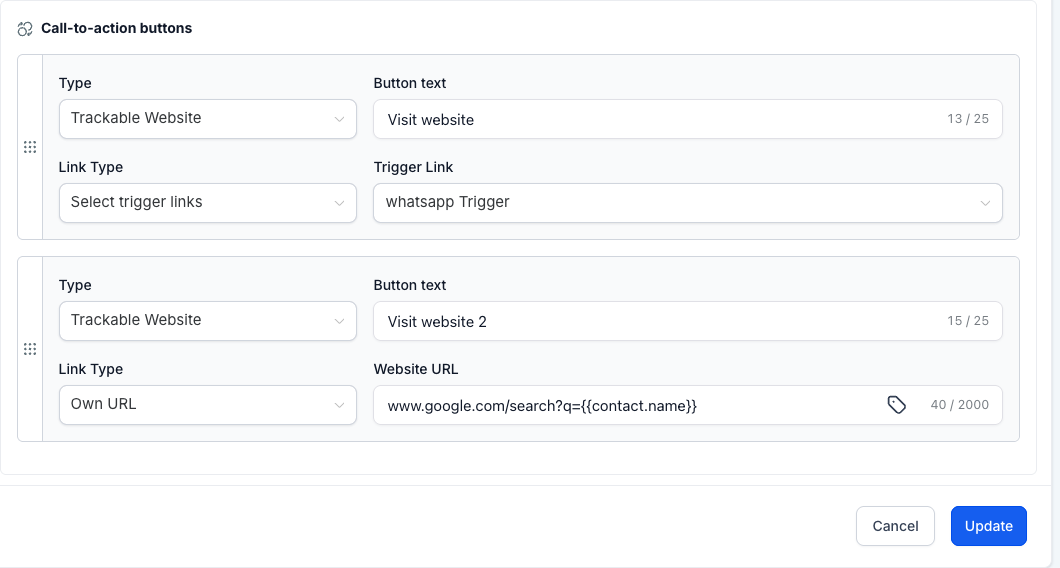
Your WhatsApp V2 templates just got smarter. You can now embed Trigger Links as buttons, track every click, and branch workflows automatically—just like you already do with email or SMS links.
What’s New
Trigger Link Buttons – Add trackable links to any WhatsApp V2 template button.
Click Tracking – See exactly which button a contact taps; clicks appear in reporting and workflow logs.
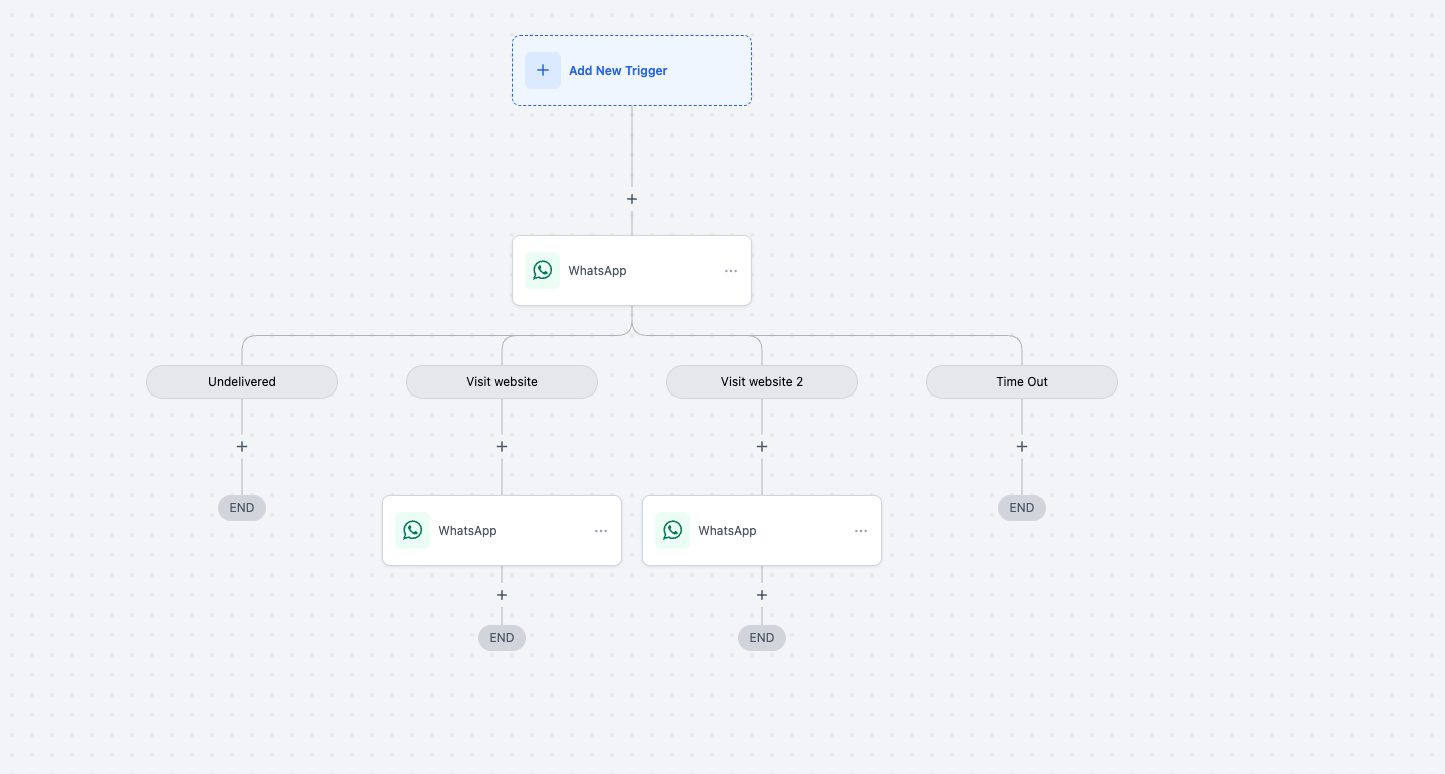
Workflow Branching – Use the Button Click condition to route contacts down different paths based on the link they chose.
Why It Matters
Measure Engagement – Know which offer, product, or CTA wins attention on WhatsApp.
Smarter Automation – Trigger follow-ups, tags, or personalized messages the moment a link is clicked.
Unified Analytics – Track WhatsApp clicks alongside email and SMS for a complete engagement picture.
How to Use
Edit or create a WhatsApp template.
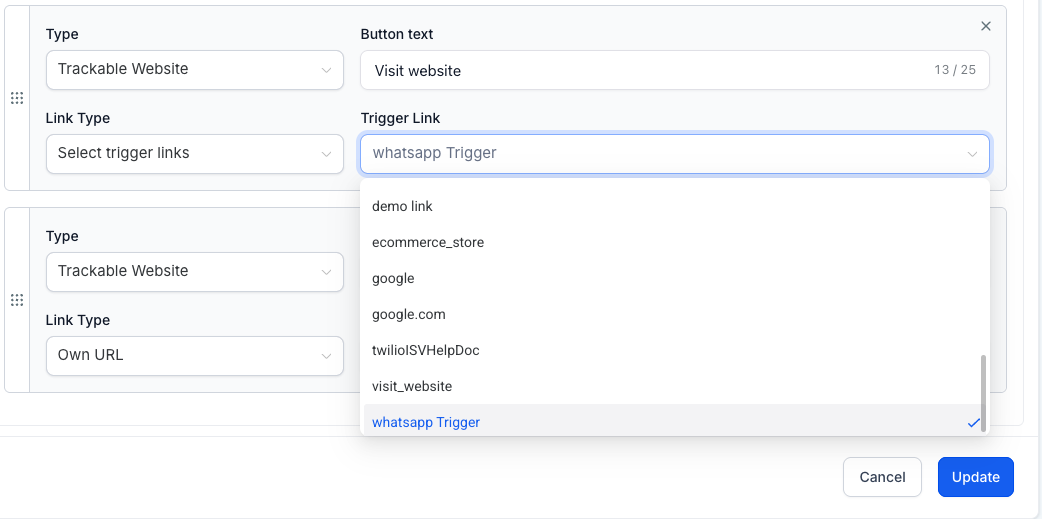
Add a button, choose Trigger Link, and select your link from the dropdown.
Save and submit the template for approval.
In Workflows, use the Button Click condition to branch actions based on the clicked trigger link.
Limitations
Total buttons per message remain capped at two.
Example combinations:
Two Trigger Link buttons
One Trigger Link button + one quick-reply button
Cannot exceed the two-button limit with any mix of button types.
Start adding Trigger Links to your WhatsApp templates today and drive laser-targeted, clickable experiences—right inside the chat.
📣 Release Note: TCR A2P Fee Changes Effective August 1, 2025
📝 Overview
The Campaign Registry (TCR), which manages A2P 10DLC messaging compliance in the U.S., has announced new fee updates that go into effect on August 1, 2025. These changes will reflect in your billing through HighLevel for all new brand registrations and campaign setups from that date onward.
🔄 What’s Changing?
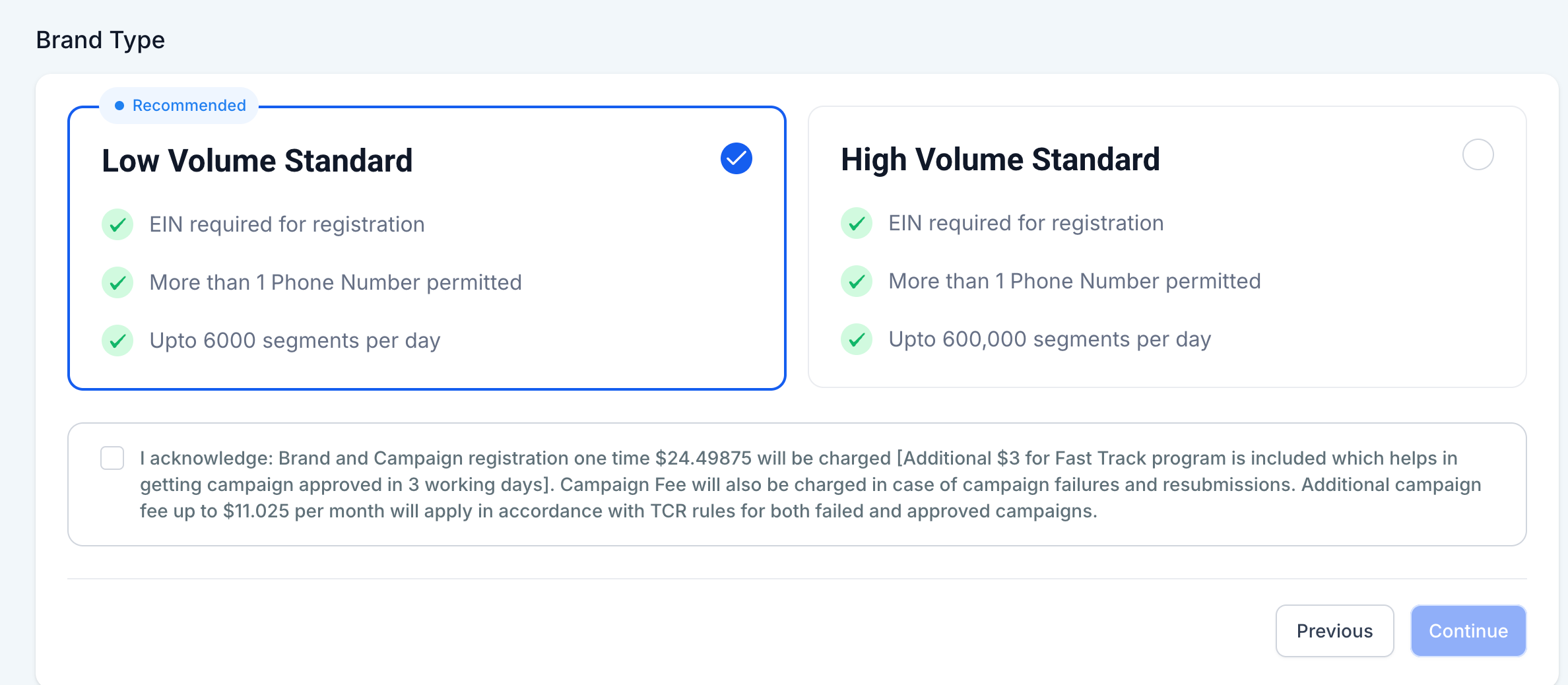
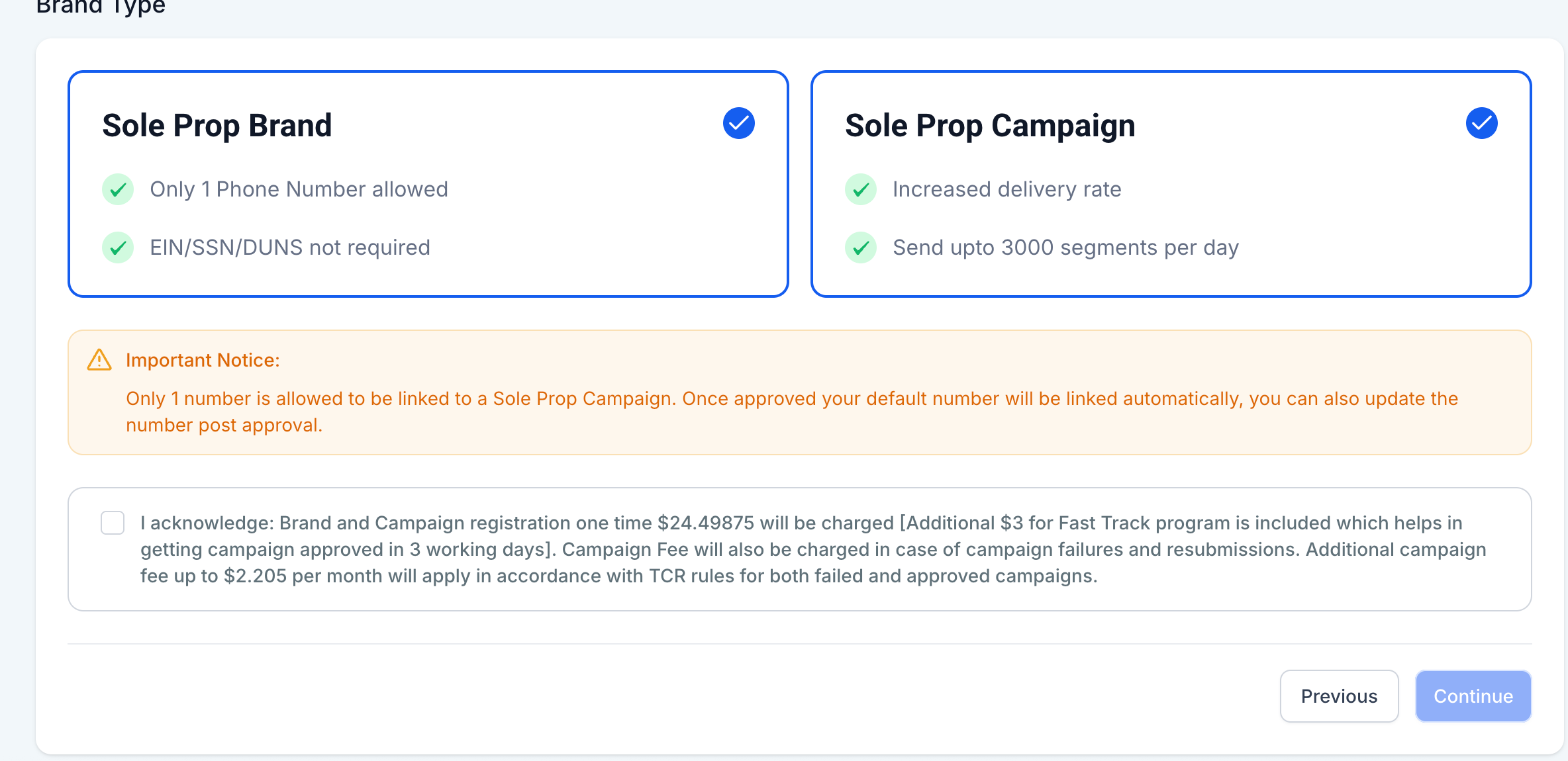
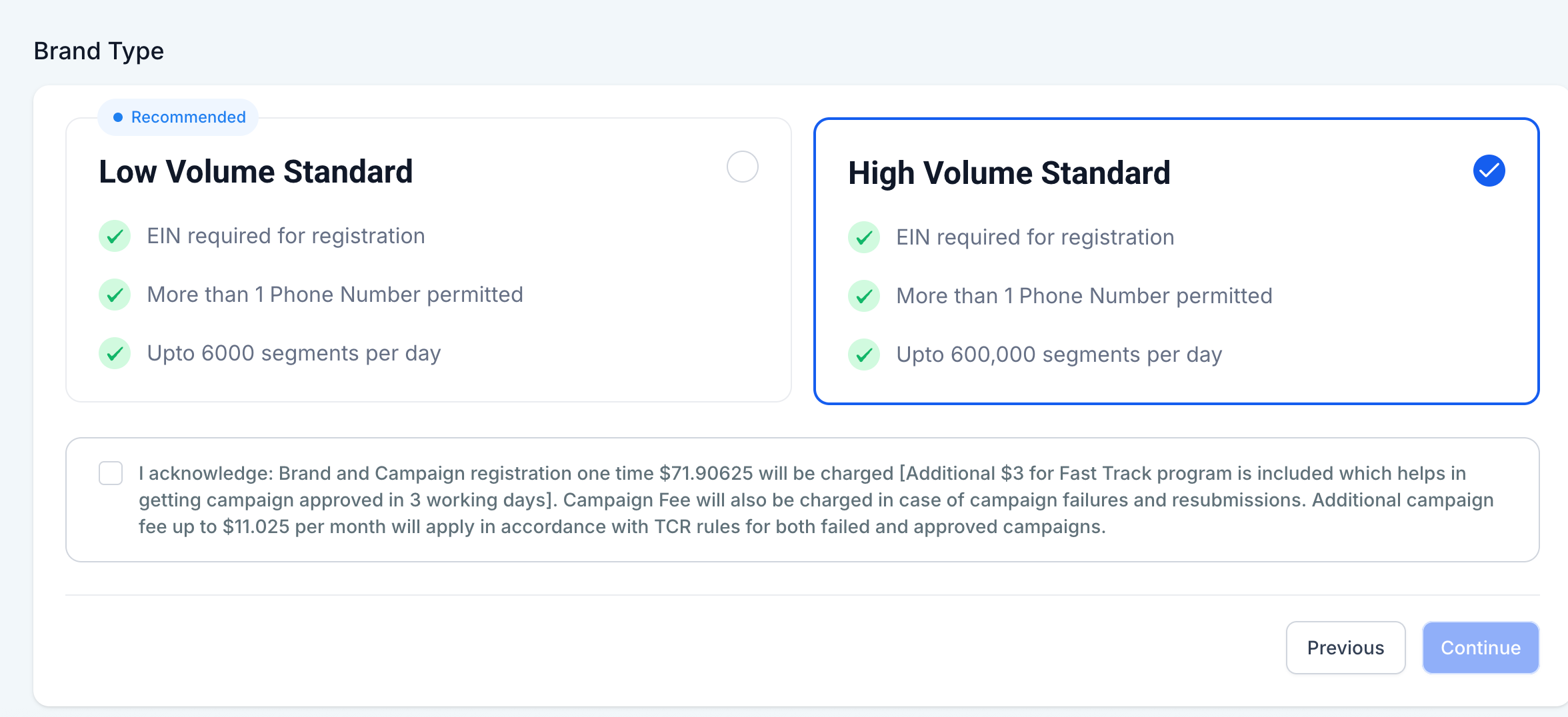
The fees for brand registration and vetting are increasing slightly. HighLevel’s updated pricing, is summarised below(including the A2P Fasttrack charges).
Category Old Price New Price Campaign Fee(Upto)
Low Volume $23.9475 $24.49875 $10.50/month (no change)
Sole Proprietor $23.9475 $24.49875 $2.10/month (no change)
High Volume $68.0475 $71.90625 $10.50/month (no change)
💡 The monthly campaign fee remains unchanged and continues to be billed separately per active campaign.
✅ What You Should Do
– Prepare for Slight Upfront Cost Changes: New costs will apply starting August 1, 2025 for all new campaign setups.
– Budget Accordingly for New Sub-Accounts: Especially for agencies handling multiple client brands.
🔗 Helpful Screenshots
If you need assistance with brand vetting, campaign selection, or understanding the changes, our support team is here to help via in-app chat.
Thanks for building with HighLevel! 🚀💙