
Sub-Account Dashboard: Custom Metrics
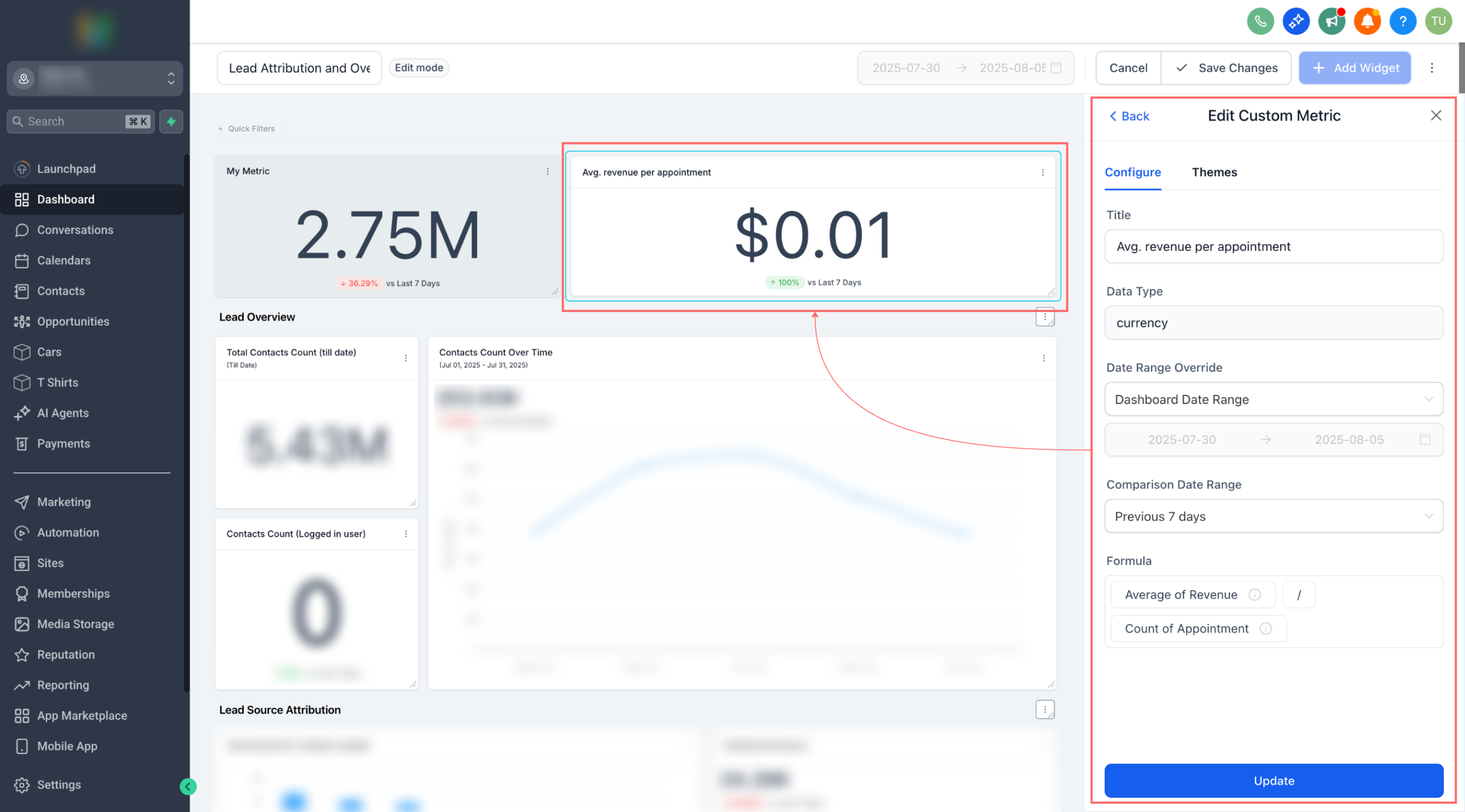
Build the KPIs you actually care about. Custom Metrics let you combine numbers from across your data sources, run calculations, and drop the result straight into dashboards and reports.
👀 What’s New?
– Create custom KPIs by mixing metrics from multiple sources (e.g., contacts, opportunities ).
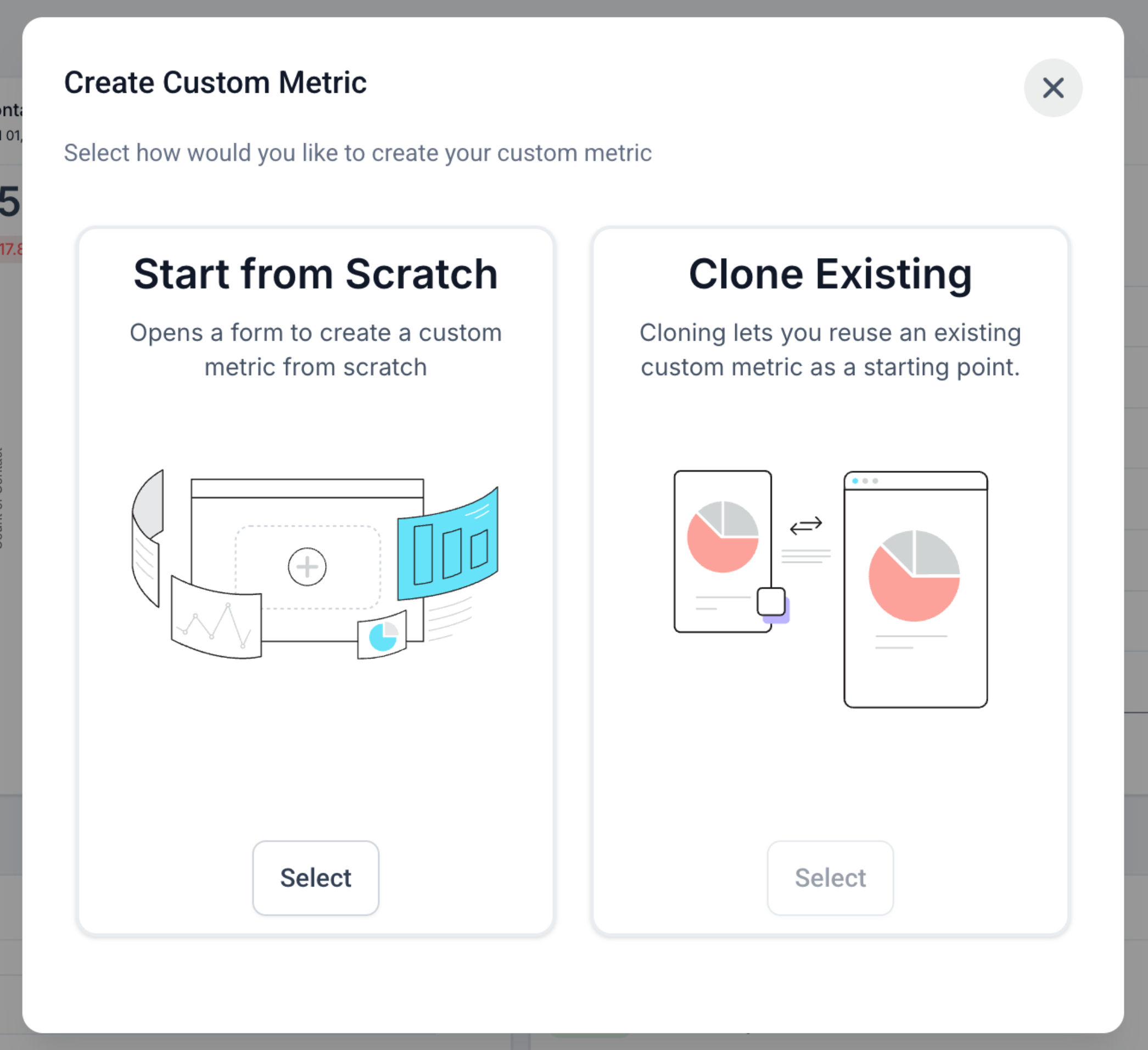
– Two ways to start: build from scratch or clone an existing metric.
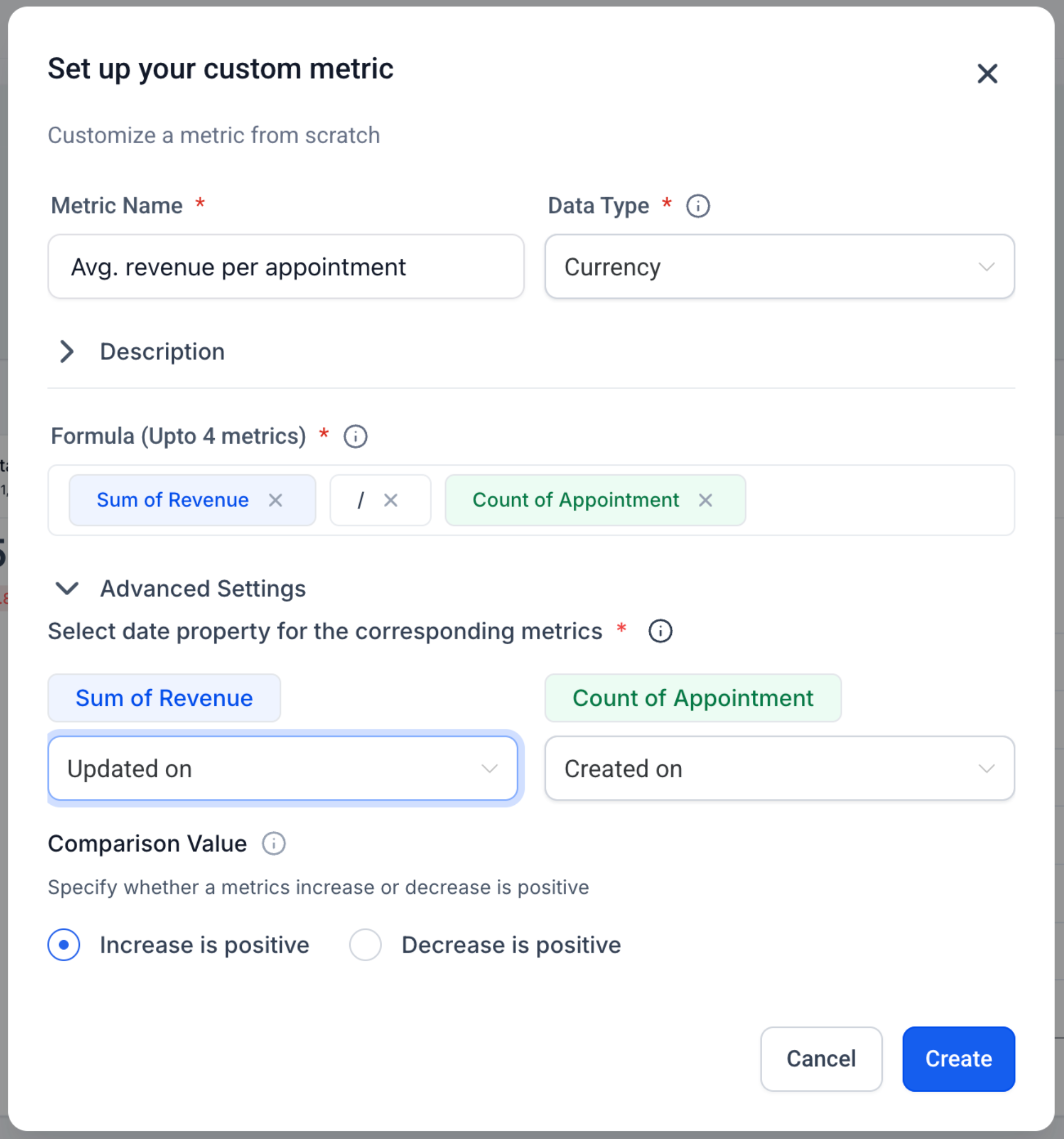
– Smart formula editor with live validation, operators, and numeric constants.
– Display types: Integer, Float, Currency, or Percentage
– Trend direction control: mark increases as positive or negative for that metric.
– Works everywhere: add as a widget to Dashboards and Custom Reports; Snapshots supported.
– Chart options: rename, theme, and (optional) compare to previous period before saving.
👷 How It Works:
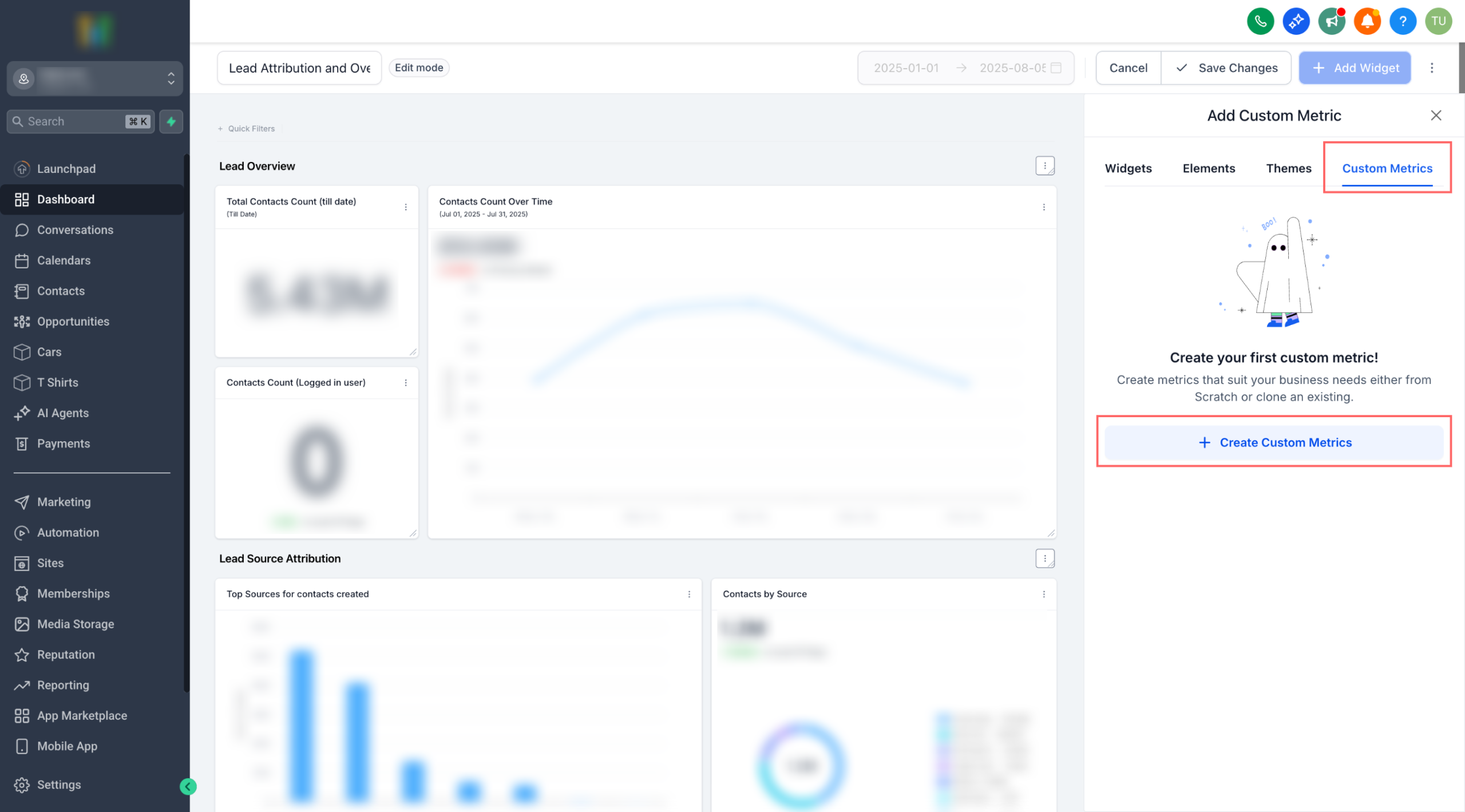
1. Go to a Dashboard (or Custom Report) → Edit → Add widget → Custom metric tab.
2. Click Create Custom Metric → pick From scratch or Clone.
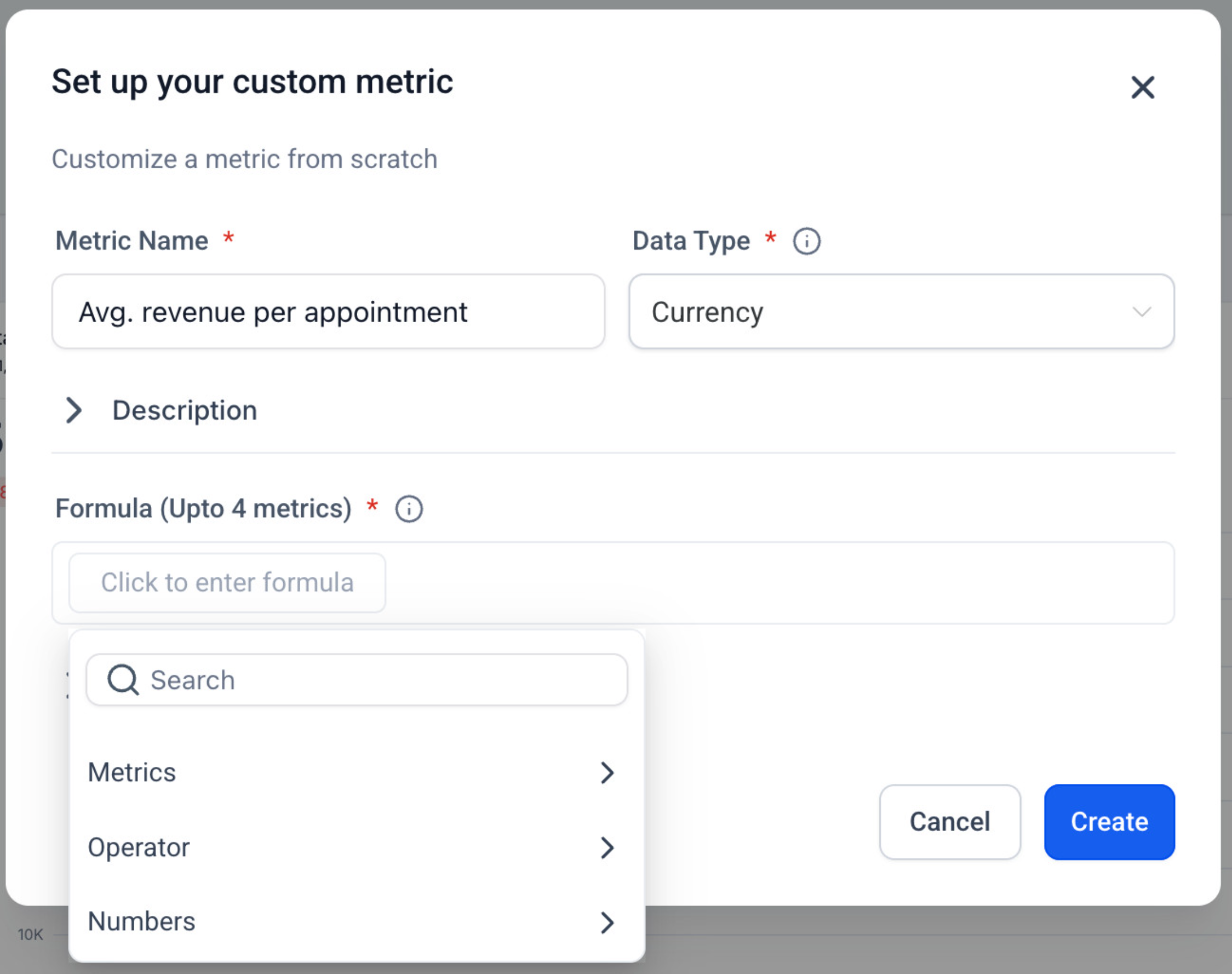
3. Fill in Name, Data Type, Description, and Trend direction.
4. In Formula, type to insert metrics (choose data source + metric), add operators and numbers.
5. Create → select your new metric as a widget → configure chart → Save.
⭐ Why it Matters:
No more cobbling together spreadsheets just to answer “Are we growing efficiently?” Custom Metrics pull cross-tool signals into a single KPI, so teams can align on the exact definitions that drive the business.
⏭️ What’s Next
Metric-level filters & properties in the formula. Example: Count of contacts (WHERE Tag = “VIP”) / Count of contacts(WHERE Source = “Ads”).
Address & Regulatory Bundle Updates
Overview :
To improve compliance safety, reduce errors, and make bundle creation more efficient, HighLevel has introduced three key updates to the Address and Regulatory Bundle experience. These changes focus on preventing accidental deletions, streamlining bundle creation with auto-filled data, and guiding users toward the correct bundle type during setup.
Key Changes :
1. Deletion Confirmation for Bundles & Addresses
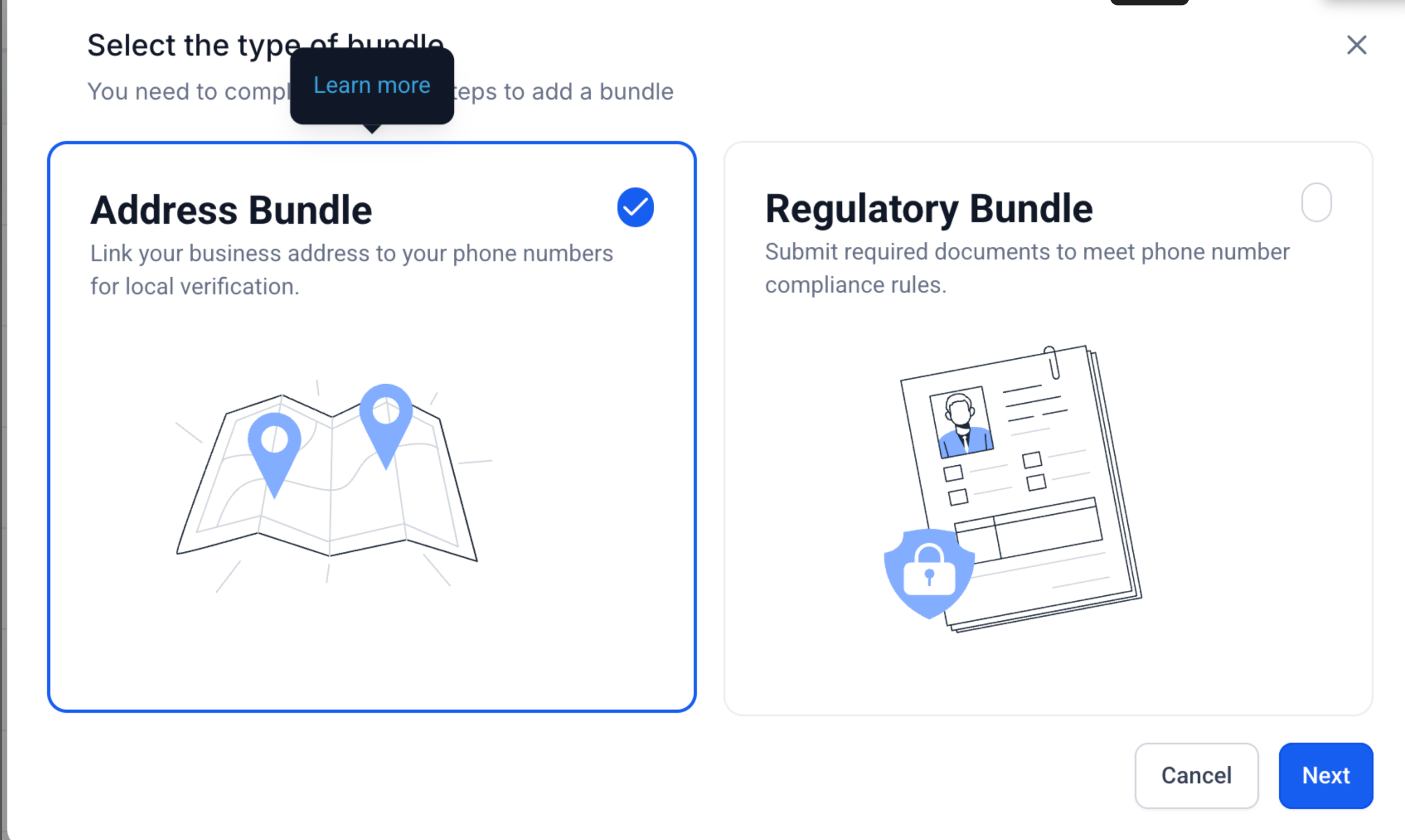
– When a user initiates deletion of a Regulatory Bundle or Address, a confirmation modal now appears before the action is completed.
– The modal clearly displays Type, Country, and Bundle ID to prevent accidental removal.
– If the bundle or address is in use, deletion will be disabled and a tooltip will explain why.
2. Auto-Population of Business Details for Address Bundles
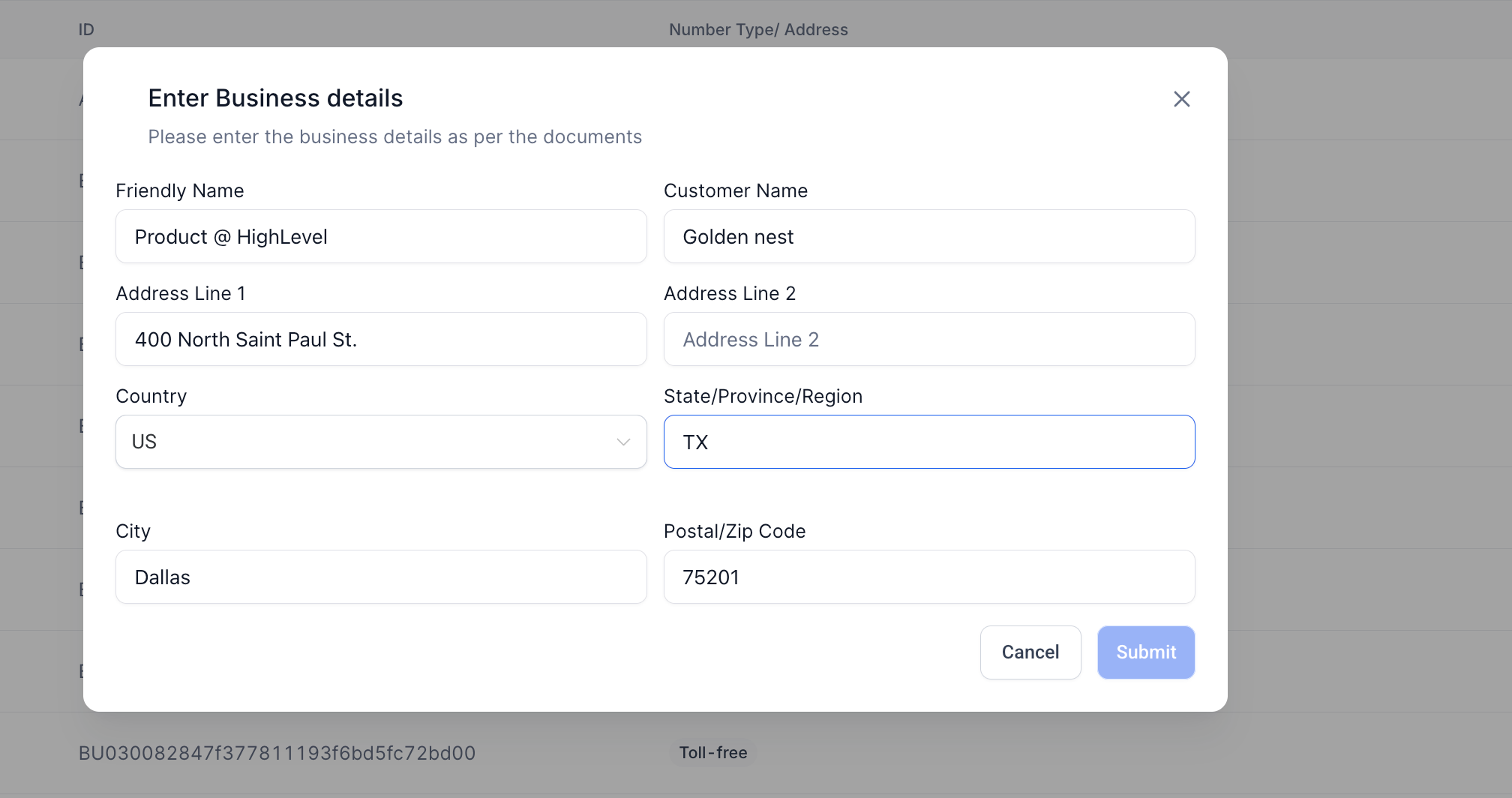
– When creating a new Address Bundle, fields are now pre-filled using data from the location profile.
– Editable fields include business name, address lines, city, state, and postal code.
– If location data is missing, the form remains blank and works as before.
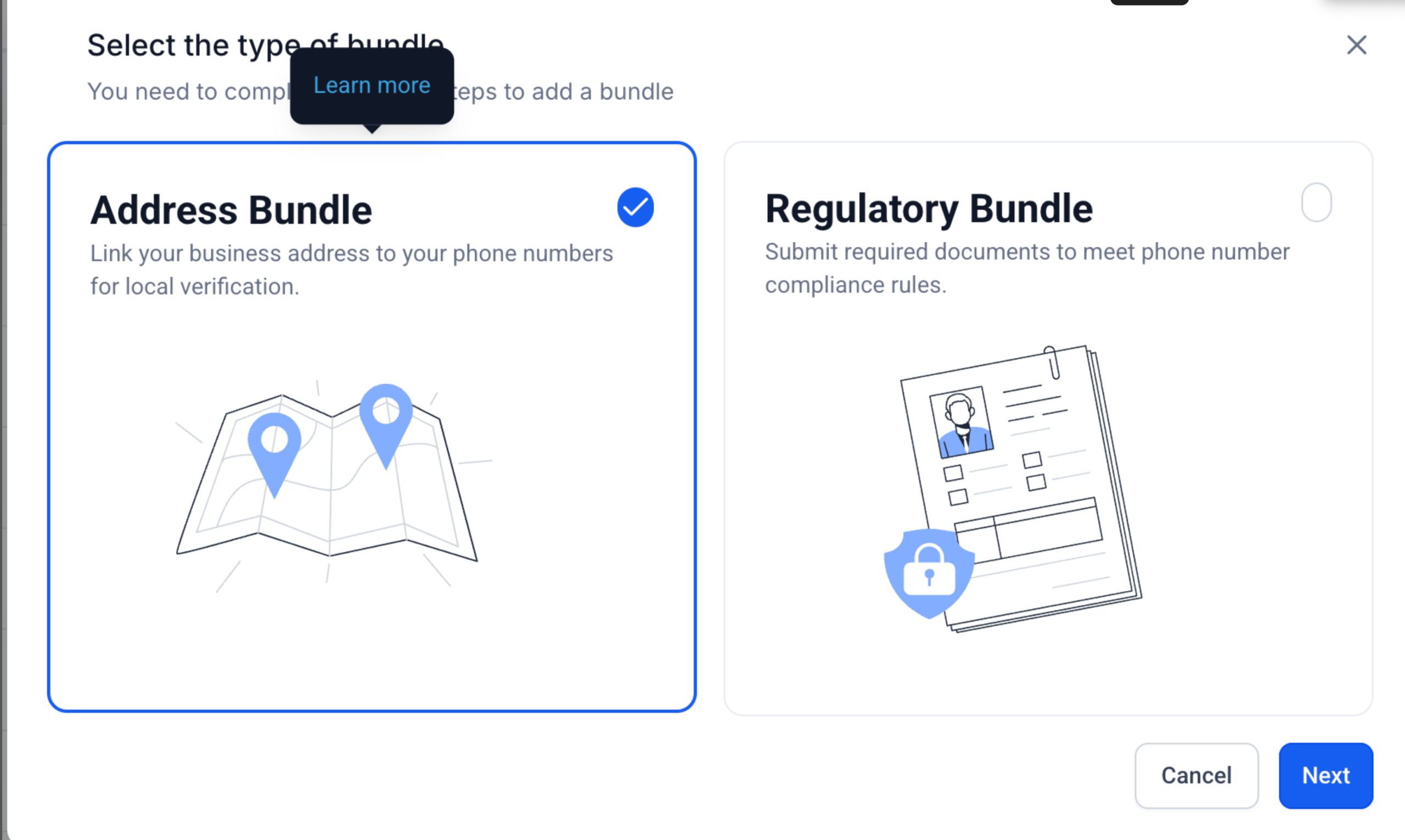
3. Default to Address Bundle in Selection Modal
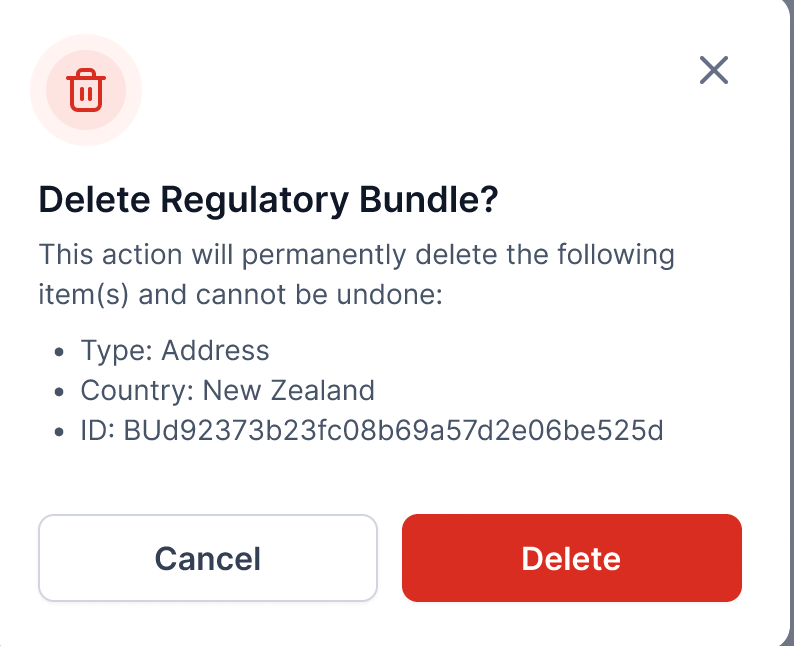
– The Address Bundle option is now pre-selected when starting the bundle creation flow.
– Both Address and Regulatory Bundle options now include clear descriptions to help users choose correctly.
– “Learn More” links provide direct access to support documentation for further guidance.
Updated User Journey :
Bundle Deletion Attempt
– User clicks delete → confirmation modal appears with item details → user confirms or cancels.
– If in use, delete option is disabled with explanation tooltip.
Address Bundle Creation
– User selects Address Bundle → business details auto-populate from location metadata.
– User reviews and edits fields as needed before submitting.
Bundle Selection
– When prompted to choose bundle type, Address Bundle is pre-selected by default.
– Both options display short descriptions and have “Learn More” links for clarity.
Why This Matters :
– These updates are designed to:
– Reduce compliance risks from accidental bundle deletions.
– Save time and improve accuracy by reusing existing location data.
– Help users select the right bundle type and avoid provisioning errors.
Address & Regulatory Bundle Updates
Overview :
To improve compliance safety, reduce errors, and make bundle creation more efficient, HighLevel has introduced three key updates to the Address and Regulatory Bundle experience. These changes focus on preventing accidental deletions, streamlining bundle creation with auto-filled data, and guiding users toward the correct bundle type during setup.
Key Changes :
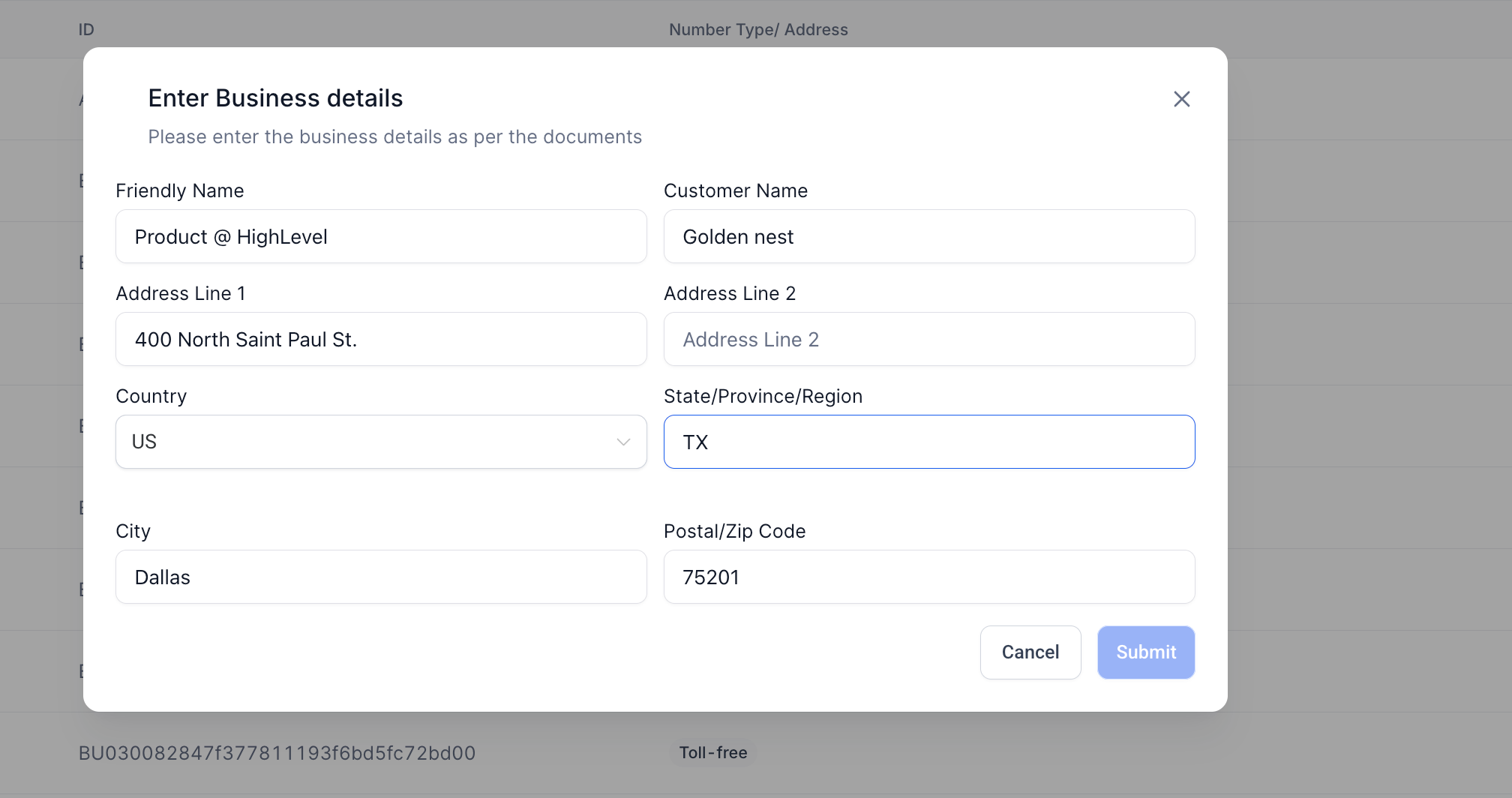
1. Deletion Confirmation for Bundles & Addresses
– When a user initiates deletion of a Regulatory Bundle or Address, a confirmation modal now appears before the action is completed.
– The modal clearly displays Type, Country, and Bundle ID to prevent accidental removal.
– If the bundle or address is in use, deletion will be disabled and a tooltip will explain why.
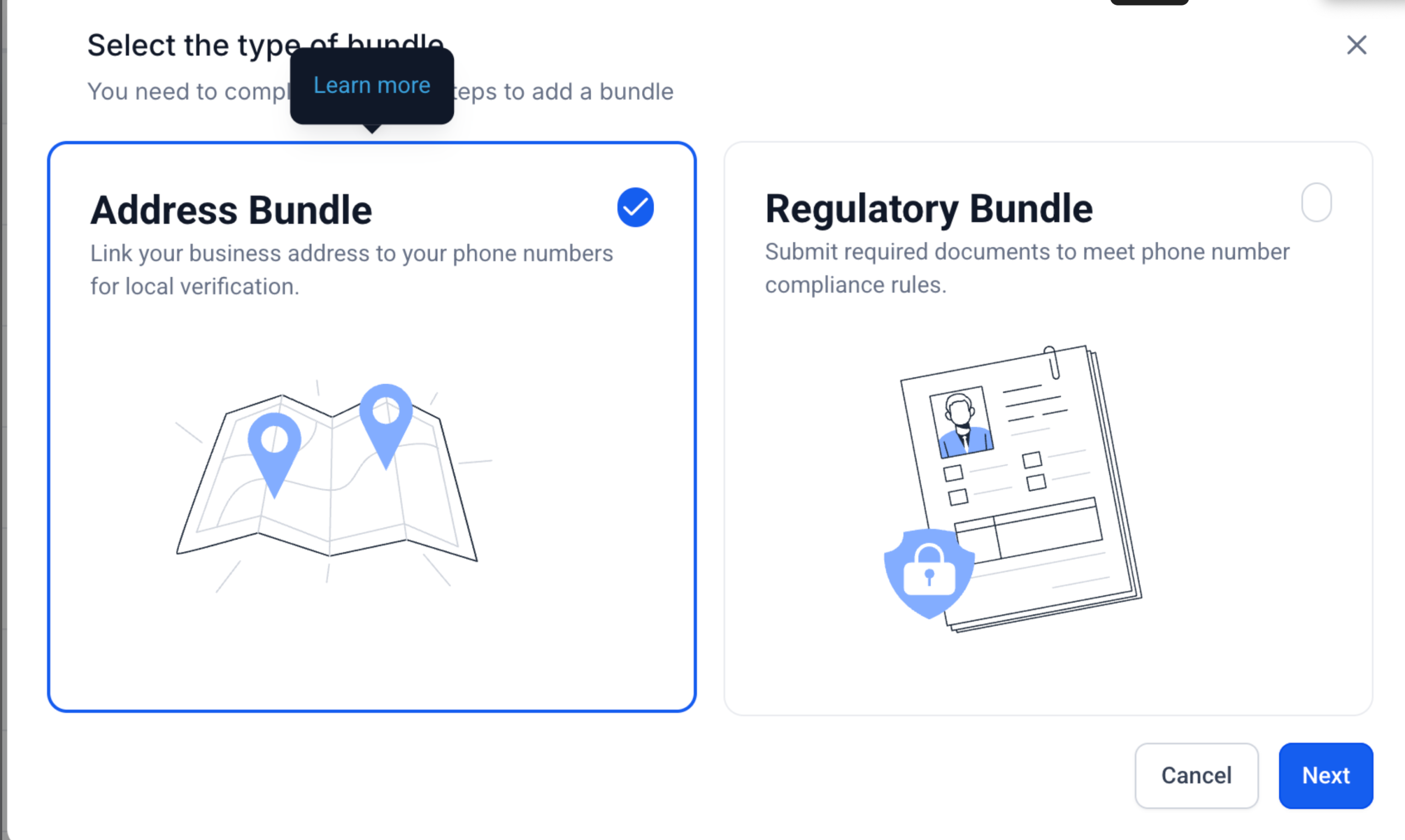
2. Auto-Population of Business Details for Address Bundles
– When creating a new Address Bundle, fields are now pre-filled using data from the location profile.
– Editable fields include business name, address lines, city, state, and postal code.
– If location data is missing, the form remains blank and works as before.
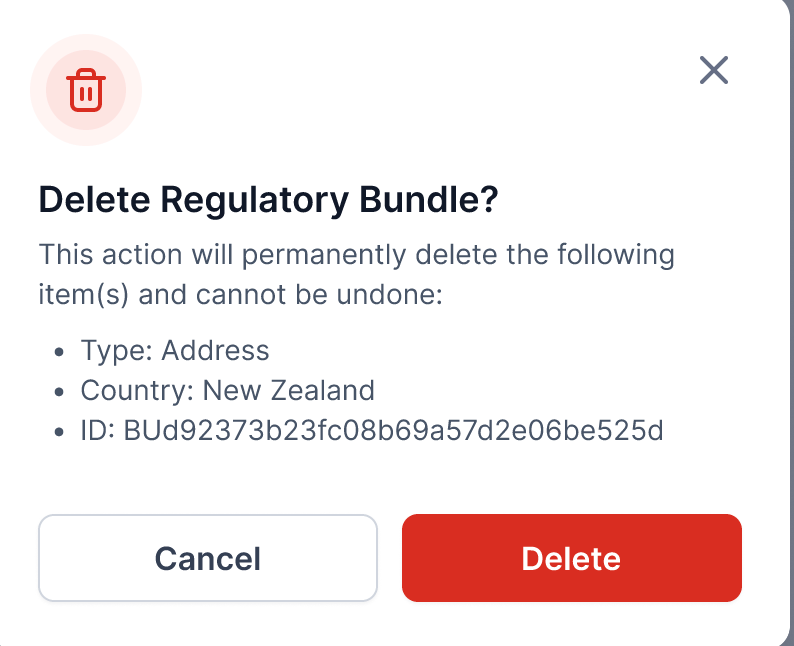
3. Default to Address Bundle in Selection Modal
– The Address Bundle option is now pre-selected when starting the bundle creation flow.
– Both Address and Regulatory Bundle options now include clear descriptions to help users choose correctly.
– “Learn More” links provide direct access to support documentation for further guidance.
Updated User Journey :
Bundle Deletion Attempt
– User clicks delete → confirmation modal appears with item details → user confirms or cancels.
– If in use, delete option is disabled with explanation tooltip.
Address Bundle Creation
– User selects Address Bundle → business details auto-populate from location metadata.
– User reviews and edits fields as needed before submitting.
Bundle Selection
– When prompted to choose bundle type, Address Bundle is pre-selected by default.
– Both options display short descriptions and have “Learn More” links for clarity.
Why This Matters :
– These updates are designed to:
– Reduce compliance risks from accidental bundle deletions.
– Save time and improve accuracy by reusing existing location data.
– Help users select the right bundle type and avoid provisioning errors.
Address & Regulatory Bundle Updates
Overview :
To improve compliance safety, reduce errors, and make bundle creation more efficient, HighLevel has introduced three key updates to the Address and Regulatory Bundle experience. These changes focus on preventing accidental deletions, streamlining bundle creation with auto-filled data, and guiding users toward the correct bundle type during setup.
Key Changes :
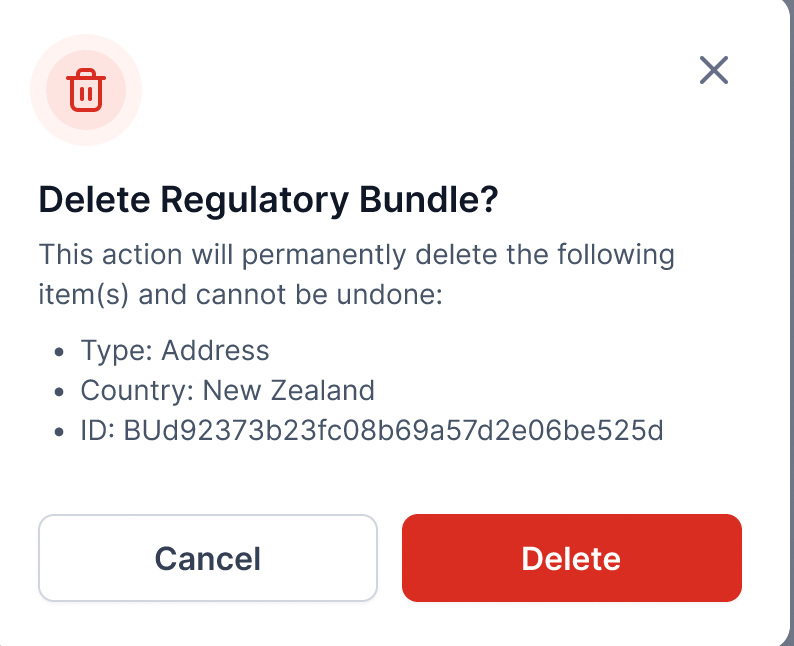
1. Deletion Confirmation for Bundles & Addresses
– When a user initiates deletion of a Regulatory Bundle or Address, a confirmation modal now appears before the action is completed.
– The modal clearly displays Type, Country, and Bundle ID to prevent accidental removal.
– If the bundle or address is in use, deletion will be disabled and a tooltip will explain why.
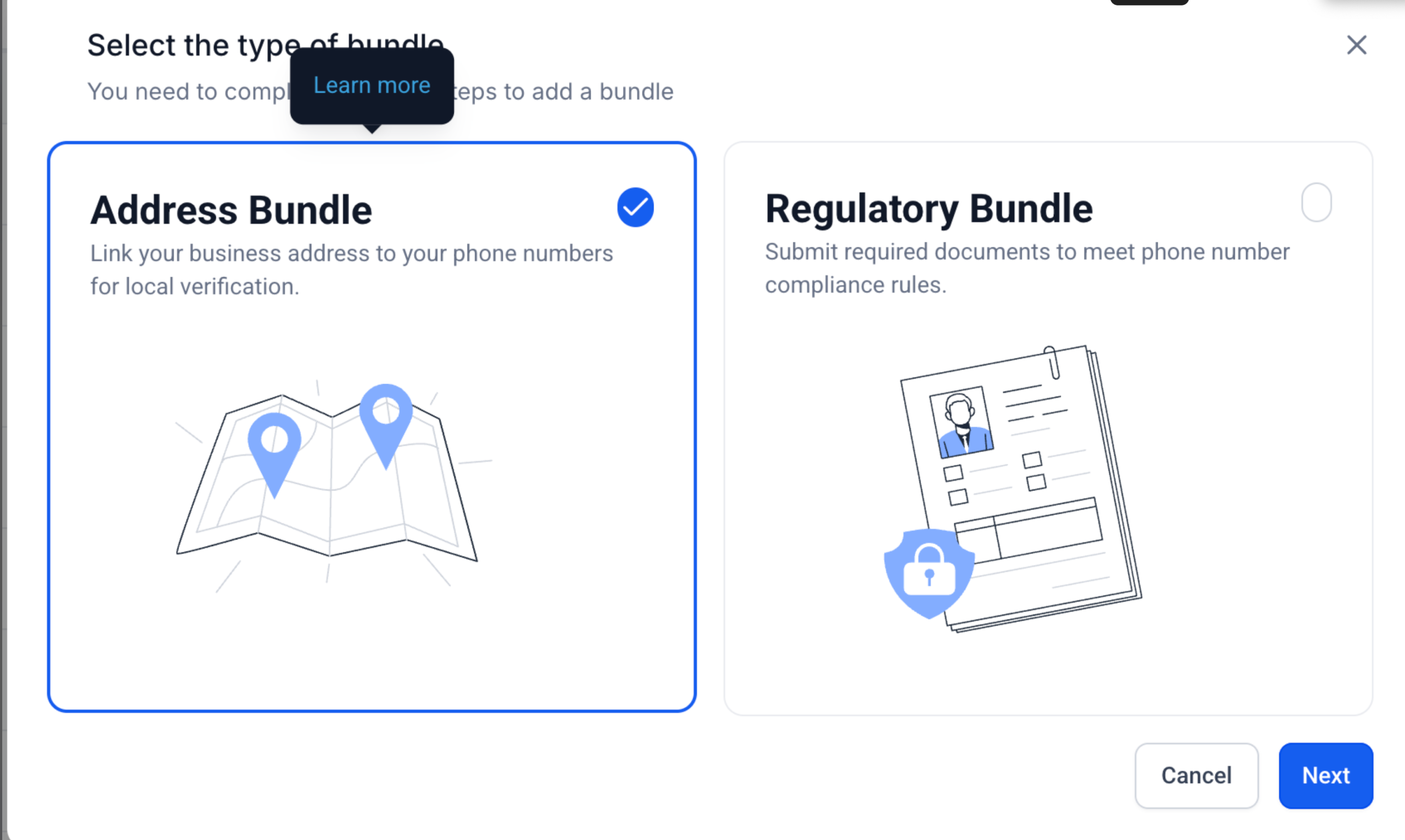
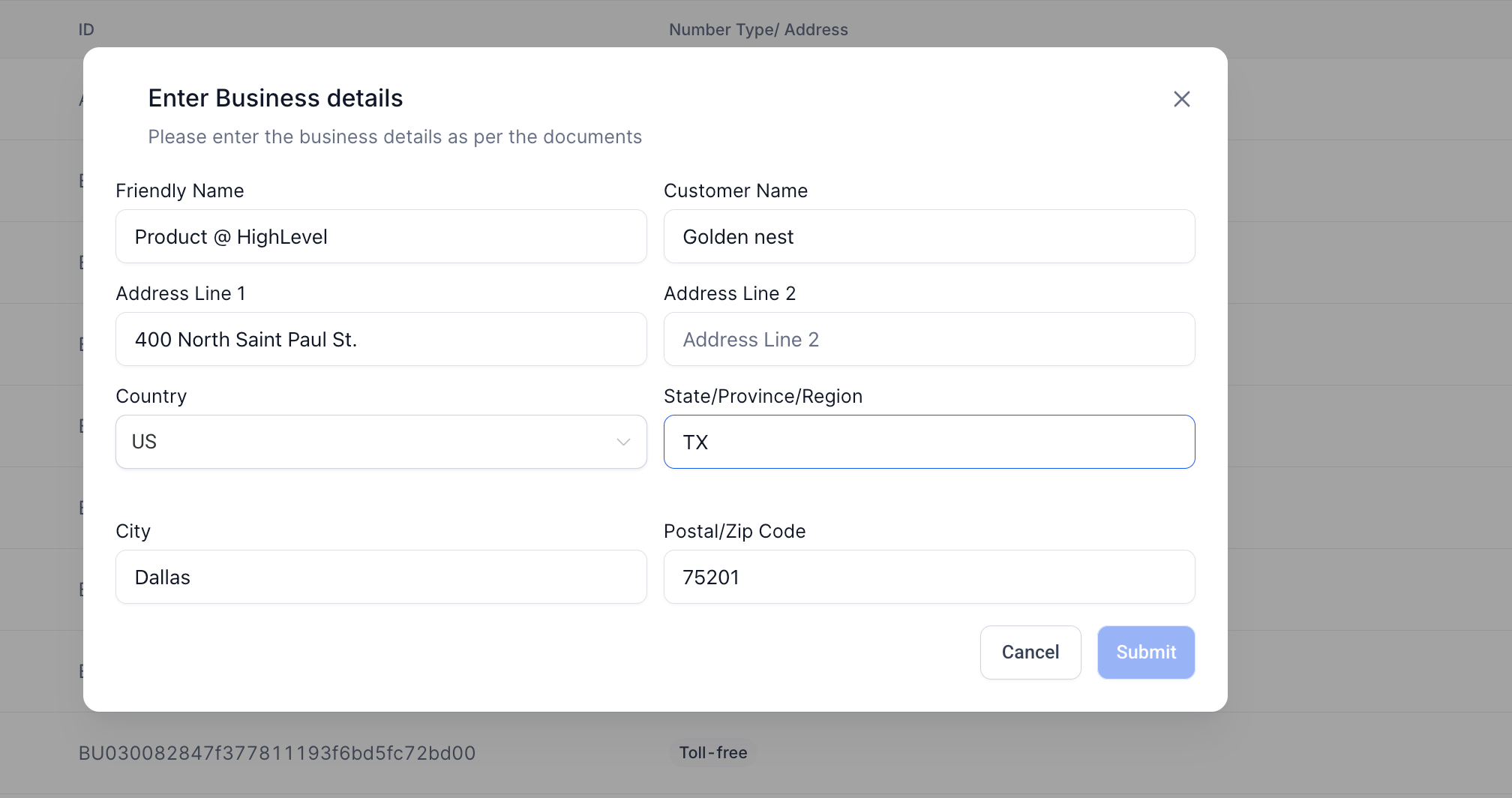
2. Auto-Population of Business Details for Address Bundles
– When creating a new Address Bundle, fields are now pre-filled using data from the location profile.
– Editable fields include business name, address lines, city, state, and postal code.
– If location data is missing, the form remains blank and works as before.
3. Default to Address Bundle in Selection Modal
– The Address Bundle option is now pre-selected when starting the bundle creation flow.
– Both Address and Regulatory Bundle options now include clear descriptions to help users choose correctly.
– “Learn More” links provide direct access to support documentation for further guidance.
Updated User Journey :
Bundle Deletion Attempt
– User clicks delete → confirmation modal appears with item details → user confirms or cancels.
– If in use, delete option is disabled with explanation tooltip.
Address Bundle Creation
– User selects Address Bundle → business details auto-populate from location metadata.
– User reviews and edits fields as needed before submitting.
Bundle Selection
– When prompted to choose bundle type, Address Bundle is pre-selected by default.
– Both options display short descriptions and have “Learn More” links for clarity.
Why This Matters :
– These updates are designed to:
– Reduce compliance risks from accidental bundle deletions.
– Save time and improve accuracy by reusing existing location data.
– Help users select the right bundle type and avoid provisioning errors.
Address & Regulatory Bundle Updates
Overview :
To improve compliance safety, reduce errors, and make bundle creation more efficient, HighLevel has introduced three key updates to the Address and Regulatory Bundle experience. These changes focus on preventing accidental deletions, streamlining bundle creation with auto-filled data, and guiding users toward the correct bundle type during setup.
Key Changes :
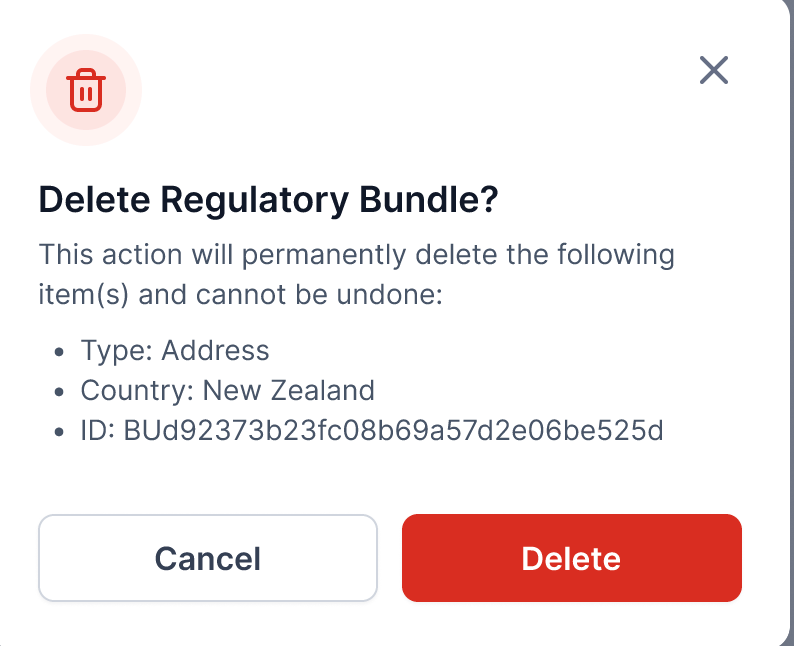
1. Deletion Confirmation for Bundles & Addresses
– When a user initiates deletion of a Regulatory Bundle or Address, a confirmation modal now appears before the action is completed.
– The modal clearly displays Type, Country, and Bundle ID to prevent accidental removal.
– If the bundle or address is in use, deletion will be disabled and a tooltip will explain why.
2. Auto-Population of Business Details for Address Bundles
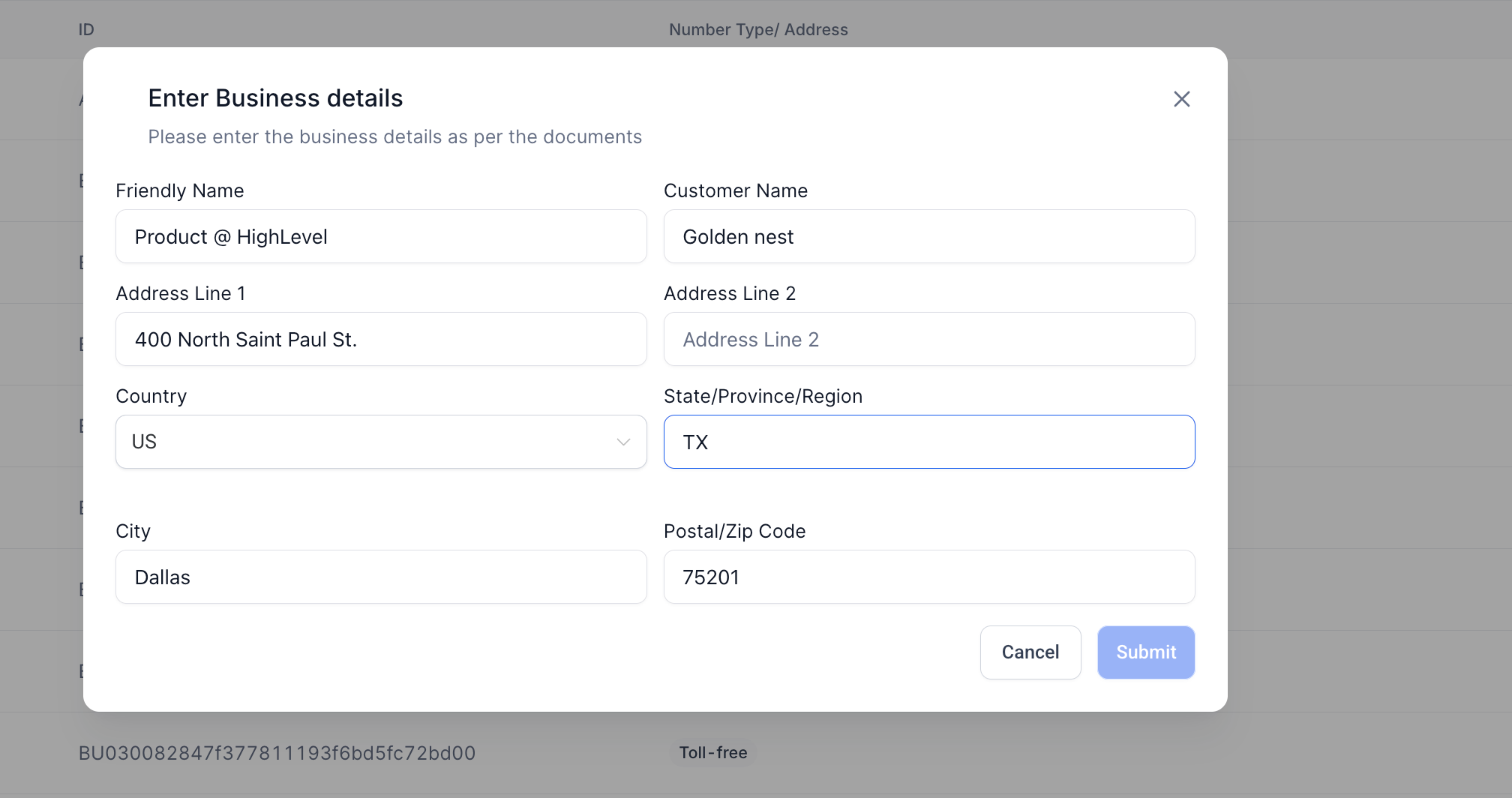
– When creating a new Address Bundle, fields are now pre-filled using data from the location profile.
– Editable fields include business name, address lines, city, state, and postal code.
– If location data is missing, the form remains blank and works as before.
3. Default to Address Bundle in Selection Modal
– The Address Bundle option is now pre-selected when starting the bundle creation flow.
– Both Address and Regulatory Bundle options now include clear descriptions to help users choose correctly.
– “Learn More” links provide direct access to support documentation for further guidance.
Updated User Journey :
Bundle Deletion Attempt
– User clicks delete → confirmation modal appears with item details → user confirms or cancels.
– If in use, delete option is disabled with explanation tooltip.
Address Bundle Creation
– User selects Address Bundle → business details auto-populate from location metadata.
– User reviews and edits fields as needed before submitting.
Bundle Selection
– When prompted to choose bundle type, Address Bundle is pre-selected by default.
– Both options display short descriptions and have “Learn More” links for clarity.
Why This Matters :
– These updates are designed to:
– Reduce compliance risks from accidental bundle deletions.
– Save time and improve accuracy by reusing existing location data.
– Help users select the right bundle type and avoid provisioning errors.