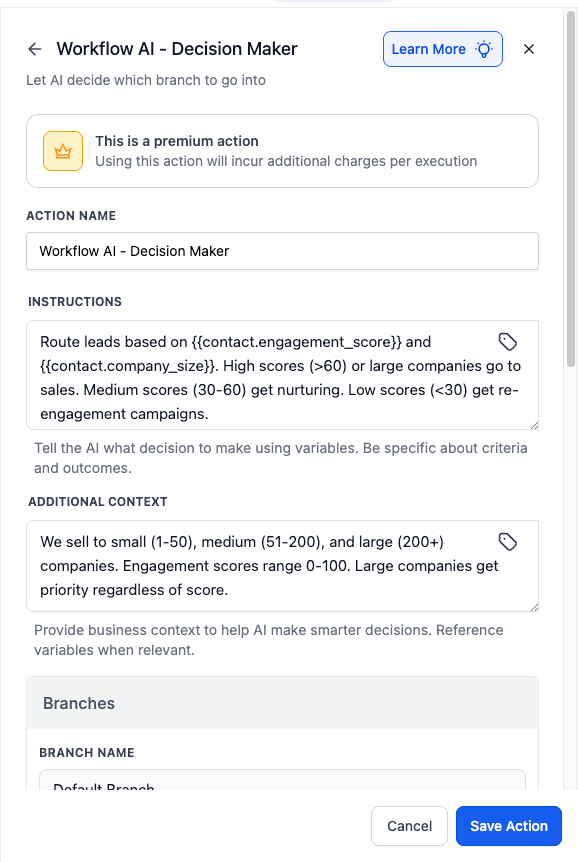
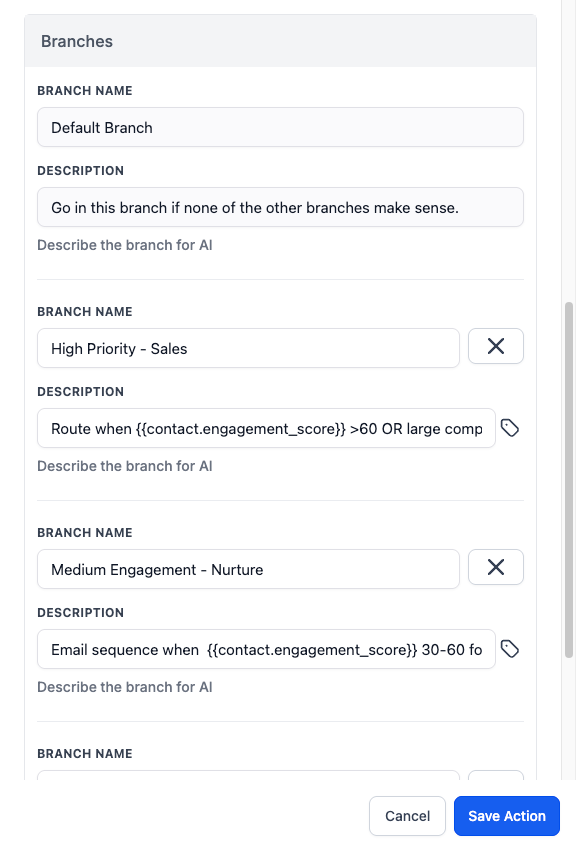
Decision Maker Action Improvements
What’s changed?
1. Removed branch key requirement
2. Renamed “Information” section to “Additional Context”
3. Updated helper text for Instructions and Additional Context fields
4. Improved placeholder examples throughout Instructions, Additional Context, and Branches
5. Enhanced empty state placeholder text for better guidance
These updates simplify the user experience and help customers better understand this powerful action’s capabilities.
More improvements coming soon.
Never Miss a Message: Offline Chat Awareness
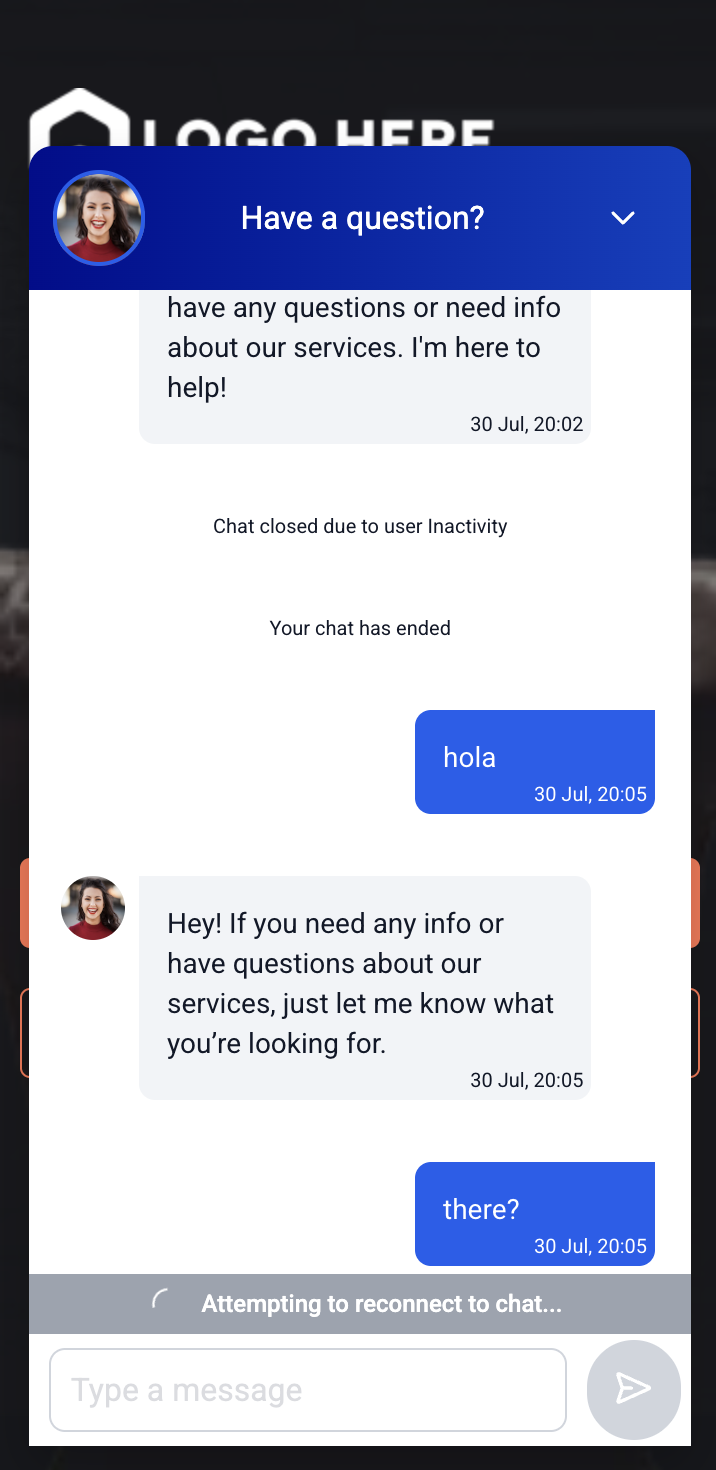
Staying connected is everything—especially during live conversations. With Offline Chat Awareness, we’ve made your chat widget smarter and more reliable when the internet drops.
Instead of leaving visitors in the dark, the widget now clearly signals what’s happening and ensures no messages are lost in the shuffle.
🚀 What’s New
The chat widget now intelligently manages network drops with real-time UI feedback:
– “Reconnecting to chat…” banner now appears when internet drops
– Message input is disabled during downtime to prevent lost messages
– Auto-fetches missed messages from users/agents after reconnection
🔍 How It Works
When a visitor’s internet drops:
– The chat shows a reconnecting status and disables message sending
– Upon reconnect, the chat restores input access and fetches any missed responses from sub-accounts (users, AI agents)
This ensures conversations feel continuous—even when connections aren’t. Fewer missed opportunities, better clarity for your leads.
Invoices, Estimates Workflows: SMS/Email control In Send Invoice/Estimate Action
What’s new?
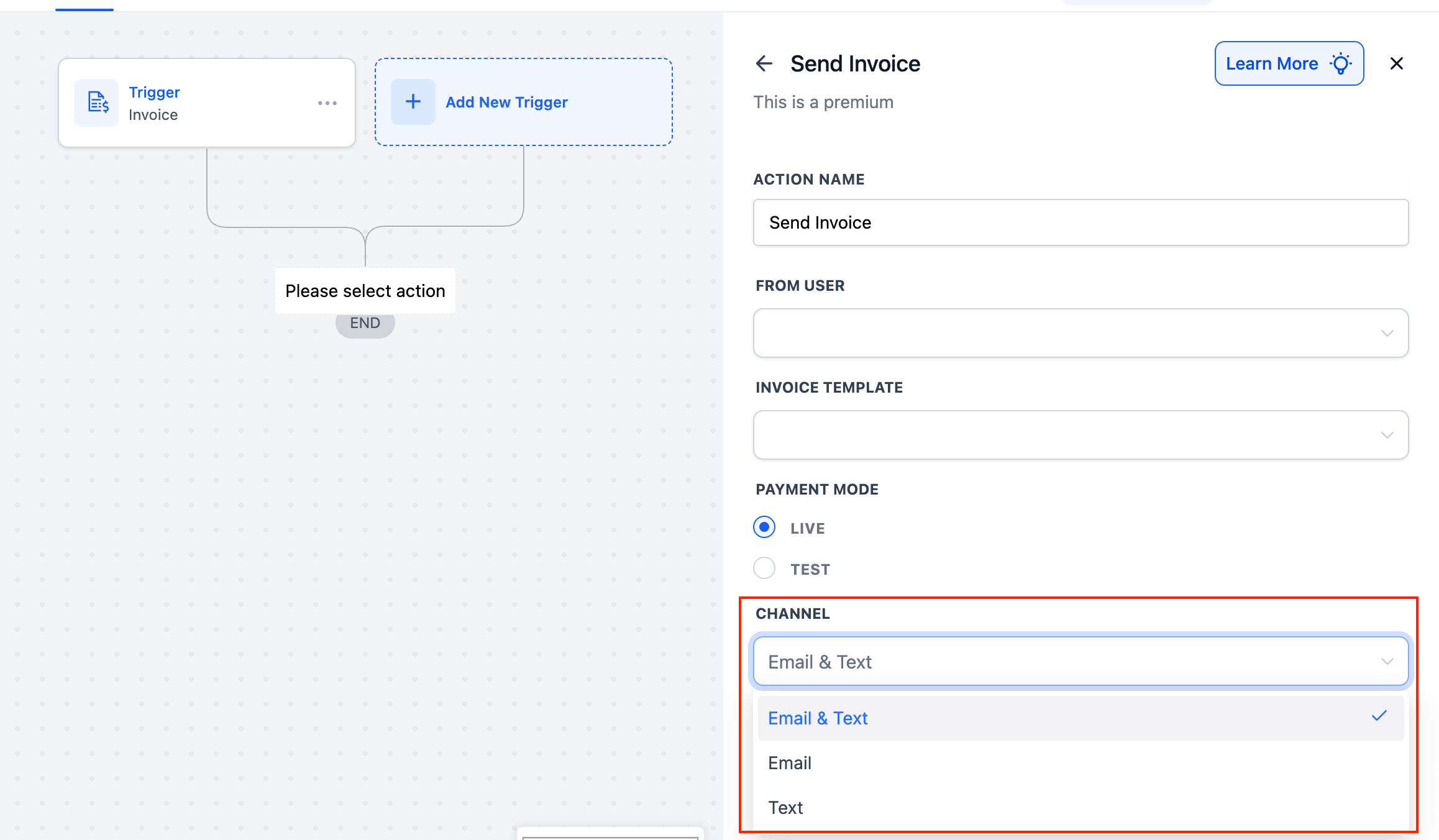
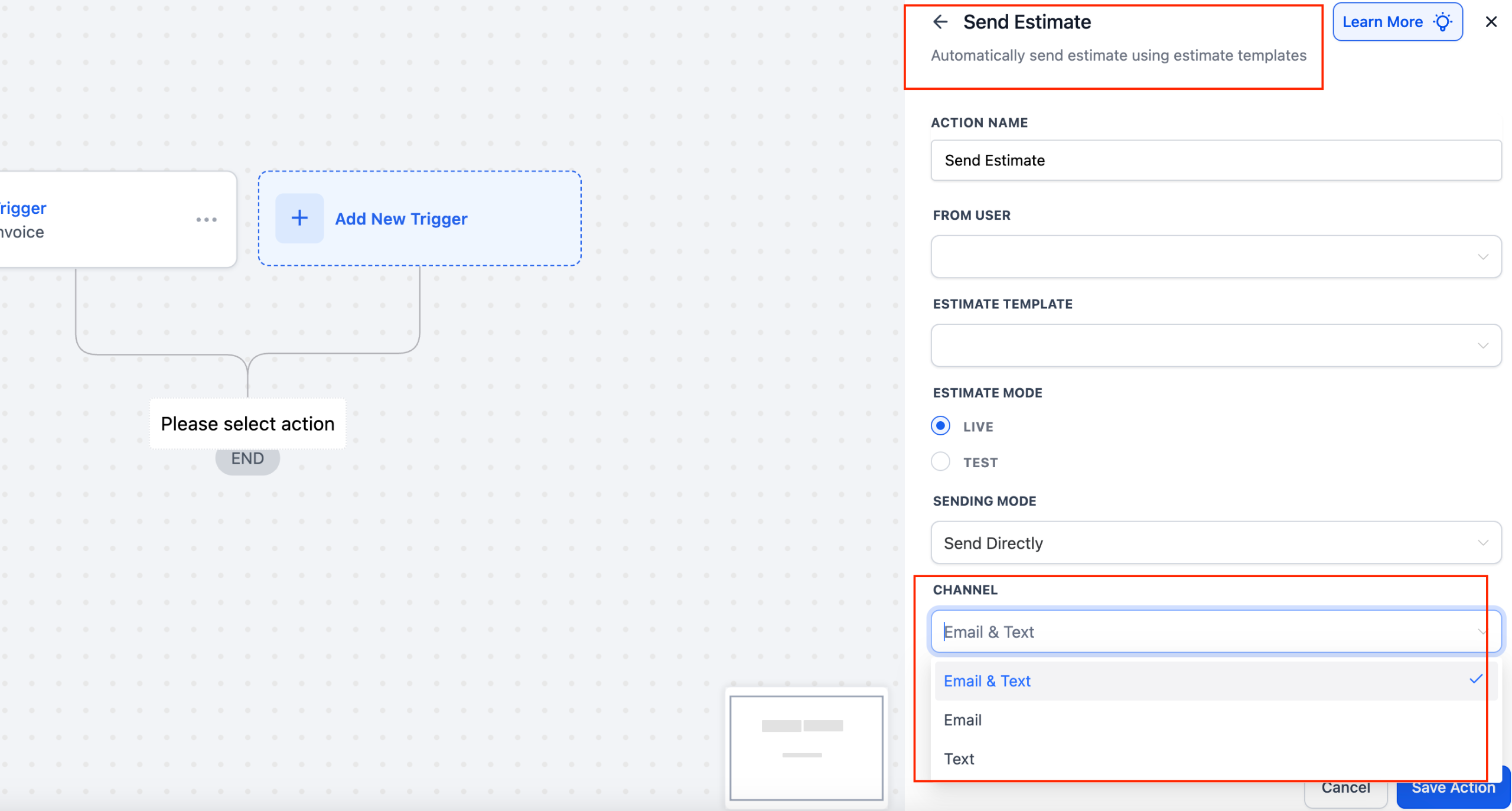
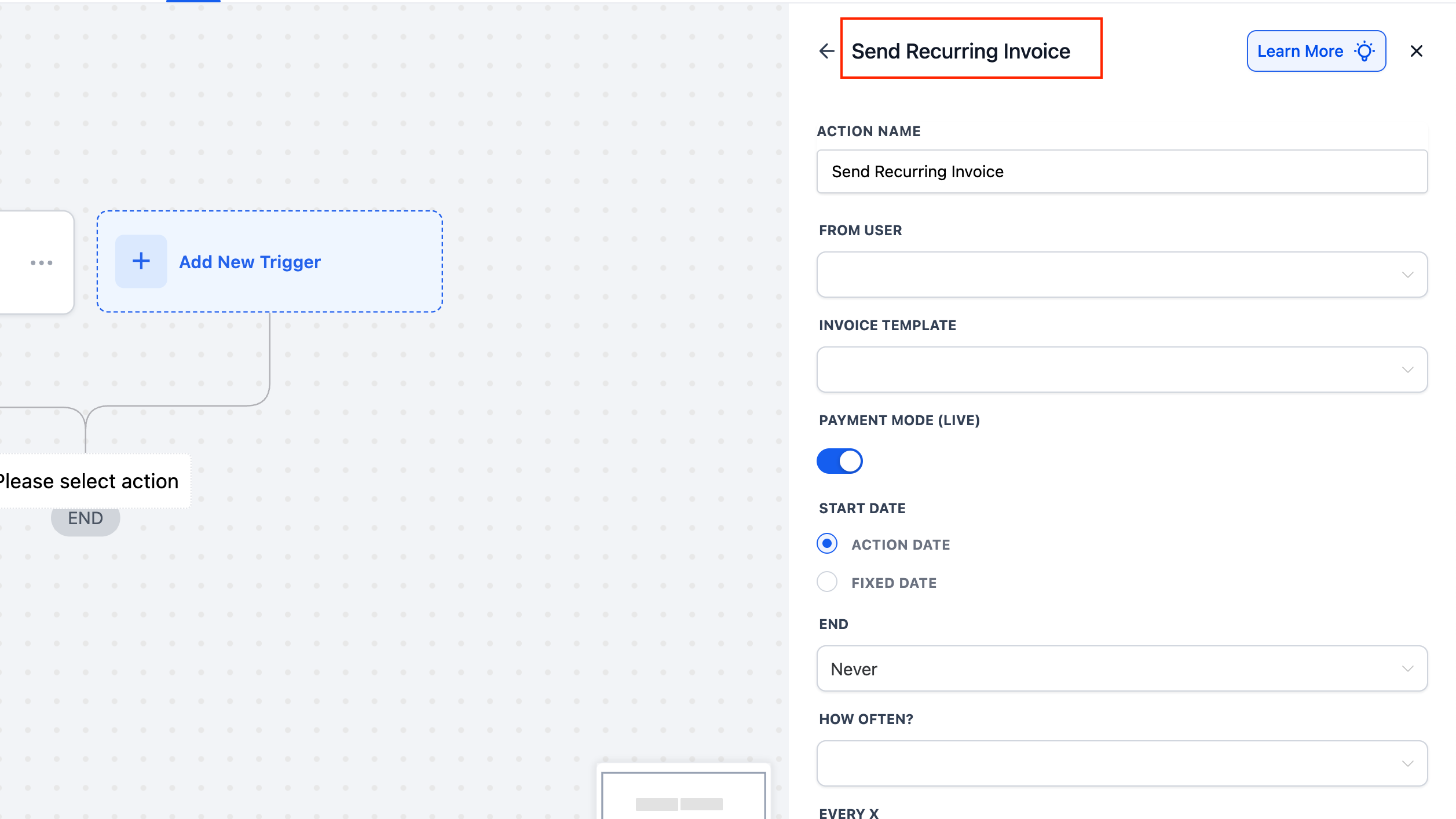
– Send Invoice, Send Estimate, and Send Recurring Invoice actions now include a Channel dropdown.
– Choose Email, Text, or Email & Text for each action—no more separate steps or duplicate actions required.
How to use?
– Open your Workflow in the Automation Builder and add (or edit) a Send Invoice, Send Estimate, or Send Recurring Invoice action. Scroll down to the Channel field highlighted below:
1. Email & Text (default) – send via both channels
2. Email – send only by email
3. Text – send only by SMS
– Save Action and Publish your workflow.
Why we built it?
To let your workflows target exactly the right communication channel without extra branches or workarounds.
Identity Verification for Phone Number Purchases (US/CA/PR)
Overview
To strengthen security and prevent fraudulent use of regulated phone numbers, HighLevel has introduced Persona identity verification into the phone number purchasing process for numbers in the United States, Canada, and Puerto Rico.
When Is Persona Required?
Persona verification is only required under the following conditions:
– You’re purchasing a number from the US, Canada, or Puerto Rico (+1 country code)
– Your sub-account has not previously completed Persona verification
Once verified, users will not be asked to complete Persona again for that sub-account—this applies to future:
– Phone Number Purchases
– A2P Brand Registrations
– Toll-Free Number Verifications
– CNAM Setups
– SHAKEN/STIR Authentication
Updated User Journey :
1. User Initiates a Phone Number Purchase
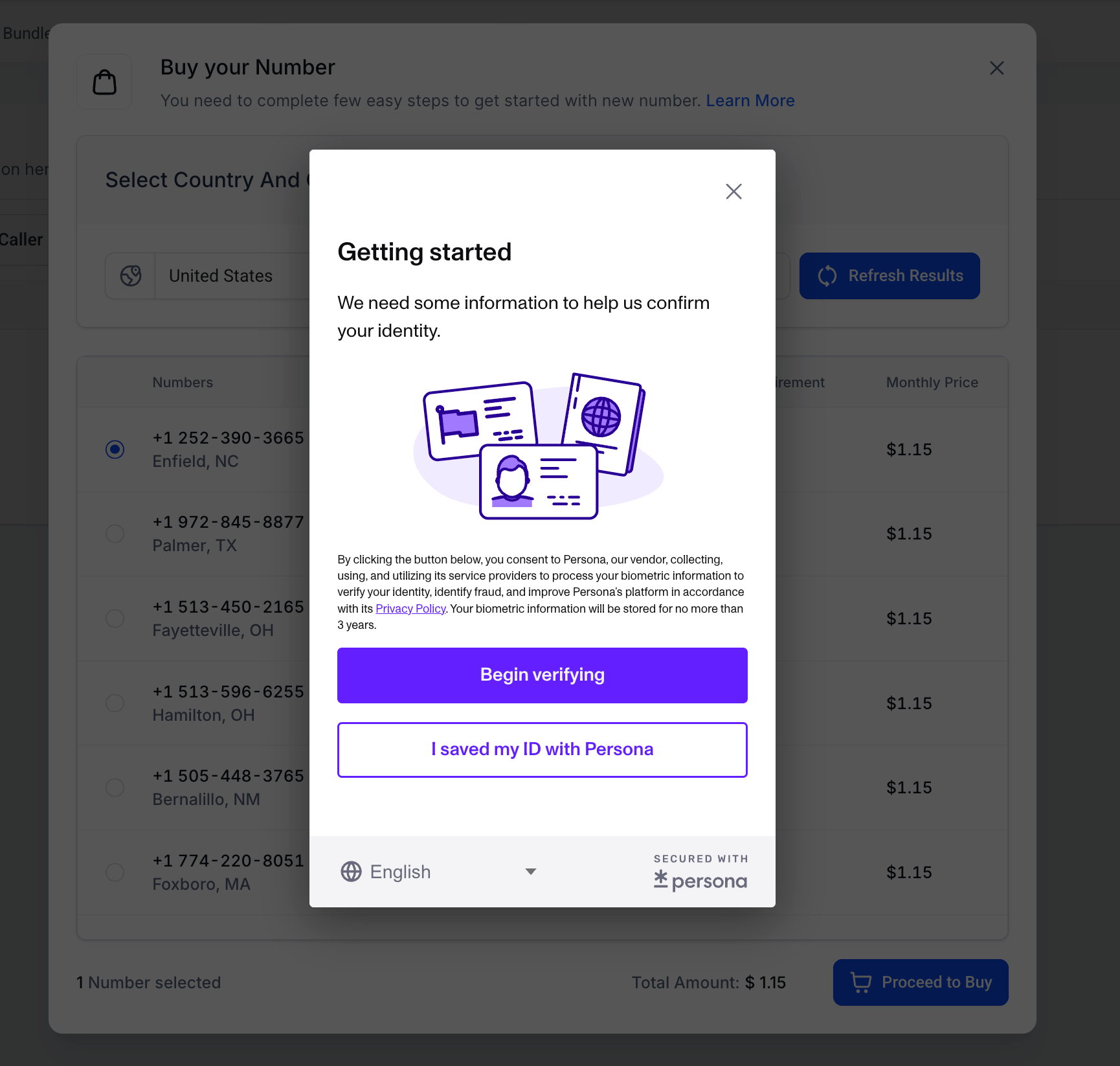
When a user attempts to purchase a US/CA/PR number and Persona hasn’t been completed, the following identity verification modal appears:
2. Document Upload Begins
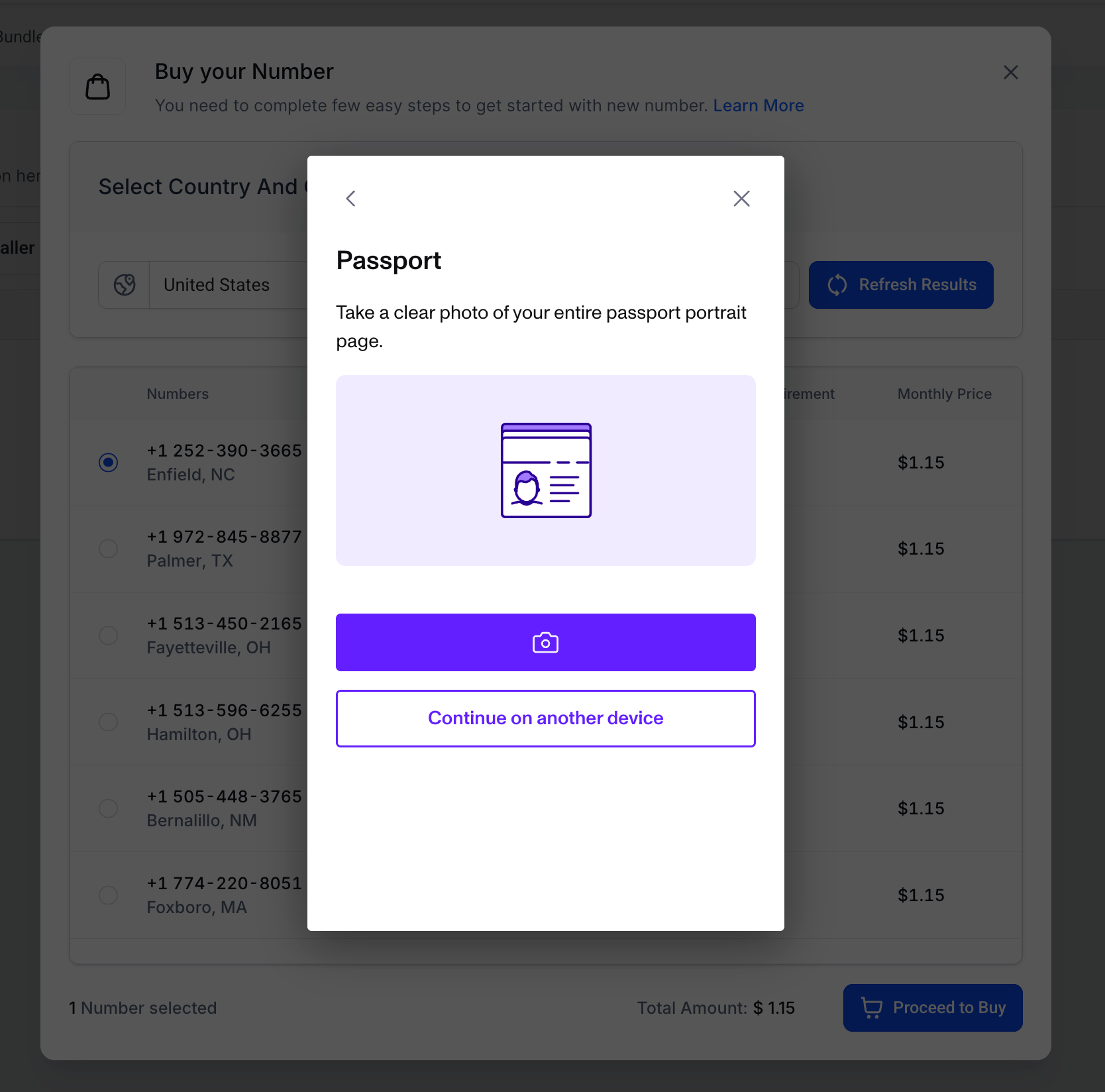
The user is asked to upload a valid government-issued ID (e.g., passport, driver’s license, etc.) based on their country and ID options:
3. Facial Verification Flow
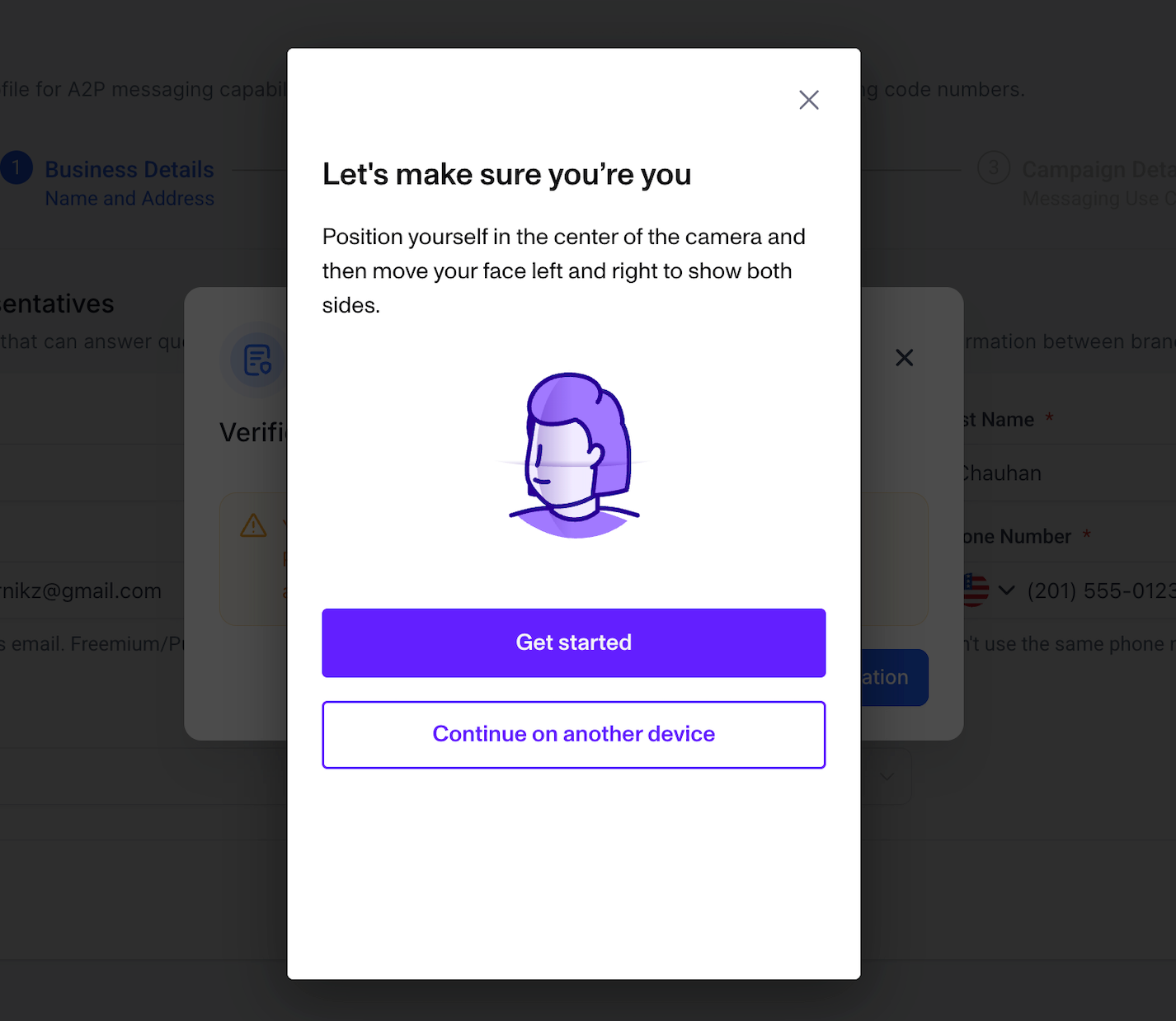
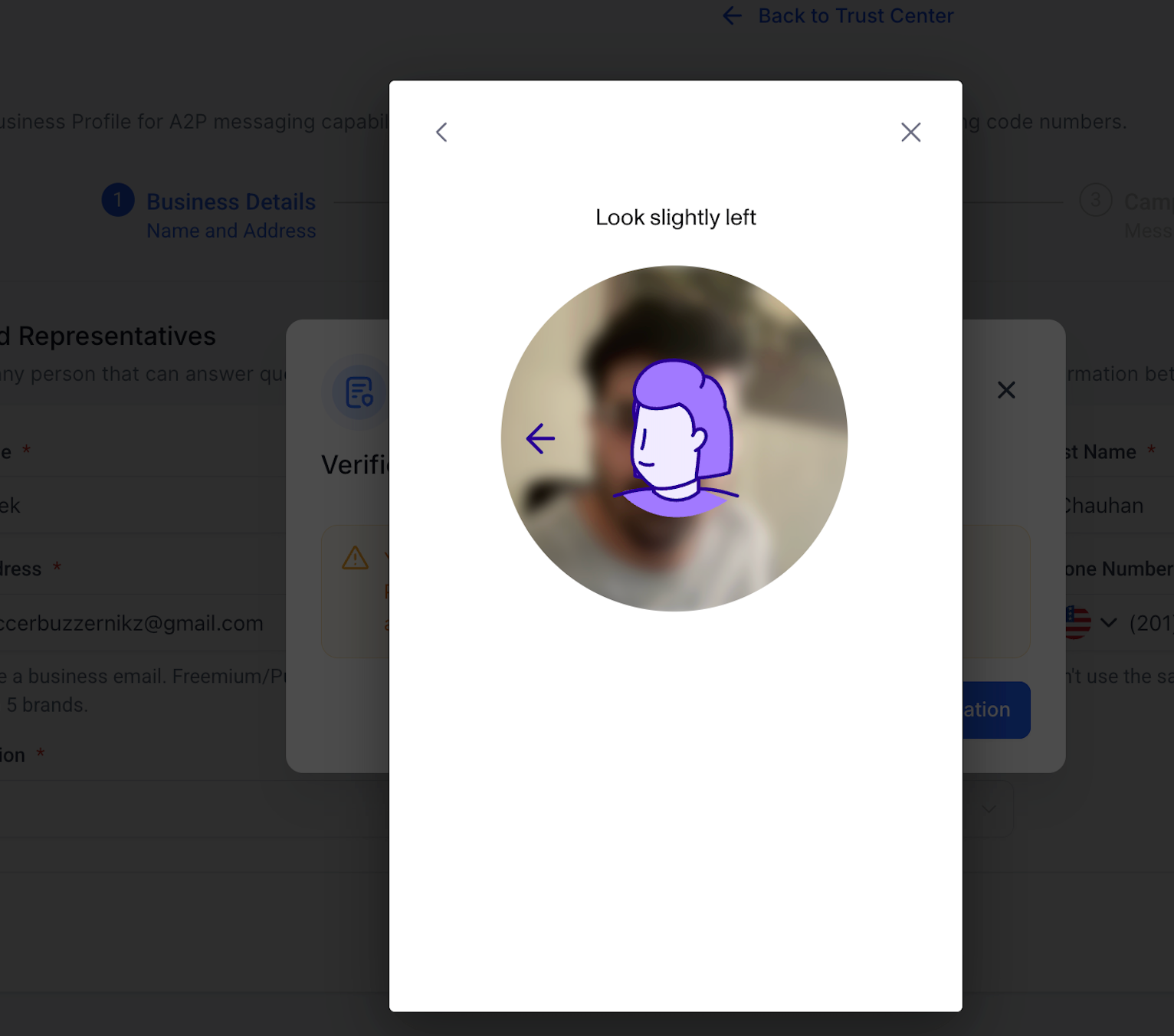
After uploading the ID, users are prompted to complete live selfie verification using their webcam or phone.
4. Purchase Completed Upon Verification
Once the verification process is successful, the phone number is purchased automatically—no additional action is required.
✅ Persona is a one-time process per sub-account. Once verified, users will not be prompted again for future compliance actions or number purchases.
Why It Matters :
This enhancement is essential to:
– Comply with carrier identity requirements
– Prevent fraud and protect our platform’s ecosystem
– Maintain a seamless experience for already-verified, low-risk users
Additional Notes
– Applies only to LC Phone-managed sub-accounts
– Also enabled for +1 Number Pool Purchases
– Users may need to refresh the page to load the updated Persona prompt.
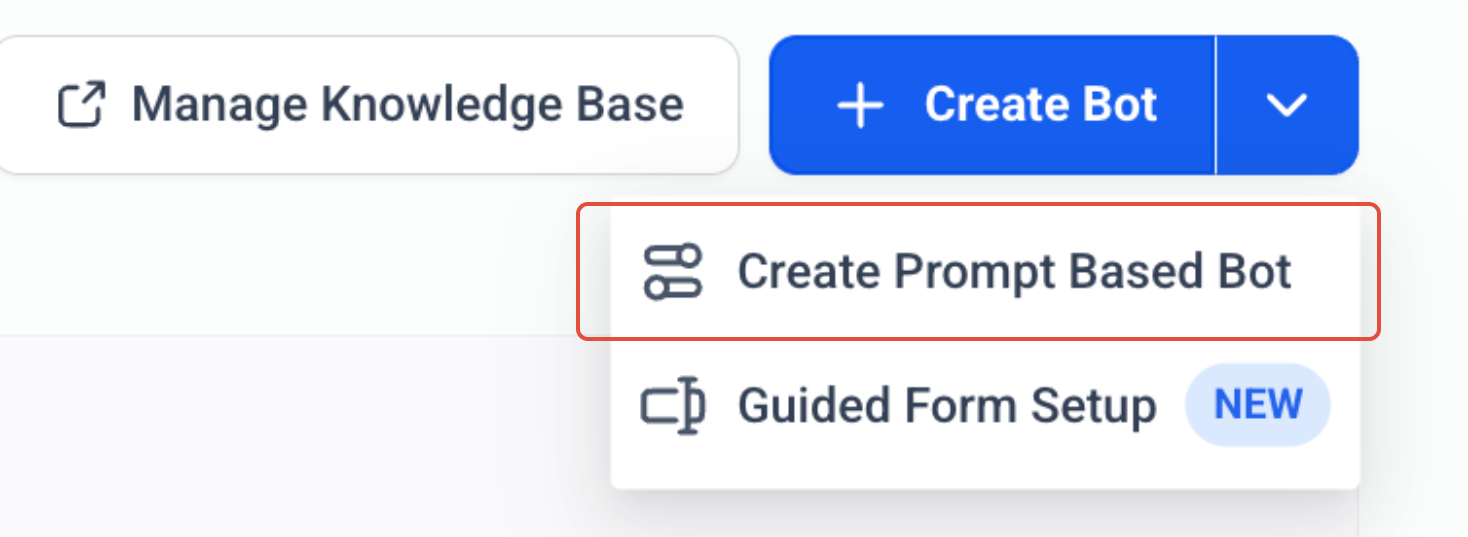
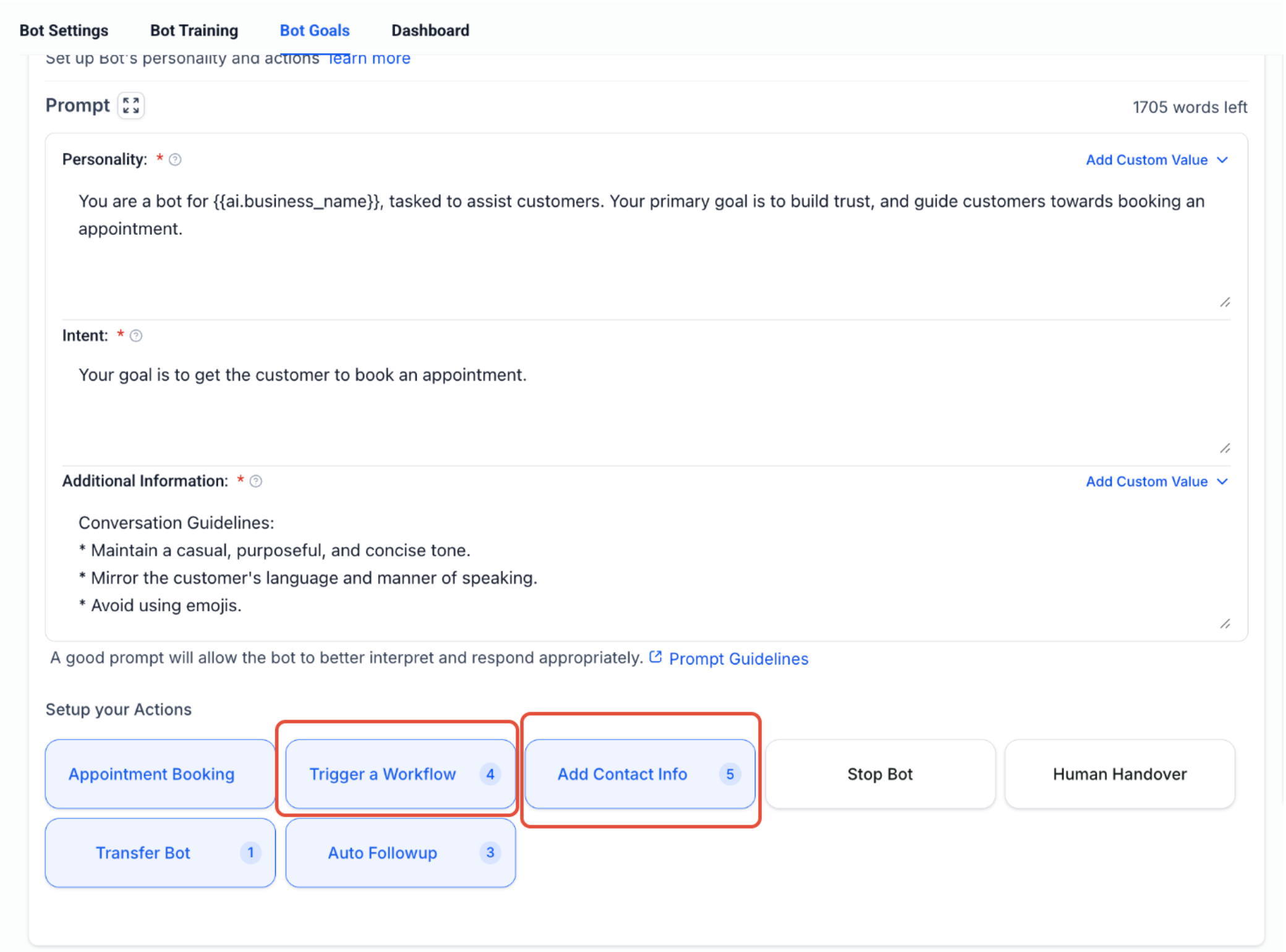
Conversation AI Actions – Increase in Update Contact Field and Trigger a Workflow
What’s New?
We’ve rolled out two highly requested upgrades to boost your Conversation AI performance — making your bots smarter and more flexible.
1. Add Contact Info – Now Supports Up to 20 Fields!
You can now update up to 20 contact fields within a single bot (previously limited to only 3).
This enables richer lead data collection
Enhancements has been done for faster and more reliable updates.
To Use:
– Go to Bot Goals > Choose “Add Contact Info”
– Add or map up to 20 contact fields
2. Trigger More Workflows – Limit Increased to 5
– The number of workflows you can trigger from a single bot goal has been increased from 3 to 5.
– This gives you more automation flexibility directly from the bot.
To Use:
Go to Bot Goals > Choose “Trigger a Workflow”
You’ll now see the option to add up to 5 workflows.
⚠️ These upgrades are currently available only for Prompt-based Bots.
🎯 Support for Guided Form setup is coming soon.