Workflows Pro Plan – New Pricing Tiers
Overview
We’ve introduced new volume-based pricing tiers for Workflows Premium Actions to give every account—from side-project creators to enterprise automation teams—a lower entry point and a more predictable scaling path.
The biggest win: you now get the most competitive pricing in the entire automation industry, with savings of up to 60% compared to other leading tools.
Four flexible tiers replace the single Pro Plan, ensuring you always get the best value for your premium executions with industry-leading pricing.
What’s New?
We’re moving from a single Pro Plan to four flexible pricing tiers:
– Free: $0 /mo → 100 free lifetime executions → $0.01 per execution thereafter
– Starter: $10 /mo → 10,000 premium executions → $0.008 / execution overage
– Growth: $25 /mo → 30,000 premium executions → $0.006 / execution overage
– Scale: $50 /mo → 65,000 premium executions → $0.004 / execution overage
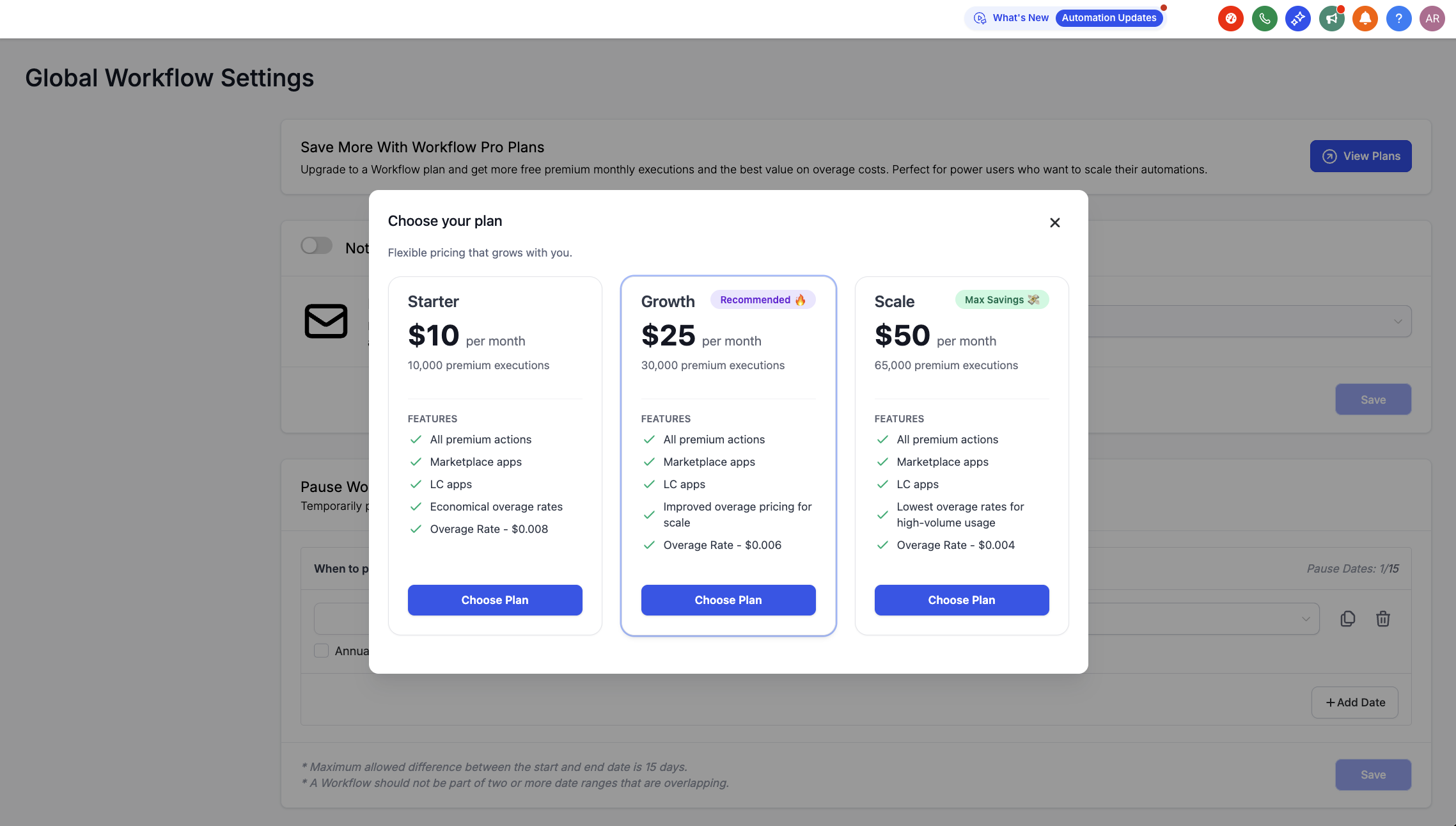
Each plan provides a predictable monthly allowance with transparent overage rates.
How executions and overages work
– An execution is a premium action run. This includes executions from Premium Triggers/Actions, Marketplace apps, and LC Apps. Standard (non‑premium) and external AI model workflow steps do not count toward your monthly execution allowance.
– If you exceed your monthly included executions, additional usage is billed at your tier’s overage rate.
How to Enroll in a Tier Plan
– Navigate to Automations → Global Workflow Settings
– Locate the Workflow Pro Plans banner and click View Plans
– Select the tier that best fits your needs
– Click Pay and Subscribe to activate your plan
– Executions will begin tracking immediately, with usage visible in your settings.
Re-selling / Re-billing Capabilities
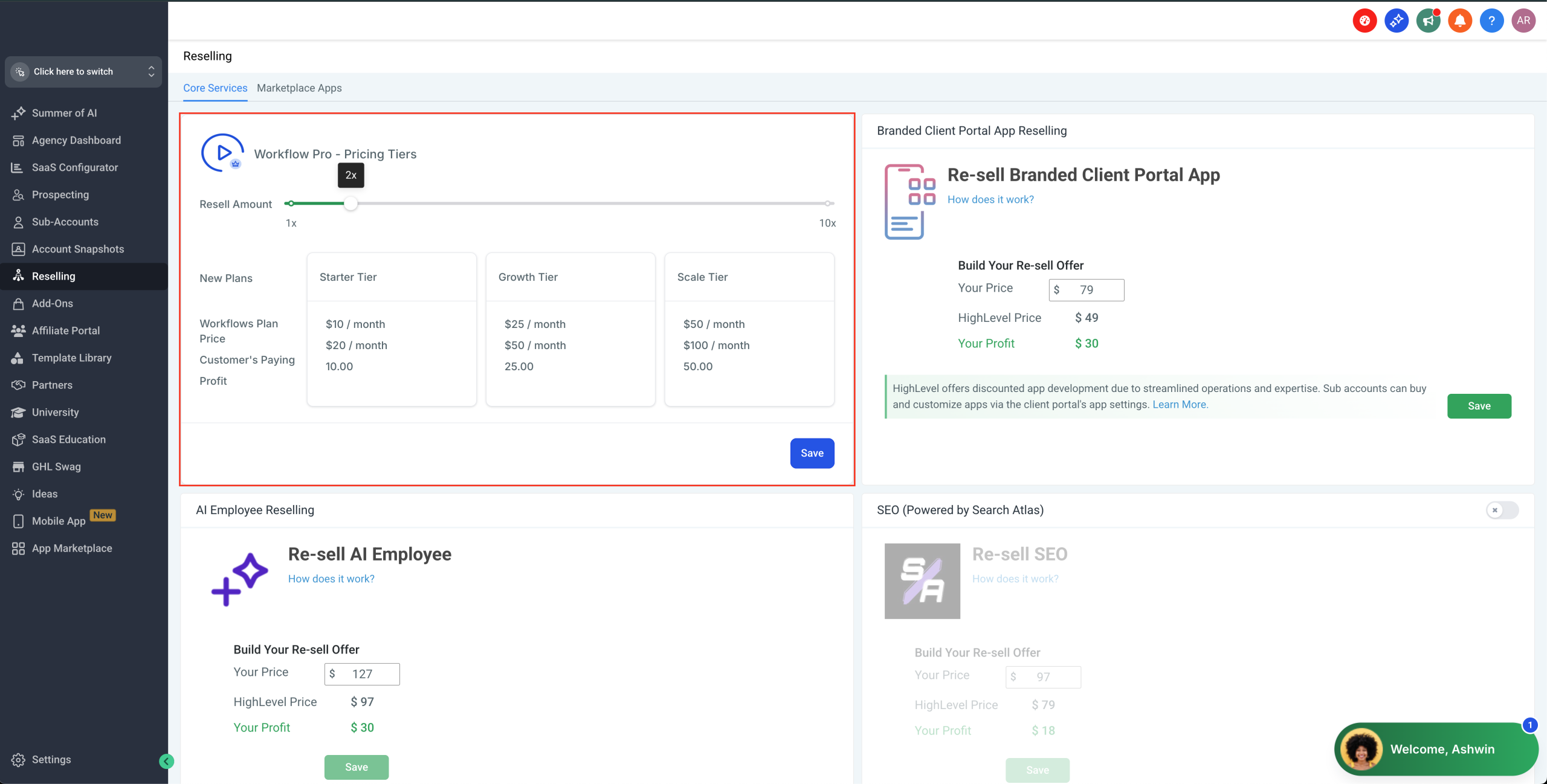
– Reselling: Agencies can resell executions to sub-accounts with custom markup multipliers. Set this under Agency Settings → Reselling → Workflow Pro.
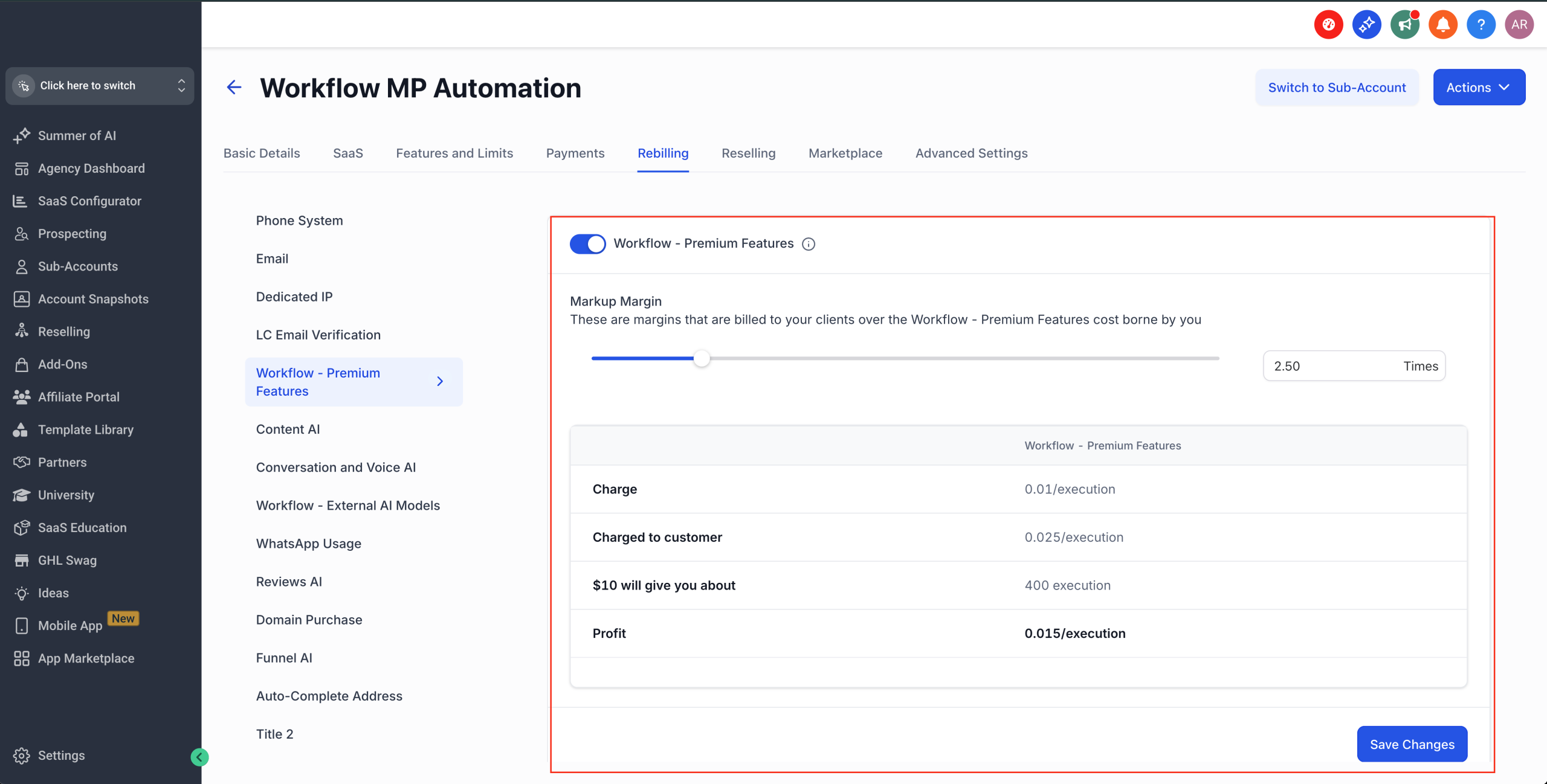
– Rebilling for Overages: Agencies may enable rebilling for overage charges. The rebilling multiplier you set applies across all plans. Set this under Agency Settings -> Workflow – Premium Features -> Configure Rebilling
Why This Change?
– Provide you with the best pricing in the industry: This update offers one of the most competitive rates in the industry — with potential savings of up to 60% compared to other automation tools
– Scalability: Predictable execution bundles and transparent overage pricing to ensure you have the best value for your premium executions
– Consolidation: All Premium Triggers, Premium Actions, Marketplace Apps, and LC Apps billed together, separate from your main subscription
What changes for you?
– New pricing tiers are visible only to agency admins at launch
– Agencies start with a default 1.2x markup (20% profit) unless existing custom multipliers are already set
– Current Pro Plan users will be automatically moved to the Starter tier ($10/month) — no action required
Workflows Pro Plan – New Pricing Tiers
Overview
We’ve introduced new volume-based pricing tiers for Workflows Premium Actions to give every account—from side-project creators to enterprise automation teams—a lower entry point and a more predictable scaling path.
The biggest win: you now get the most competitive pricing in the entire automation industry, with savings of up to 60% compared to other leading tools.
Four flexible tiers replace the single Pro Plan, ensuring you always get the best value for your premium executions with industry-leading pricing.
What’s New?
We’re moving from a single Pro Plan to four flexible pricing tiers:
– Free: $0 /mo → 100 free lifetime executions → $0.01 per execution thereafter
– Starter: $10 /mo → 10,000 premium executions → $0.008 / execution overage
– Growth: $25 /mo → 30,000 premium executions → $0.006 / execution overage
– Scale: $50 /mo → 65,000 premium executions → $0.004 / execution overage
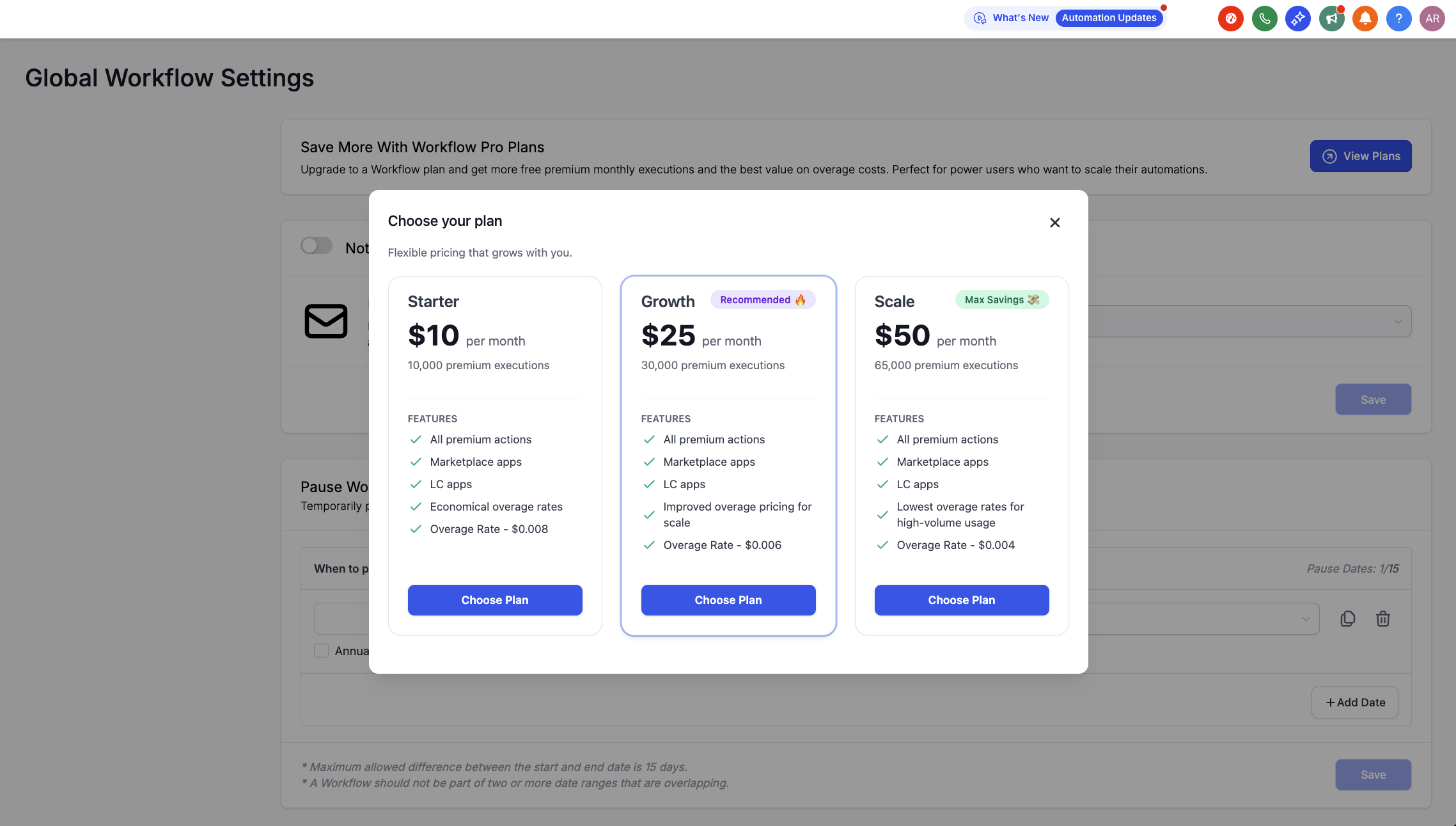
Each plan provides a predictable monthly allowance with transparent overage rates.
How executions and overages work
– An execution is a premium action run. This includes executions from Premium Triggers/Actions, Marketplace apps, and LC Apps. Standard (non‑premium) and external AI model workflow steps do not count toward your monthly execution allowance.
– If you exceed your monthly included executions, additional usage is billed at your tier’s overage rate.
How to Enroll in a Tier Plan
– Navigate to Automations → Global Workflow Settings
– Locate the Workflow Pro Plans banner and click View Plans
– Select the tier that best fits your needs
– Click Pay and Subscribe to activate your plan
– Executions will begin tracking immediately, with usage visible in your settings.
Re-selling / Re-billing Capabilities
– Reselling: Agencies can resell executions to sub-accounts with custom markup multipliers. Set this under Agency Settings → Reselling → Workflow Pro.
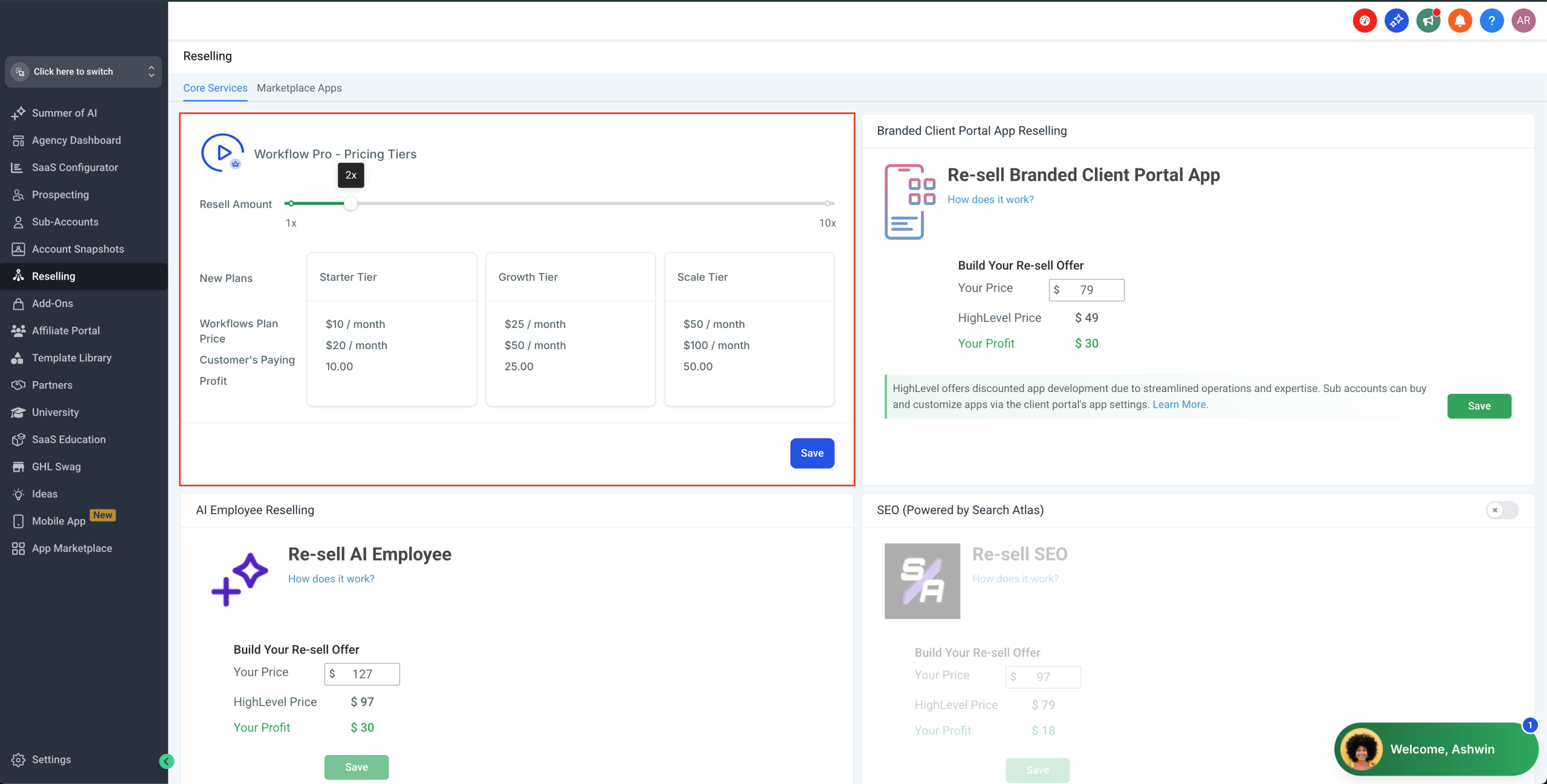
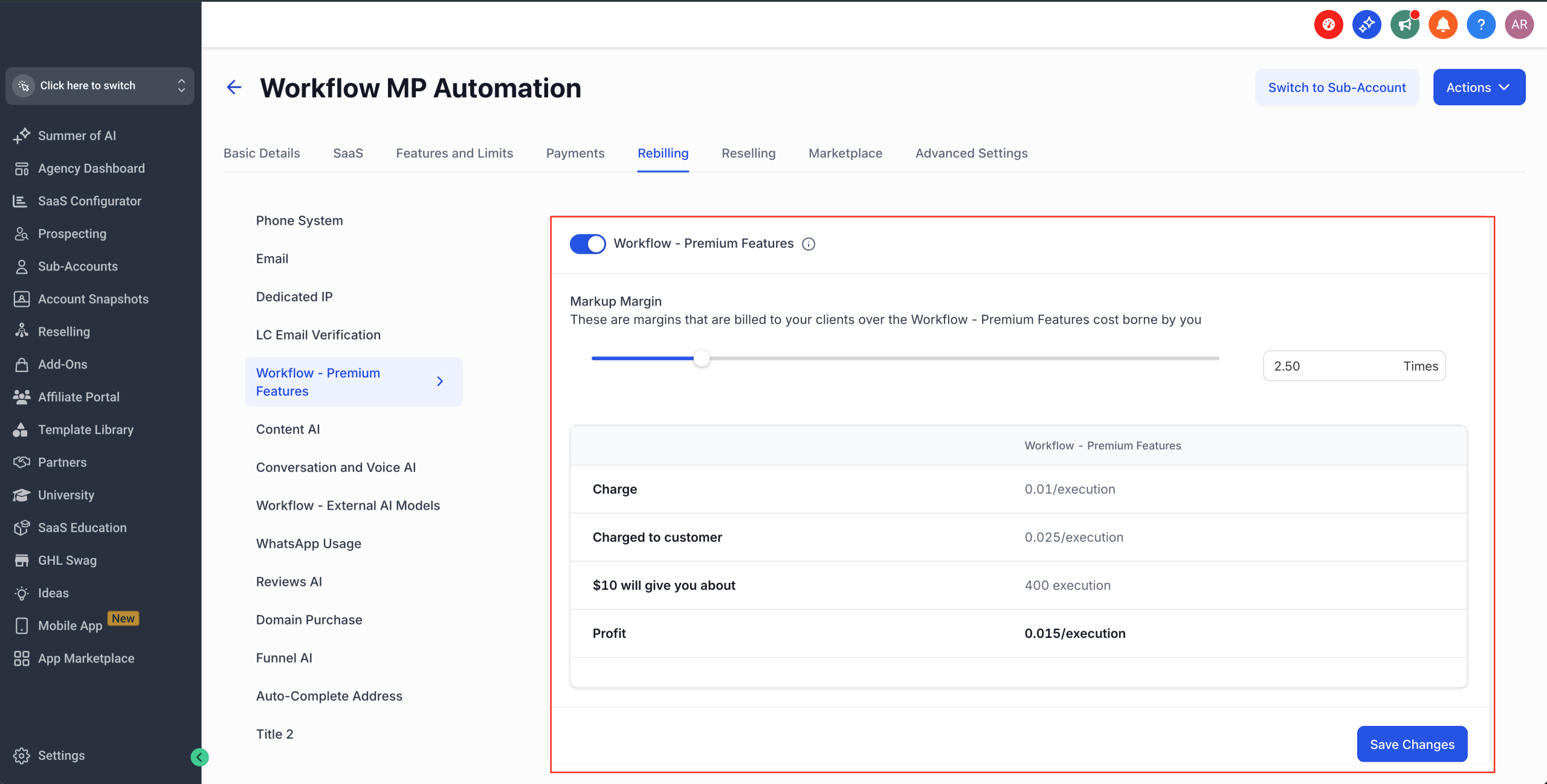
– Rebilling for Overages: Agencies may enable rebilling for overage charges. The rebilling multiplier you set applies across all plans. Set this under Agency Settings -> Workflow – Premium Features -> Configure Rebilling
Why This Change?
– Provide you with the best pricing in the industry: This update offers one of the most competitive rates in the industry — with potential savings of up to 60% compared to other automation tools
– Scalability: Predictable execution bundles and transparent overage pricing to ensure you have the best value for your premium executions
– Consolidation: All Premium Triggers, Premium Actions, Marketplace Apps, and LC Apps billed together, separate from your main subscription
What changes for you?
– New pricing tiers are visible only to agency admins at launch
– Agencies start with a default 1.2x markup (20% profit) unless existing custom multipliers are already set
– Current Pro Plan users will be automatically moved to the Starter tier ($10/month) — no action required
Workflows Pro Plan – New Pricing Tiers
Overview
We’ve introduced new volume-based pricing tiers for Workflows Premium Actions to give every account—from side-project creators to enterprise automation teams—a lower entry point and a more predictable scaling path.
The biggest win: you now get the most competitive pricing in the entire automation industry, with savings of up to 60% compared to other leading tools.
Four flexible tiers replace the single Pro Plan, ensuring you always get the best value for your premium executions with industry-leading pricing.
What’s New?
We’re moving from a single Pro Plan to four flexible pricing tiers:
– Free: $0 /mo → 100 free lifetime executions → $0.01 per execution thereafter
– Starter: $10 /mo → 10,000 premium executions → $0.008 / execution overage
– Growth: $25 /mo → 30,000 premium executions → $0.006 / execution overage
– Scale: $50 /mo → 65,000 premium executions → $0.004 / execution overage
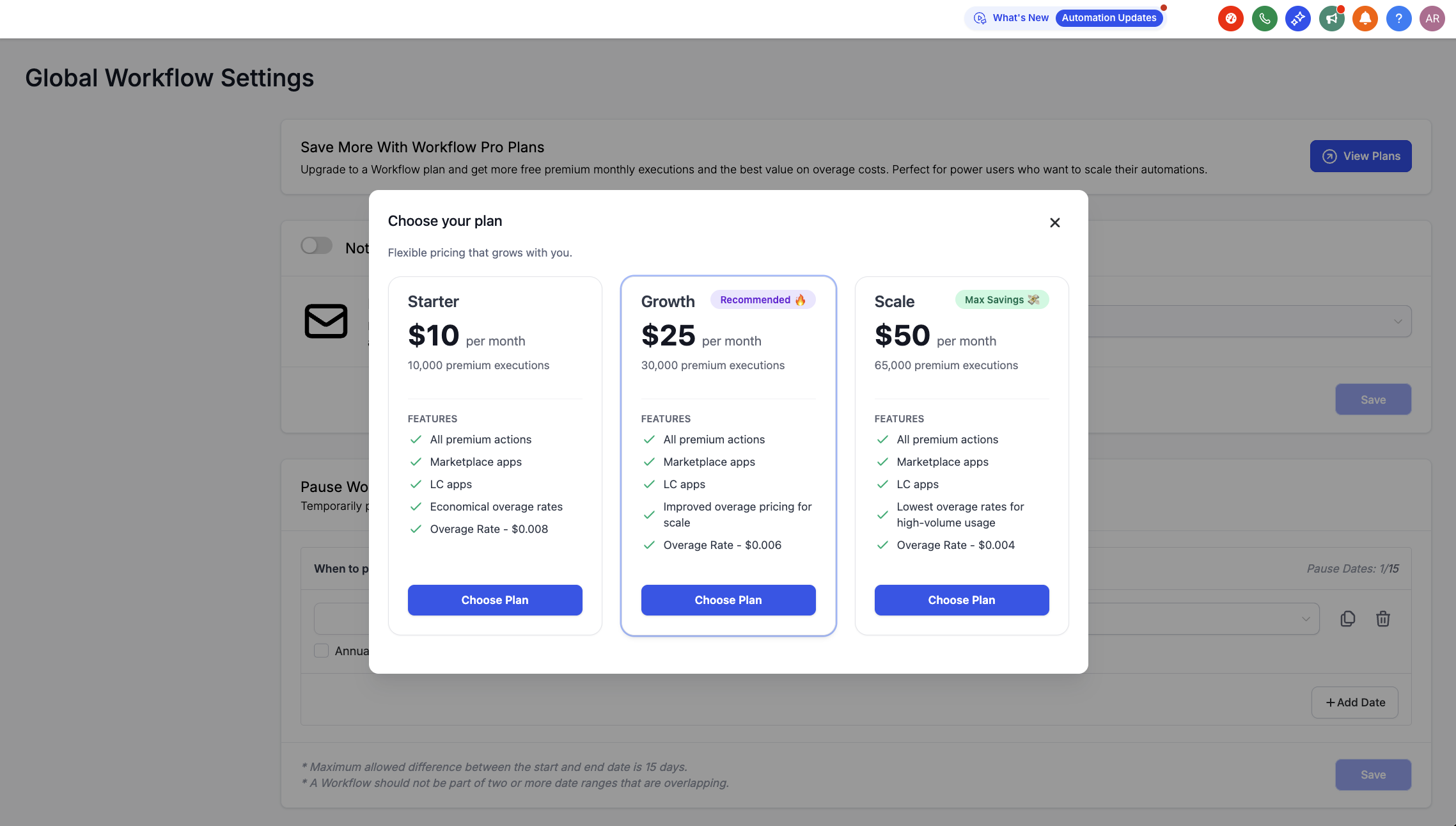
Each plan provides a predictable monthly allowance with transparent overage rates.
How executions and overages work
– An execution is a premium action run. This includes executions from Premium Triggers/Actions, Marketplace apps, and LC Apps. Standard (non‑premium) and external AI model workflow steps do not count toward your monthly execution allowance.
– If you exceed your monthly included executions, additional usage is billed at your tier’s overage rate.
How to Enroll in a Tier Plan
– Navigate to Automations → Global Workflow Settings
– Locate the Workflow Pro Plans banner and click View Plans
– Select the tier that best fits your needs
– Click Pay and Subscribe to activate your plan
– Executions will begin tracking immediately, with usage visible in your settings.
Re-selling / Re-billing Capabilities
– Reselling: Agencies can resell executions to sub-accounts with custom markup multipliers. Set this under Agency Settings → Reselling → Workflow Pro.
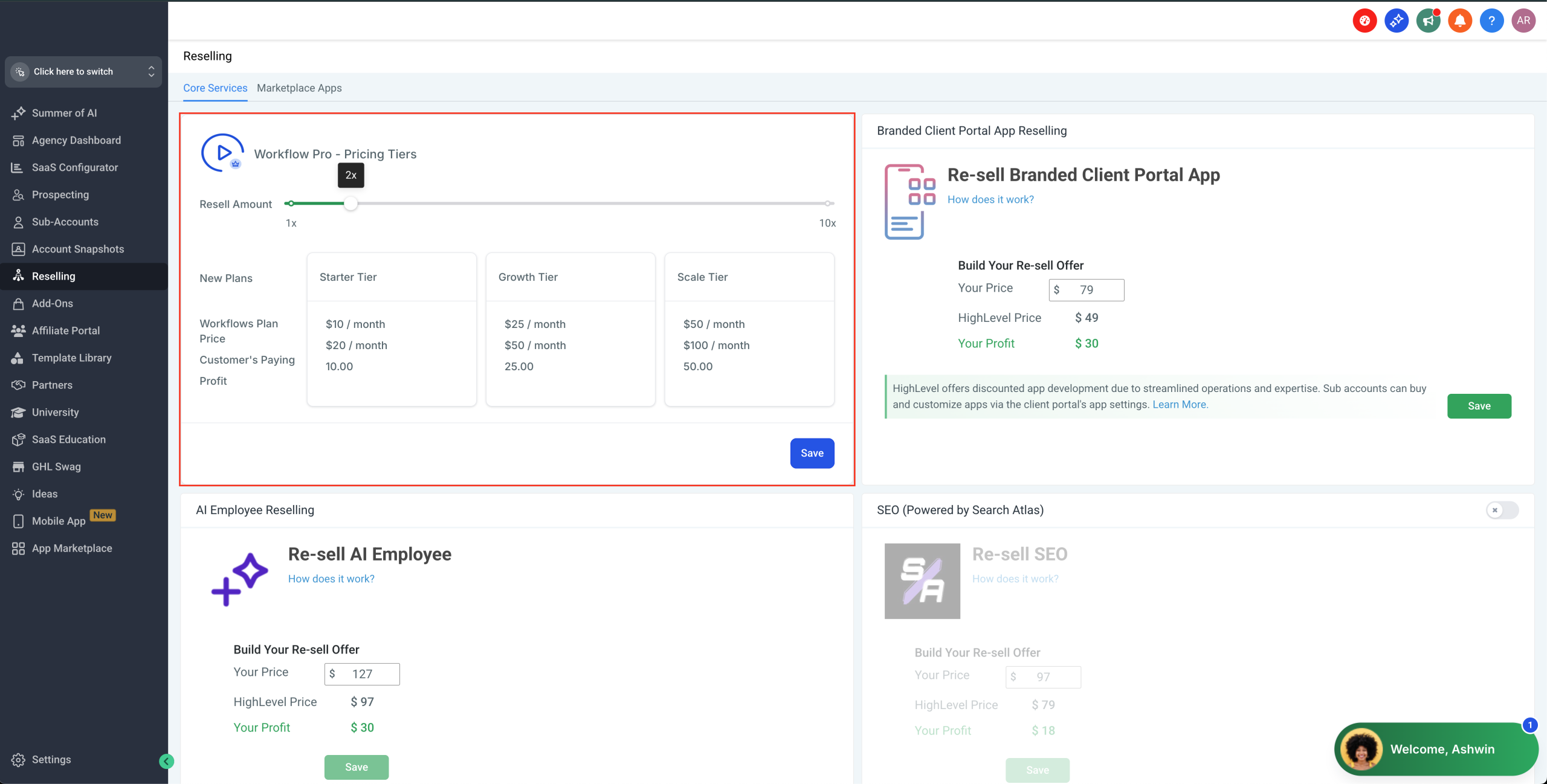
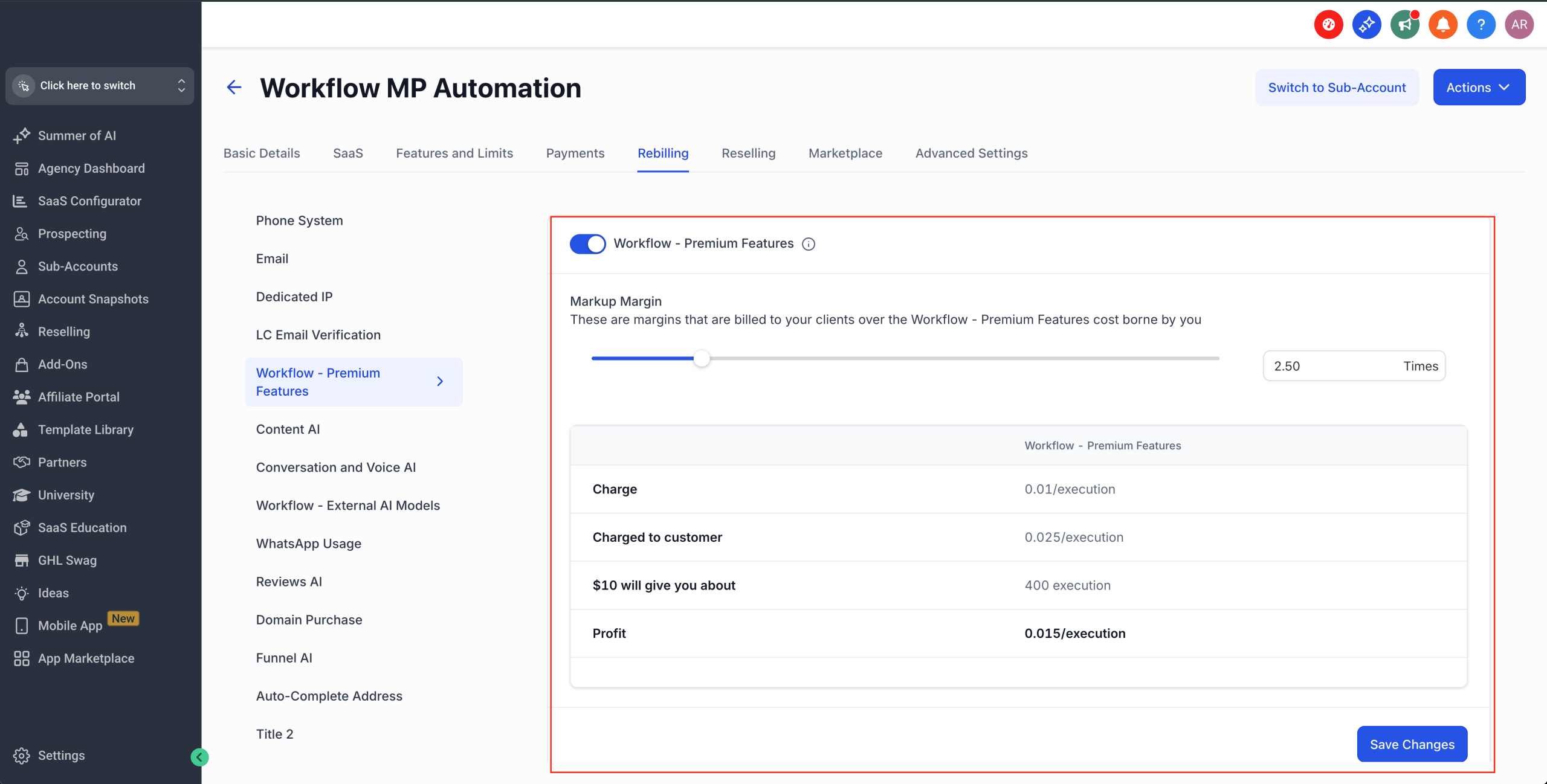
– Rebilling for Overages: Agencies may enable rebilling for overage charges. The rebilling multiplier you set applies across all plans. Set this under Agency Settings -> Workflow – Premium Features -> Configure Rebilling
Why This Change?
– Provide you with the best pricing in the industry: This update offers one of the most competitive rates in the industry — with potential savings of up to 60% compared to other automation tools
– Scalability: Predictable execution bundles and transparent overage pricing to ensure you have the best value for your premium executions
– Consolidation: All Premium Triggers, Premium Actions, Marketplace Apps, and LC Apps billed together, separate from your main subscription
What changes for you?
– New pricing tiers are visible only to agency admins at launch
– Agencies start with a default 1.2x markup (20% profit) unless existing custom multipliers are already set
– Current Pro Plan users will be automatically moved to the Starter tier ($10/month) — no action required
Review AI Agent Management: Now Accessible for Locations
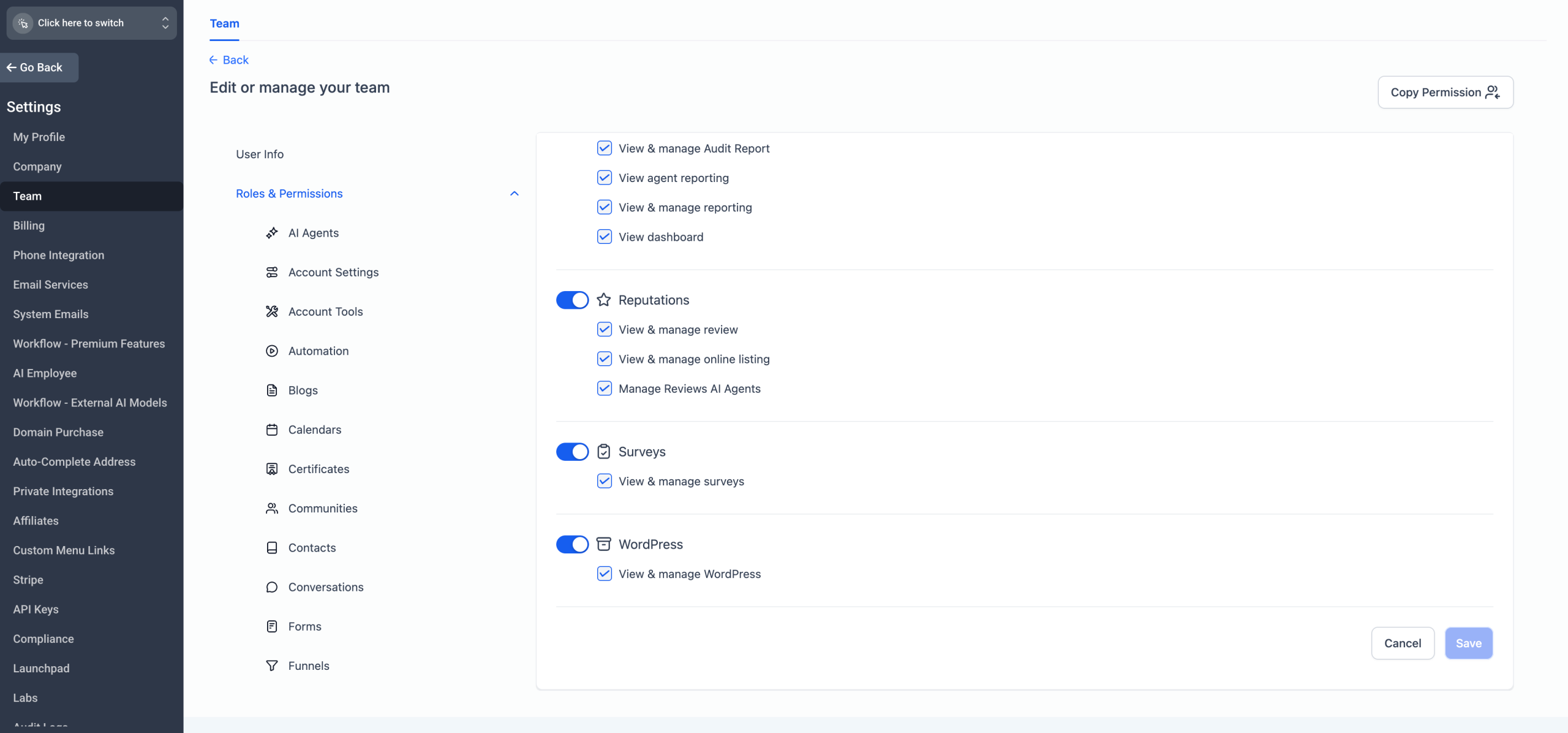
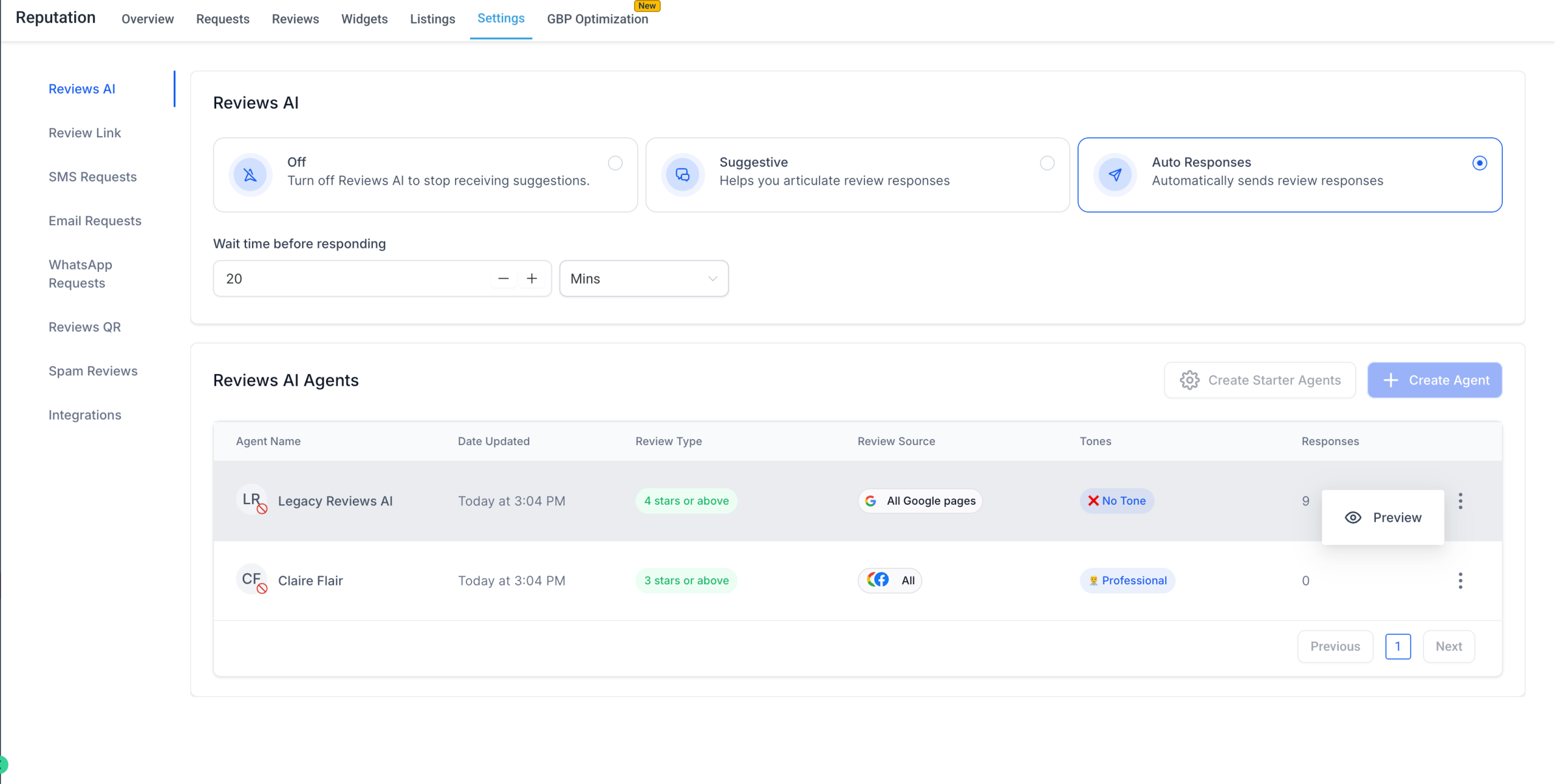
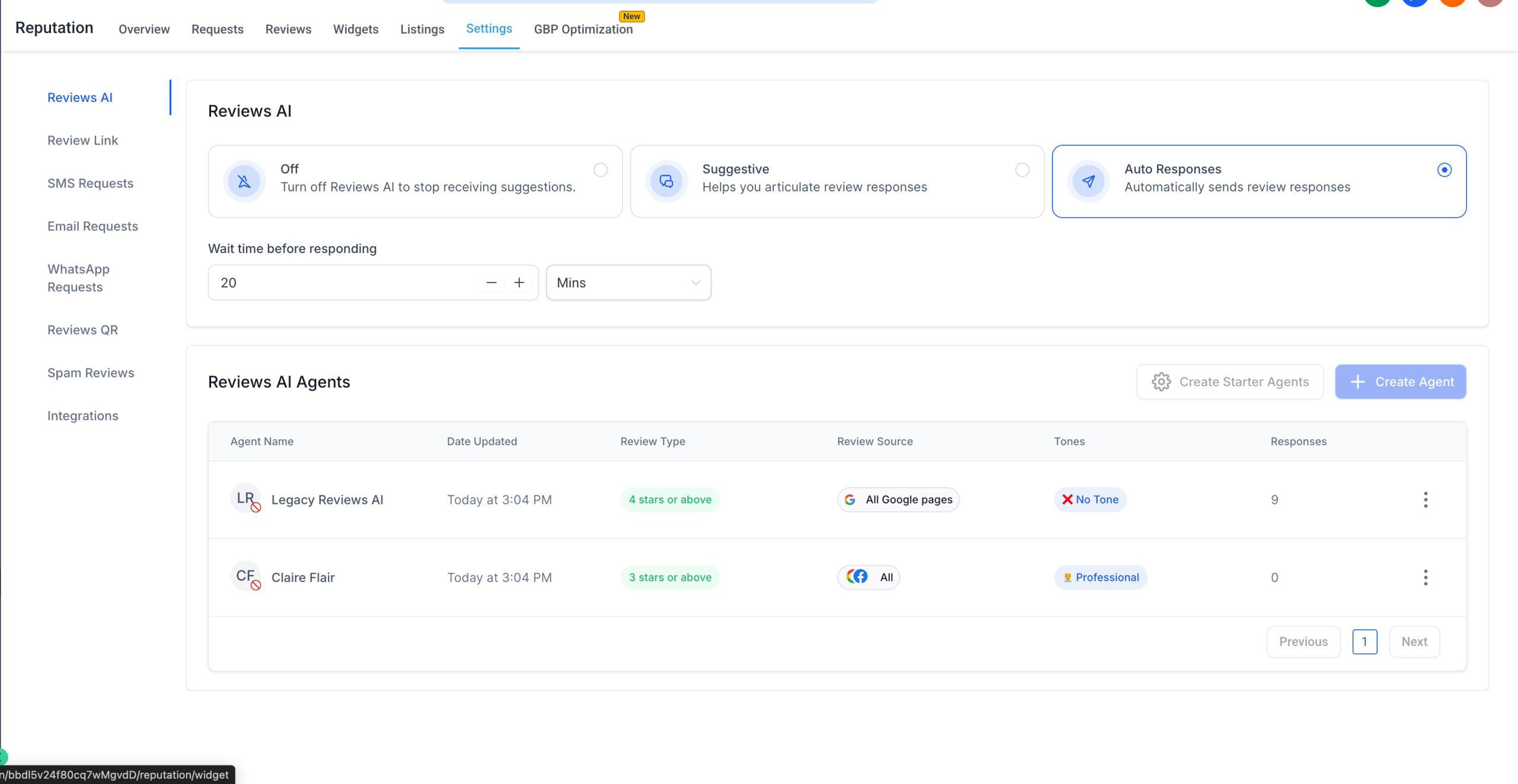
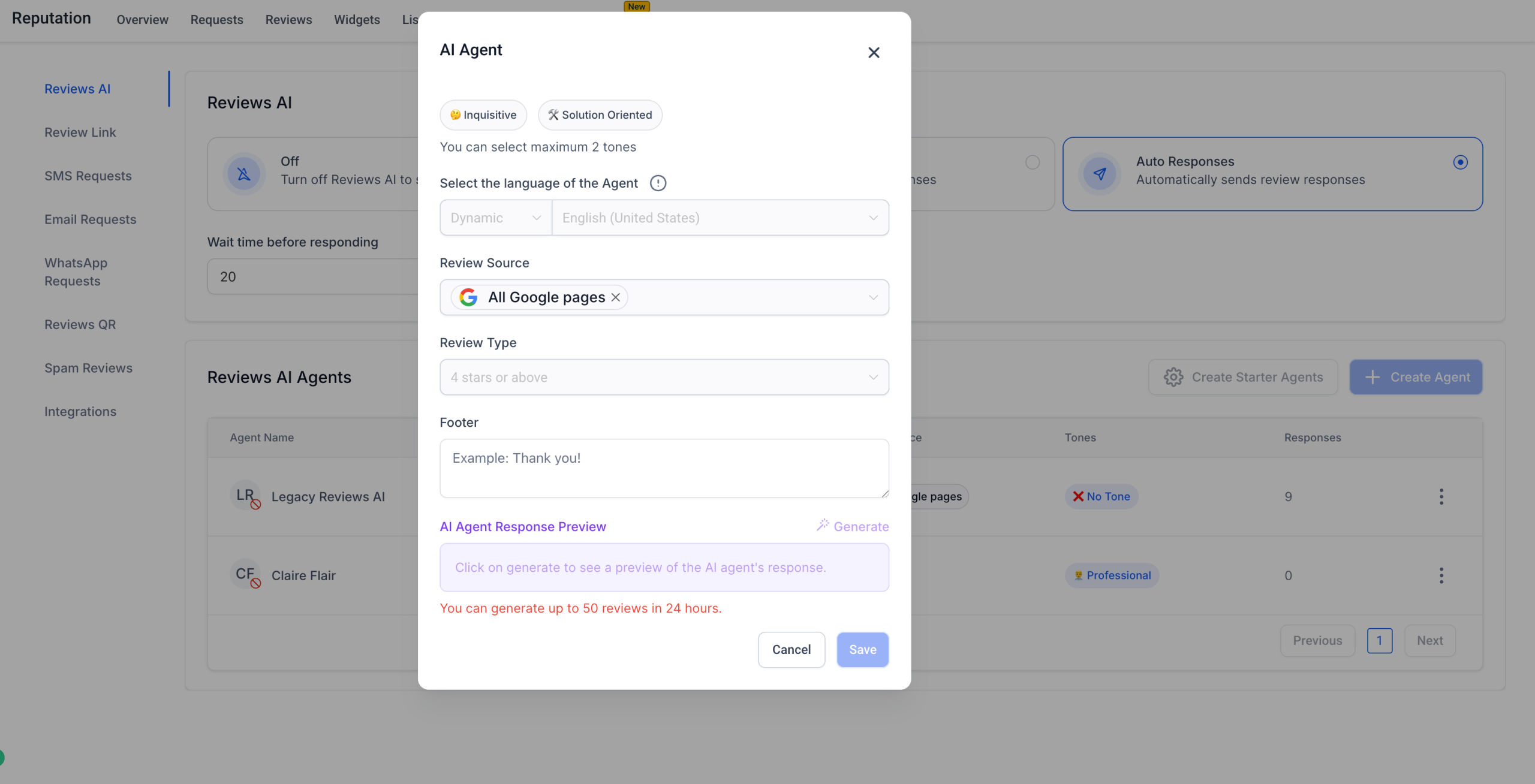
We’ve updated Review AI Agent permissions to give more control to locations while keeping agencies in charge. Now, locations can create and edit their own Review AI Agents — but it’s disabled by default, so agencies can choose who gets access.
✨ What’s New?
– Locations can now manage Review AI Agents if enabled by the agency.
– Default behaviour: disabled for locations — previously, only agencies could see and edit agents.
– Preview mode remains for locations with no access: view settings and prompts without editing.
✅ What You Can Do:
– Give location users the ability to create, edit, and manage Review AI Agents.
– Keep control flexible with a safe default.
– Preview agent settings even when edit permissions are restricted.
📍 Where to Find:
Agency Settings → Teams → User & Permissions → Manage Review AI Agents
We’re always looking to make AI-powered review management smarter and more flexible. Got ideas or suggestions?
Drop us a line at our ideas board or write to us at [email protected] or [email protected] — we’d love your feedback! 🙌
Businesses Can Now Safely Manage Product Deletions
What’s New?
Businesses can now rely on safeguards that prevent accidental deletion of critical products created by SaaS, Calendars, and Memberships/Communities. These changes ensure system stability and avoid breaking linked subscriptions or features.
Here’s what’s included:
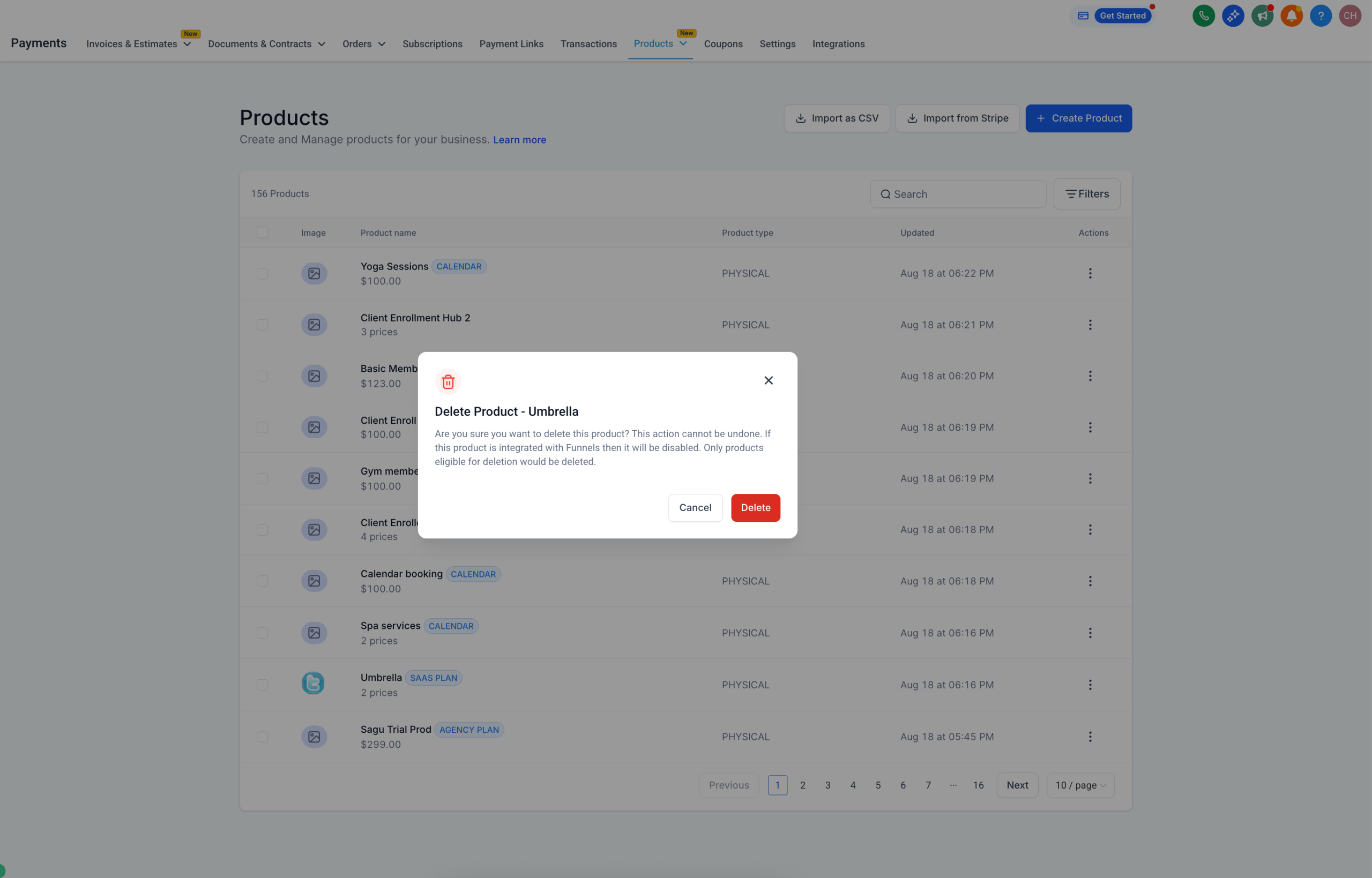
– SaaS Products (Agency & SaaS Plans): When attempting to delete a SaaS product, the system now checks for active or past_due subscriptions. If even one exists, the product cannot be deleted. If no subscriptions are found, the product can be safely deleted like any other.
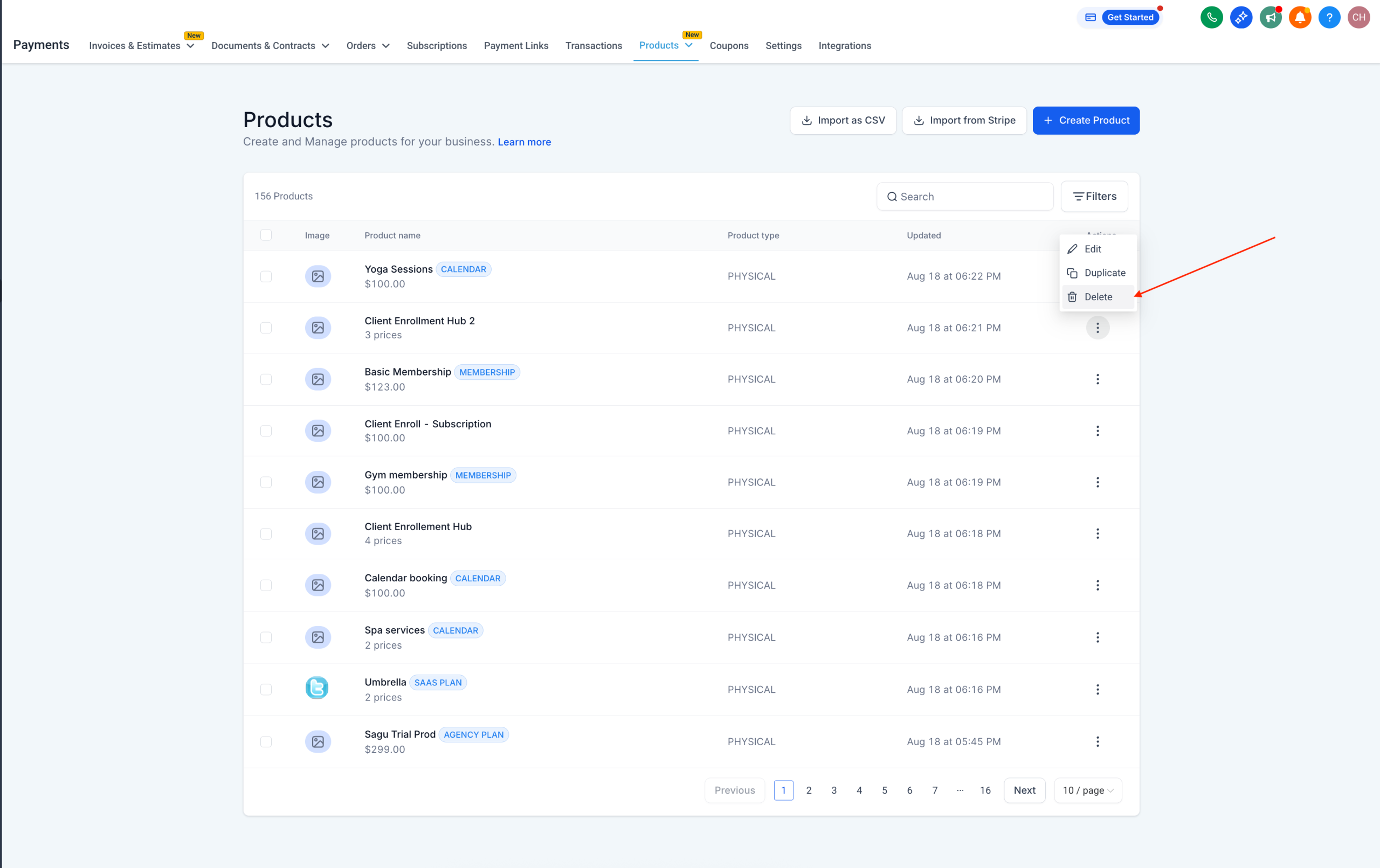
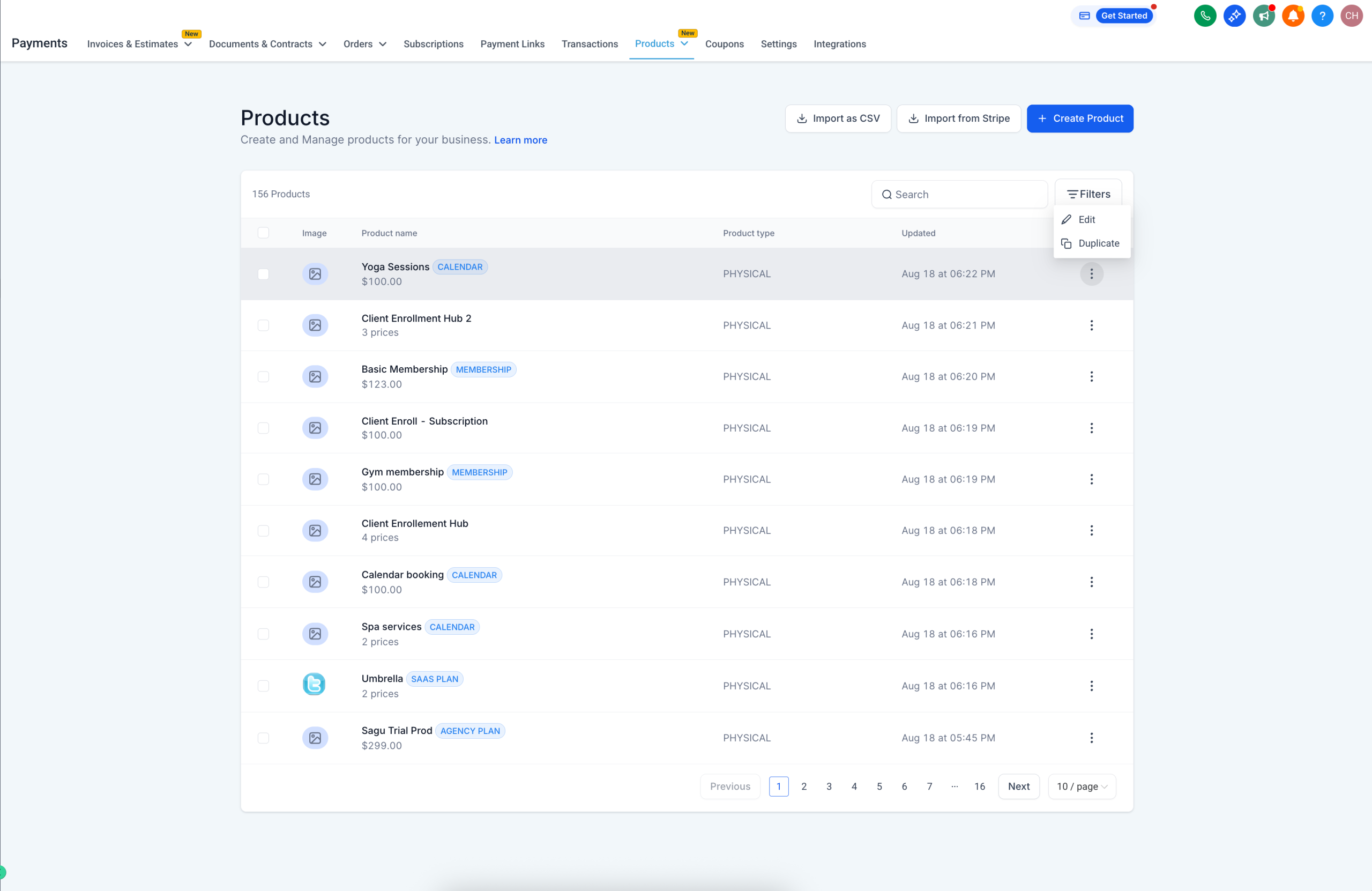
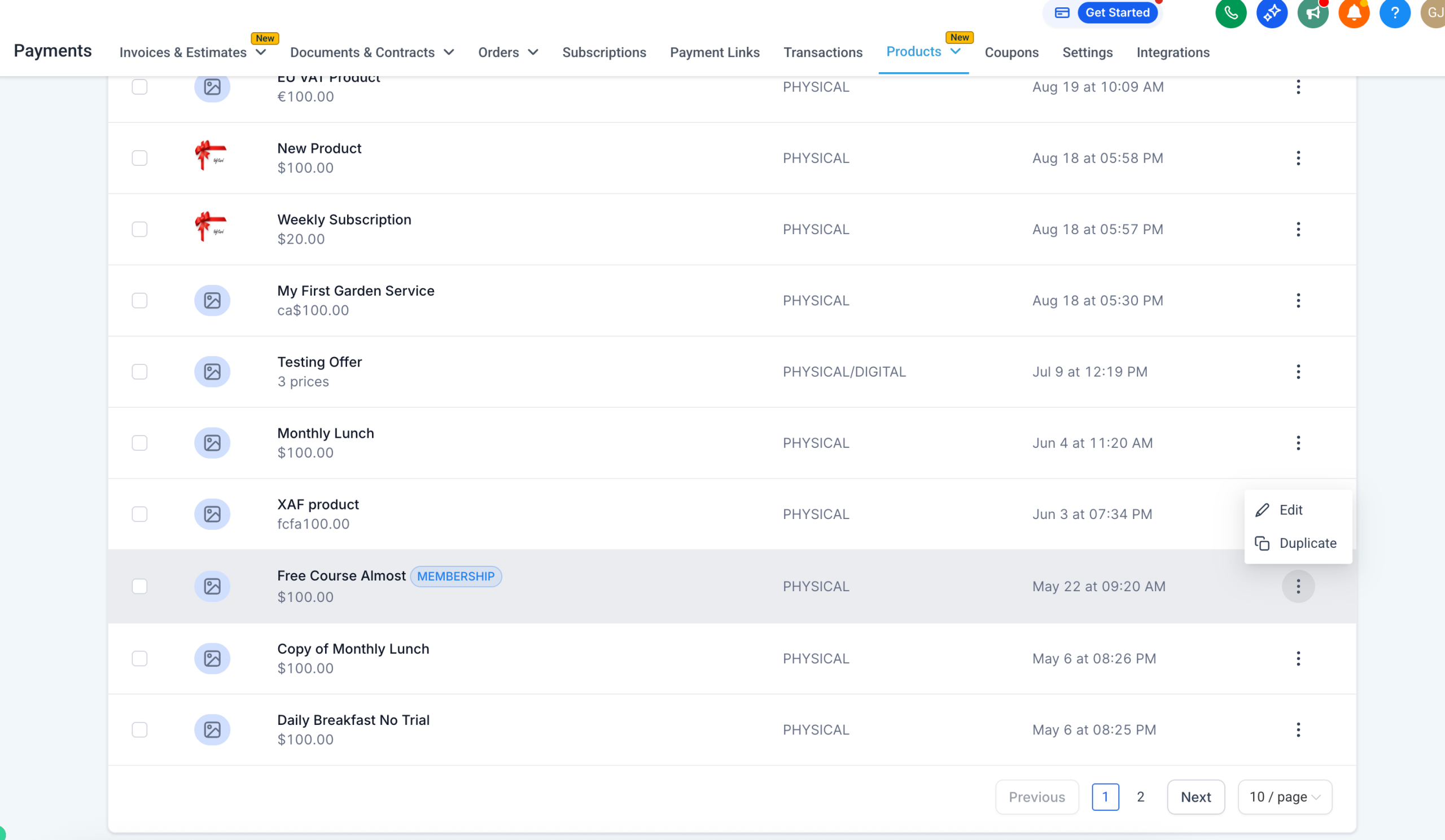
– Calendars & Memberships Products: Products created by Calendars or Memberships/Communities can no longer be deleted.
– The direct Delete CTA is disabled to avoid mistakes.
– Bulk Deletion: When bulk deletion is attempted on a list that includes restricted products (Calendars, Memberships, SaaS with subscriptions), only eligible products are deleted.
– Works even for Select All > Delete scenarios.
– Price & Variant Deletion: For SaaS, Calendars, or Memberships products, once a price or variant is saved, the Delete icon is disabled. Unsaved prices (just added but not saved) can still be deleted.
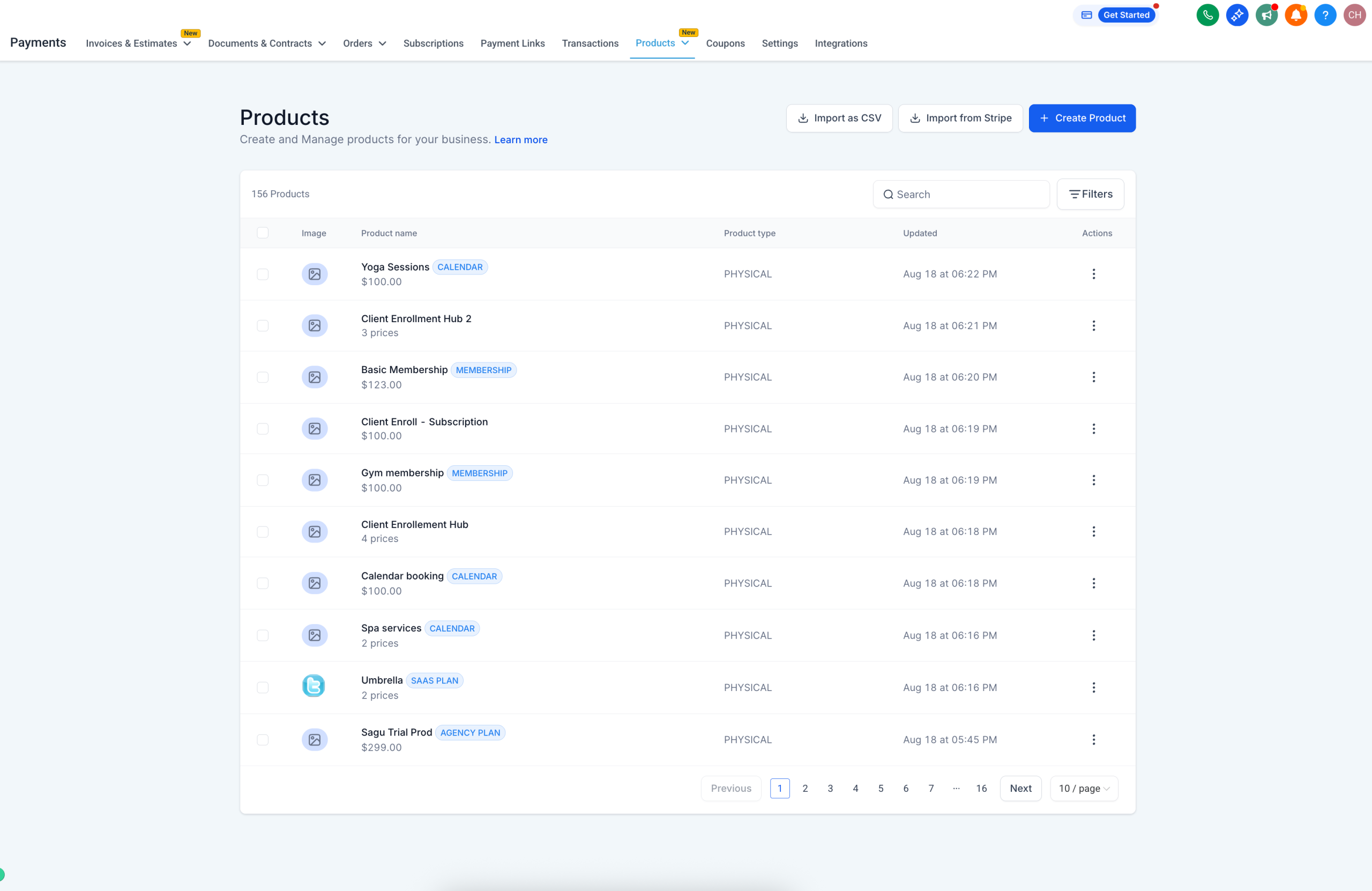
– Additionally a ‘Calendar’ tag is also added to identify Calendars products on the Products Listing page to avoid confusion for the business, as these are directly created by Calendars from the backend.
These checks ensure products tied to ongoing subscriptions or core platform features cannot be removed, protecting both businesses and their customers.
Where Can I Find This?
– Payments → Products → Product List Page (for individual or bulk deletion attempts)
– Payments → Products → Product Add/Edit Pages (for price/variant deletion)
What’s Next?
Revamped Products Create and Edit flows to ensure that they are relevant to the checkout that creates the product.
Visuals: