
👀 What’s New?
We’ve enhanced the “Add to Google Ads” conversion action by introducing two new input fields:
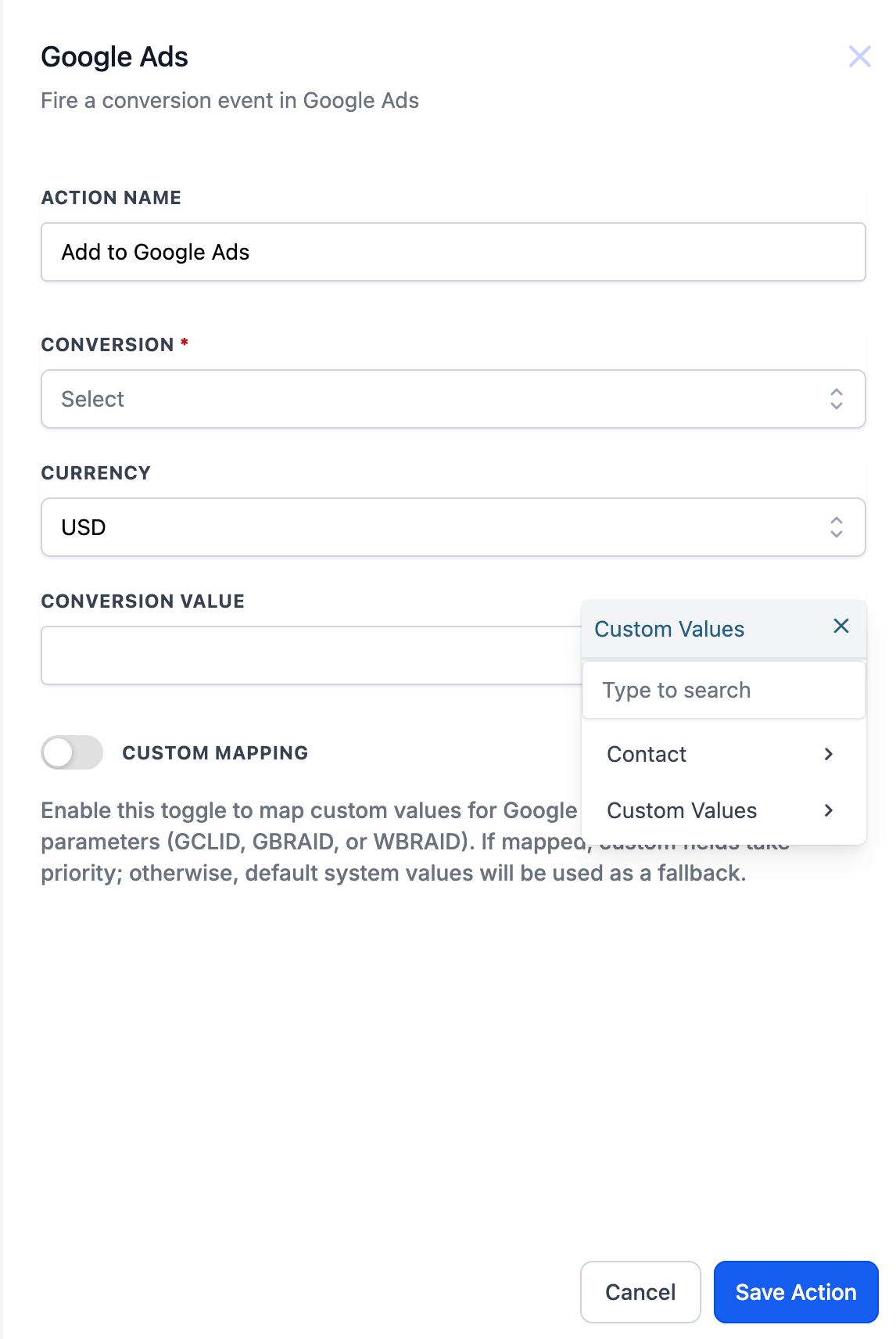
– Currency – Defaulted to USD but customisable as per users choice. It determines the type of currency that will be used for reporting your conversions (e.g., USD, EUR, GBP).
– Conversion Value – Defaults to 1 and supports custom values, allowing dynamic assignment per contact or event. The conversion value represents the monetary worth of a specific conversion action. This is useful if you want to track how much revenue or value each conversion generates from your ads.
👷 How It Works:
– When setting up a conversion event for Google Ads under Automations > Workflows, users will now see:
1. A Currency field with a default value of USD that can be changed by the user depending on the country or region the conversion occurs.
2. A Conversion Value field, pre-filled as 1, with the ability to define Custom values.
– The updated Add to Google Ads action, still retains the Custom Mapping toggle for advanced users who want to map GCLID, GBRAID, or WBRAID using their own field logic.
Before: The conversion action only allowed naming the action and selecting a conversion event.
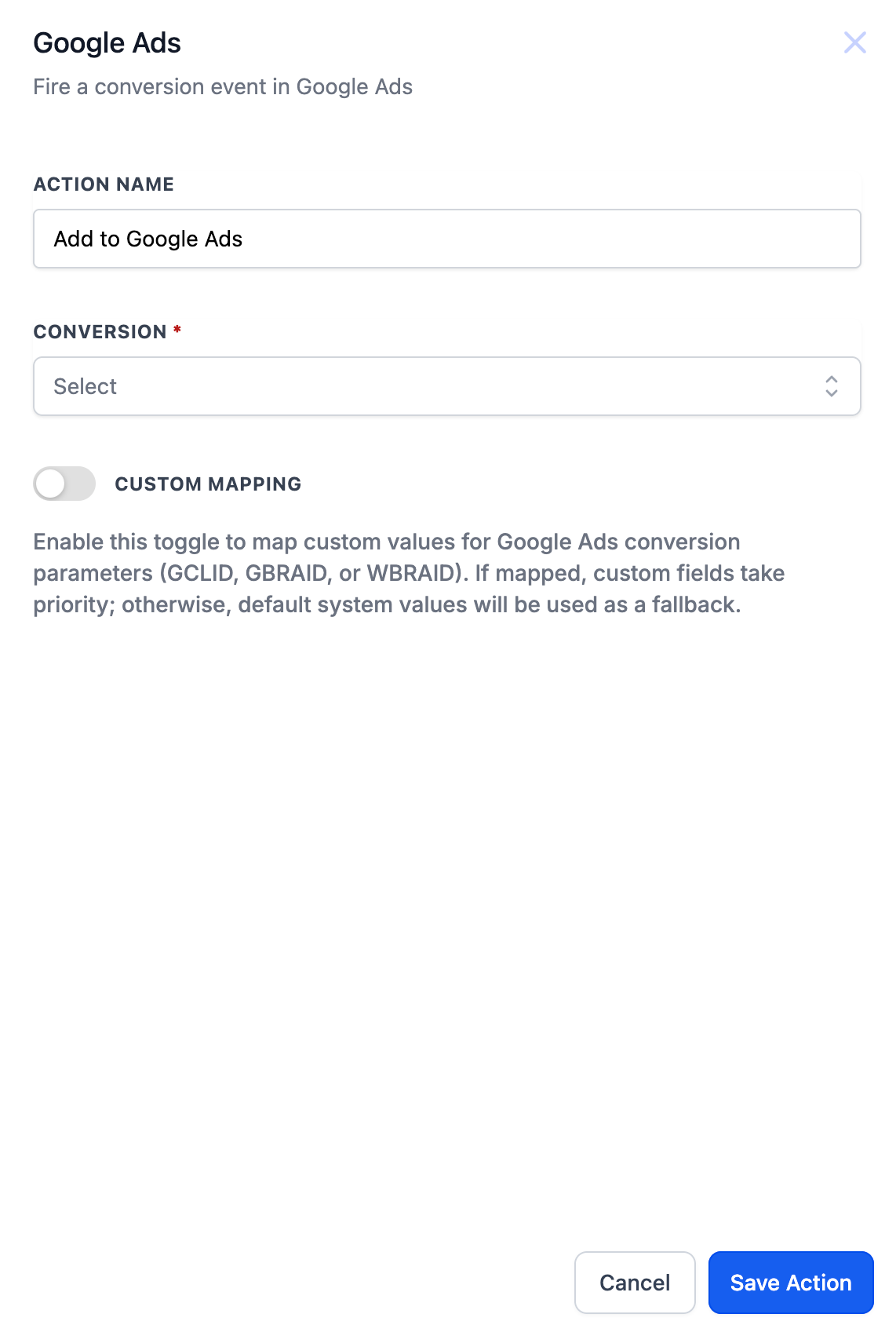
After: It now includes Currency and Conversion Value inputs to align with Google Ads’ better conversion tracking needs.
⭐ Why it Matters:
– This improvement allows users to track monetary impact of their conversions inside Google Ads more accurately.
– Supporting custom values for conversion value means users can dynamically assign transaction values based on CRM fields – leading to smarter attribution and optimisation.
– Many customers had requested this enhancement for more precise conversion tracking, making it a highly anticipated feature that will benefit both current and future users.
📝 Notes:
– Currency is set to USD by default but can be manually updated.
– If Conversion Value is defaulted to 1 but is customisable as per the user.
– This enhancement improves tracking accuracy and unlocks better reporting in Google Ads.