What’s New?
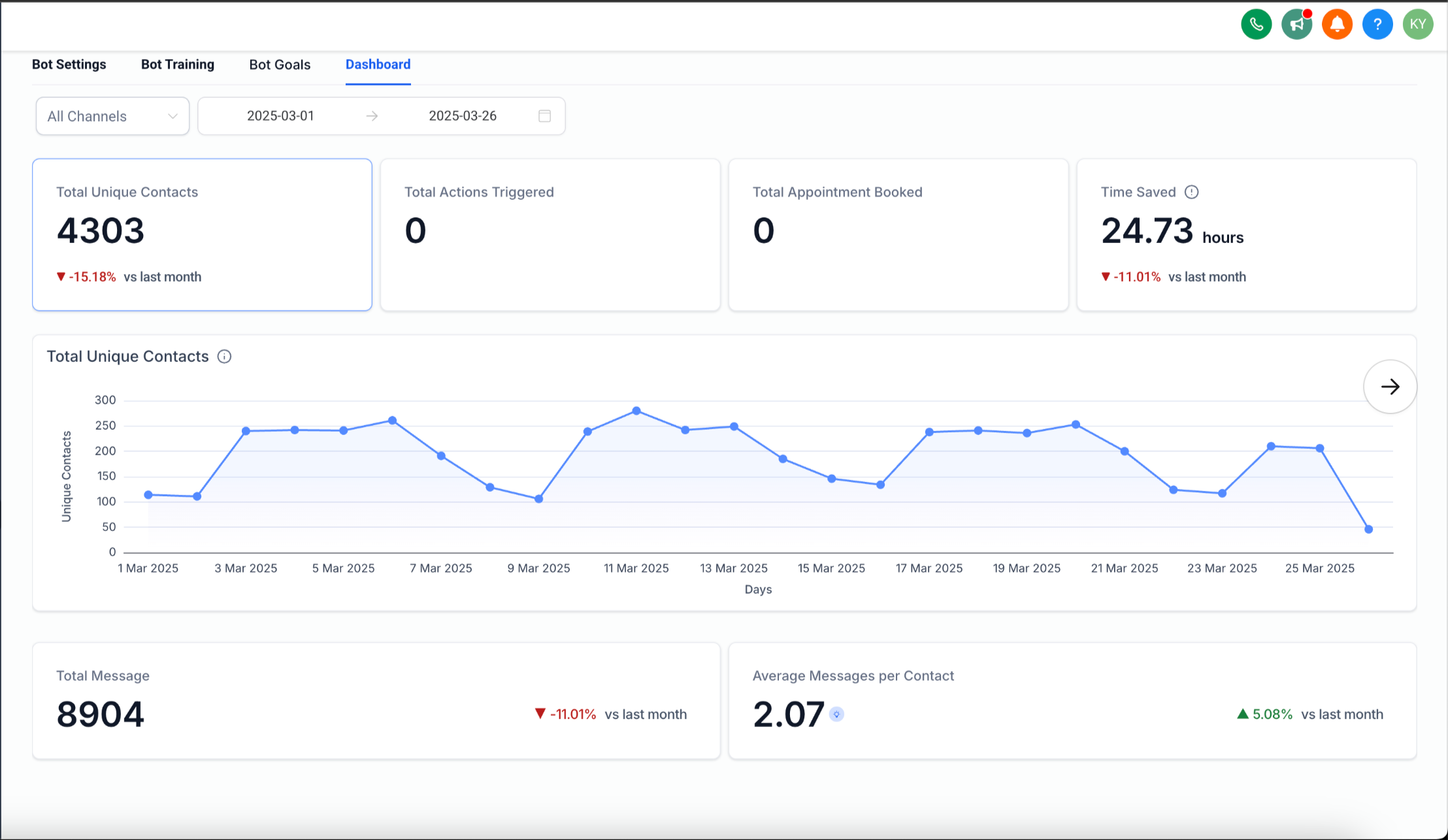
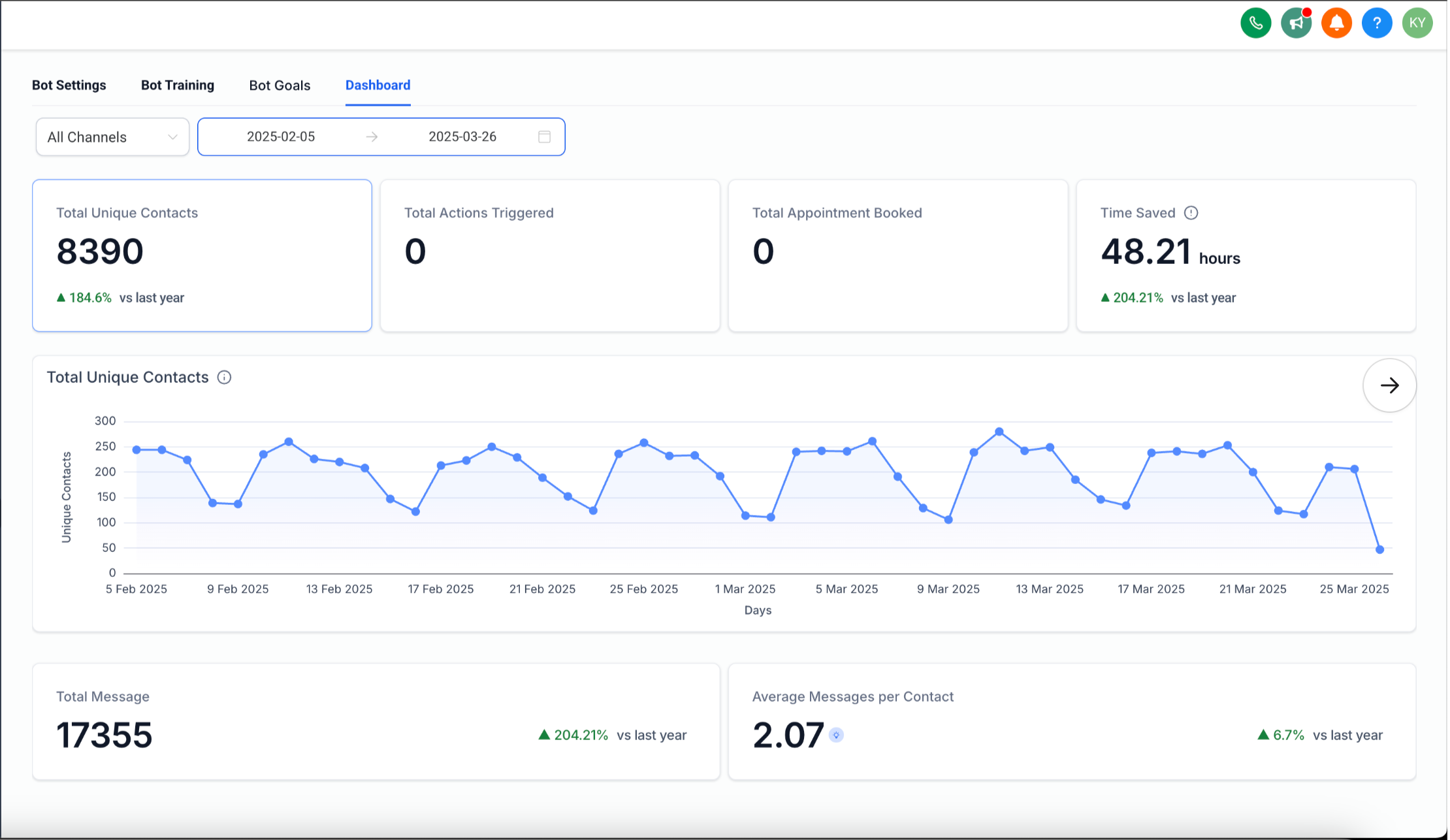
Introducing the Conversation AI Dashboard – a powerful new feature that provides SMBs with in-depth insights into their AI bot’s performance. This dashboard helps businesses track key metrics, optimize bot efficiency, and make data-driven decisions.
How It Works?
Access the Dashboard
– Navigate to the Conversation AI Bot section.
– Open any bot for which you want to track the preformance
– Open the new Dashboard tab.
Monitor Key Metrics
– Total Unique Contacts: Number of unique contacts engaged.
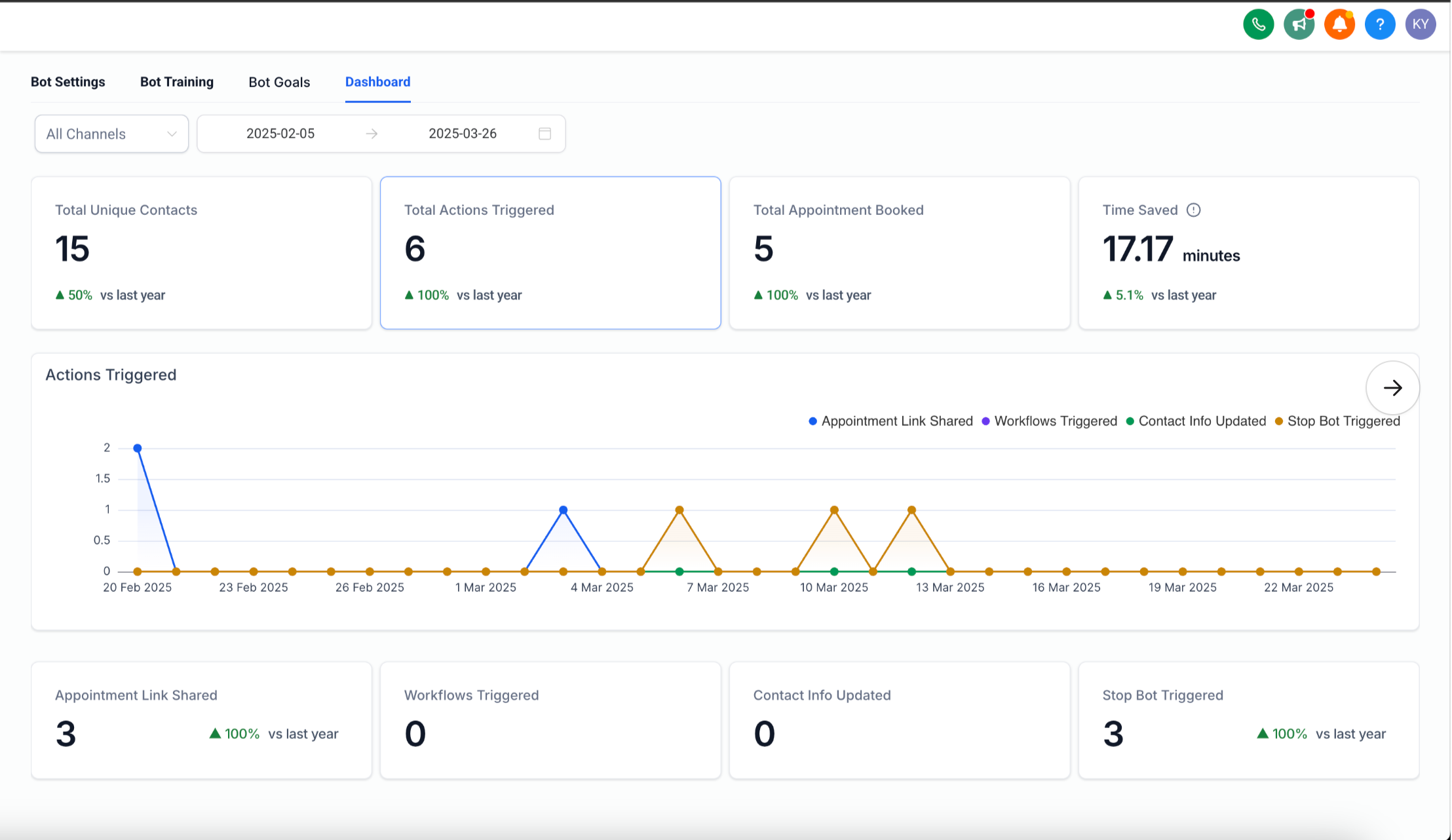
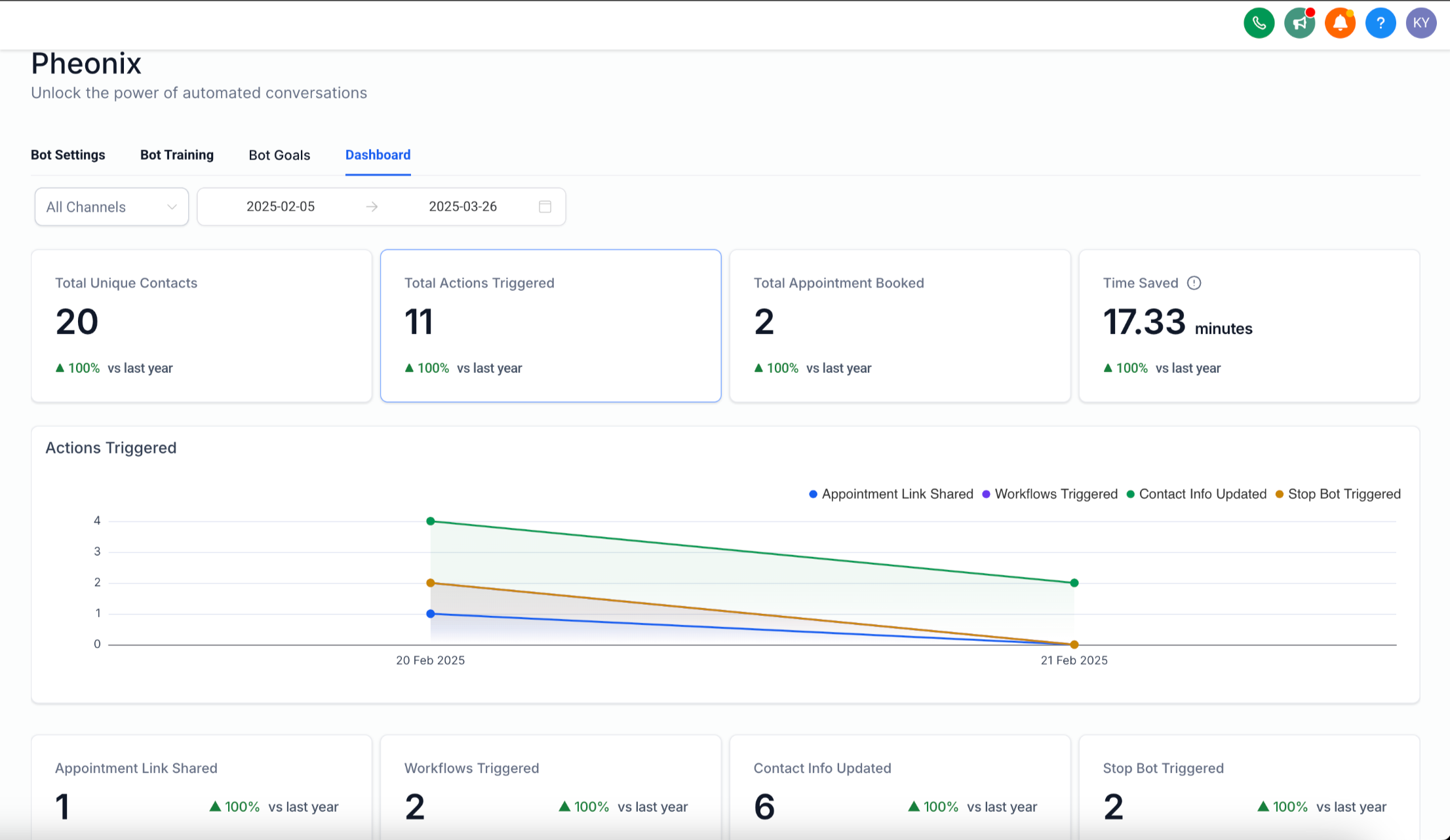
– Actions Triggered: Total bot-driven actions completed.
– Appointments Booked: Successful appointment scheduling via the bot.
– Average Messages per Contact: Helps optimize response settings.
– Time Saved: Estimates the reduction in manual effort.
Filter & Compare Data
– Use Channel Selector and Date Range Selector to refine insights.
– Compare performance across different periods.
Receive Actionable Insights
– Get recommendations to enhance bot performance.
Future Enhancements:
Track Most Asked Questions: Identify common questions and suggest adding them to the FAQ for better bot efficiency.
Why It Matters?
– Greater Transparency: SMBs can now track bot performance with clear, real-time data.
– Enhanced Optimisation: Actionable insights help businesses refine bot responses and maximise efficiency.
This update empowers SMBs to make informed decisions, improve AI-driven customer interactions, and maximise their bot’s value. 🚀