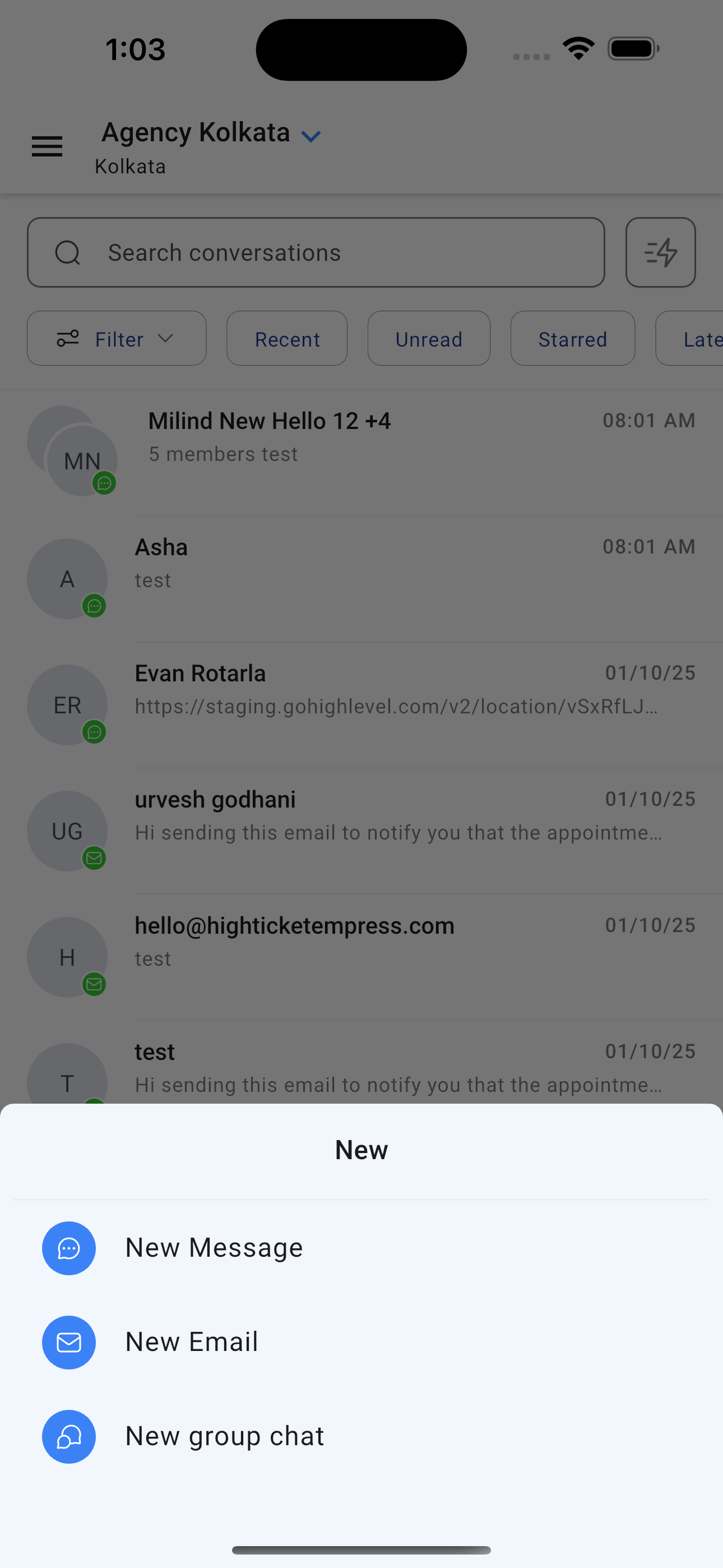
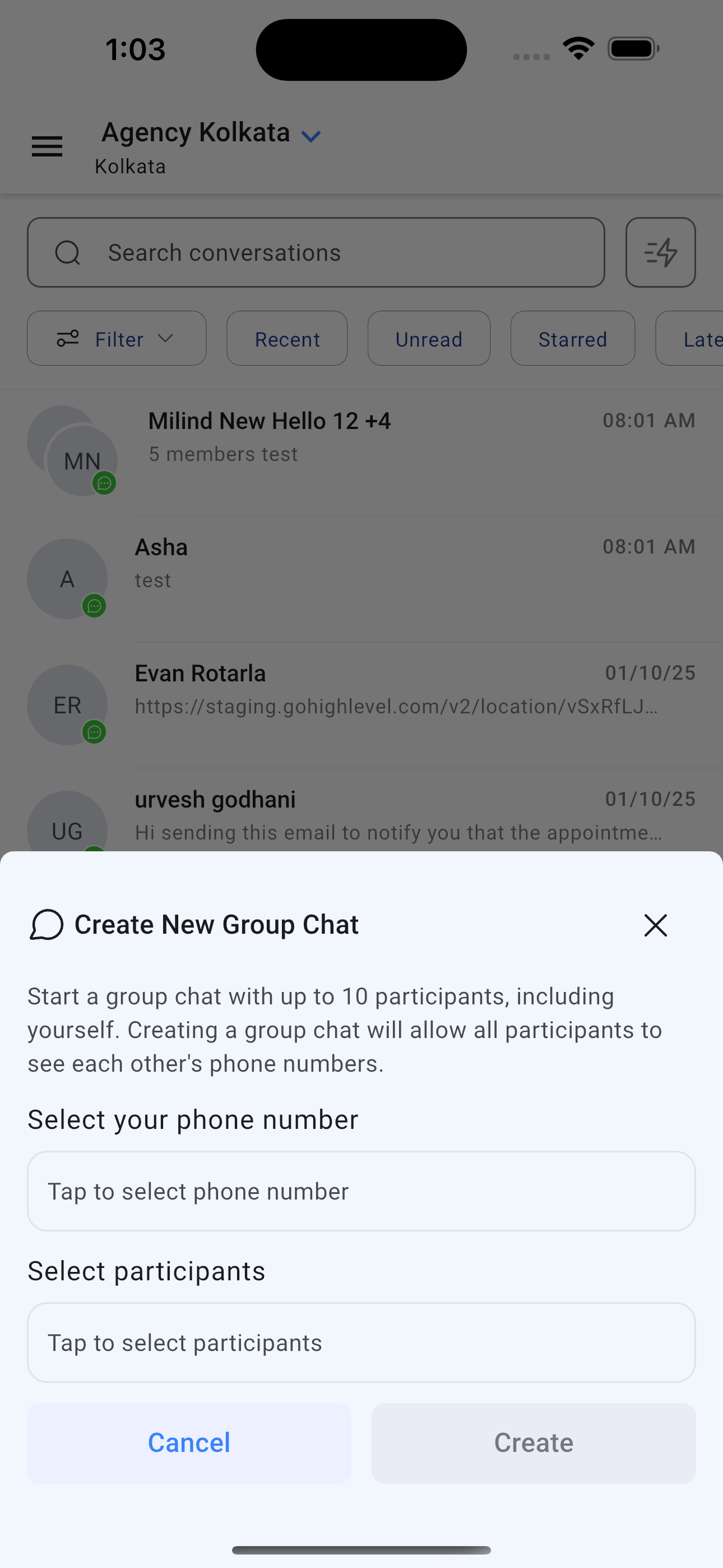
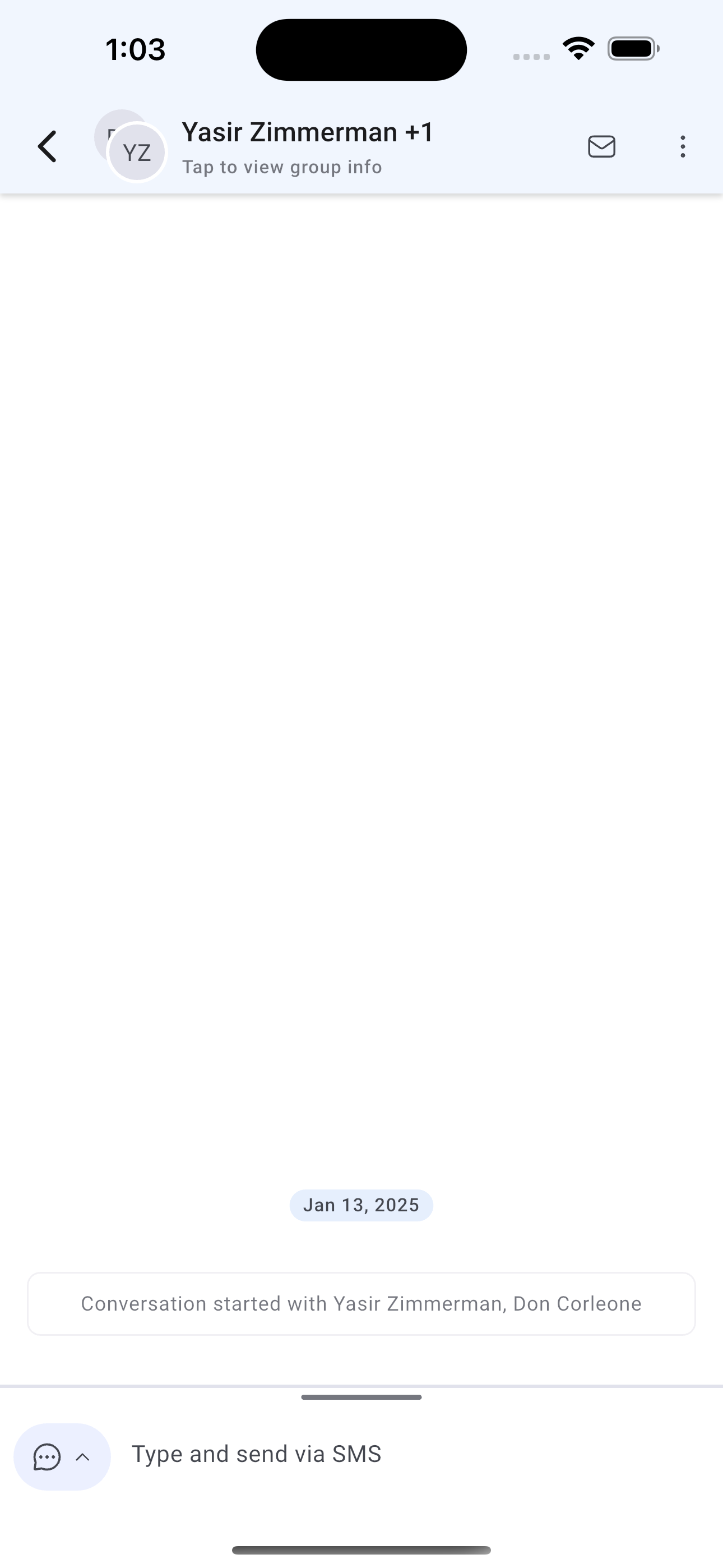
Until now, users could only engage in one-on-one conversations but with Group Chat, they can now collaborate with multiple contacts in a single thread, enabling faster coordination, clearer communication, and better client engagement – all from their phone.
This feature is now live on the public beta for HighLevel and LeadConnector, with a full rollout coming soon.
How Does This Feature Benefit You?
– Collaborative Conversations: Easily engage multiple clients, team members, or stakeholders in a single thread – no need to juggle multiple one-on-one chats.
– Streamlined Communication: Share updates, coordinate tasks, and respond faster with everyone in the loop at once.
– Improved Client Engagement: Create a more personal and responsive experience by grouping related contacts (e.g., families, teams, or departments).
– Mobile-First Convenience: Start, manage, and participate in group chats directly from your mobile device – anytime, anywhere.
How to use this feature?
– Open Conversations: Launch the GoHighLevel mobile app and navigate to the Conversations tab.
– Tap the + Icon: Click the floating “+” button to start a new conversation.
– Choose Group Chat: Select “Group Chat” as the conversation type.
– Add Members: Select your phone number and pick multiple contacts from your contact list to form the group.
– Start Messaging: Begin chatting instantly with all selected participants in one thread.
Availability:
HighLevel v3.95.0 and above
LeadConnector v3.95.0 and above
White Labelled apps – Update to be requested