
Managing resends is now easier, more flexible, and more effective than ever.
What’s New?
– Pre-configure Resends – Set up unopened email resends right from the send or schedule screen.
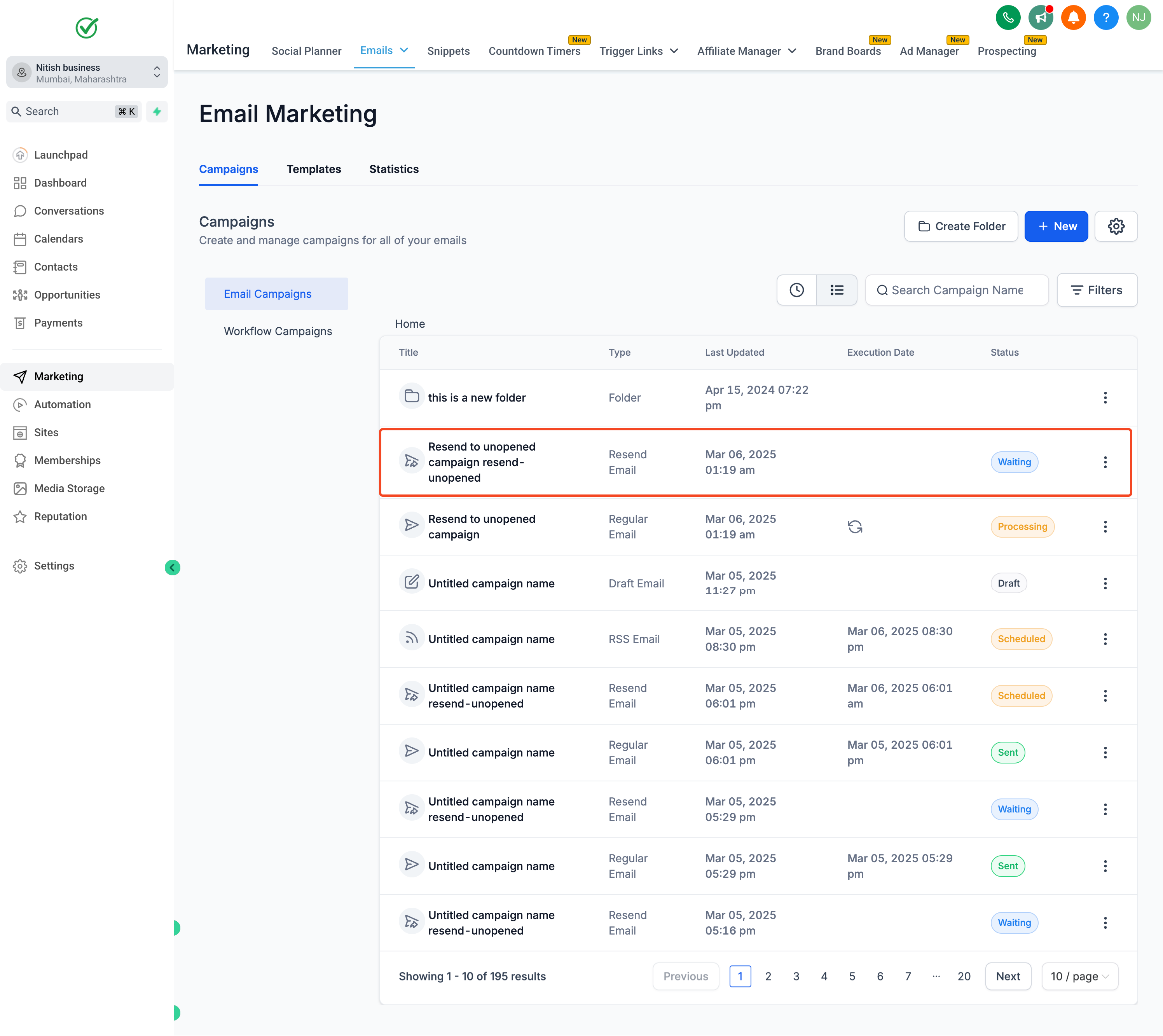
– Better Visibility – Resend campaigns now appear as “Waiting” in the campaign list.
– More Control – Adjust the resend duration or cancel before it sends.
Why It Matters
– Boost Engagement – Reach more people by automatically resending unopened emails.
– Plan Ahead – Schedule resends in advance instead of doing it manually later.
How to Use It?
– Create a Campaign
– Click “Send” or “Schedule”
– Enable Resend Settings – Set the resend duration & subject line 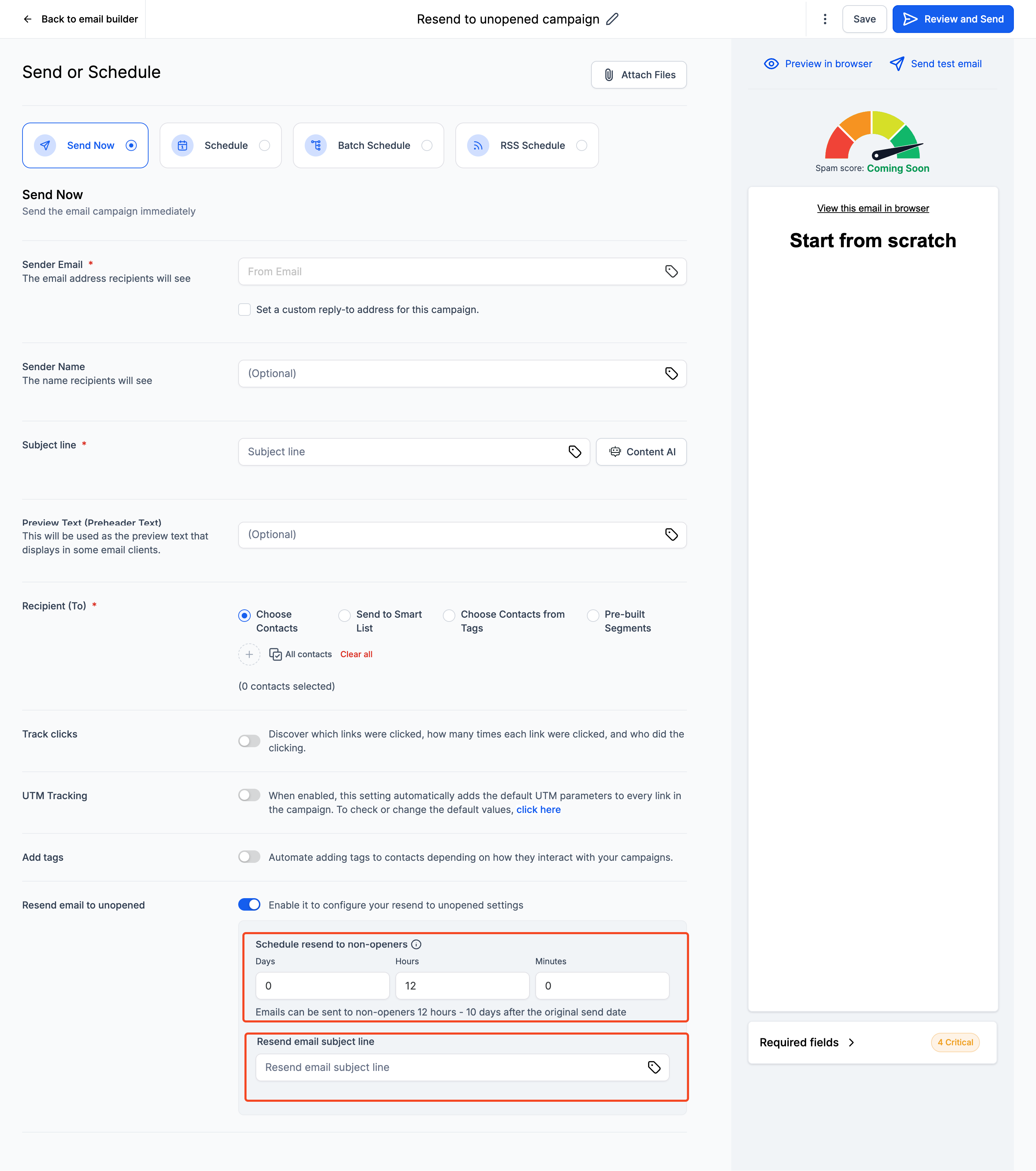
– Send the Campaign – The resend is now scheduled with a “Waiting” status
– Modify or Cancel – Click the three dots to adjust or cancel if needed 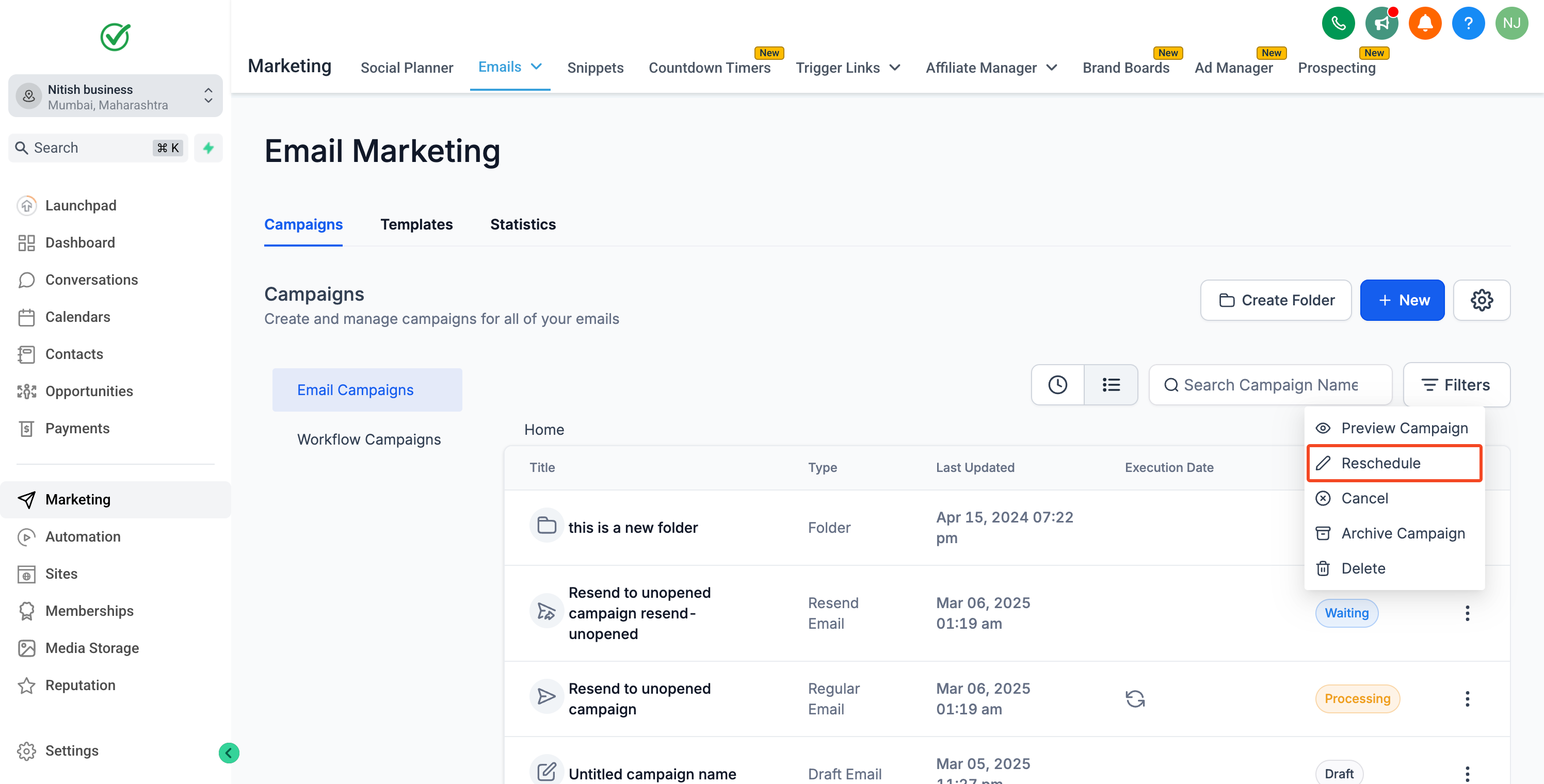
This update makes resending emails smarter, simpler, and more efficient.