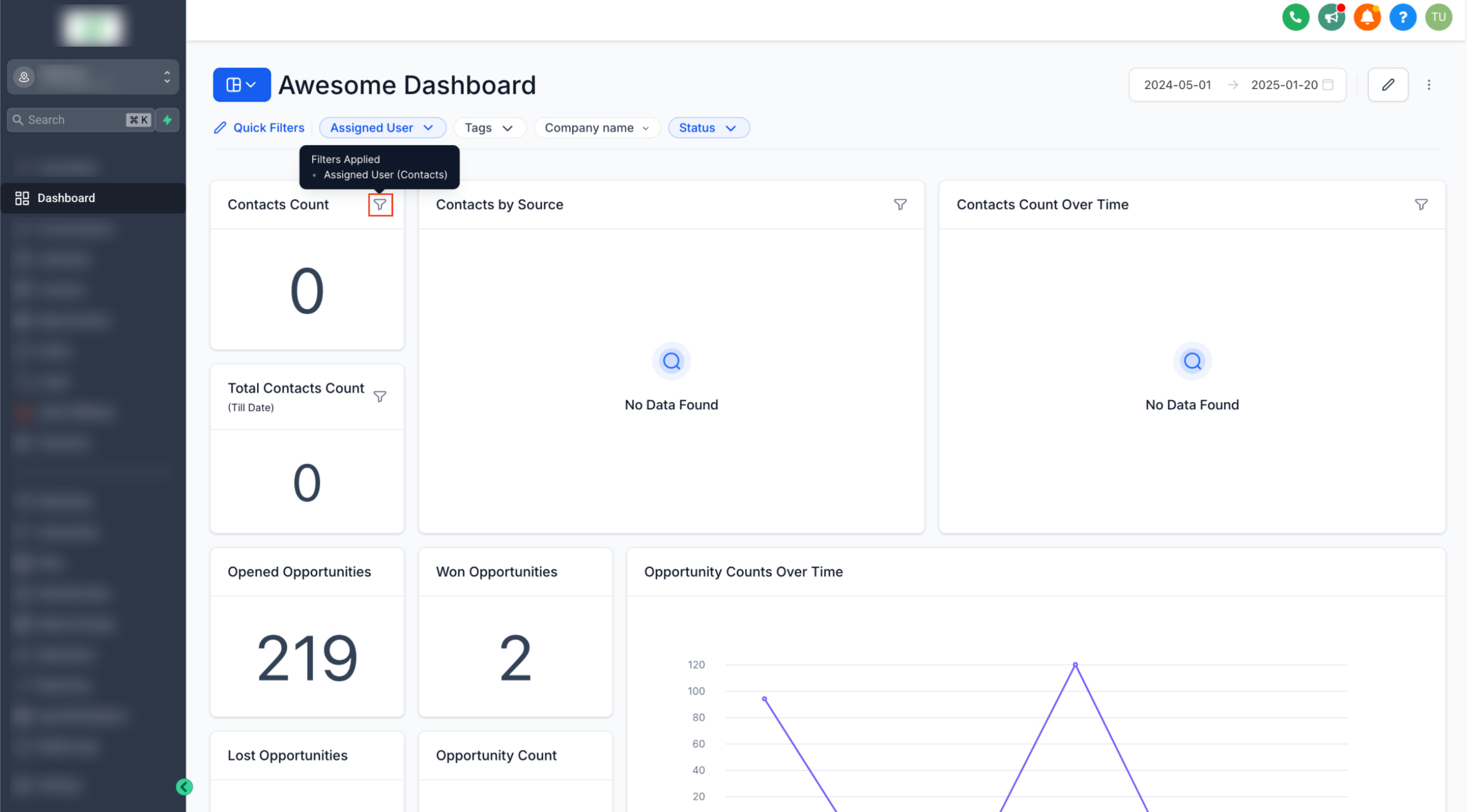
Quickly analyze your data with personalized filters, even without edit access.
👀 What’s New?
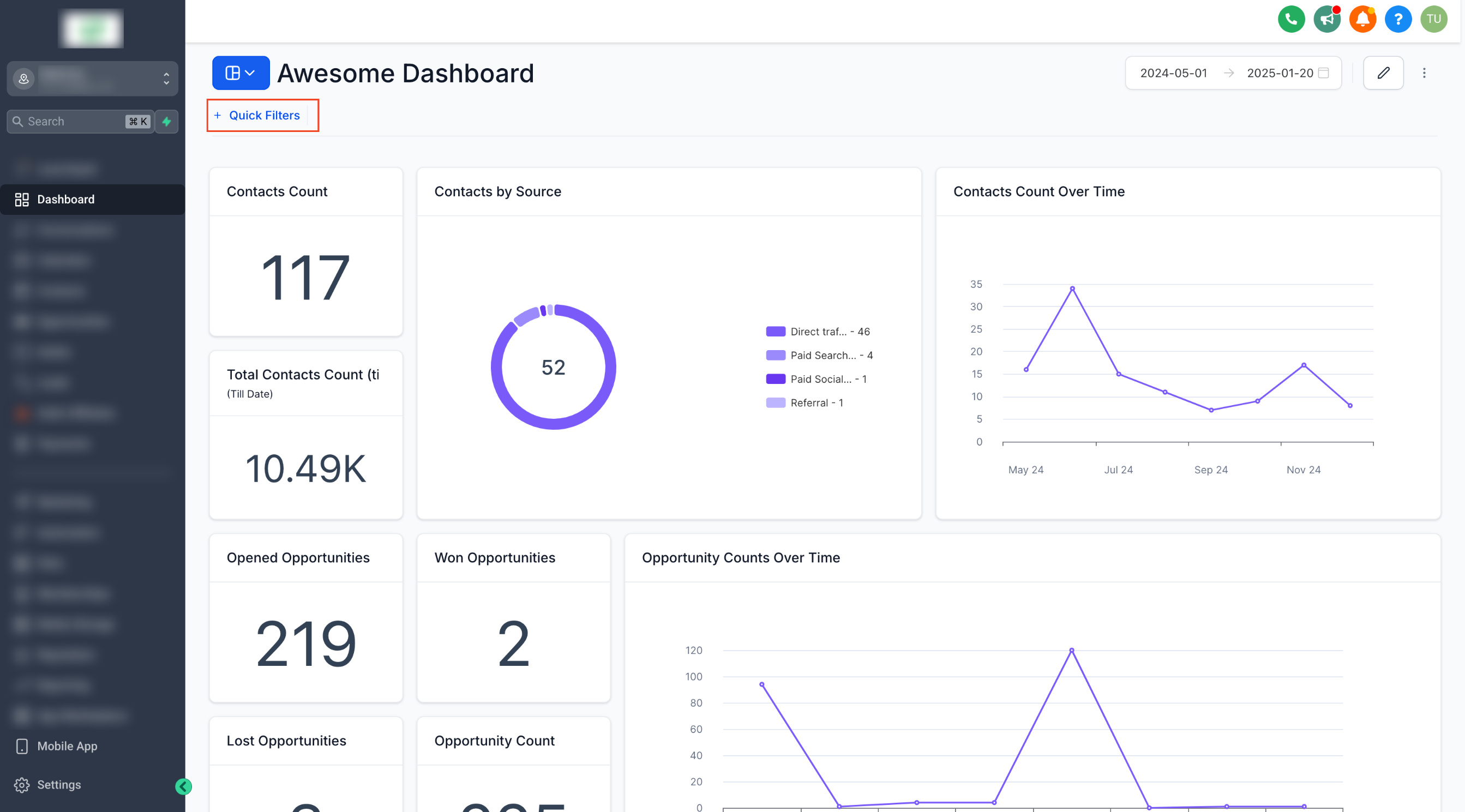
– Quick Filters: Now, dashboard owners can add filters for all users to access without needing edit permissions.
– User-Specific Configurations: Each user can save their own quick filter values, ensuring a personalized and efficient experience.
👷 How It Works:
Adding Quick Filters:
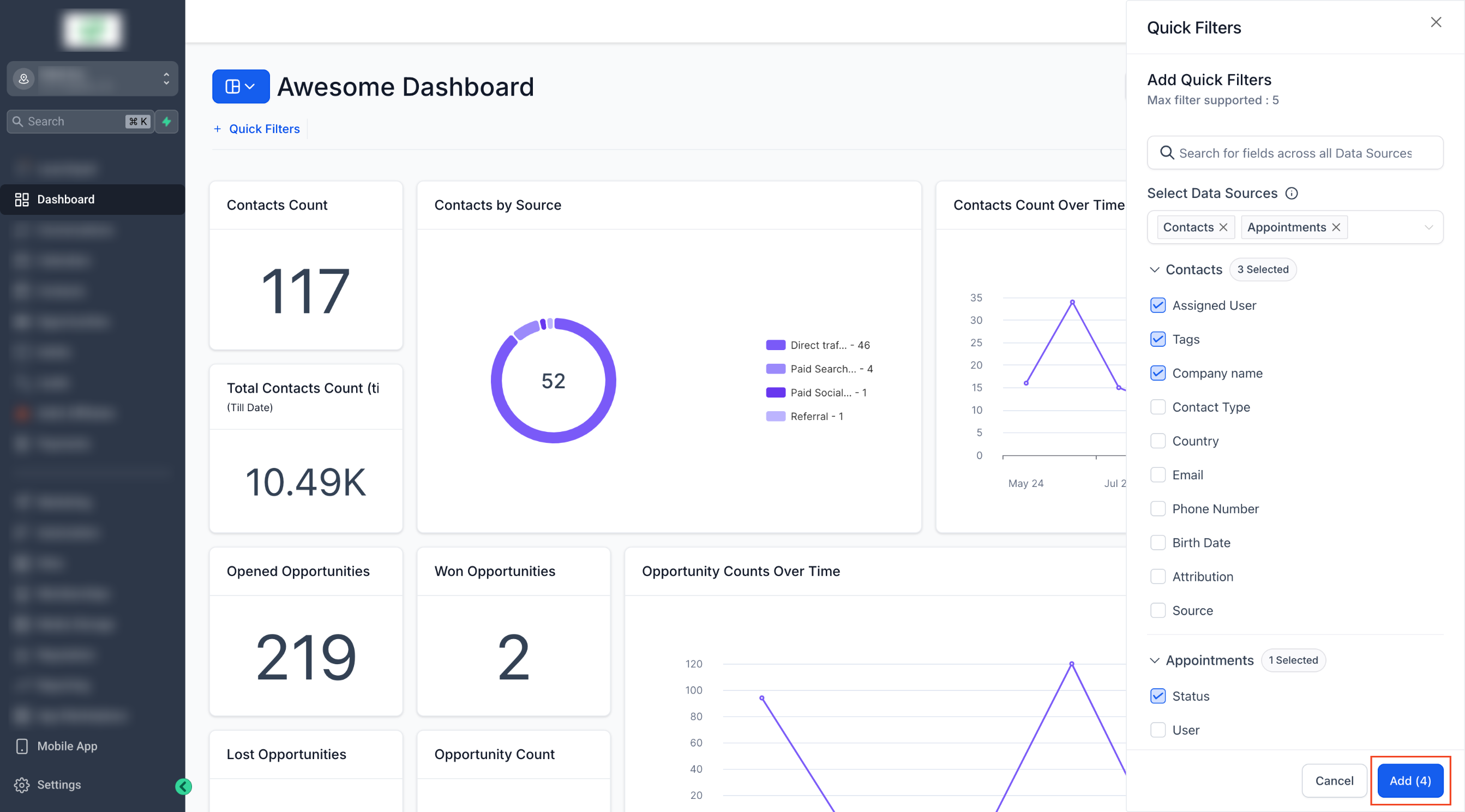
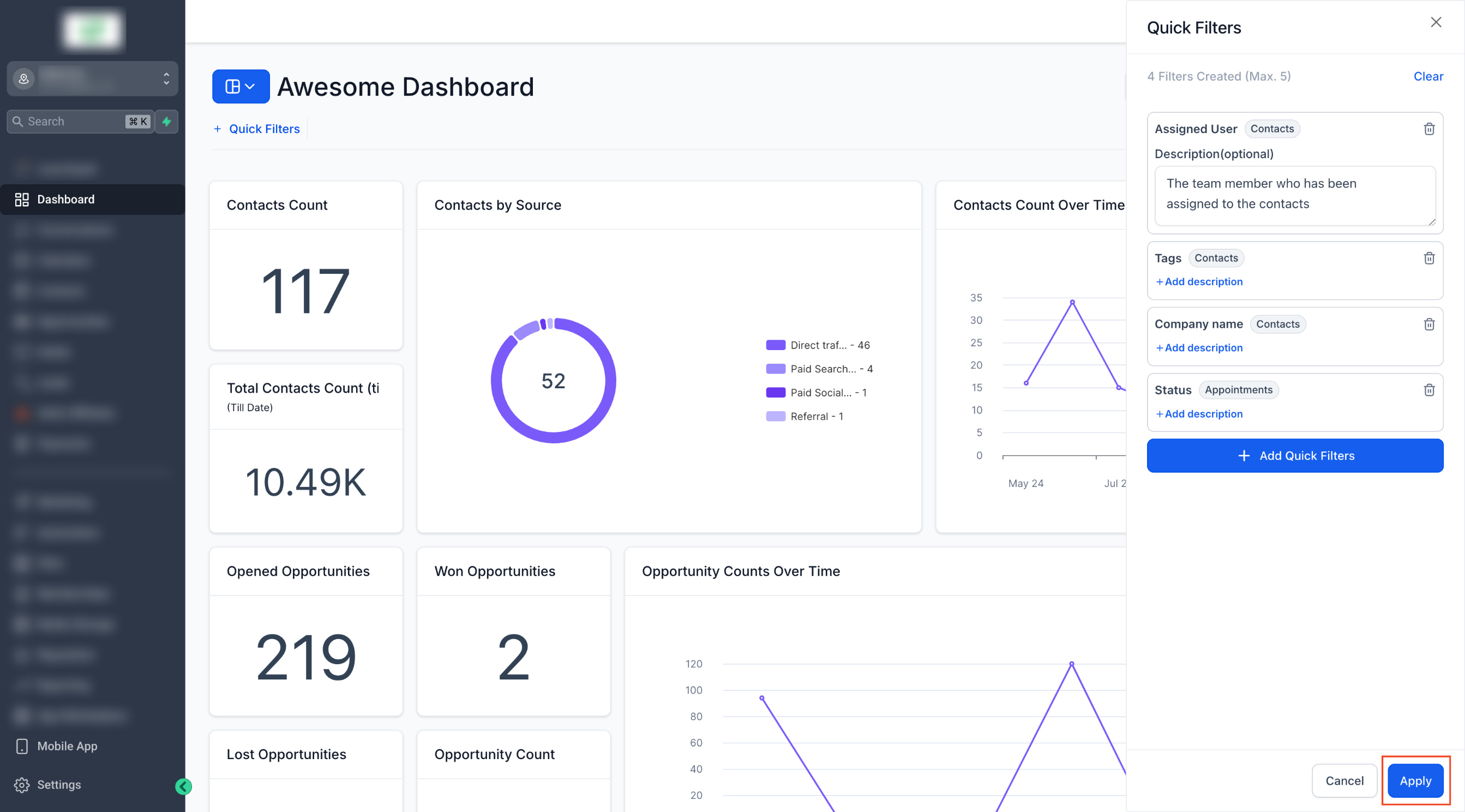
1. Dashboard owners can add relevant filters from the new “Quick Filters” menu.
2. Users can view and apply these filters without requiring edit access.
Using Quick Filters:
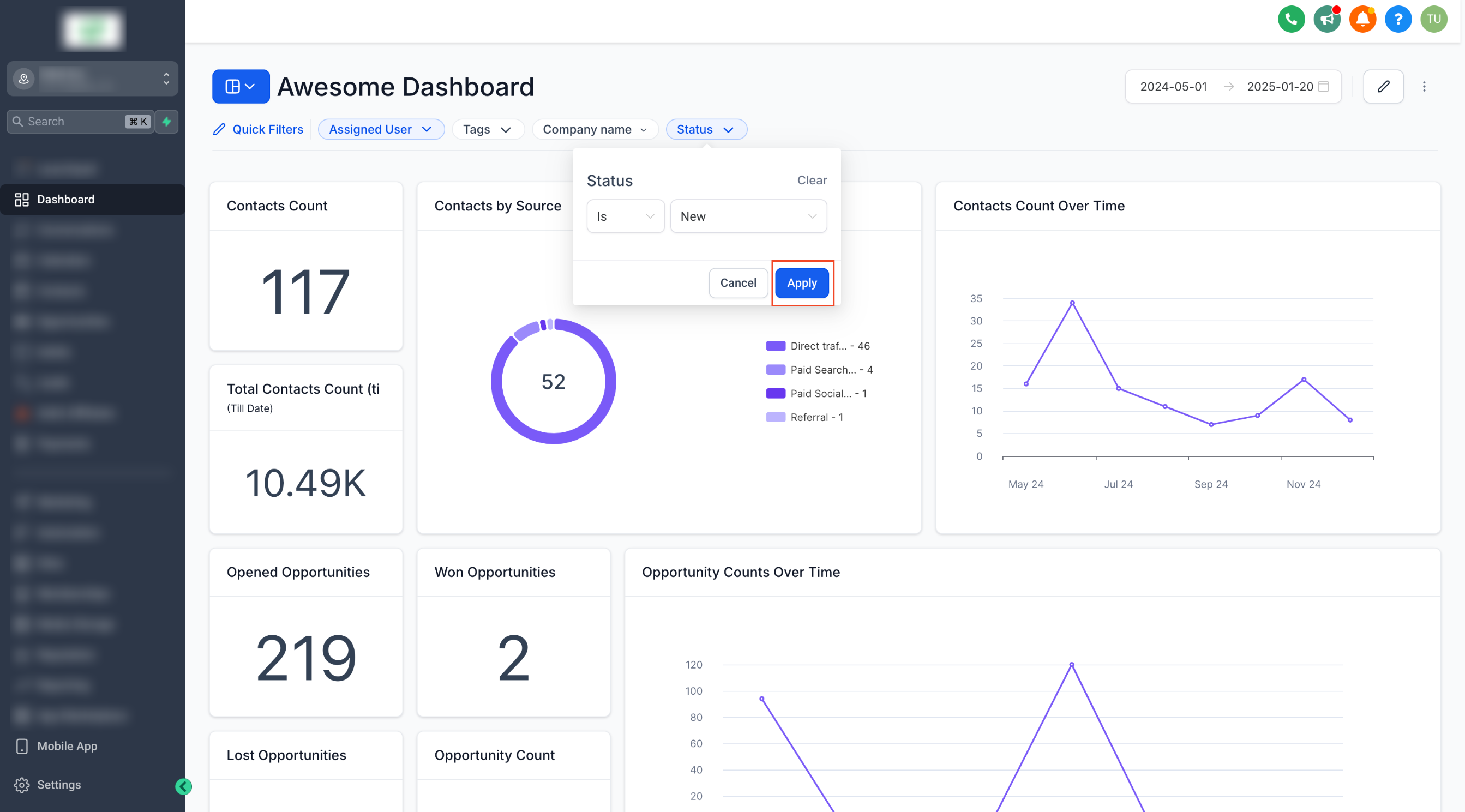
1. Easily apply filters to widgets on a dashboard to focus on what matters most.
2. Filters are applied per data source, ensuring precise and relevant insights.
⭐ Why it Matters:
– Empower everyone to get valuable insights without the risk of accidental edits.
– Save time with user-specific filter configurations for tailored analysis.
– Improve collaboration by giving all team members access to impactful filters.