
Stay in the zone and connect with leads directly from the mobile app using your own SIM number.
🧩 The Problem
You’re reviewing contacts, opportunities, or conversations in the app and want to call a lead – only to realize you haven’t set up a bought a business number or it is not supported. The old way? Copy the number, switch apps, and manually dial. It’s clunky, slow, and breaks your flow.
✅ The Solution
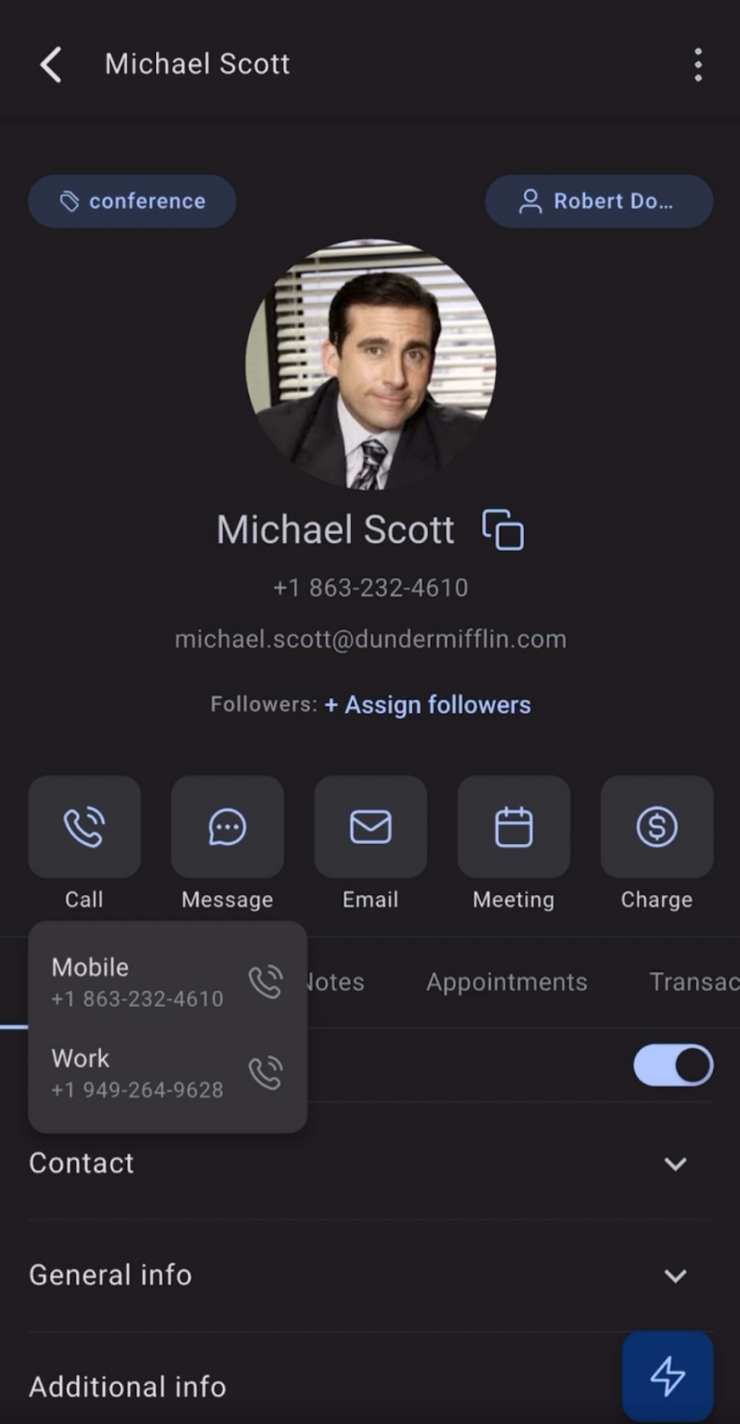
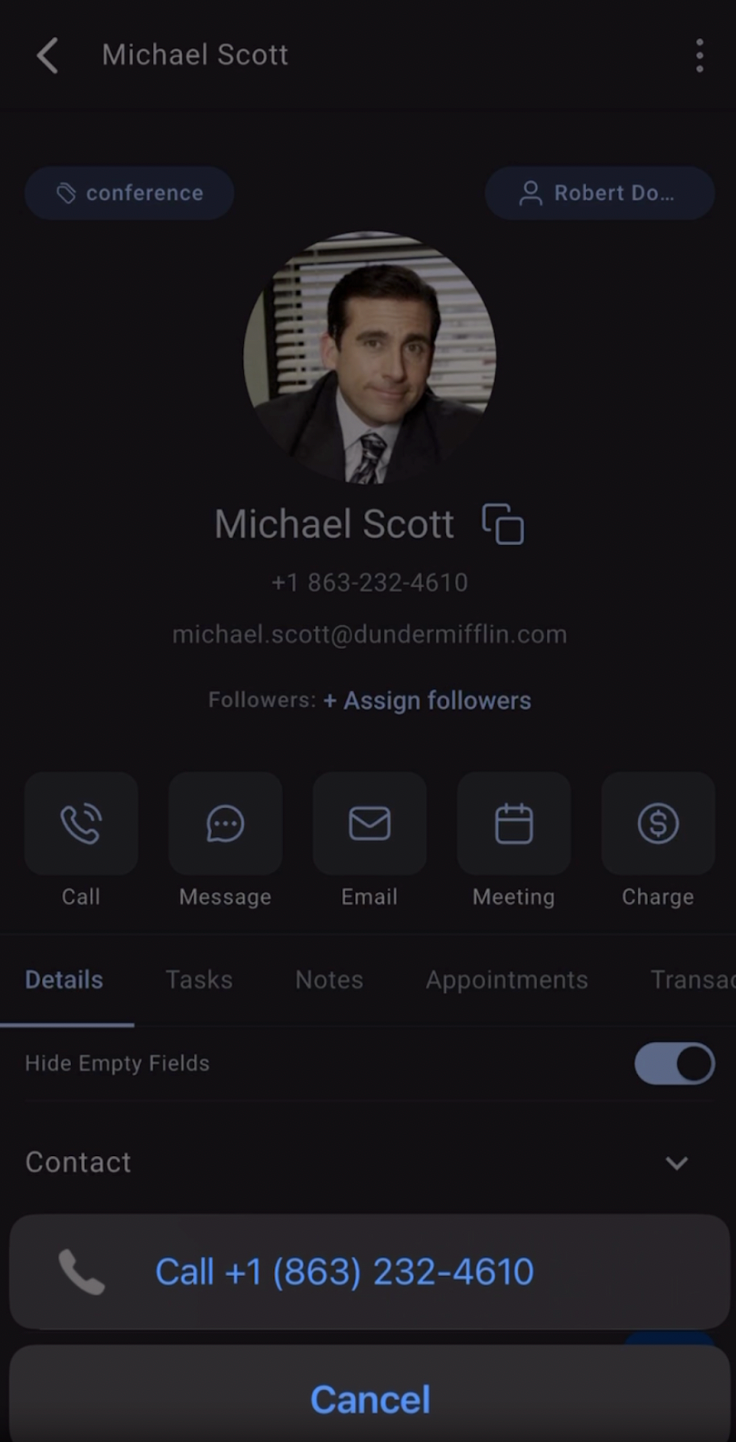
With SIM-based calling, you can now tap the call icon anywhere in the app – Contacts, Opportunities, or Conversations and instantly launch your phone’s native dialer with the number prefilled. No copy-paste. No setup. Just tap and talk.
🚀 What’s New?
• Call leads from the app even if you haven’t purchased a business phone number
• Automatically opens your phone’s dialer with the contact’s number filled in
• Works seamlessly across Contacts, Opportunities & Conversations
• No configuration needed, uses your mobile SIM plan
✨ Why This Matters
• Cut friction and save time on outreach
• Enable calling for teams without business phone setup
• Give your team a smooth, mobile-first calling experience
🔧 What’s Coming Next
• 📝 Manual call logging for SIM-based calls – to trigger workflows and save notes
• 🤖 Android-only: Automatic logging of SIM calls to leads – so every call is tracked effortlessly
📲 How does it look
Availability:
HighLevel v3.103.4 and above
LeadConnector v3.103.4 and above
White Labelled apps – Update to be requested