
Problem Statement
– Editing a workflow email created from a template used to update the original template—affecting all other workflows using it.
– There was no warning, making templates risky to reuse.
What Changed
– Adding a template-based email now creates a safe, independent copy.
– Edits affect only that workflow step—no more global impact.
You can still:
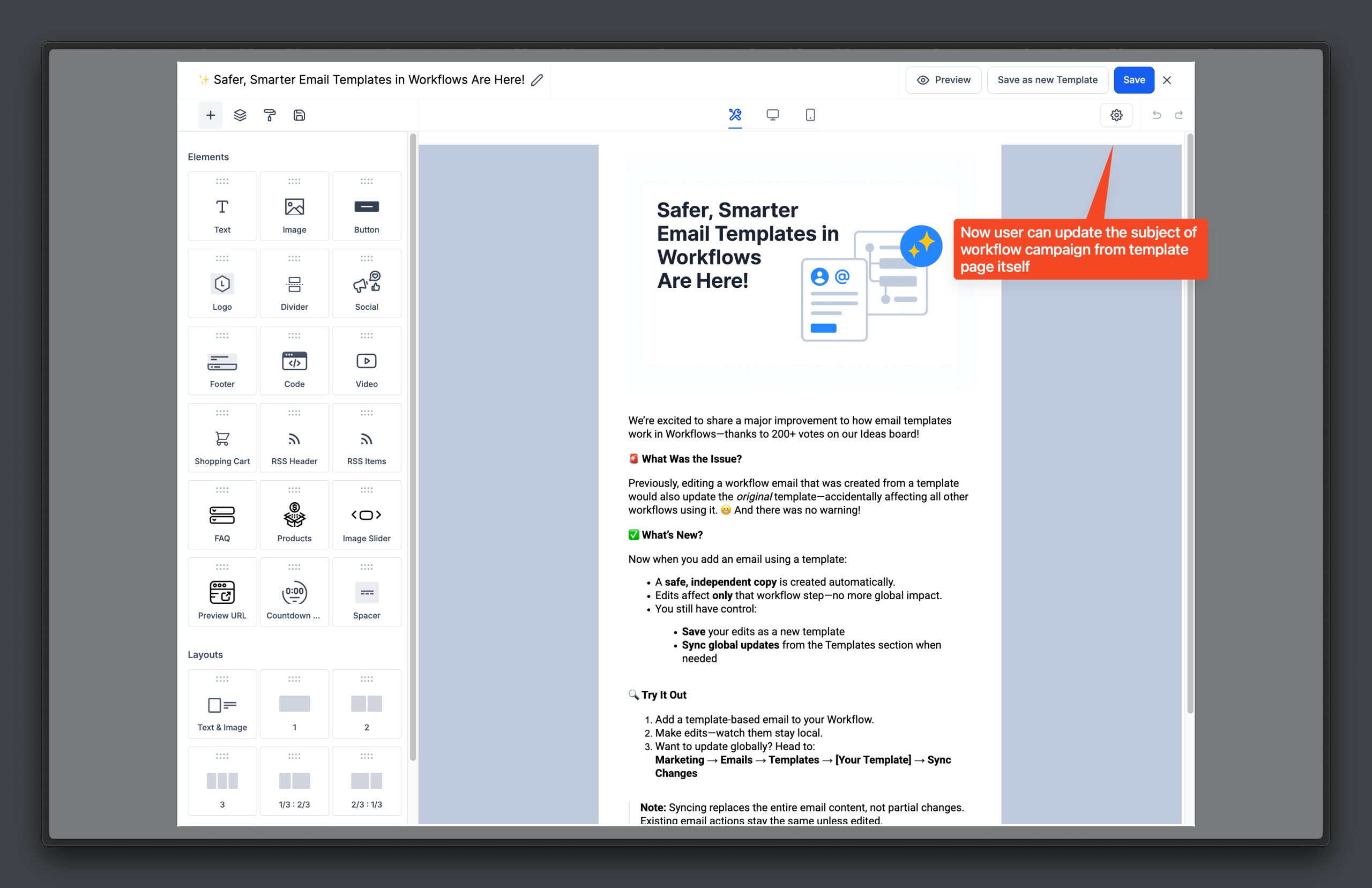
– Save changes as a new template, or
– Sync global updates from the Templates section when needed.
How to Check
– In a workflow, add an email using a template and edit it—changes stay local.
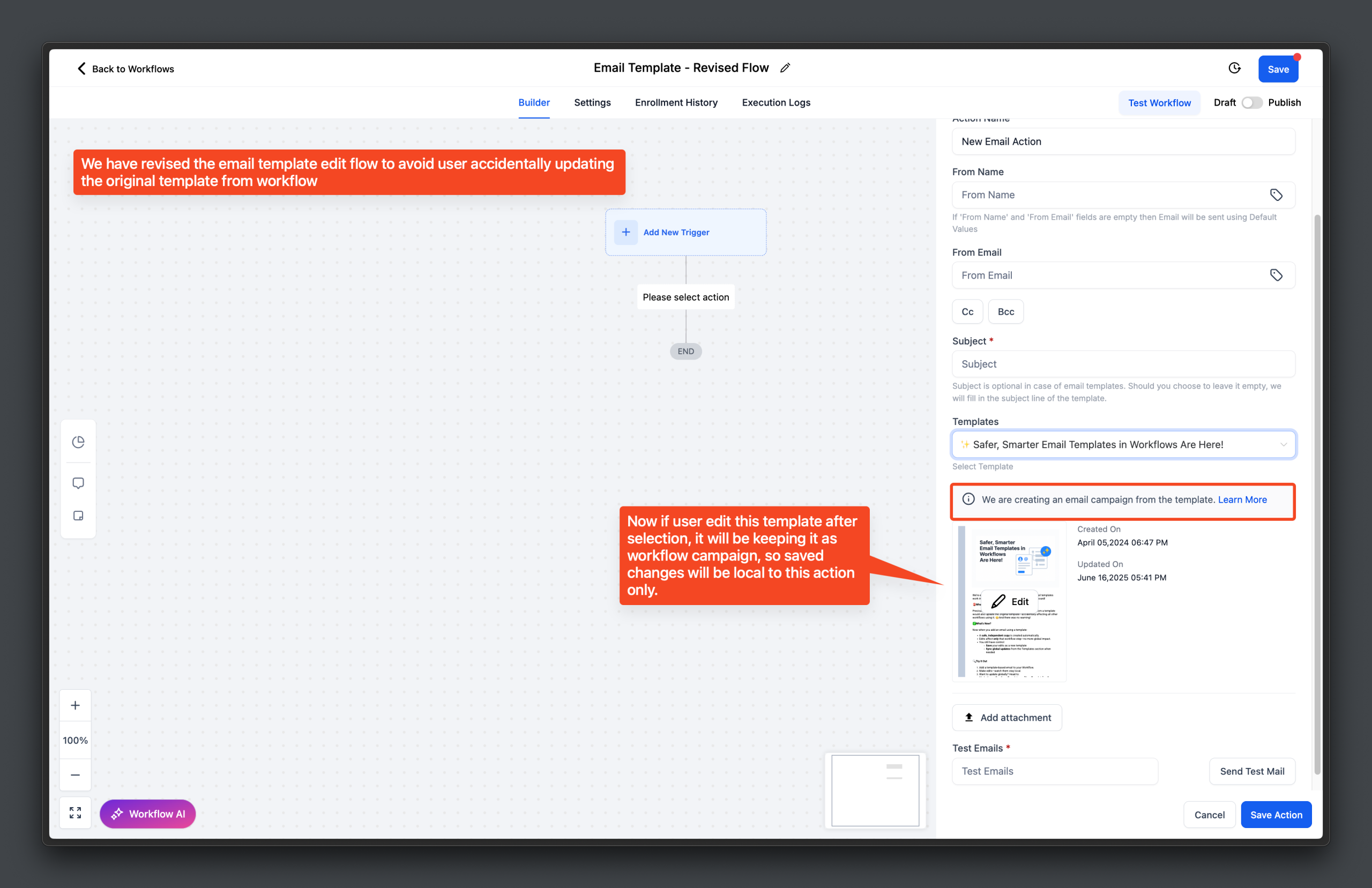
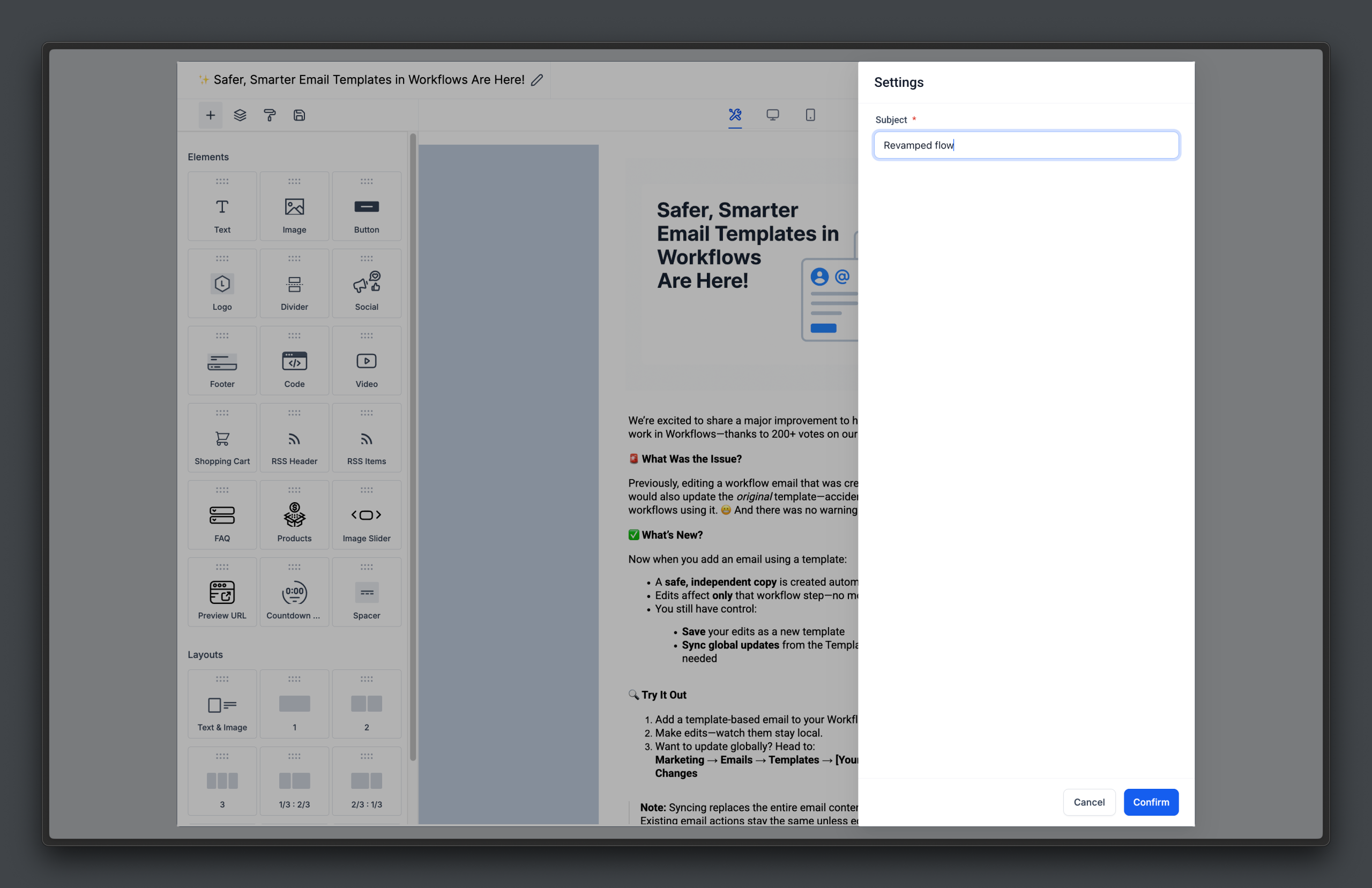
– To edit the subject, click on edit and the settings to update the subject/
For global updates:
– Go to Marketing → Emails → Templates
– Open the template → click Sync Changes
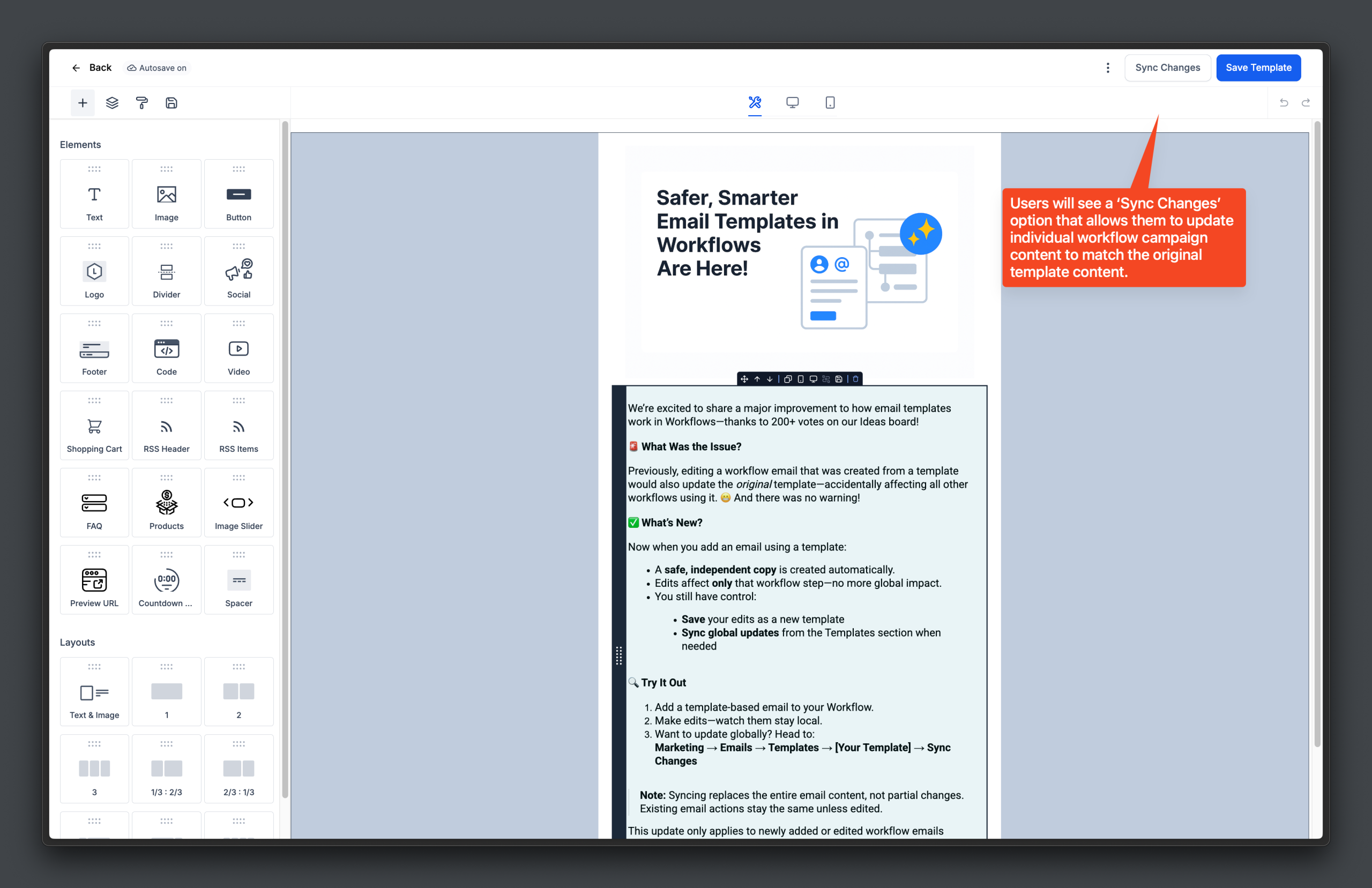
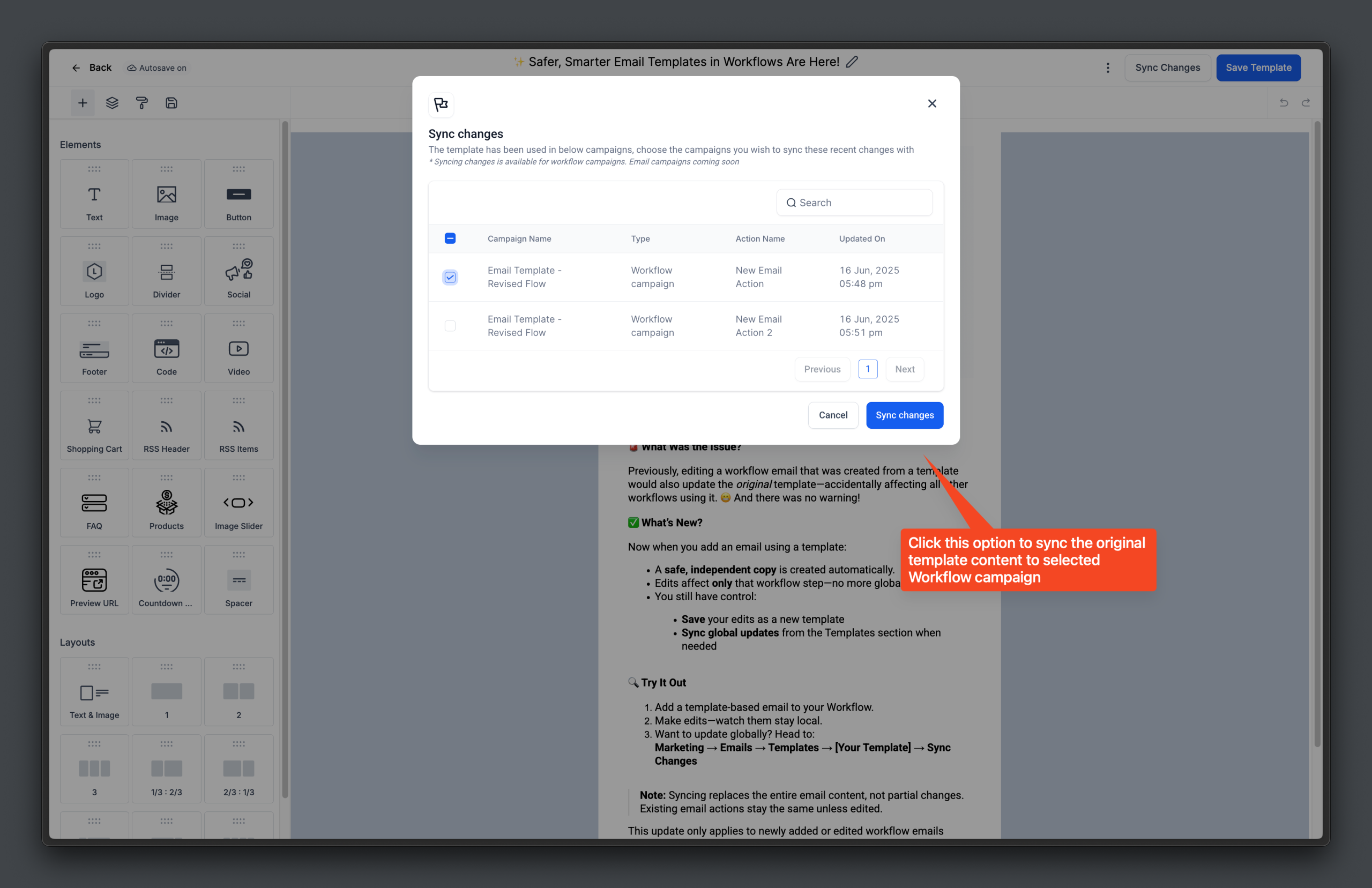
– Select desired email actions → click Sync Changes again.
Note
– Syncing replaces the entire content of selected emails—not partial updates.
– Existing email actions remain unchanged.
– The new safe-copy flow applies only when you create or edit email actions going forward.