What’s New?
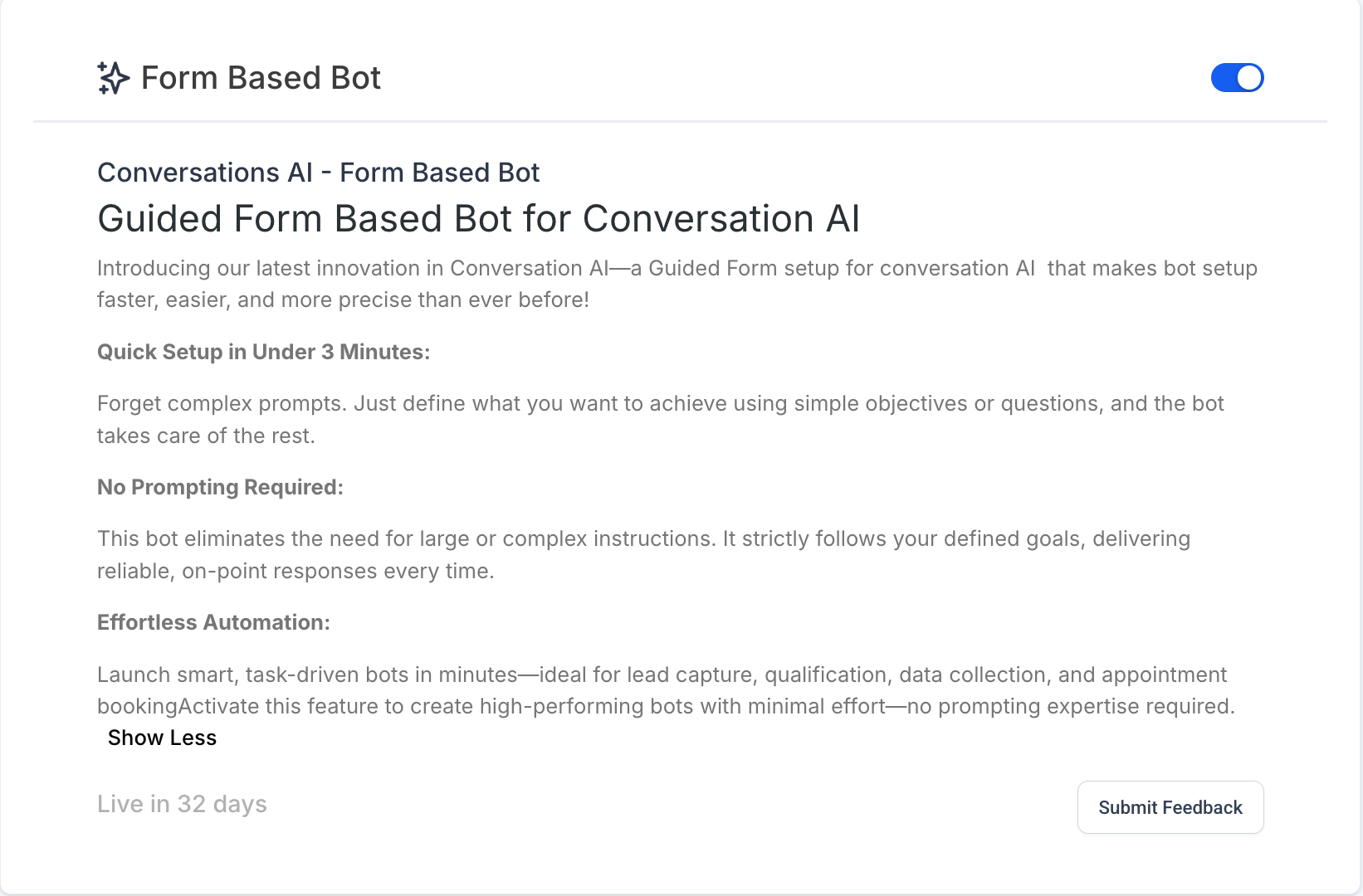
We’ve introduced the Guided Form Bot—a new way to build bots in Conversation AI that’s faster, simpler, and doesn’t require prompt-writing skills. Whether you’re capturing leads or booking appointment, this guided setup helps you create high-performing bots in under 3 minutes.
This setup allows you to capture user information in a defined, structured order using clear objectives. Whether you’re capturing leads or collecting data, the Guided Form Bot makes setup fast, reliable, and consistent—no prompt writing required.
With this update, you can:
– Build bots in under 3 minutes using a simple form-based interface.
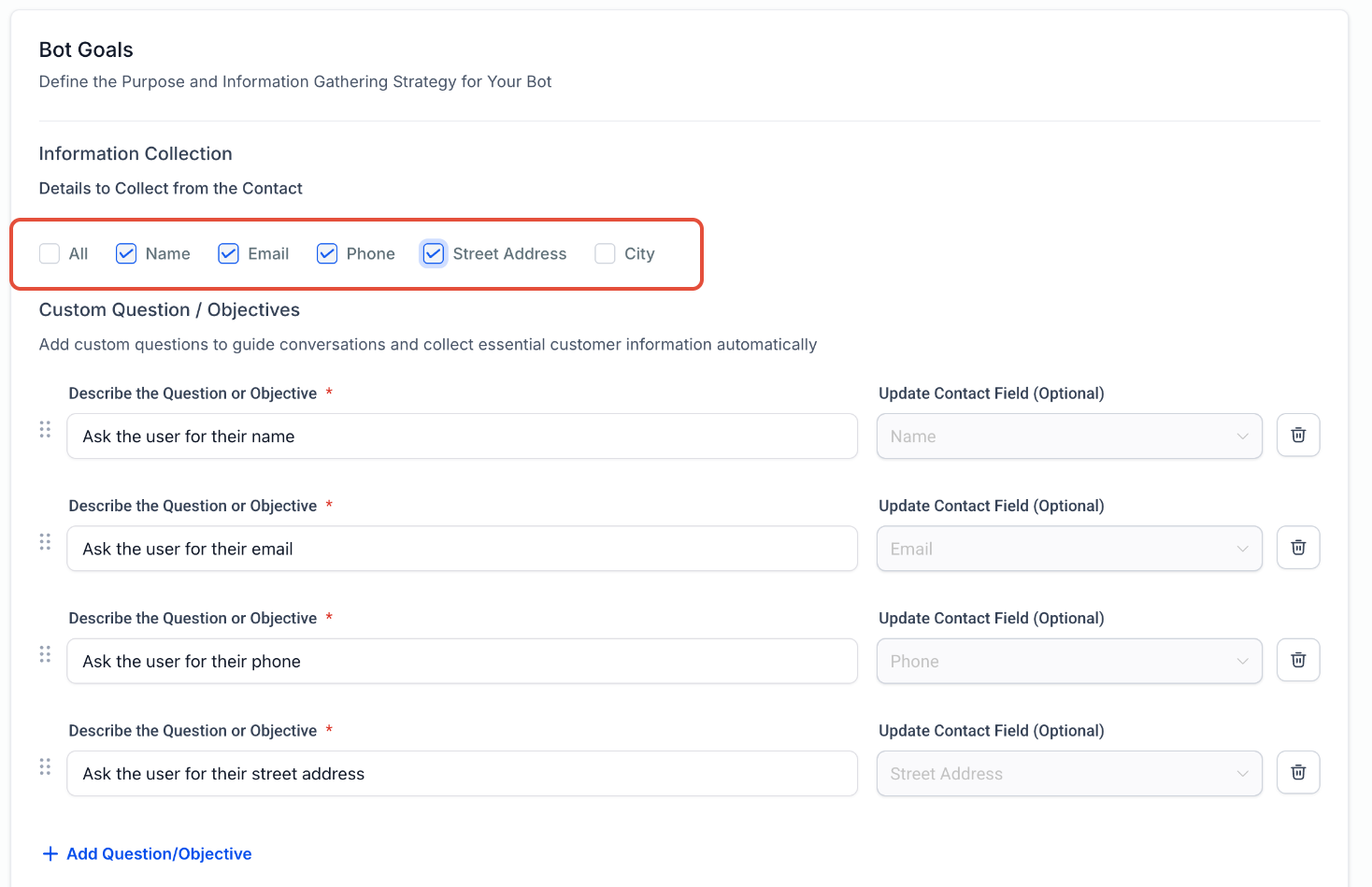
– Define clear objectives like collecting name, email, phone number, or issue description.
– The bot will follow your objectives exactly in the order defined, ensuring consistency in every conversation.
– Skip questions automatically if the data already exists—making the bot smarter and more user-friendly.
– Add or reorder objectives anytime with drag-and-drop ease.
This feature is currently enabled via Labs
How it Works?
1. Quick Start from the Create Bot Page
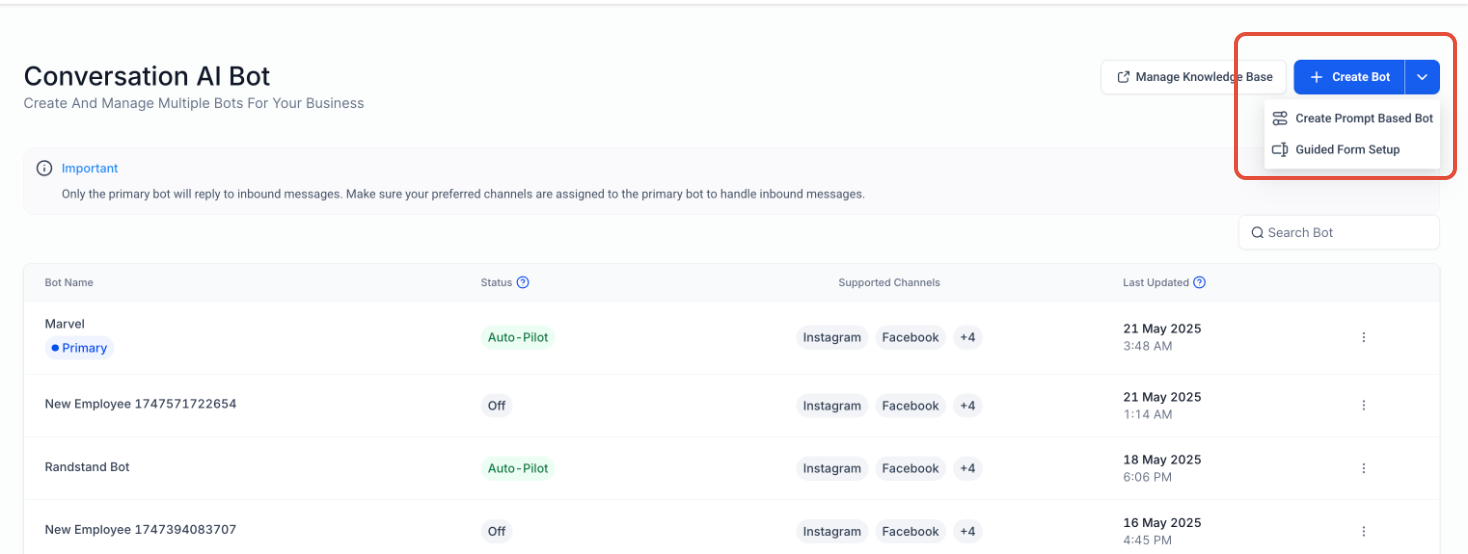
– Navigate to Conversation AI > Bots and click Create Bot.
– You’ll enter the new Guided Form Setup by default.
– Prefer the classic prompt setup? Click the dropdown icon and switch back anytime.
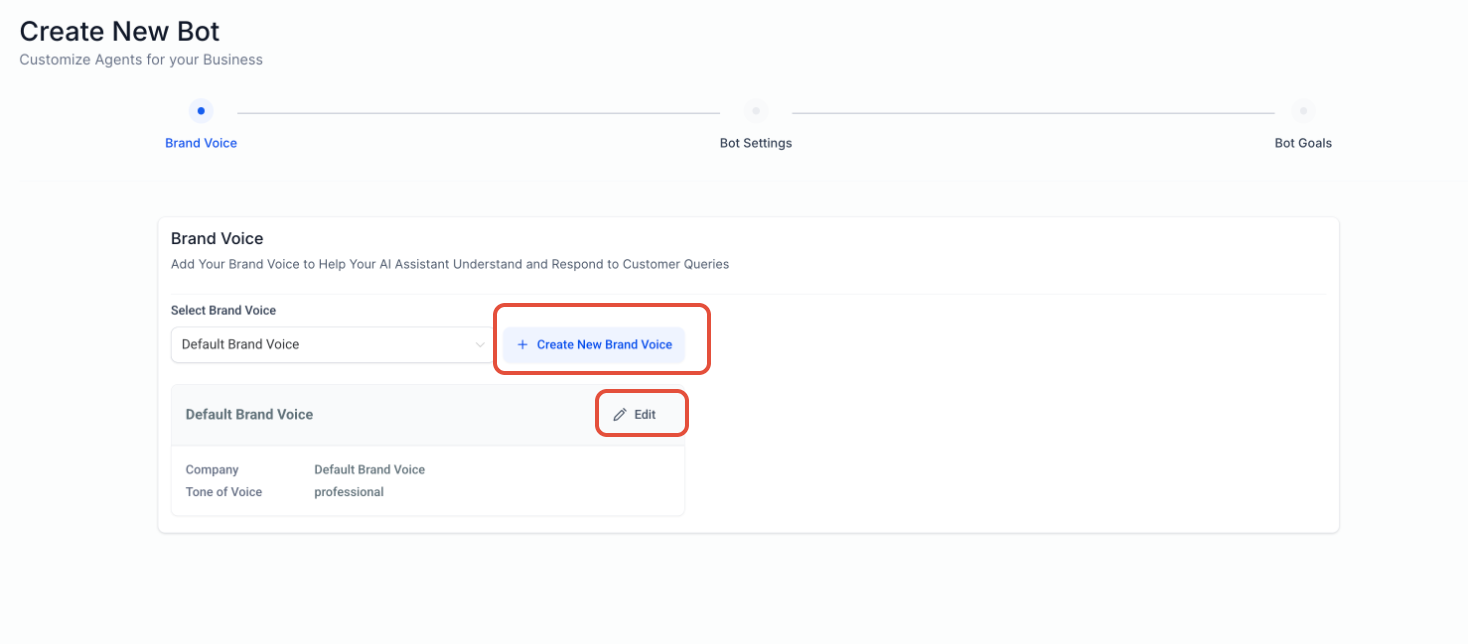
2. Brand Information (Optional but Recommended)
– Add details like business name, industry, and tone of voice.
– Improves response accuracy and brand alignment.
– Skip this step if you prefer a faster setup.
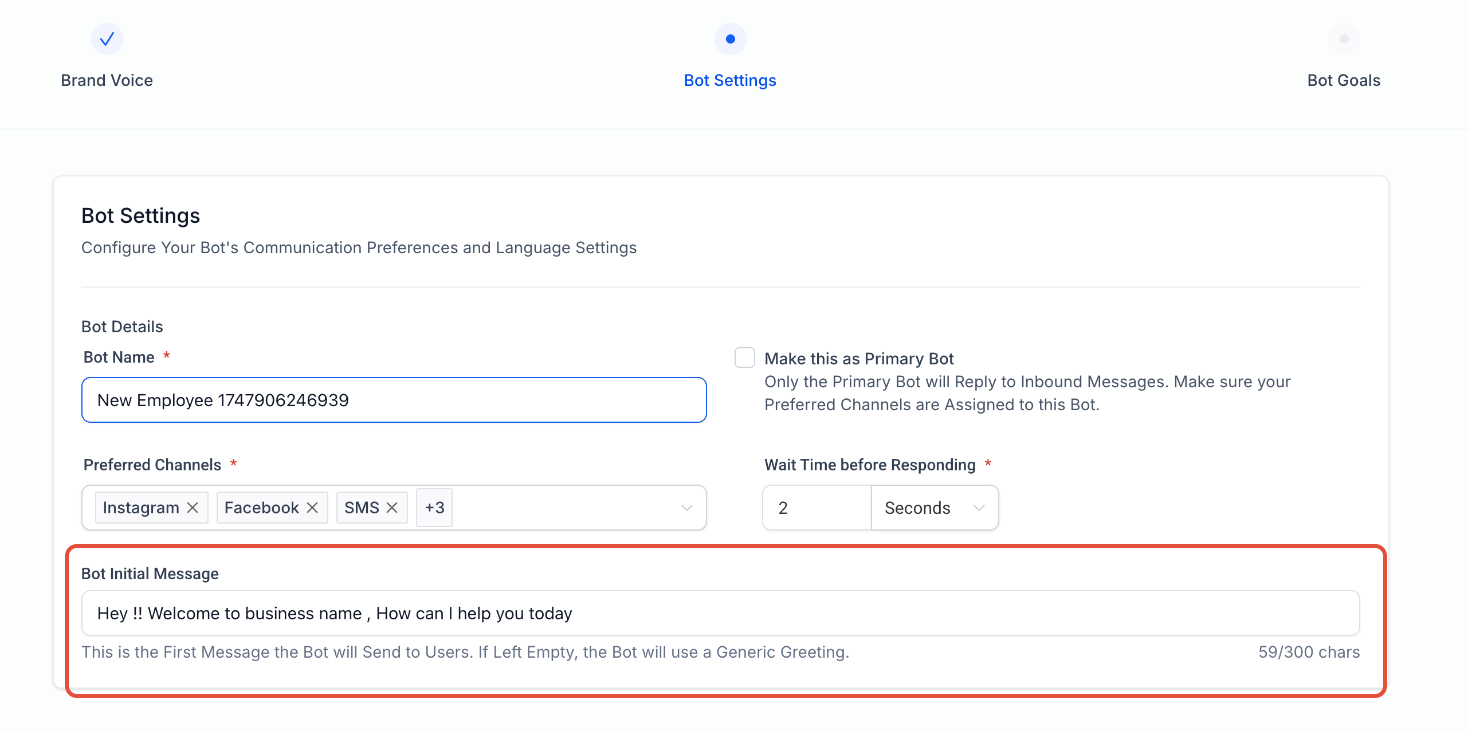
3. Basic Bot Settings
– Set your Initial Message (sent when the bot first interacts with a contact).
– Configure bot settings like channel and wait time before responding
4. Define Objectives & Questions
– Add one-line goals like:
– Collect name
– Ask for email/phone
– Input custom questions
Bot strictly follows your list in the given sequence.
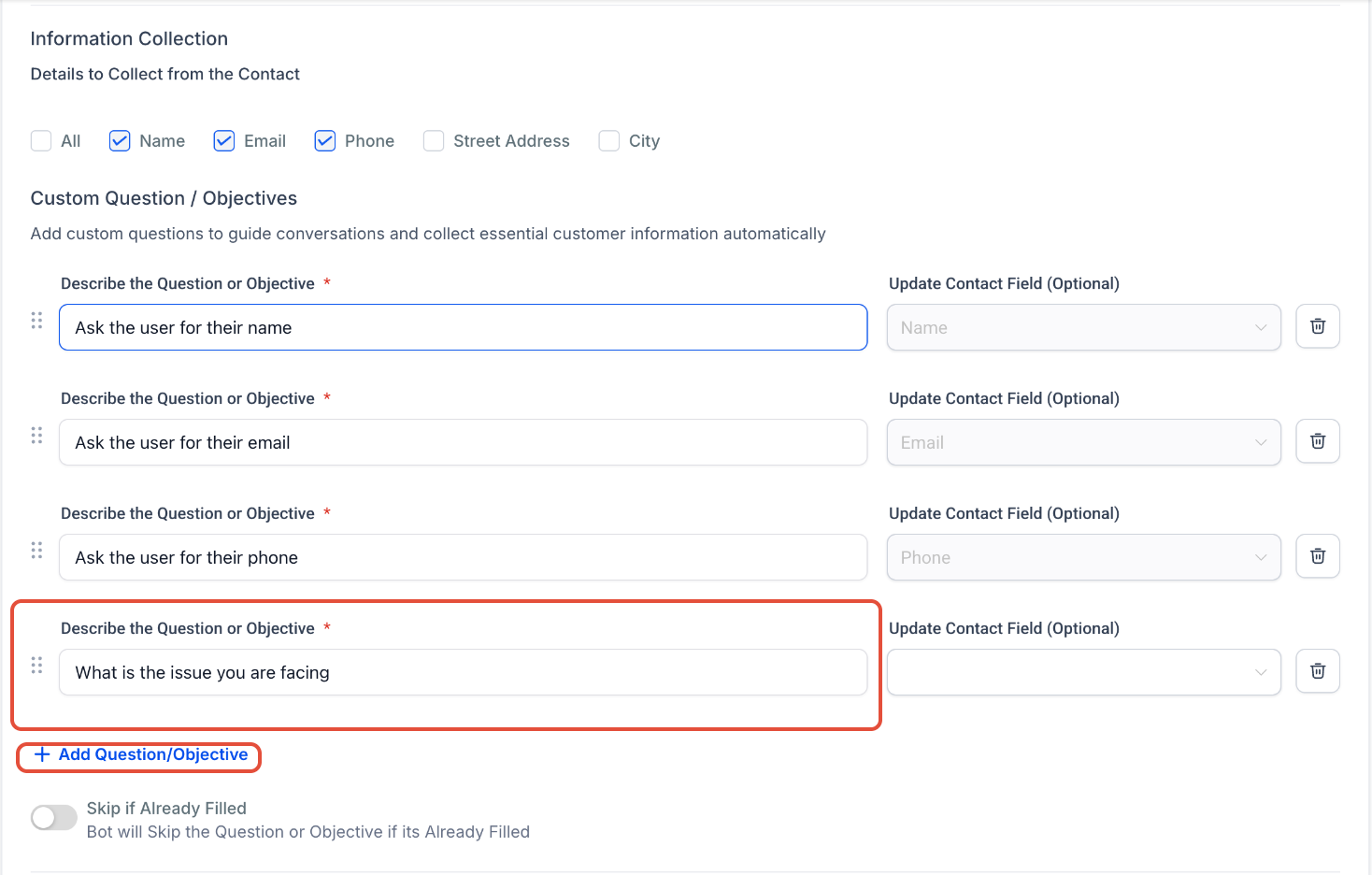
Smart Skip Option: Use the toggle to skip questions if data already exists.
Reorder questions via drag & drop.
Add new objectives anytime by clicking Add Question/Objective.
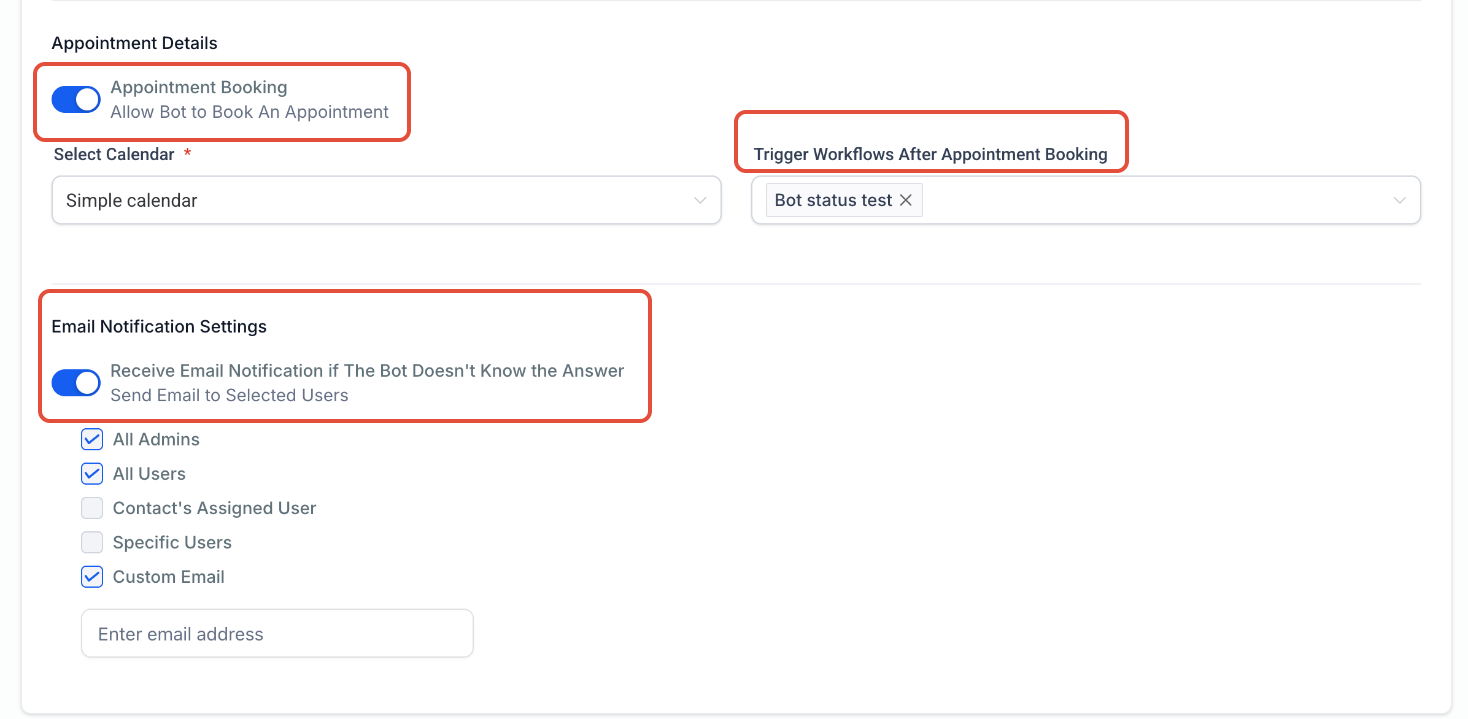
5. Action Setup
– To book an appointment, connect your calendar.
– To trigger a workflow post-booking, select the appropriate workflow.
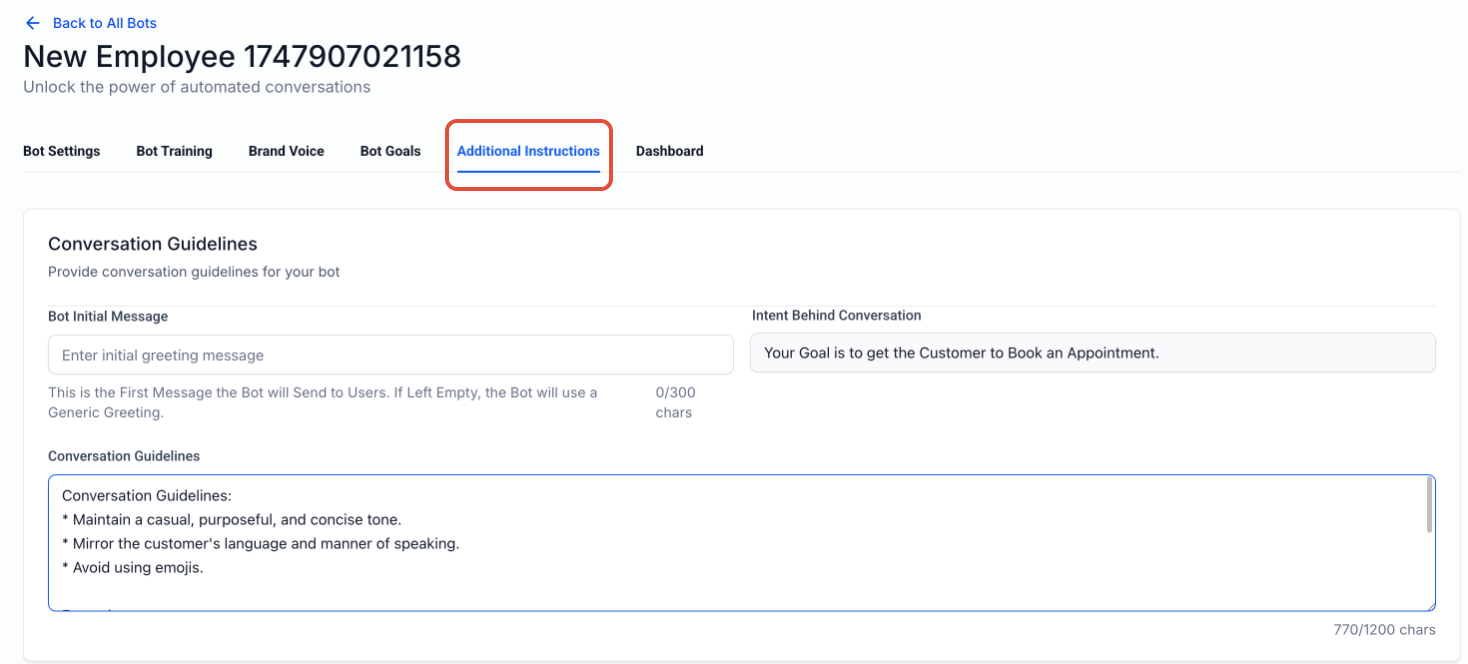
6. Final Review & Custom Instructions
– Use Edit Bot to adjust brand info, settings, or objectives.
– Add Additional Instructions if you want to give the bot extra context.
Great for advanced users looking for more control without writing full prompts.
Why It Matters?
– No prompt-writing needed—ideal for users unfamiliar with prompt engineering.
– Faster setup time (under 3 minutes).
– Consistent, structured, and goal-driven conversations.
– Perfect for lead capture, qualification, and automation.
– Activate this feature now to start building smart bots—without the learning curve!