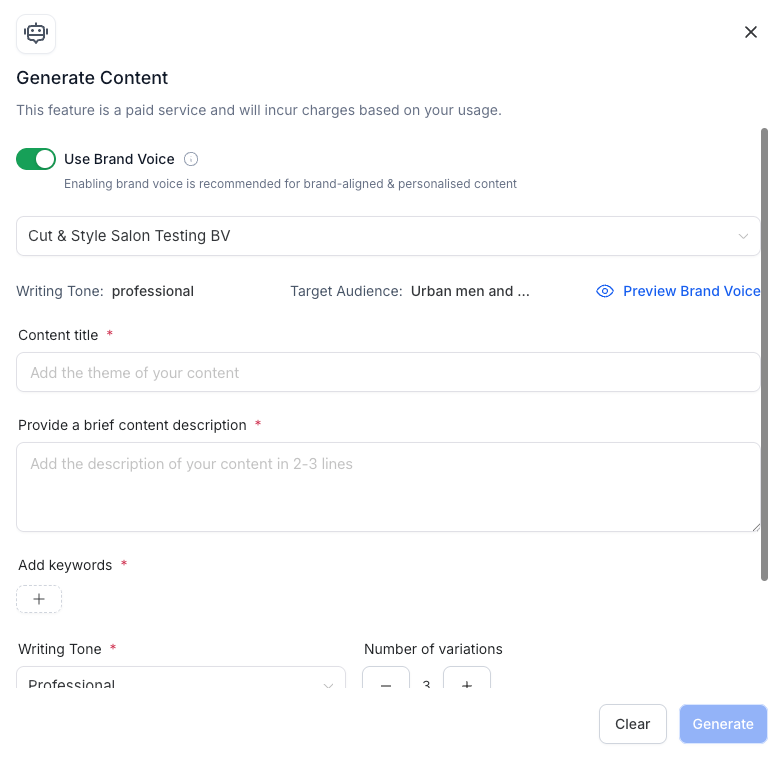
We’ve upgraded the Content AI experience to deeply personalize your content using your Brand Voice settings – not just the tone, but now also parameters like Target Audience, Brand Purpose, USP, and Pain Points.
✨ What’s New:
– Brand Voice Toggle: Seamlessly enable/disable Brand Voice from within the Content AI modal. ON by default if a Brand Voice exists.
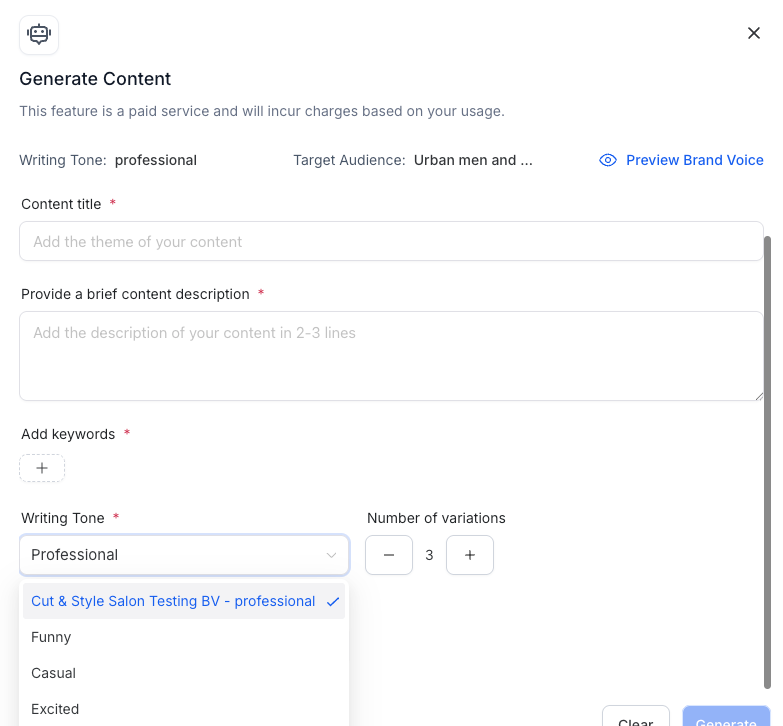
– Smart Autofill: When Brand Voice is ON: Writing Tone field is autofilled based on your selected Brand Voice.
– Other metadata (like Target Audience, CTA, Brand Purpose, Values, Promise) silently shape the AI prompt behind the scenes.
– Brand Voice Selector Dropdown: Choose your preferred Brand Voice from saved options (with your default pre-selected).
– Custom Overrides: Want to tweak the tone? Override fields manually – your inputs are respected.
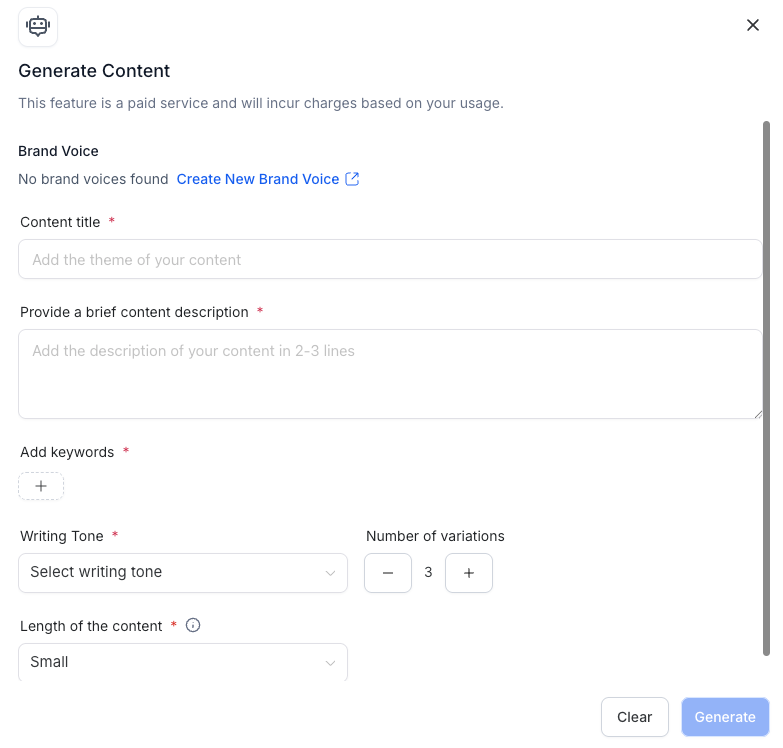
– No Brand Voice? We nudge you to set one up with a quick CTA linking to Brand Boards.
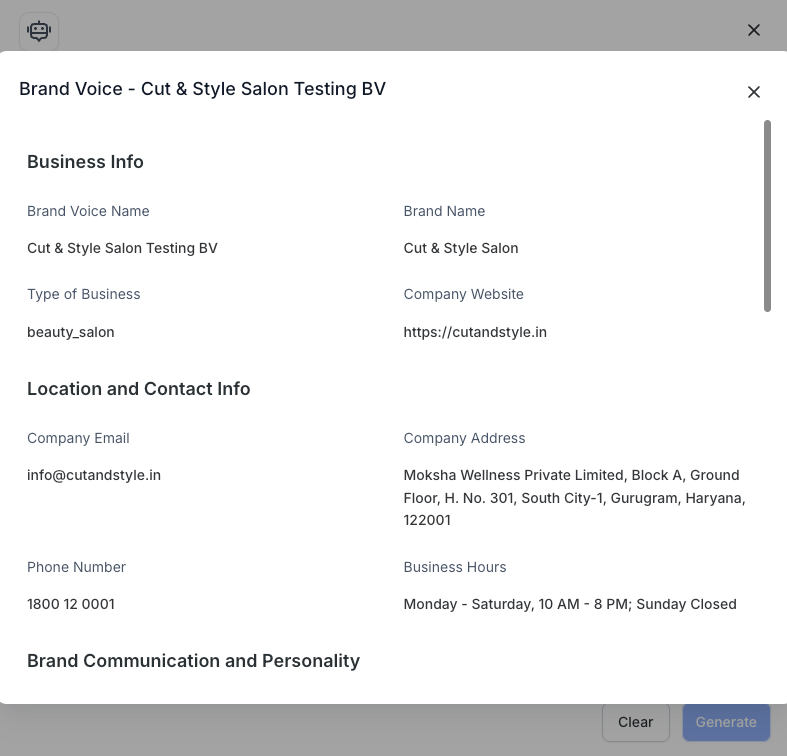
– Preview Parameters: Want to see what each Brand Voice includes? Quickly preview before selecting.
– Helpful Tooltip: Guidance throughout so you know how your brand parameters shape the content.
📈 Why It Matters:
This update makes your content feel more authentic, targeted, and consistent with your brand’s identity -without adding friction to your workflow.
🔍 Where It Works:
Available across all Content AI-enabled modules:
– Social Planner
– Blogs
– Email Builder
– Funnels & Websites