
Overview
We’ve fully redesigned the Contacts → Activity section. You’ll now see a continuous activity stream with distinct icons, date groupings, clickable cards, and backend optimizations ~delivering faster load times and a cleaner interface.
🚀 What’s New?
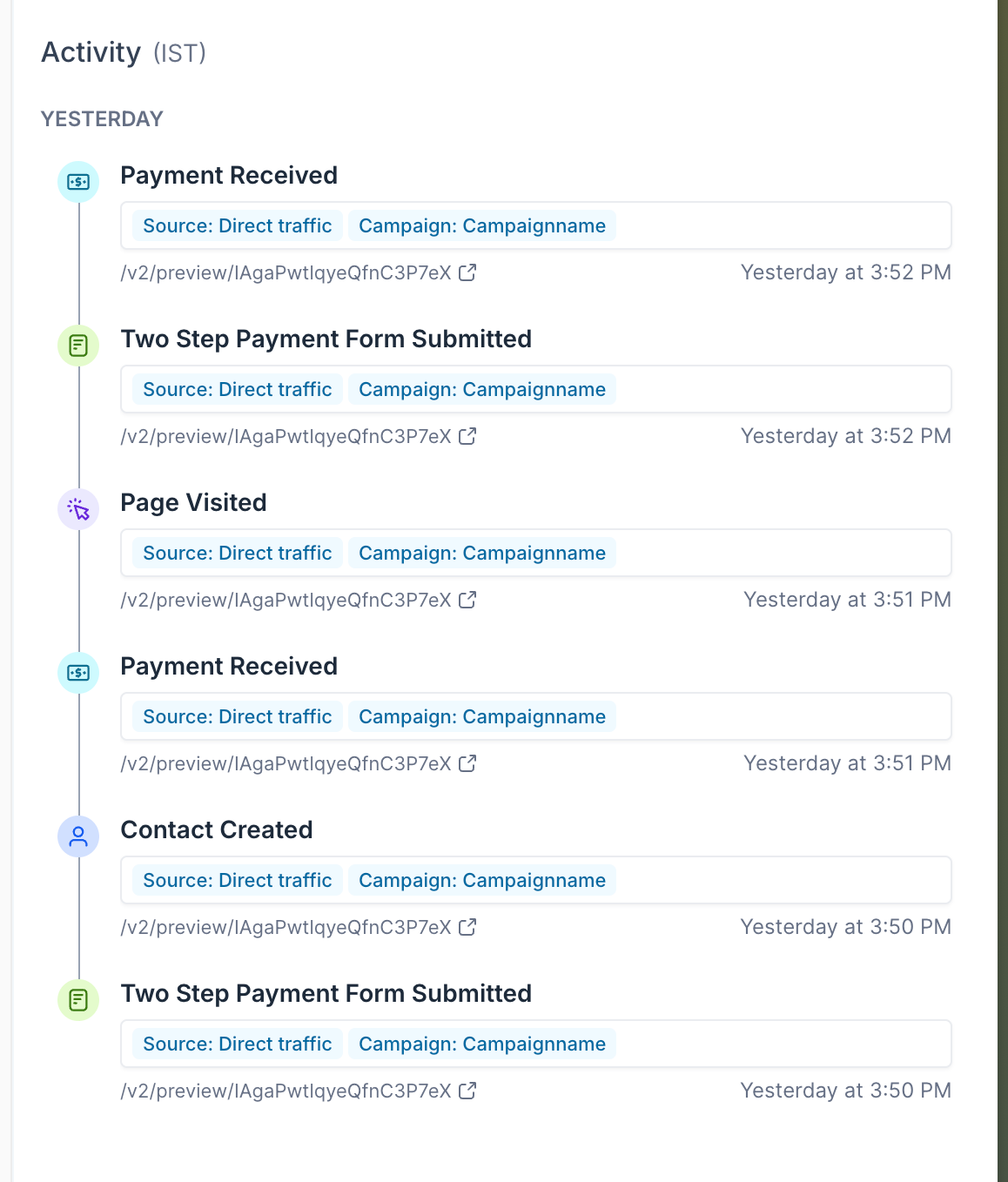
1. New Event Icons: Each activity type (calls, emails, notes, etc.) has its own icon for instant recognition.
1. Date Groupings: Activities are grouped under headings like “Today” and “Yesterday” for chronological clarity.
1. Clickable Event Cards: Each card shows title, timestamp, campaign/source labels, and links.
1. Database Optimizations: Under-the-hood improvements yield quicker loads, faster processing, and more reliable data.
1. Responsive Design: Enhanced interaction and layout consistency on desktop and tablet screens.
⚡ Why This Matters?
1. Performance Boost: Faster page loads and smoother scrolling thanks to optimized queries and indexing.
1. Reduced Clutter: Clear icons and date headers make it easy to scan for specific events.
1. Increased Productivity: Click-through cards get you to detailed interaction data in one tap, keeping you in context.
🔍 How to see the redesigned Activity Section?
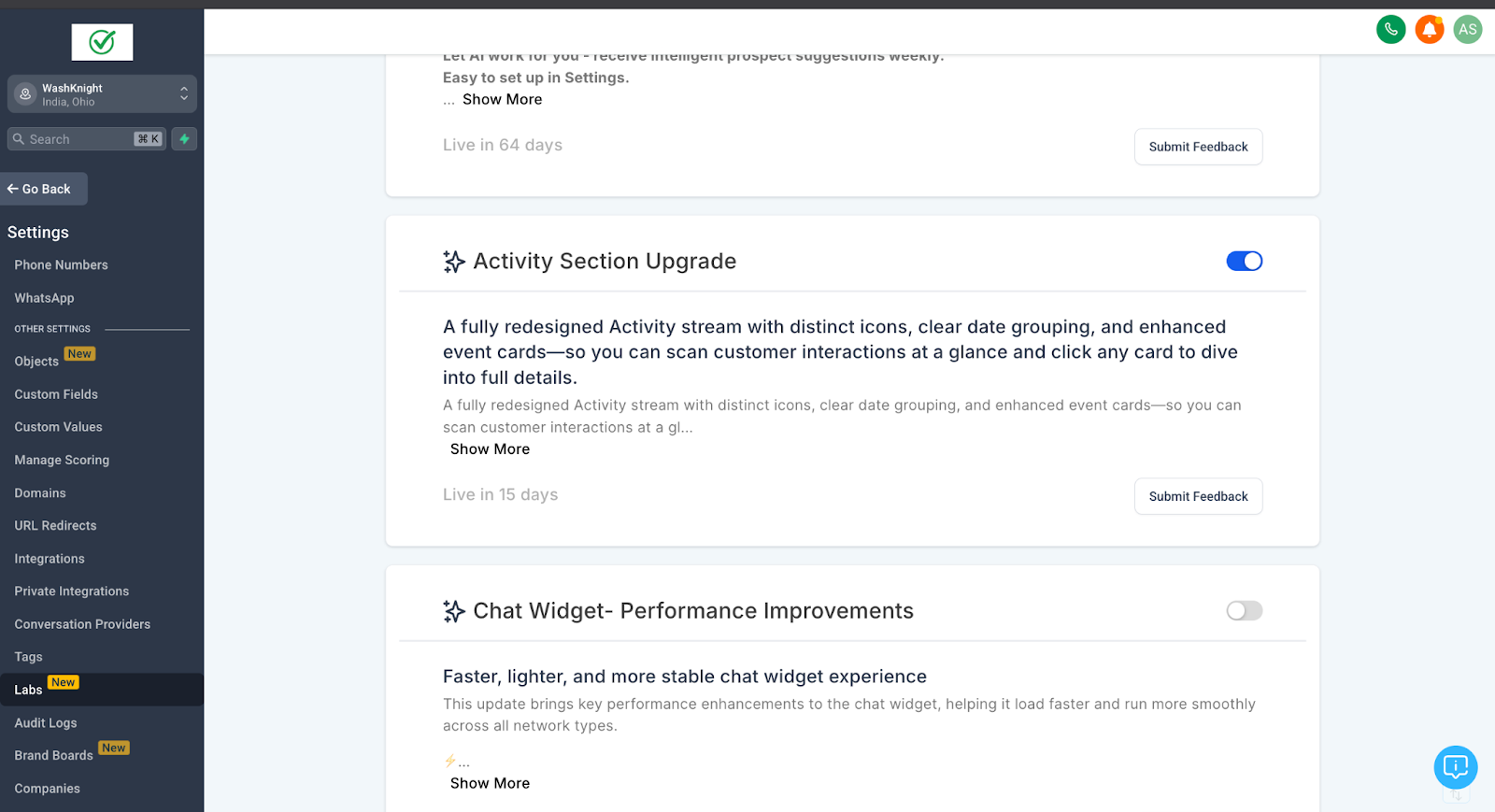
1. To enable this feature, go to Settings > Labs > Activity Section Upgrade, and toggle it on.
2. Go to Contacts → Activity.
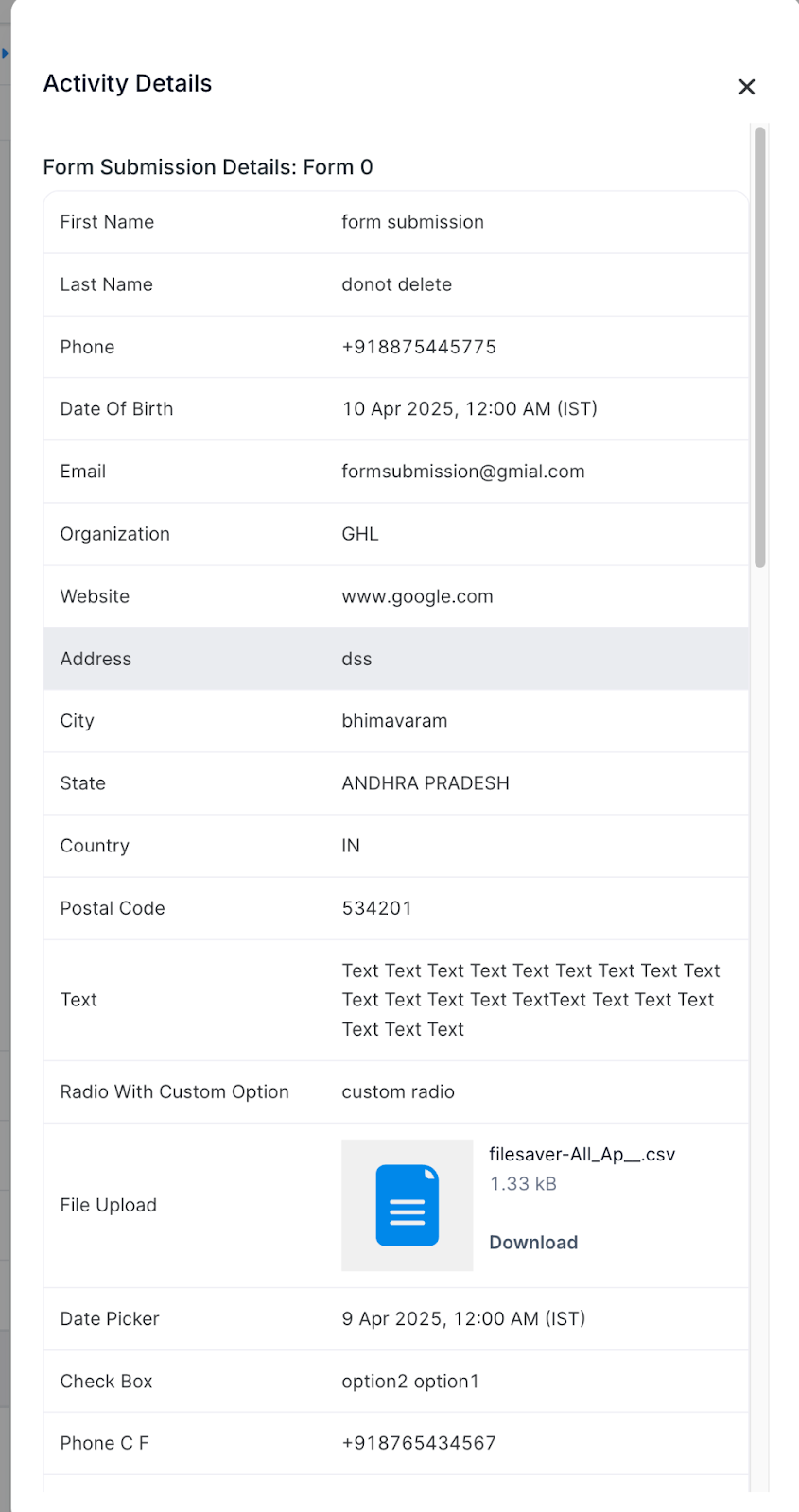
3. Click any event card for details.
4. Click any event’s link icon to jump directly into that external URL.
🔗 Pro Tips
1. Direct Access: Click an event’s link right from the card to jump to related records or external URLs.
1. Use Date Headers: Collapse older groups to focus only on your most recent activity.
➕ What’s Next
1. More Activity Types: We’ll add new event categories (e.g., SMS, form submissions) soon.
1. Attribution Filters & Columns: Coming updates will let you filter and display attribution data directly in this stream.