You can now track rescheduled appointments in both your dashboards and appointment reports for deeper insights into scheduling patterns.
👀 What’s New?
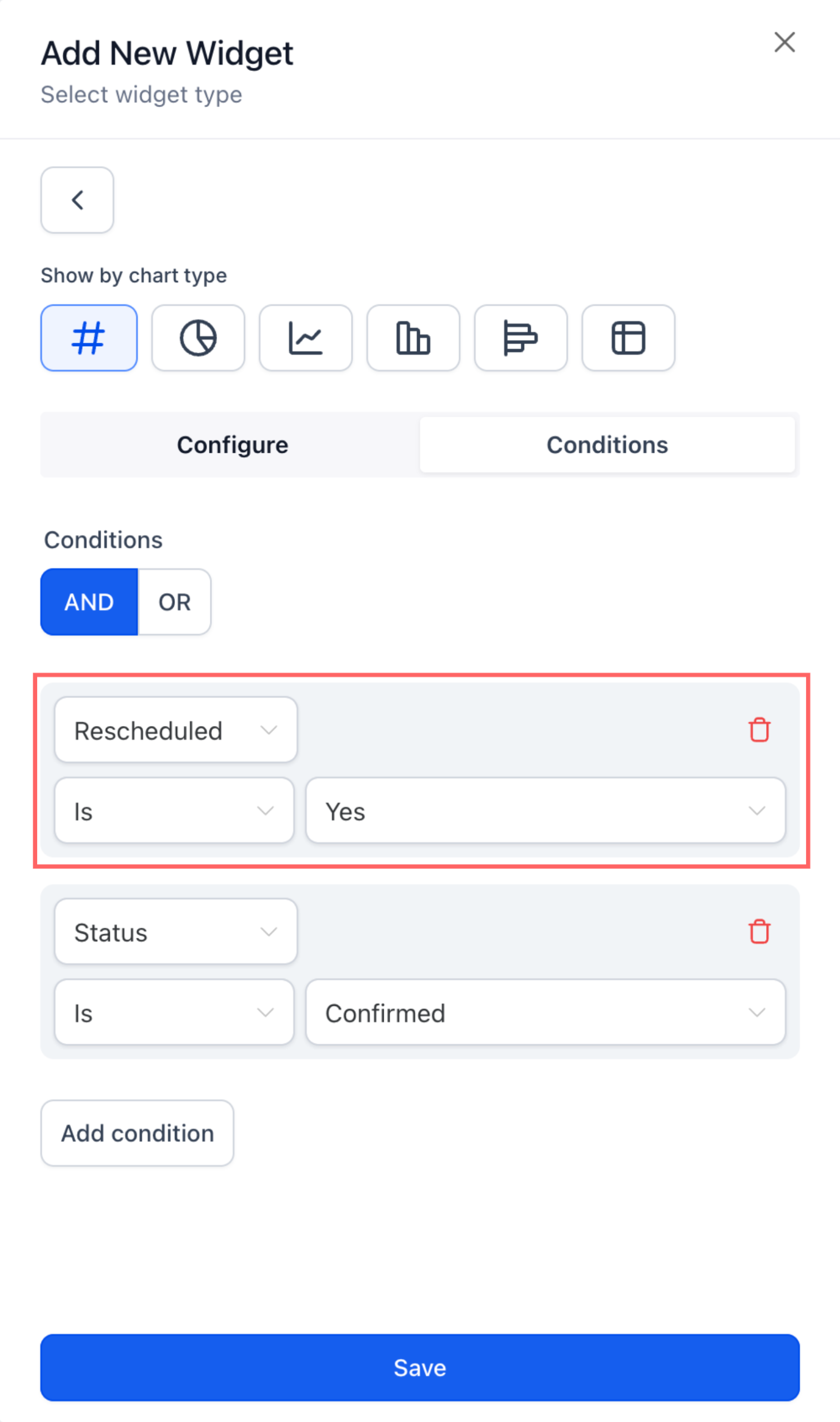
– New “Rescheduled” filter available in appointment dashboard widgets
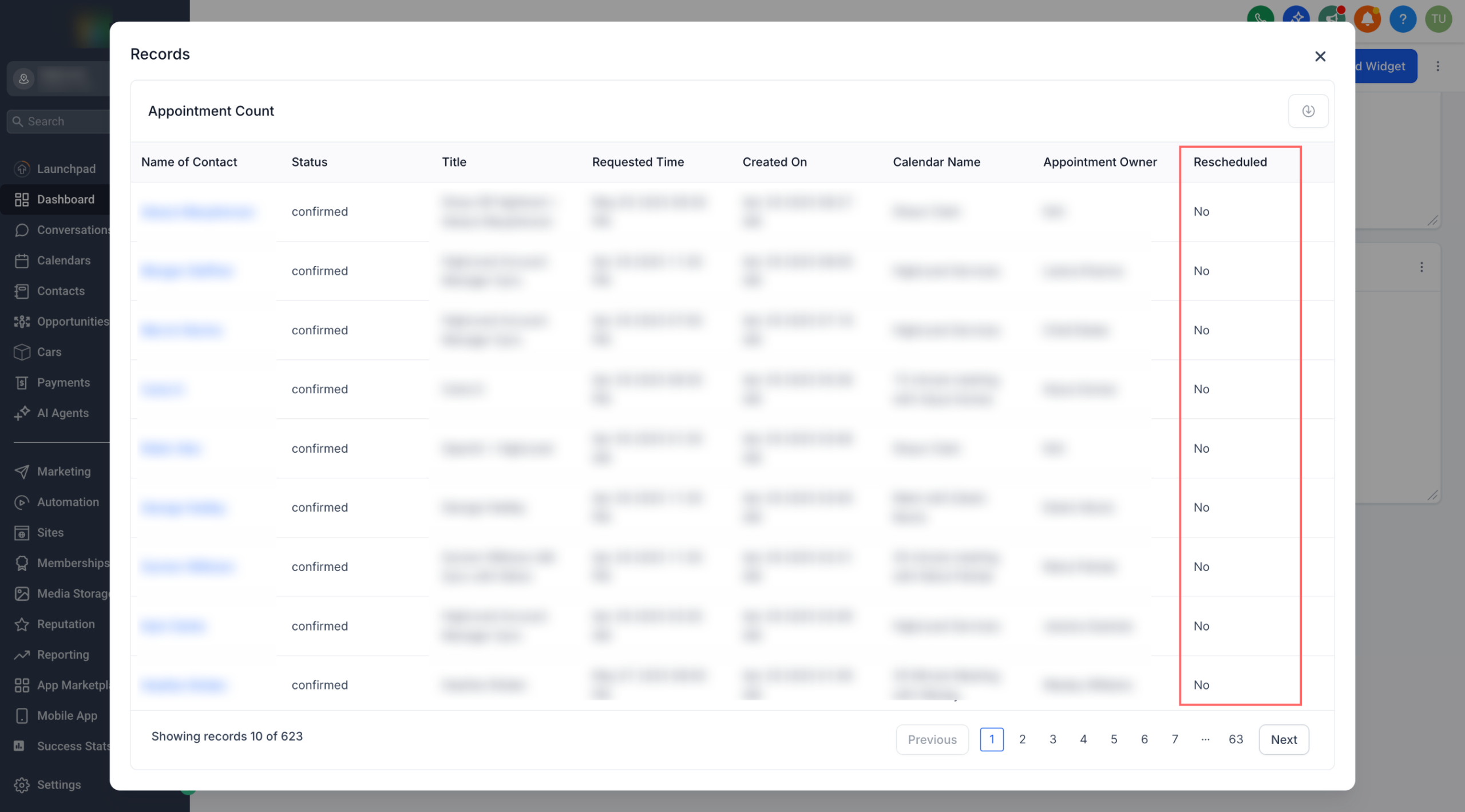
– New column for rescheduled status in Granular Insights
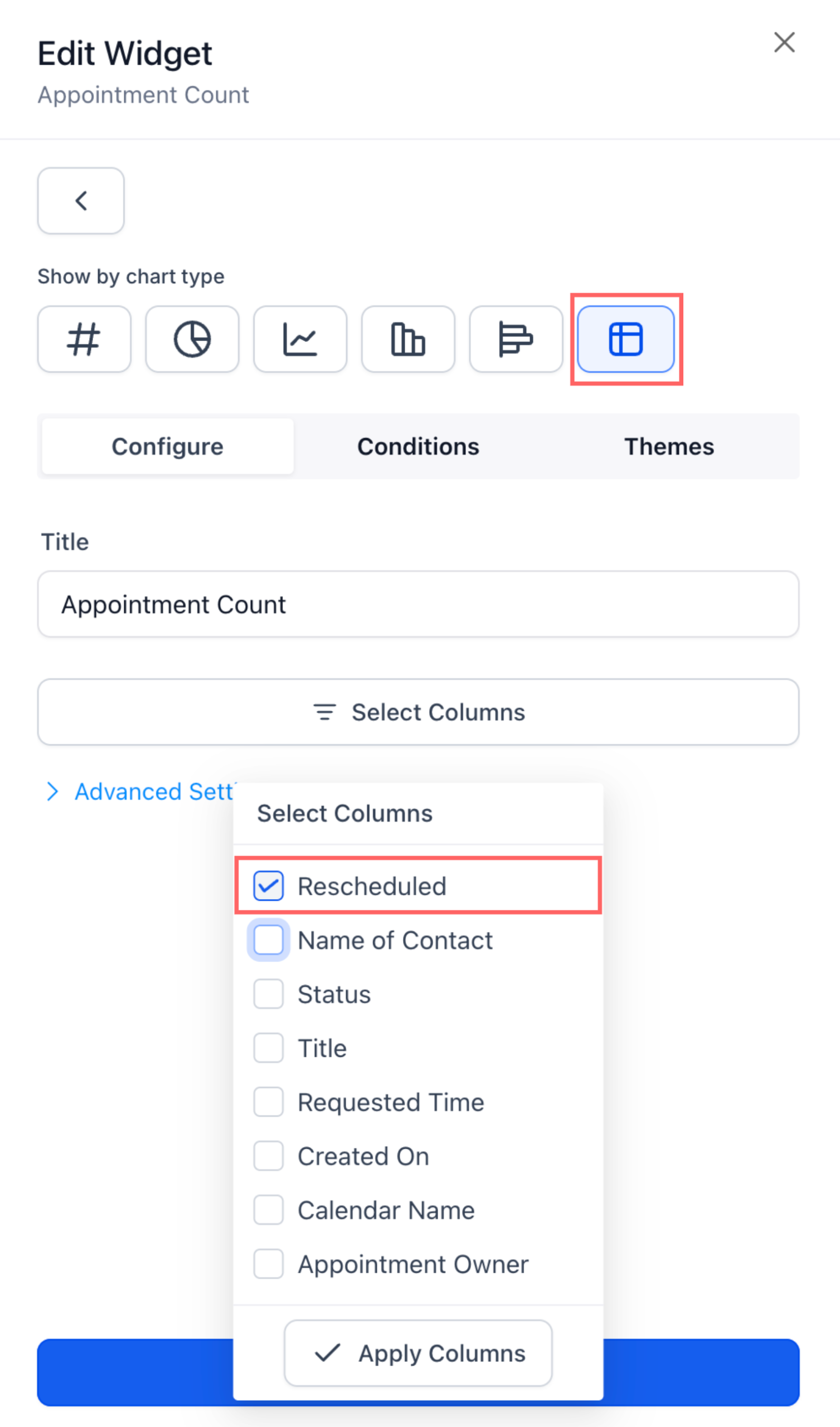
– New column for rescheduled status in table widgets
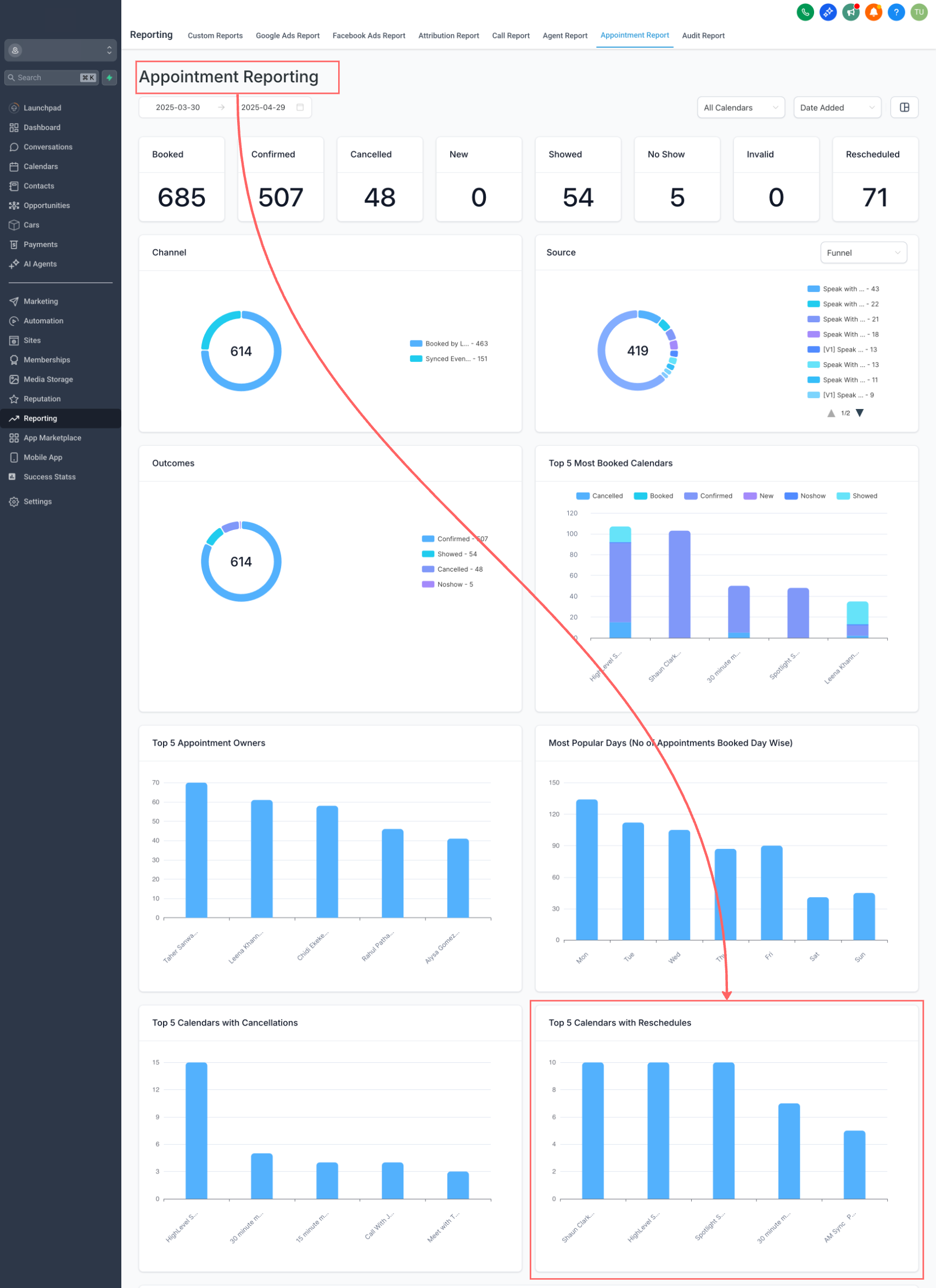
– New chart on the Appointment Reporting page: Top 5 Calendars with Reschedules
👷 How It Works:
1. Appointment Reporting: Go to the Appointment Reporting page and scroll down to view the new “Top 5 Calendars with Reschedules” chart.
2. Dashboards: Add or edit any appointment widget, go to the Conditions tab, and apply the Rescheduled filter. Save your changes.
⭐ Why it Matters:
Quickly identify which calendars have the most rescheduled appointments — useful for understanding trends, optimizing scheduling, and improving customer experience.
ℹ️ Help Docs
1.
2.