
Getting started with Reputation Management just got a whole lot easier!
Introducing our brand-new Review Setup Wizard — designed to guide users step-by-step through everything they need to launch their review strategy in minutes.
🪄 What’s Included:
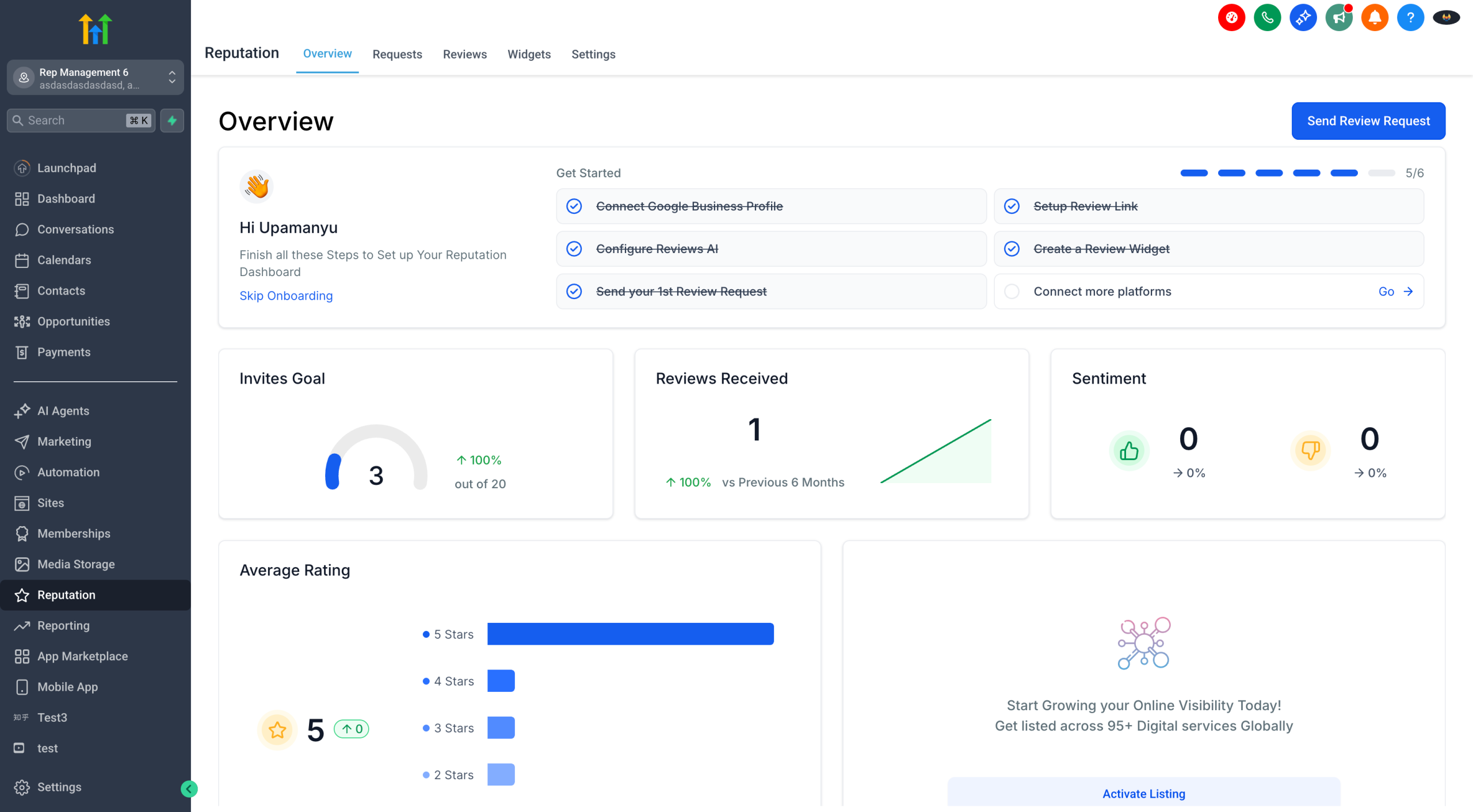
This widget lives right inside your Overview tab, and walks first-time users through the essential setup flow:
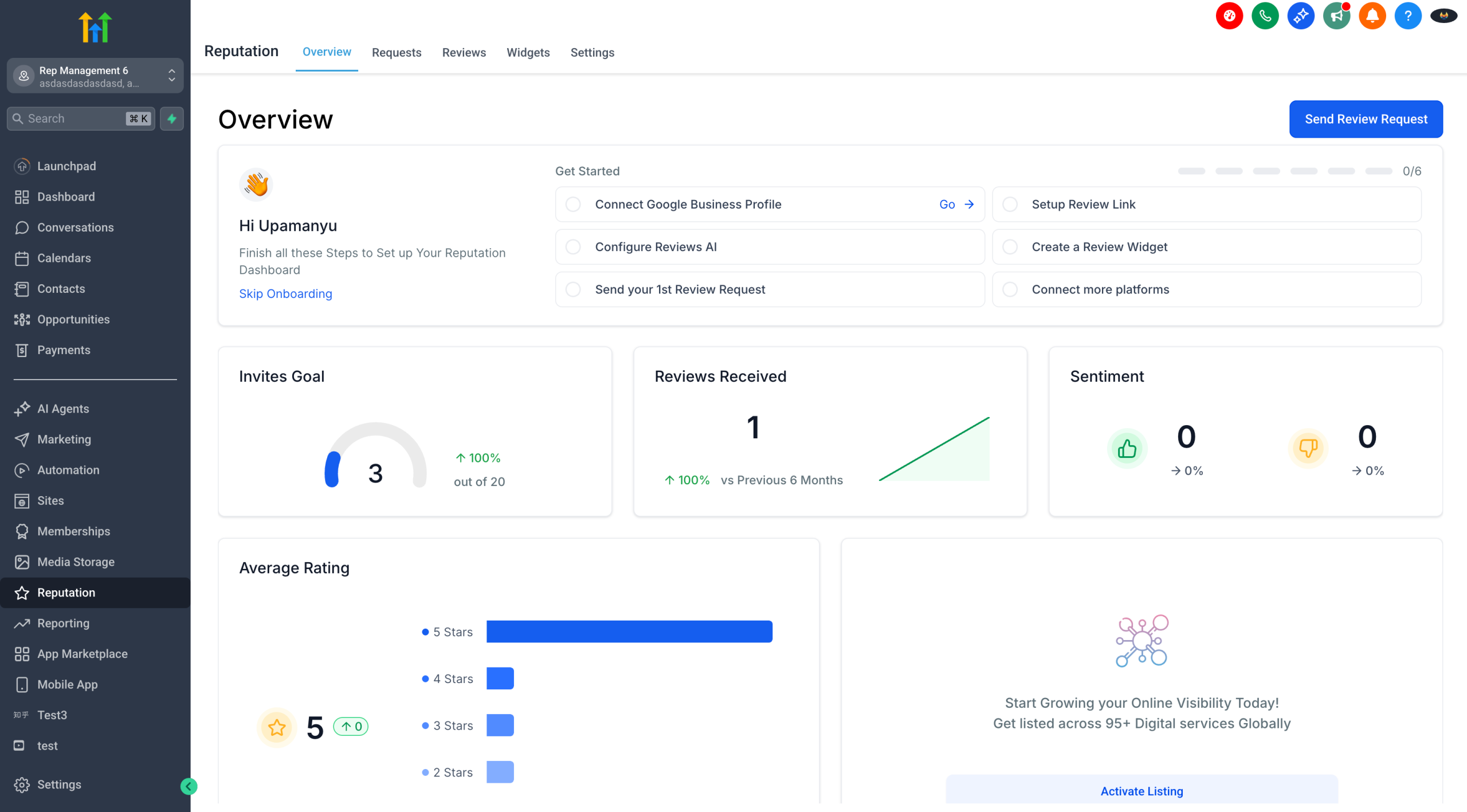
✅ Step 1: Connect GBP/Facebook Pages
– The journey starts here! Users are prompted to connect their Google Business Profile or Facebook Page to enable review collection.
– 🔗 Redirects to Integrations Page
🔗 Step 2: Set Up Your Review Link
– Configure your Review Request URL — the link you’ll share with customers.
– 🔗 Redirects to Settings → Review Link Page
✉️ Step 3: Send Your First Review Request
– Kick things off by sending your first review request to a customer.
– 🔗 Redirects to Review Request Page
🤖 Step 4: Configure Reviews AI
– Turn on AI-generated review responses and create Review Agents to save time and reply smarter.
– 🔗 Redirects to Settings → Review AI Page
🧱 Step 5: Create Your Review Widget
– Embed your reviews on your website with a fully customisable widget.
– 🔗 Redirects to the Widgets tab
➕ Step 6: Connect More Platforms (Optional)
– Users can expand their reach by connecting more platforms for review collection.
– 🔗 Redirects back to Integrations Page
The Wizard disappears automatically once all core steps are completed — giving users a clean, clutter-free experience.
🎯 Why This Matters:
– 🧭 Guided Setup – No more wondering where to begin
– 🚀 Faster Activation – Helps new users start collecting reviews quickly
– 🧠 Smarter Defaults – Encourages setting up Reviews AI and widgets from day one
This update is now live! 🎉 Try it out and let us know how it’s working for you. If you’ve got suggestions for future enhancements, email us at [email protected] or share them on our Ideas Board.
Happy Review Collecting! ✨