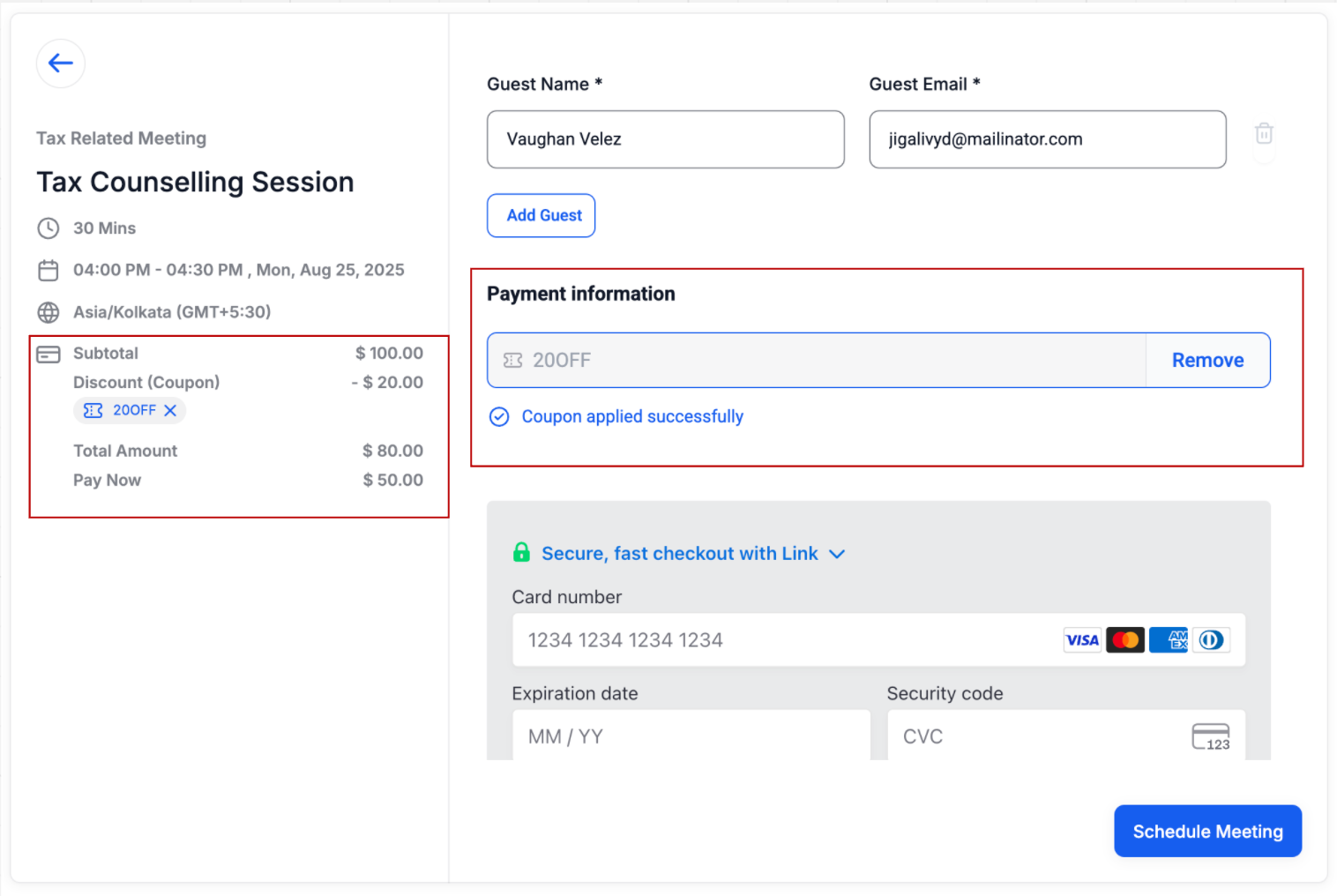
You can now create and apply Coupon Codes for calendar bookings. Customers can enter a code during booking through the calendar widget to receive discounts.
What’s New
– Percentage-based or fixed-amount coupons
– Limit usage per customer or overall
– Restrict to specific calendars or products
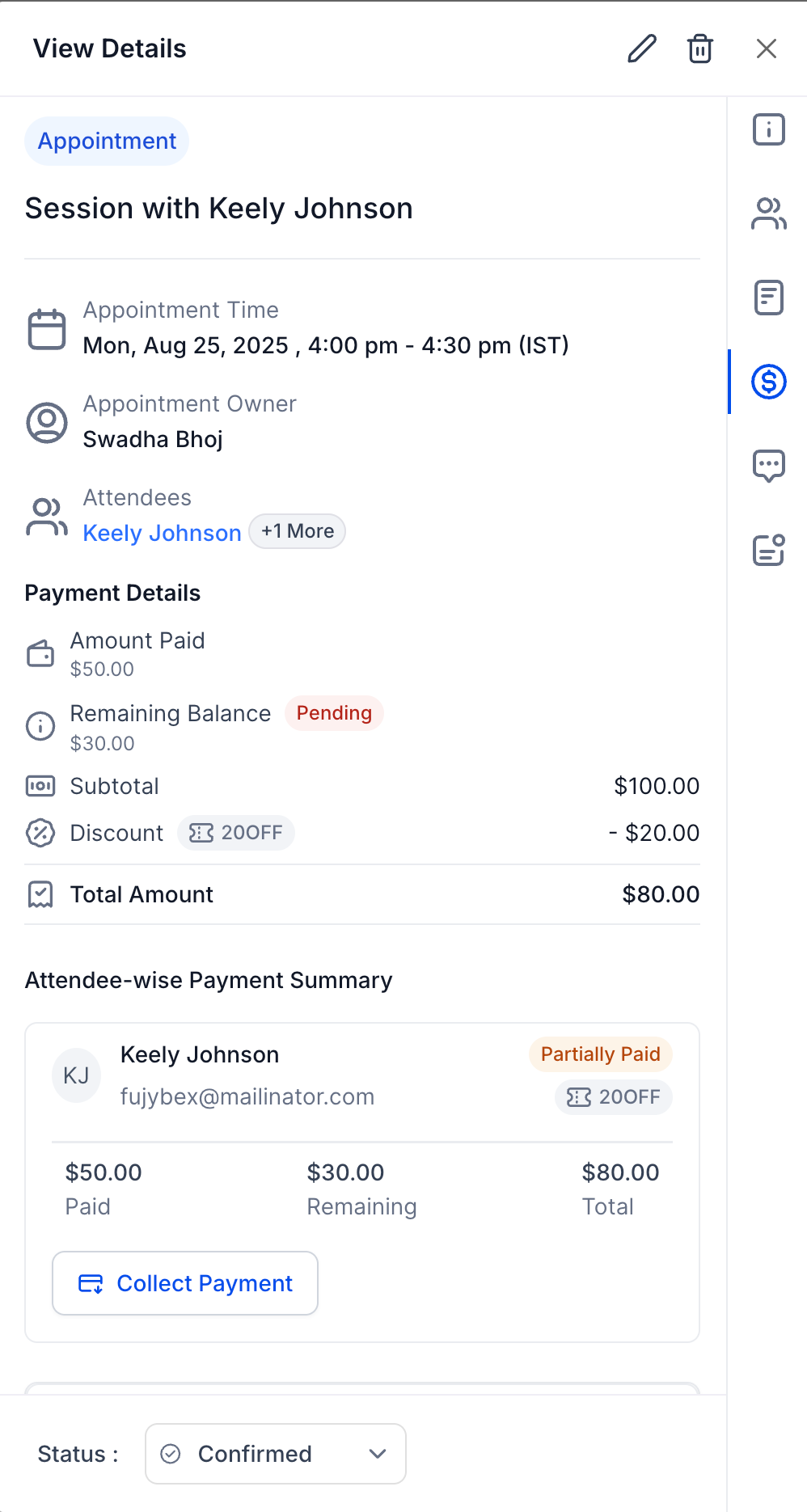
– Discounts reflected in the Payments Tab of the appointment
—
How to Use
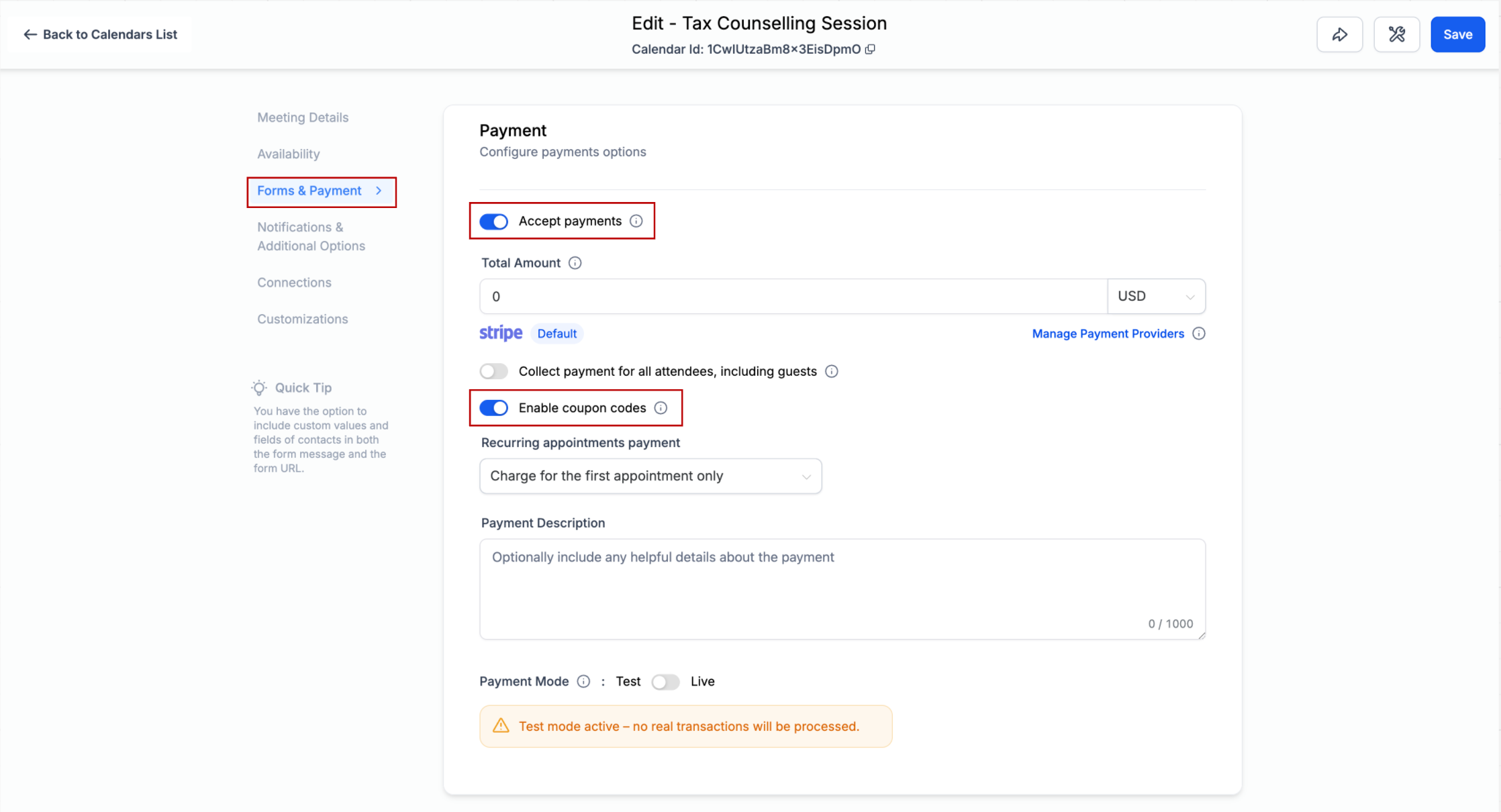
1. In Calendar Settings > Forms & Payments, enable Accept Payment and Coupon Codes for each calendar
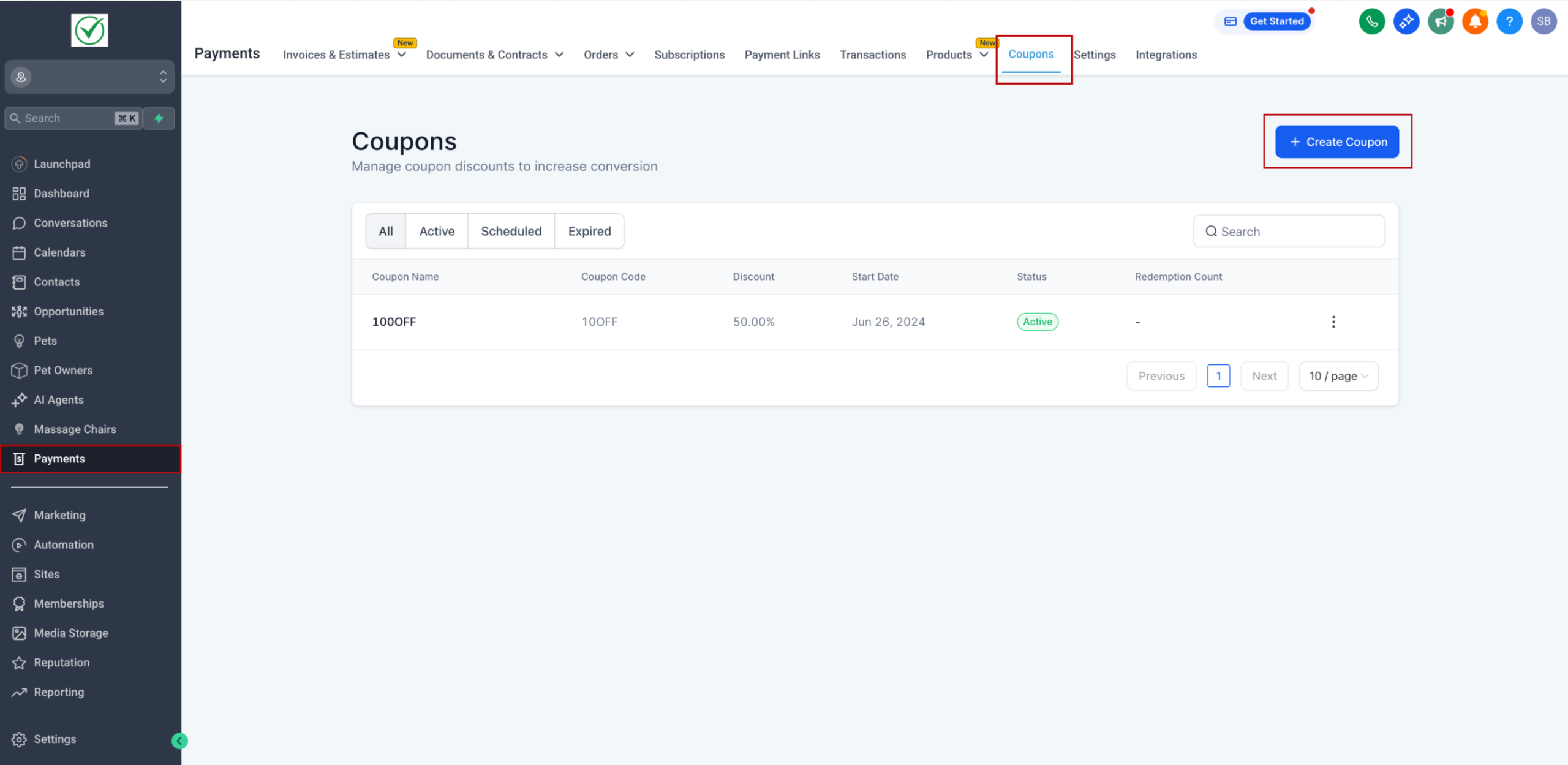
2. Go to Payments Module > Coupons to create a new coupon.
3. Set code, discount type, validity period, and usage limits. Apply to specific products or calendars if needed.
4. Customers booking via the widget will see a Coupon Code field. Valid codes apply discounts automatically where as invalid codes show an error message.
5. Coupon usage details appear in the Payments Tab of the appointment
Note: This feature is currently available via Labs. Go to Agency Settings > Labs > Sub accounts and enable Payments Tab in Appointments + Coupon Codes for your sub accounts.
—
Benefits
– Run promotions and attract new customers with discounts
– Reward loyal customers through targeted coupon campaigns
– Provide a smooth checkout experience with easy discount entry