Keep your workspace clean and relevant — choose where LaunchPad appears so it’s visible only to the people who need it.
🔍 What’s New
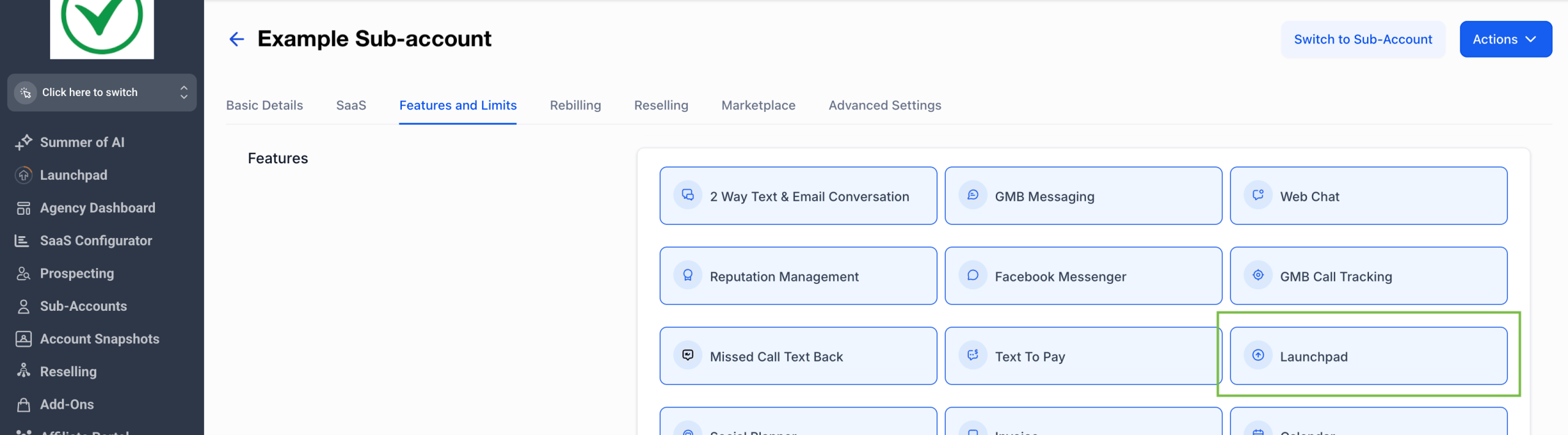
– Sub-Account Control: Show or hide LaunchPad for each sub-account.
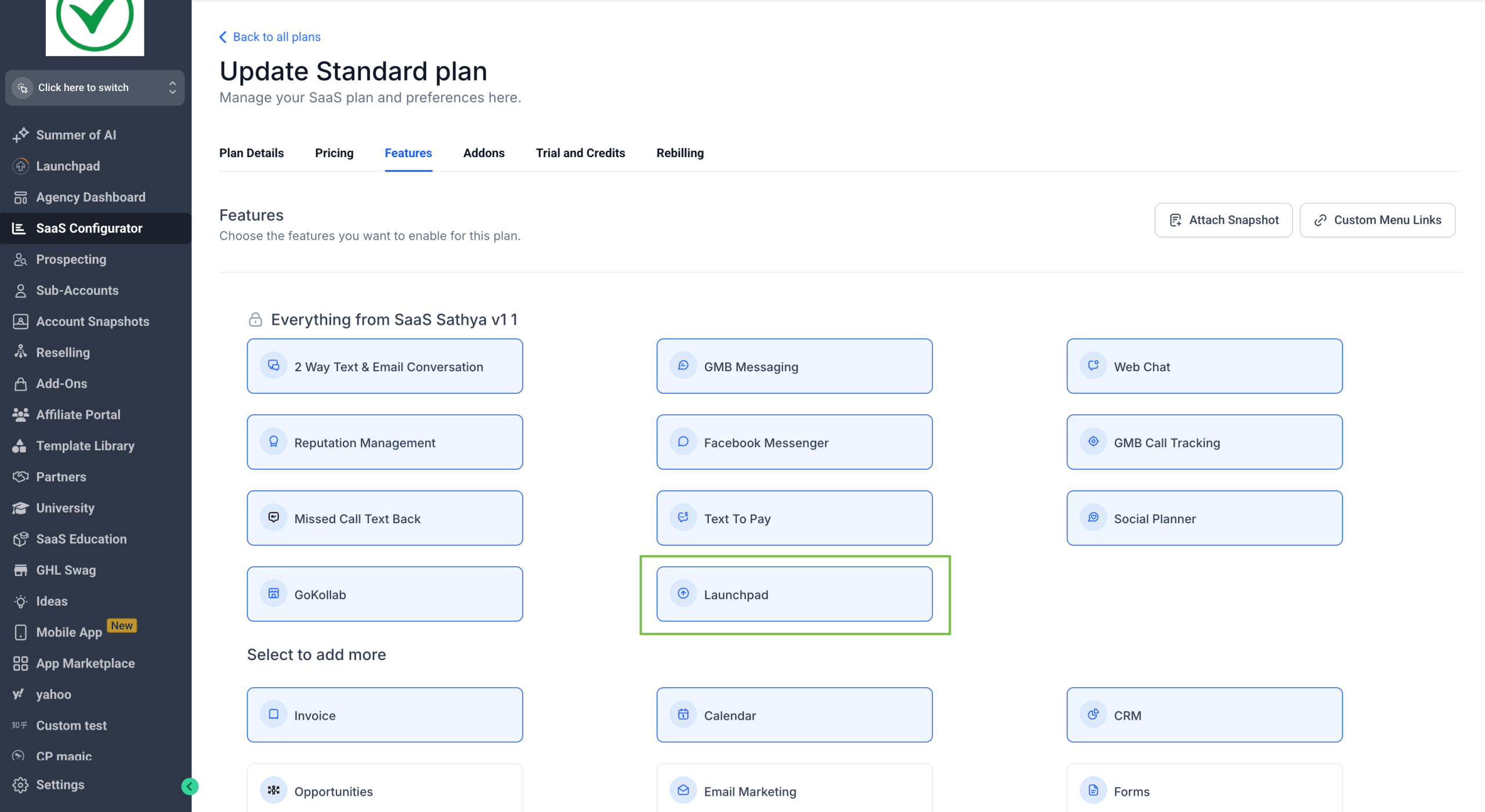
– SaaS Plan Control: Show or hide LaunchPad for all accounts under a plan.
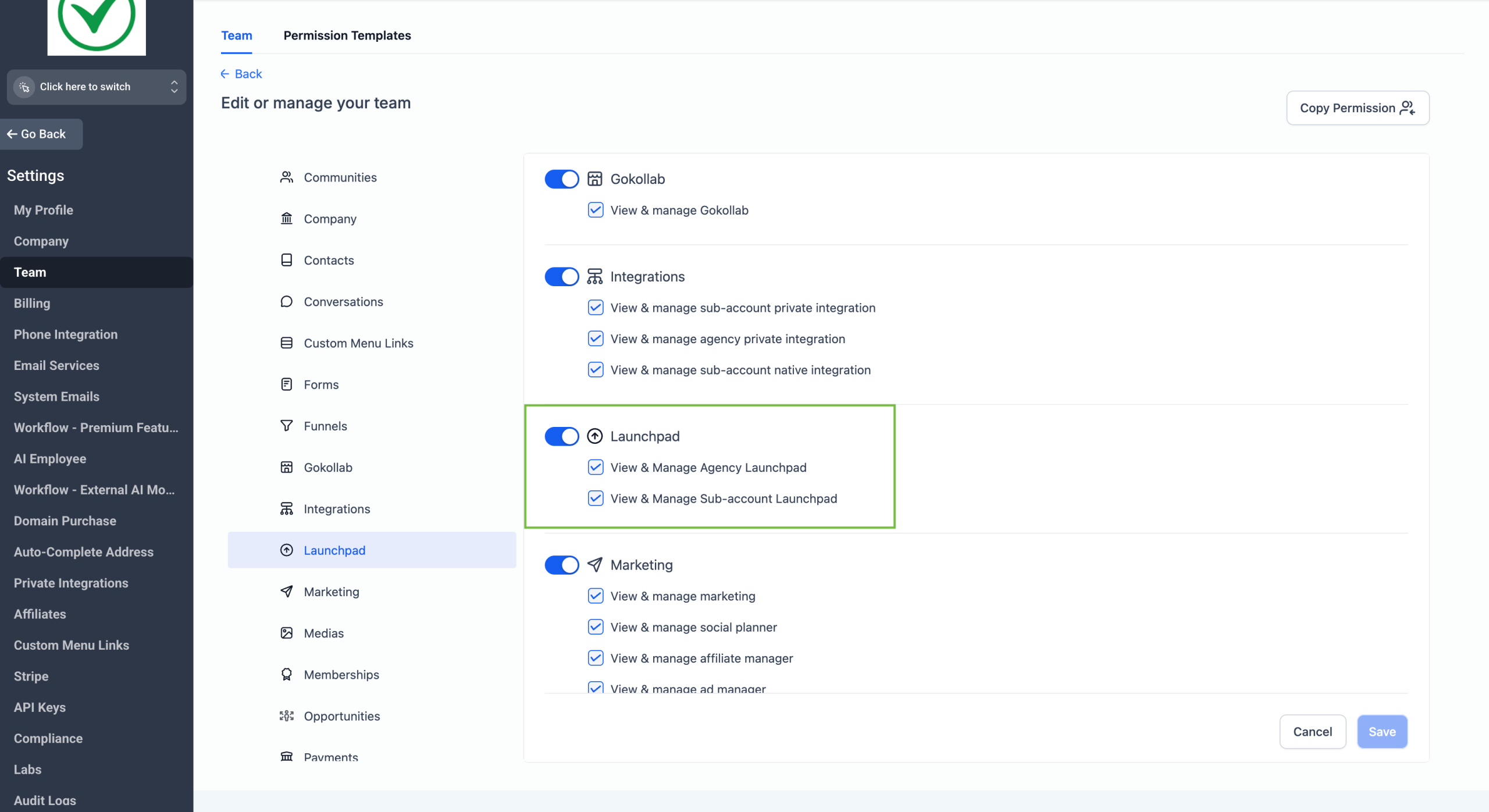
– User Role Control: Choose which roles can access LaunchPad.
💡LaunchPad is visible by default at all levels – you can hide it anytime using the controls below.
📍 Where to Find It
– Sub-Account Settings → Feature and Limits
– SaaS Plan → SaaS Configurator → Edit Plan Details
– Team/My Staff → Roles and Permissions (Agency or Sub-Account)
💡 Why It’s Useful
Keep things focused for your team by showing LaunchPad only where it’s needed — whether for onboarding new users or keeping advanced users’ workspace clean.