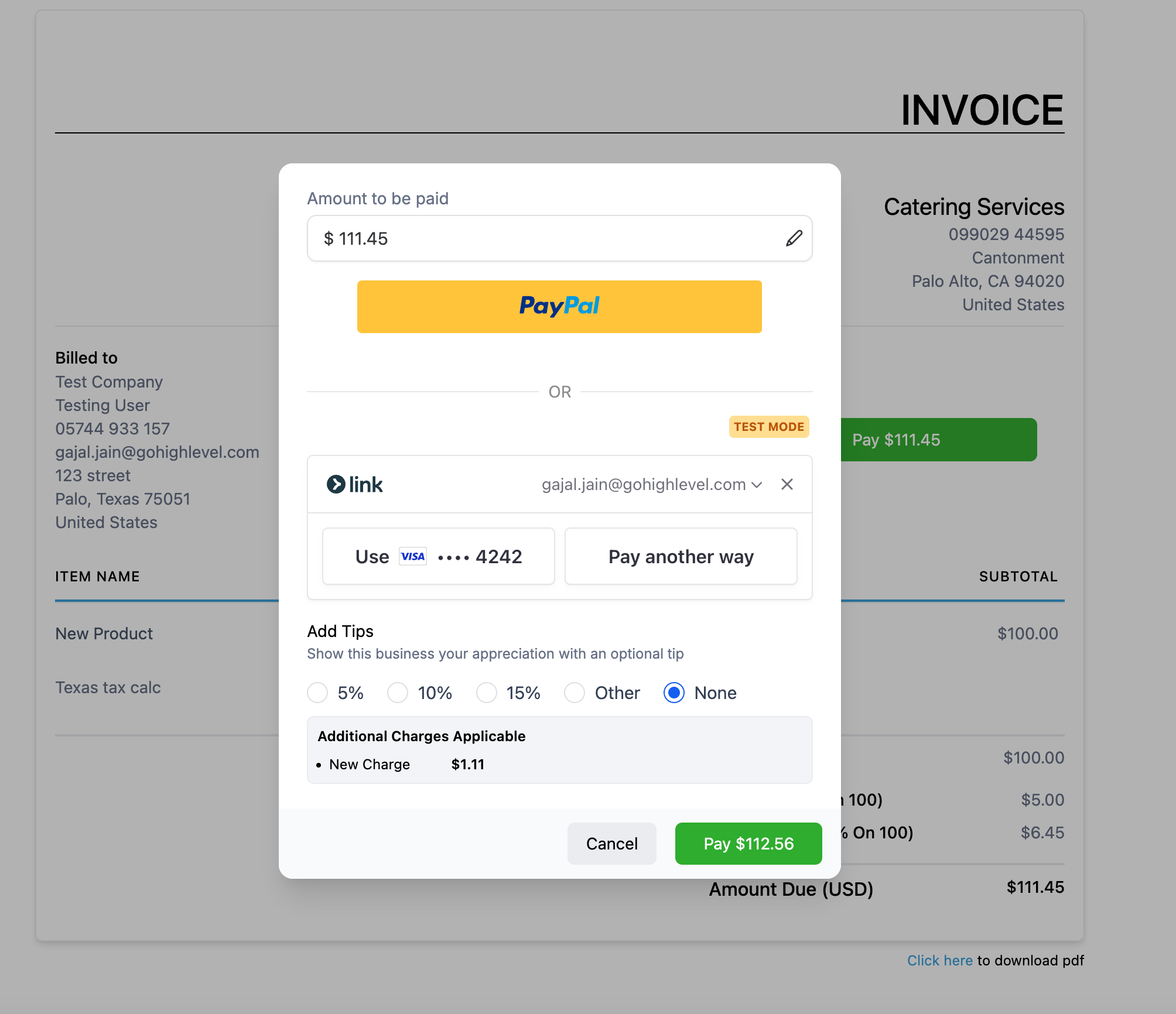
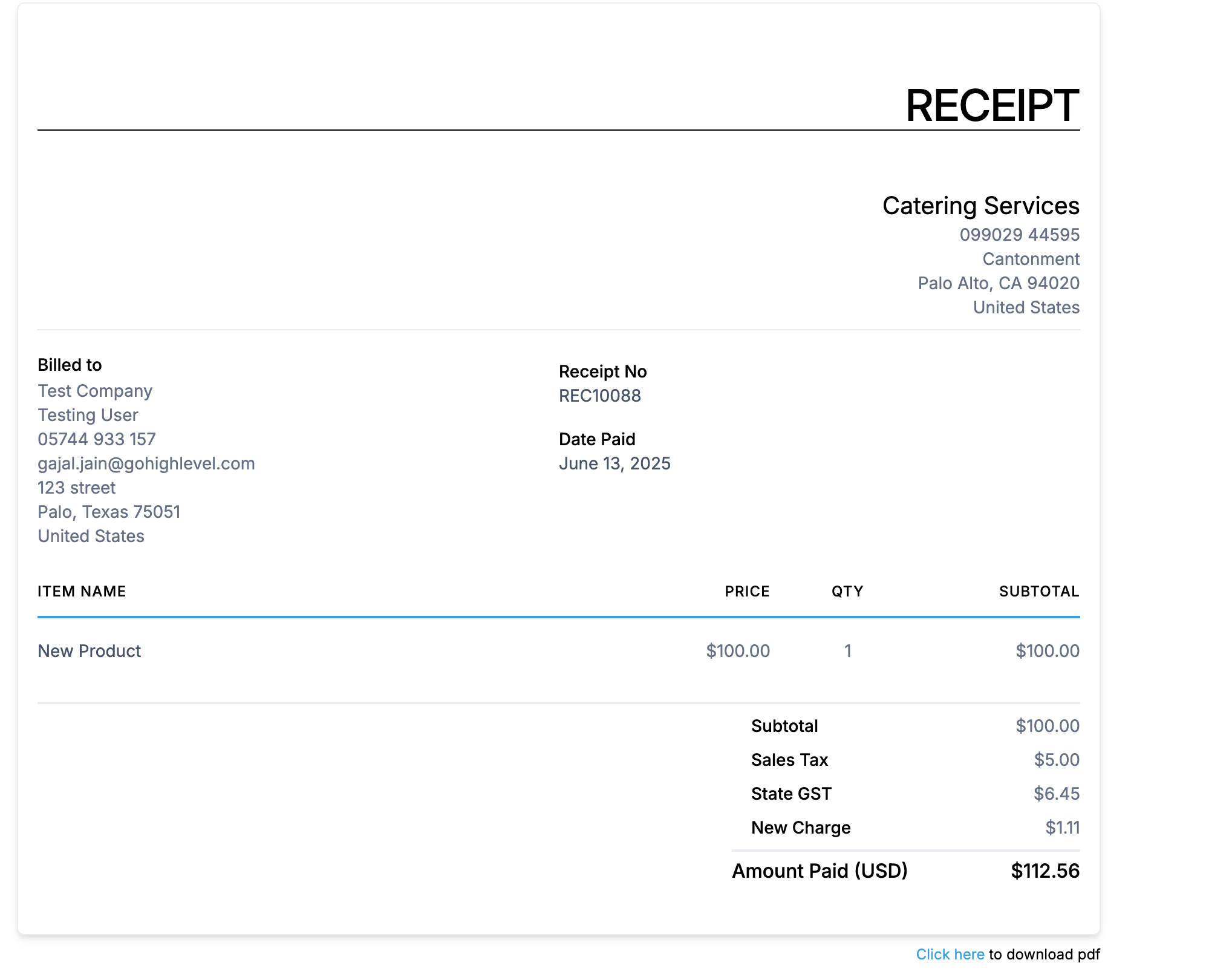
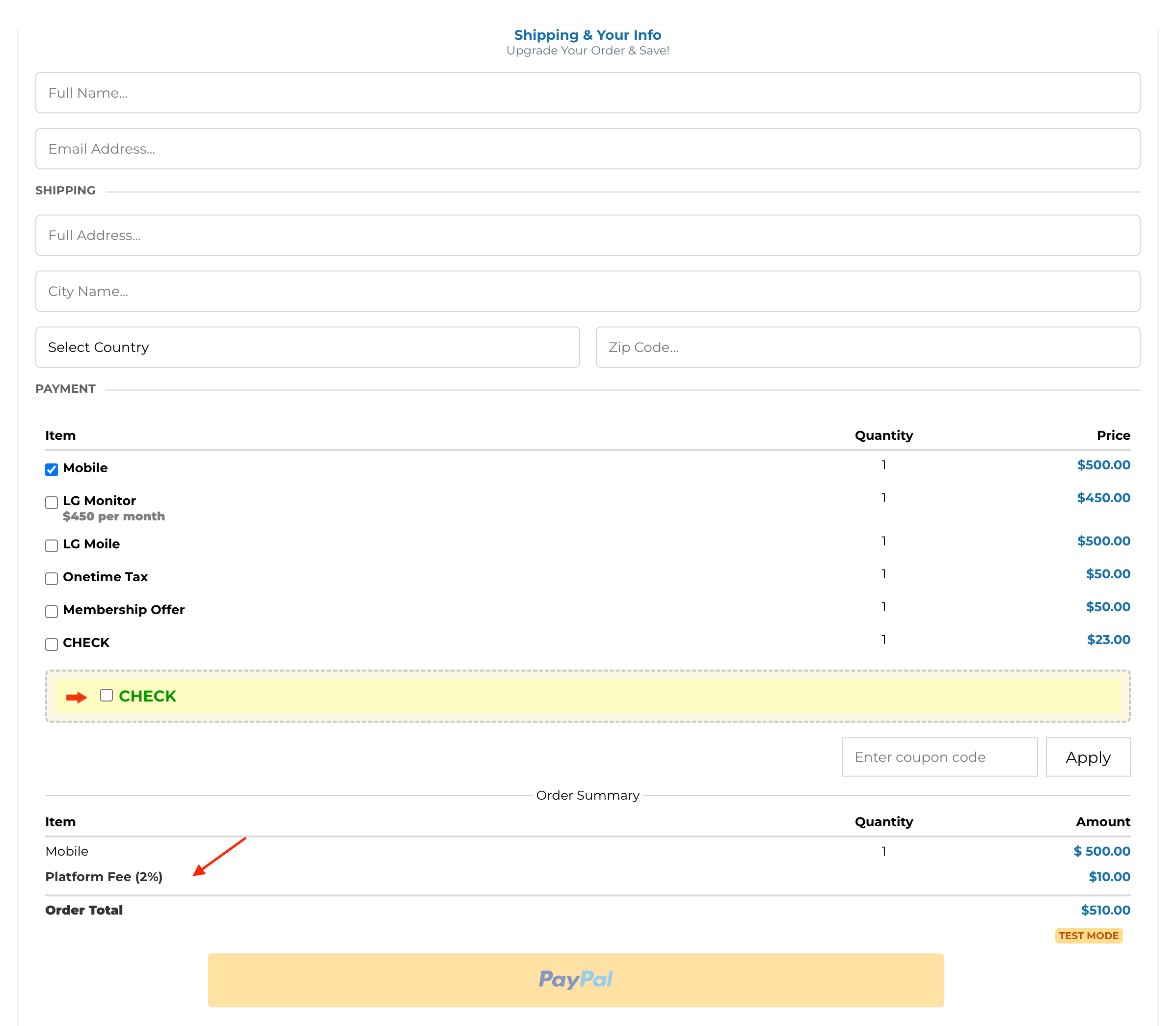
Business can now pass on any processing charges, miscellaneous charges or additional fees like convenience fee to end customers by enabling a new processing charge option within payment settings.
What’s New?
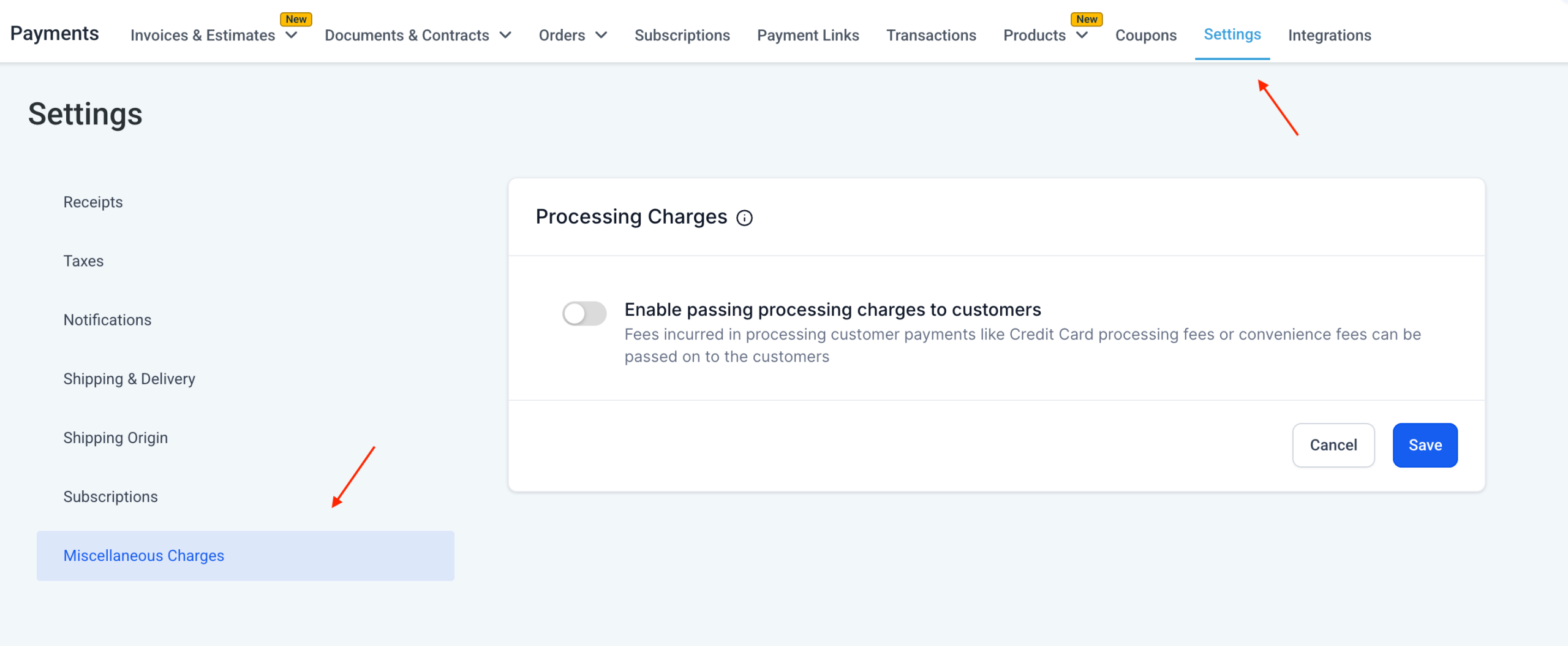
– A new Processing Charge setting is now available under Payments Settings.
– Businesses can enable or disable the option to pass any additional fees to customers.
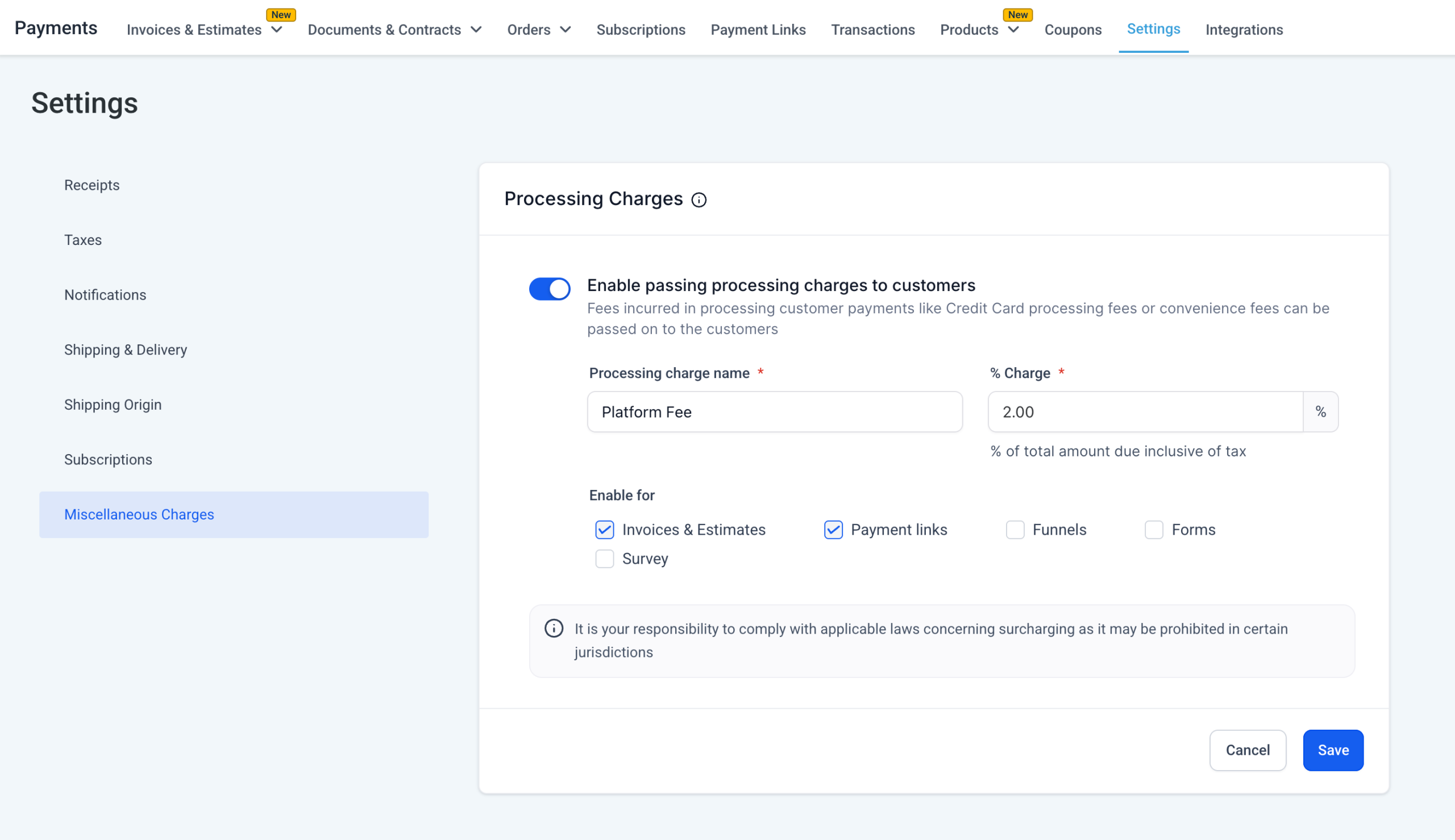
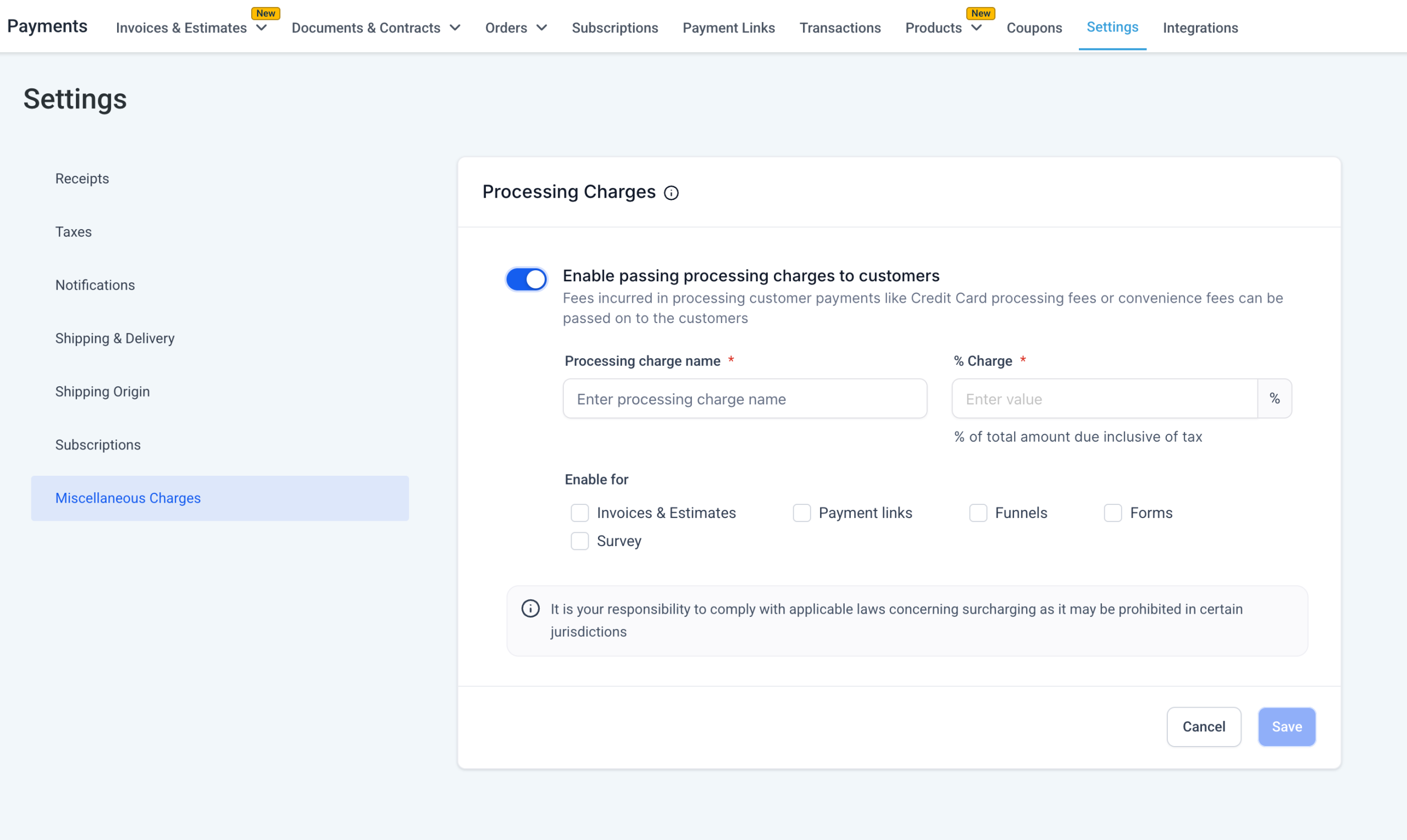
– Businesses can define the fee percentage and choose a custom label for how this fee appears to customers.
– Businesses can apply this fee selectively to Invoices, Funnels, Payment Links, Forms and Surveys using checkboxes.
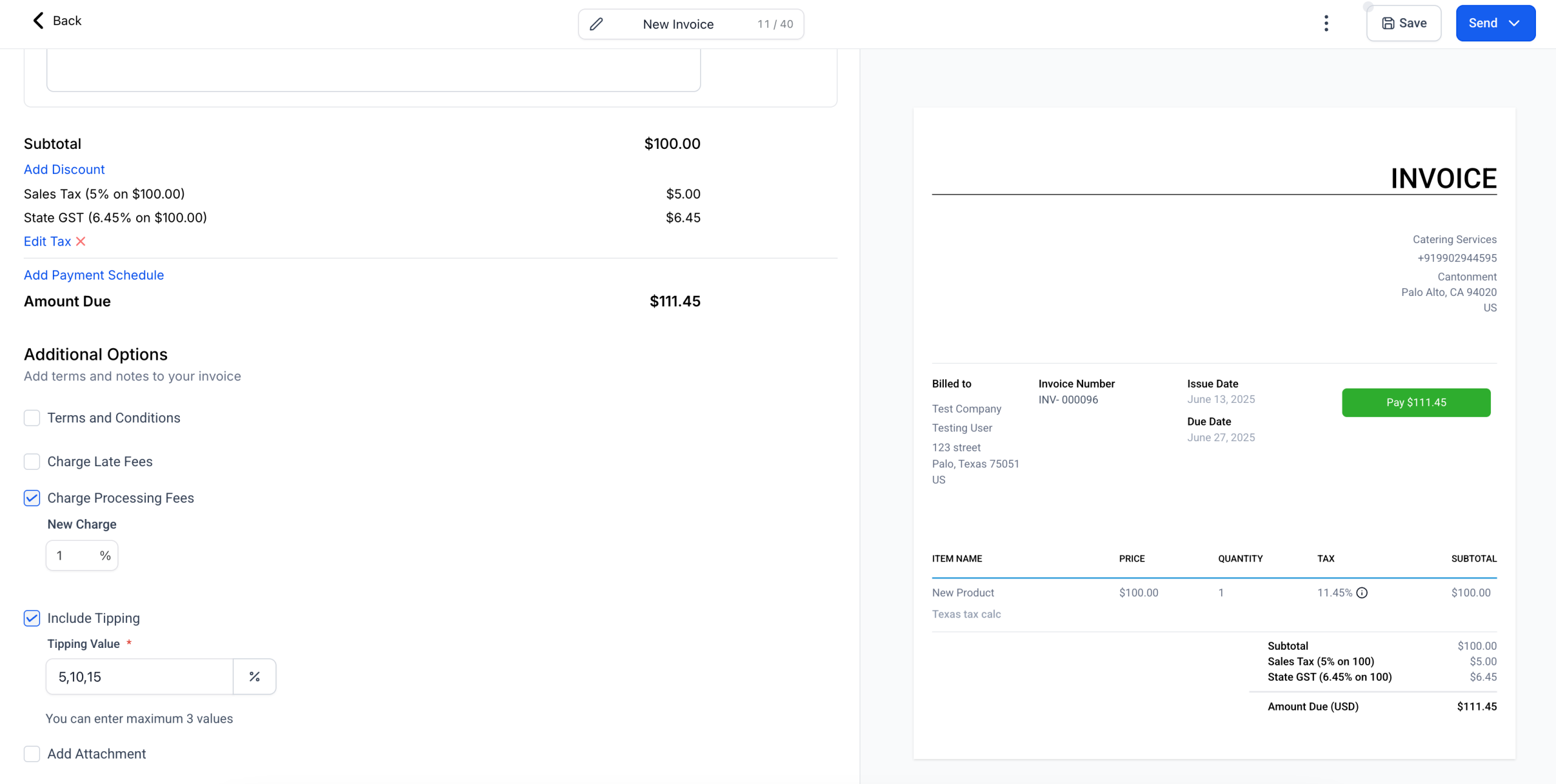
– The fee is calculated on (Subtotal – Discounts + Taxes) — representing the actual transacted amount.
End customers will:
– See the fee as a distinct line item during checkout or payment (in case of Invoices) and on Transaction Receipts.
– See the fee in Transactions & Orders export with the label name under ‘Processing Charge Name’ and the value/amount under ‘Processing Charge Amount’
Important behavior notes:
– Invoices already sent or orders already placed remain unaffected by setting changes.
– Disabling the feature does not retroactively remove fees from existing invoices or orders unless those records are editable.
– This feature will be available for PayPal and Custom Payment Providers only on the Invoices checkout.
– This charge will not apply on Invoices paid via mobile app, that feature is Coming Soon.
How to access the feature?
– Configuration – Payments > Settings > Miscellaneous Charges > Processing Charges
– Available on Checkouts – Funnels, Forms, Surveys, Payment Links, Invoices & Estimates
What’s Next?
– Add more channels support for processing charges (Ecommerce, Mobile POS, Calendars, etc.)
– Future support for channel-specific processing fees (Different fees on Funnels vs Invoices, etc.)
– Future support for payment provider specific processing fees (Different fees on Stripe vs PayPal vs NMI, etc.)
– Enhanced reporting and filters for fees collected via this setting.
Help Document Link:
https://help.gohighlevel.com/support/solutions/articles/155000005519-adding-processing-charges-or-additional-fees-to-customer-payments
Visuals