
🚀 What’s New
You can now create new tags directly from the Send or Schedule page while setting up your email campaign. Previously, only existing tags could be selected.
😎 Benefits
– No need to pre-create tags in advance
– Streamlines automation setup
– Saves time during campaign scheduling
✅ How to Use
– Navigate to Email Marketing
– Create a new campaign or open an existing one
– Go to the Send or Schedule screen
– Click on Add Tags and enable it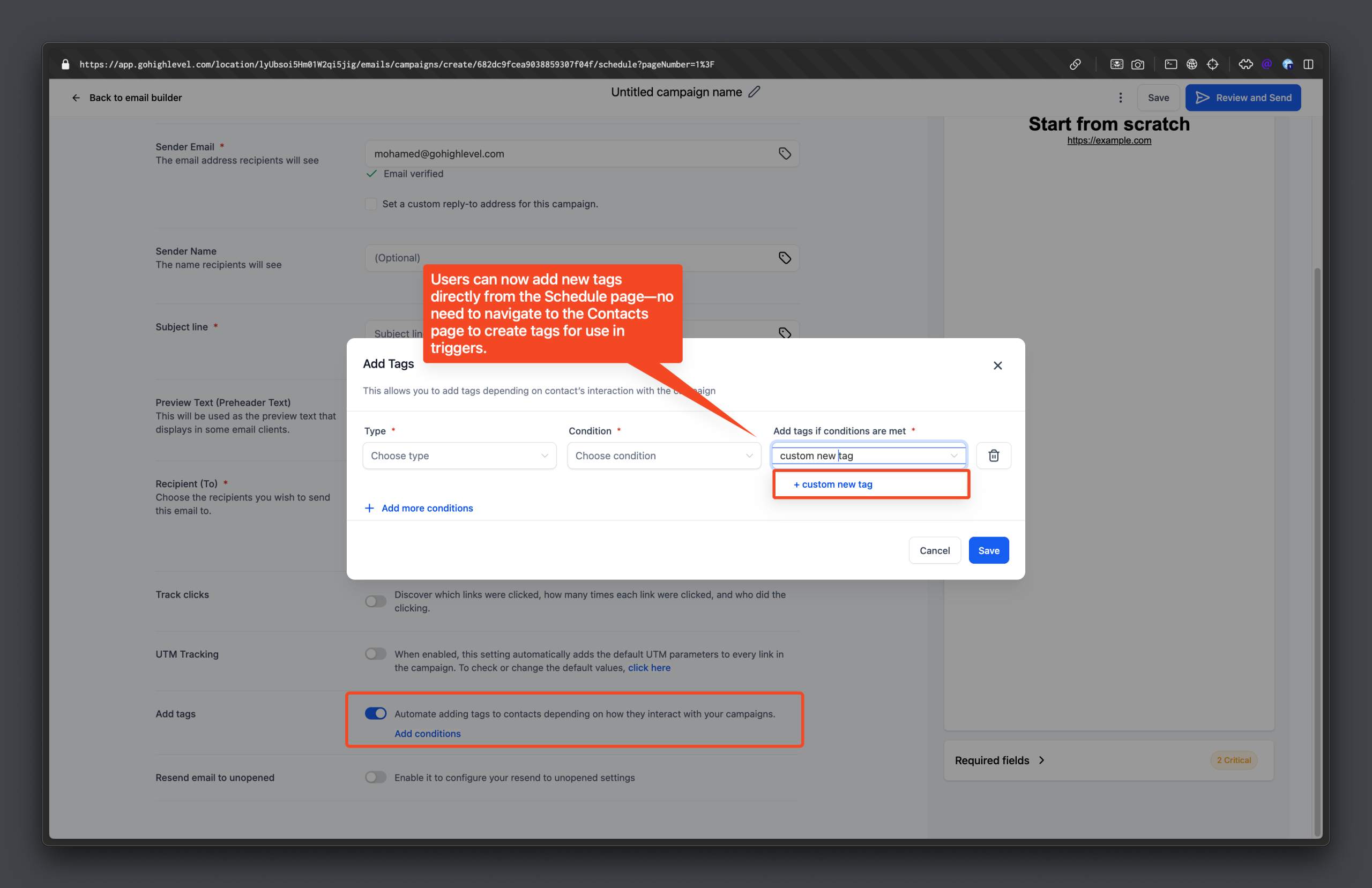
– Click on Automate
– In the tag dropdown, type your new tag
– Click the Add button to create and apply the tag