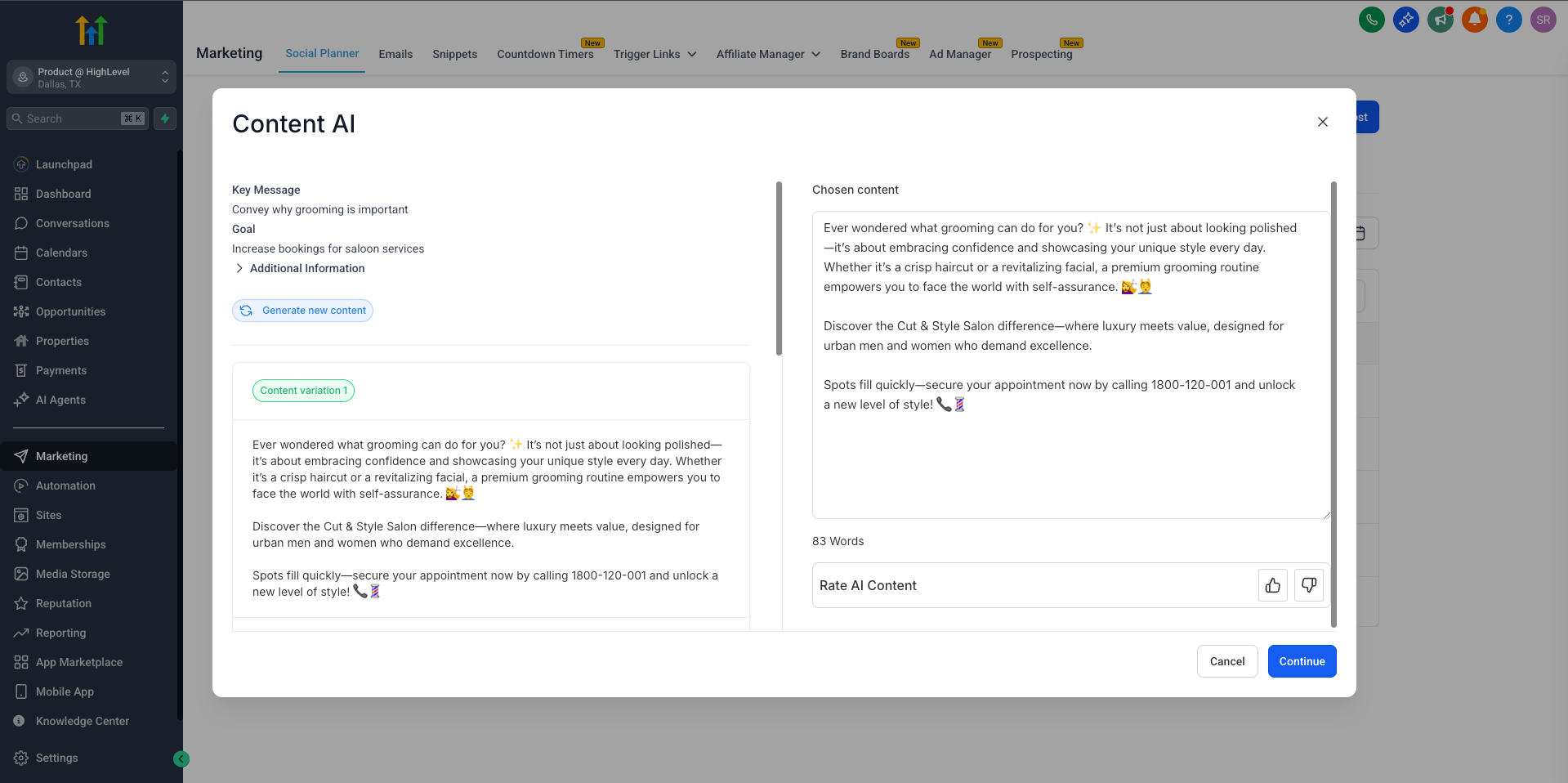
You can now create higher-quality, platform-specific AI content in Social Planner with our all-new, guided content questions powered by Content AI.
What’s Changed?
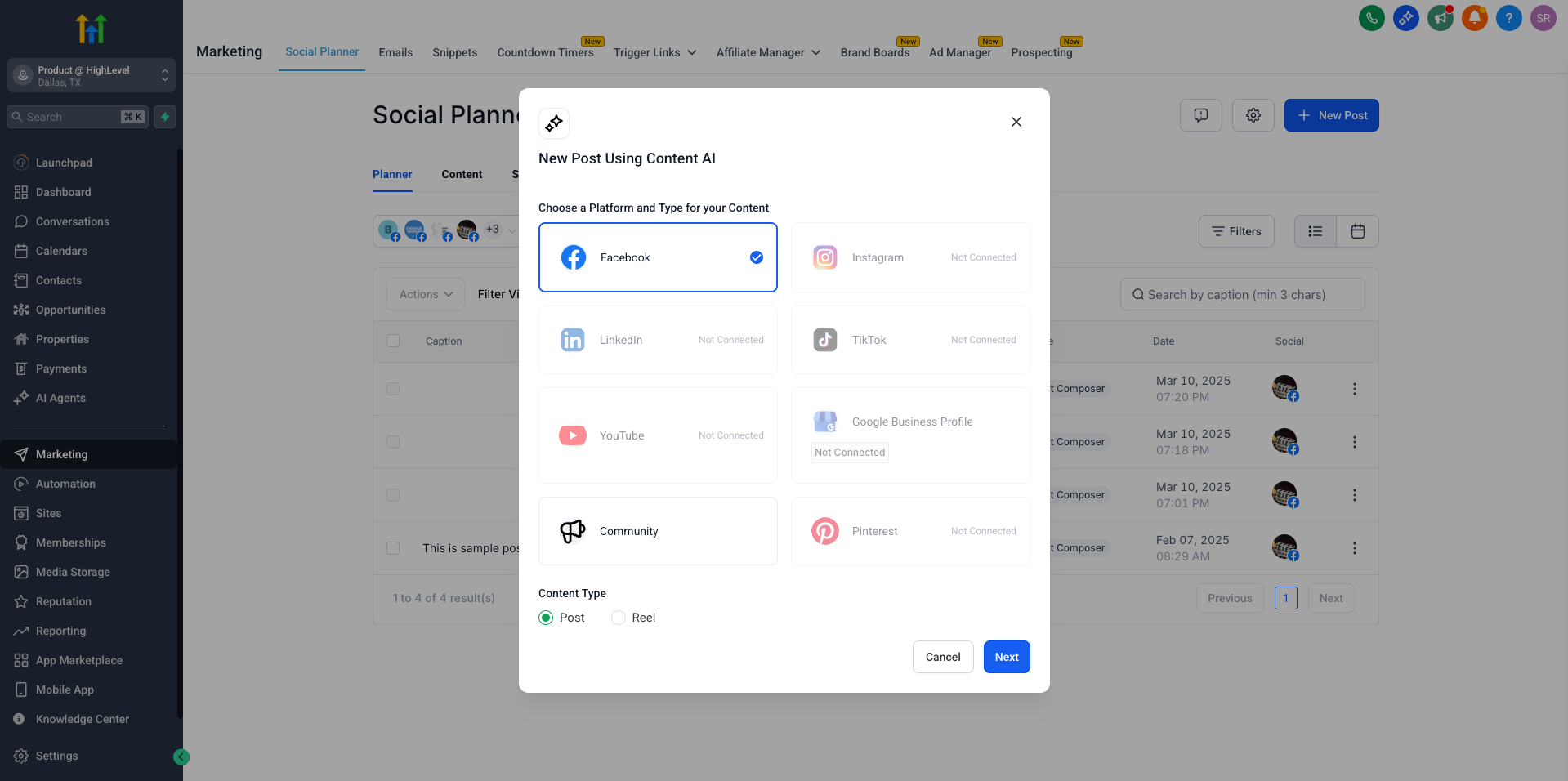
– Adaptive Experience: The content generation form now adapts to your selected platform (Facebook, Instagram, LinkedIn, etc.) and content type (Post, Reel, etc.), asking only the most relevant questions.
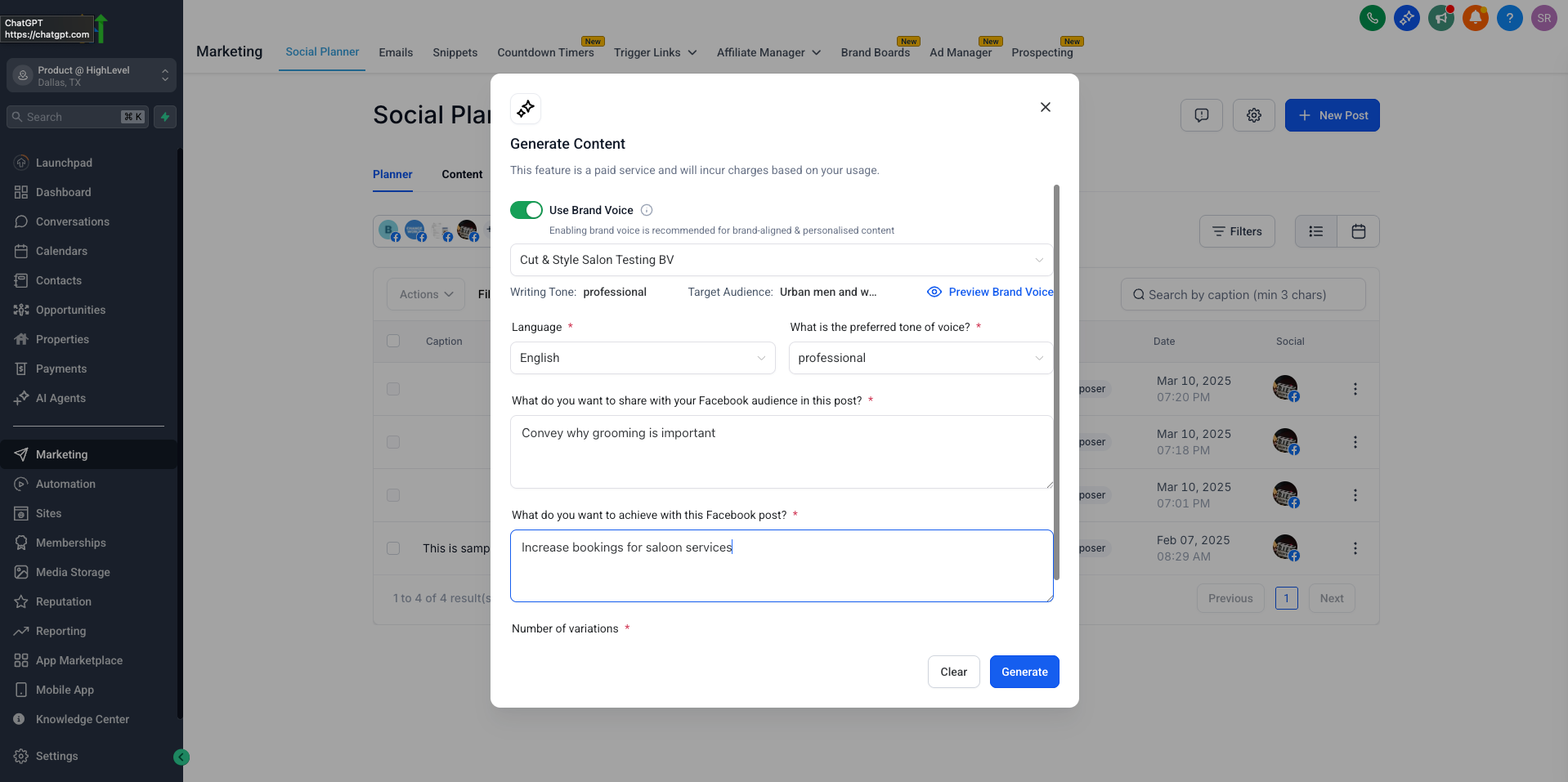
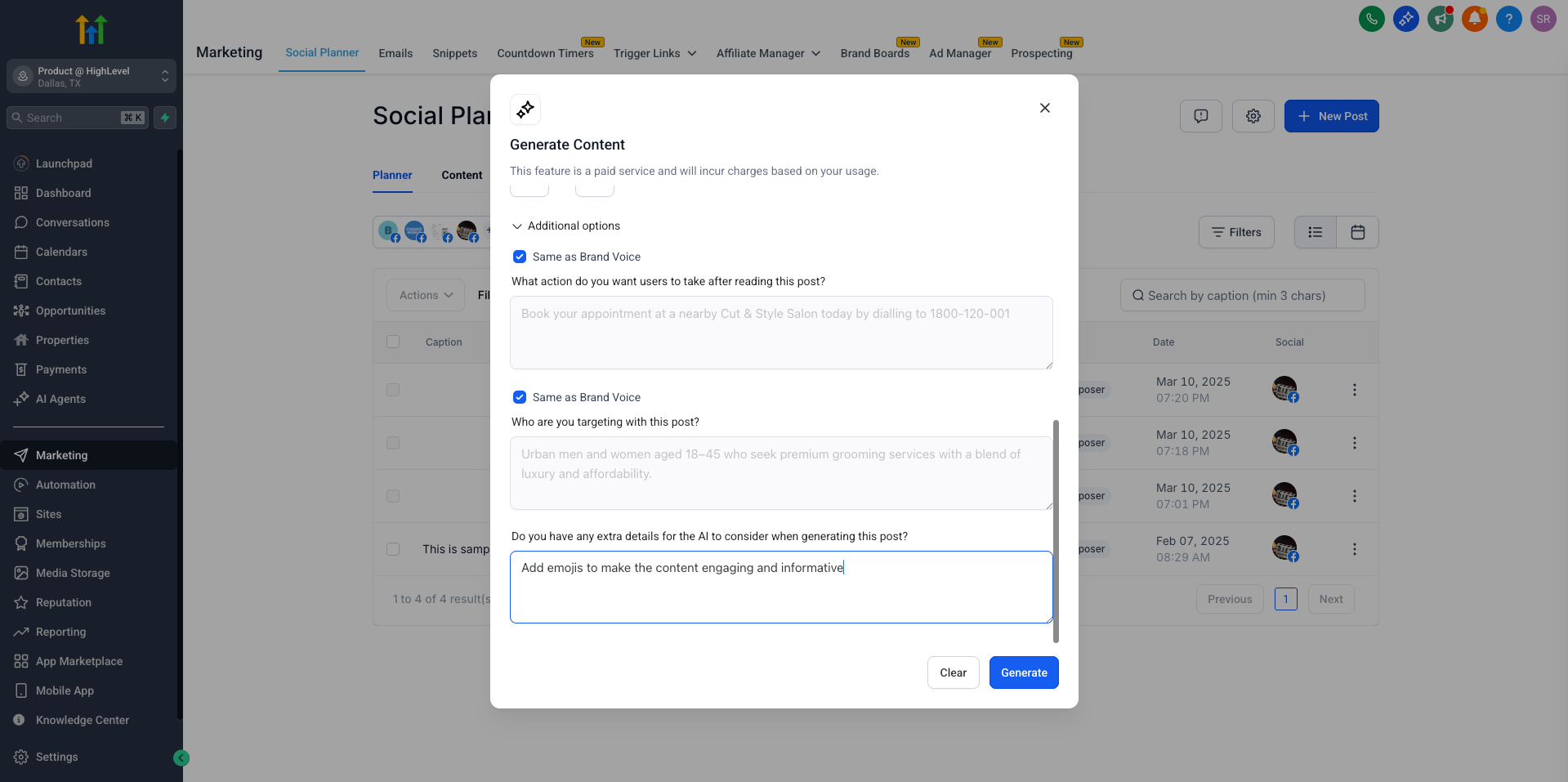
– Brand Voice Integration: Brand Voice fields are auto-filled wherever possible for consistent, on-brand content. You can still override or add extra details as you wish.
– Streamlined Workflow: Mandatory fields are always visible, while optional questions are neatly tucked into a collapsible menu – expand them whenever you want more control.
– Clearer Content Goals: The new questions help you clarify your key message, content goal, CTA, and more – tailored to each social platform and content type.
How Do I Use This?
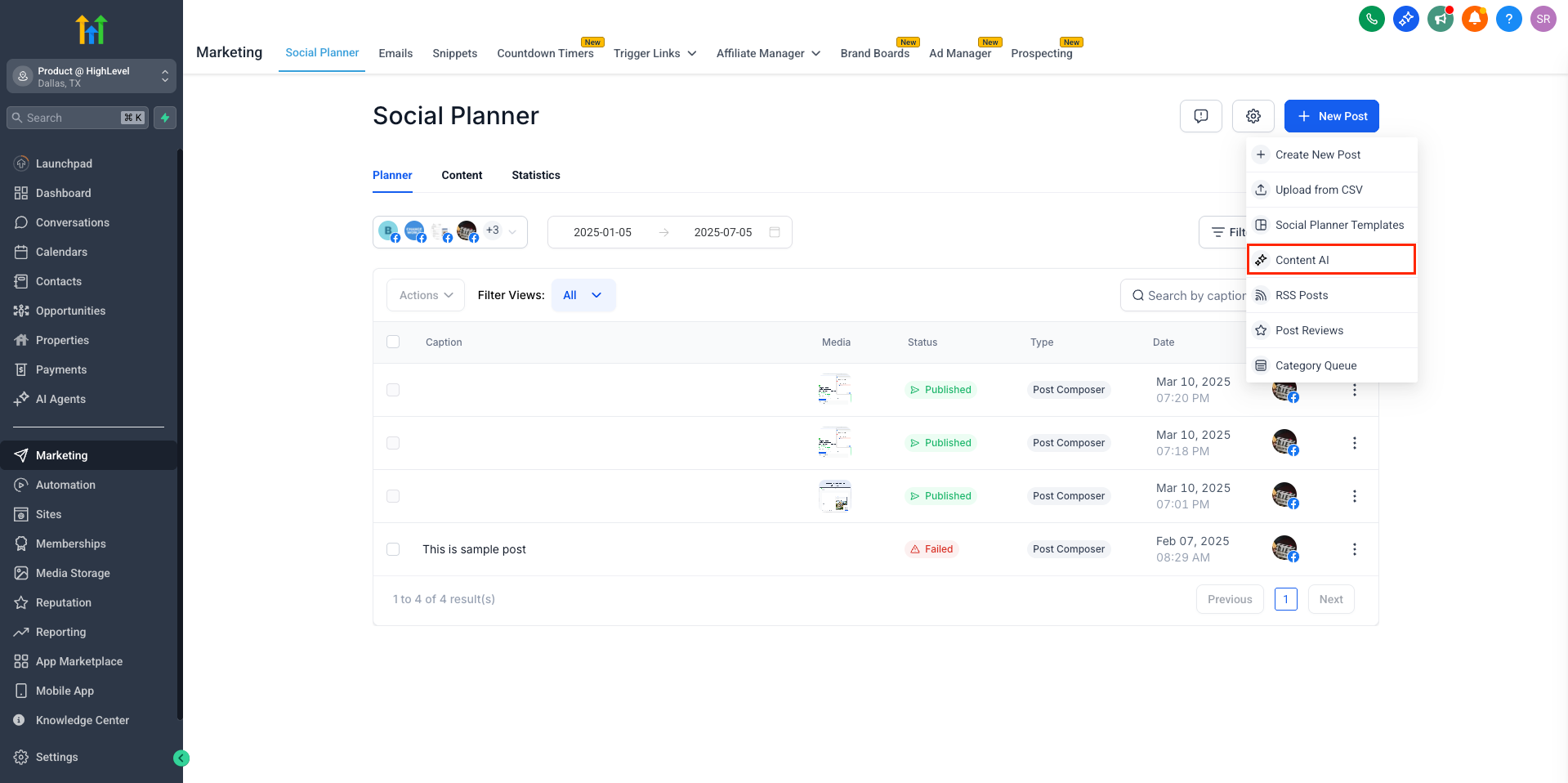
– Go to Marketing → Social Planner.
– Click the “+ New Post” button.
– Under the dropdown, select “Content AI” to launch the new experience.
(Note: This is currently available only through the Content AI option in the New Post dropdown.)
Why This Matters:
– No more generic, one-size-fits-all AI posts.
– Get more relevant content, better engagement, and less time spent tweaking.
– Brand Voice and CTA fields ensure every post matches your unique business identity.
Try it out and share your feedback for the generated content
Coming Soon:
We’ll be rolling out similar improvements to the Social Planner builder page itself soon—stay tuned!