
📍 The Problem Statement
– No simple way to add vertical or horizontal space between elements in emails.
– Workaround required using the Divider element and setting the color same as background color, making precise spacing difficult and unintuitive.
😎 What’s New
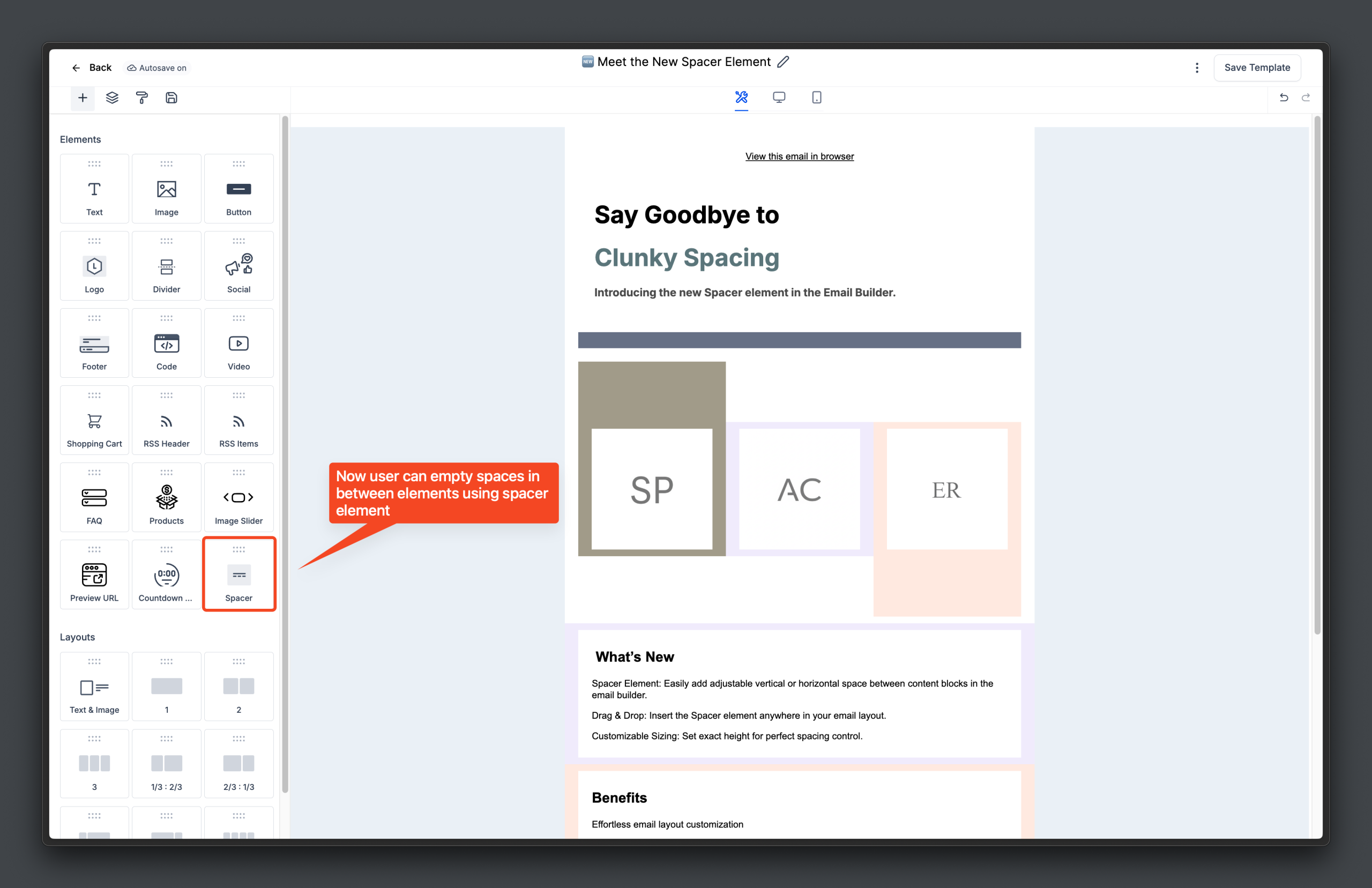
– Spacer Element: Easily add adjustable vertical or horizontal space between content blocks in the email builder.
– Drag & Drop: Insert the Spacer element anywhere in your email layout.
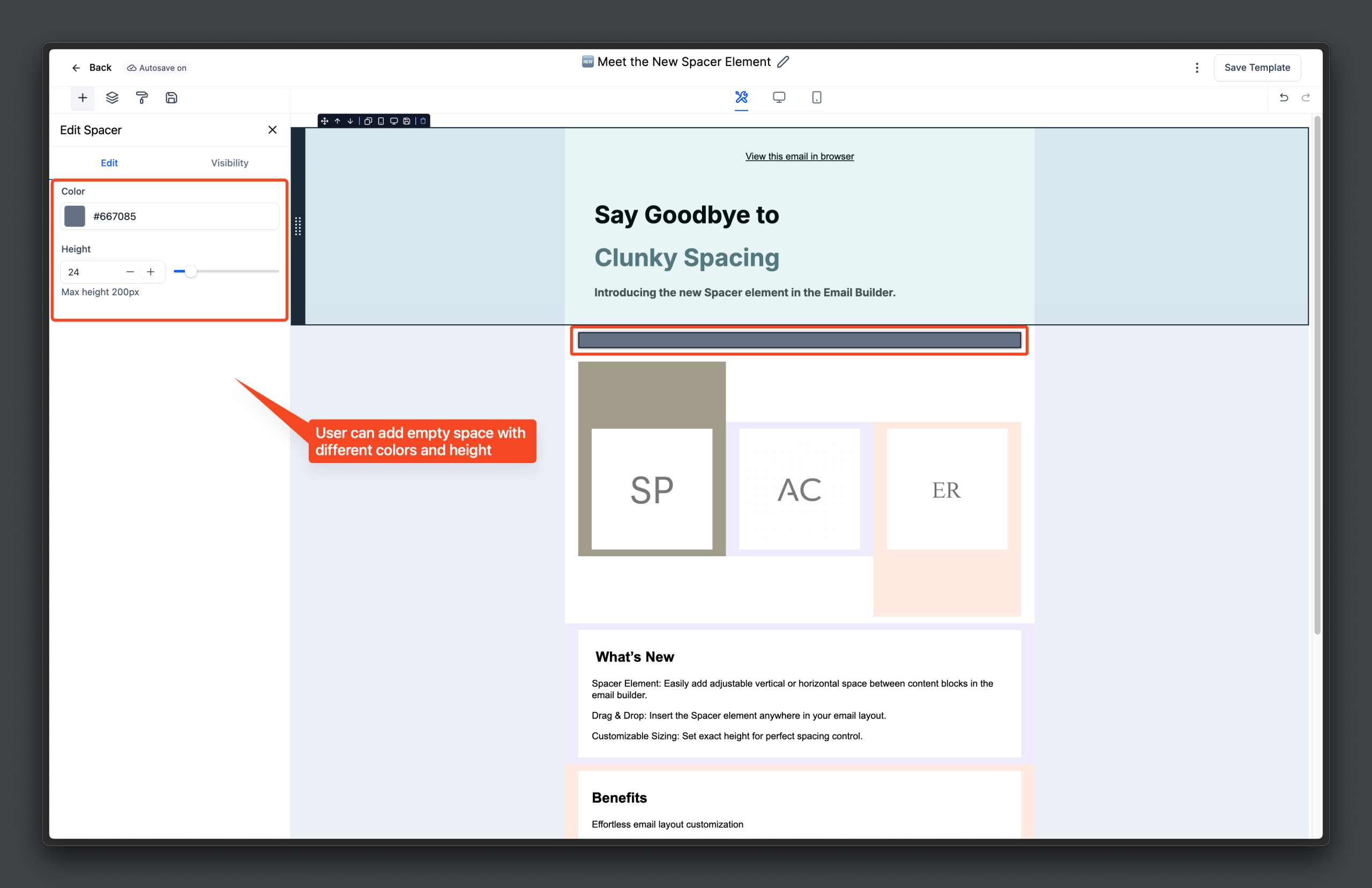
– Customizable Sizing: Set exact height for perfect spacing control.
😇 Benefits
– Effortless email layout customization
– Cleaner, innovative and more professional-looking designs
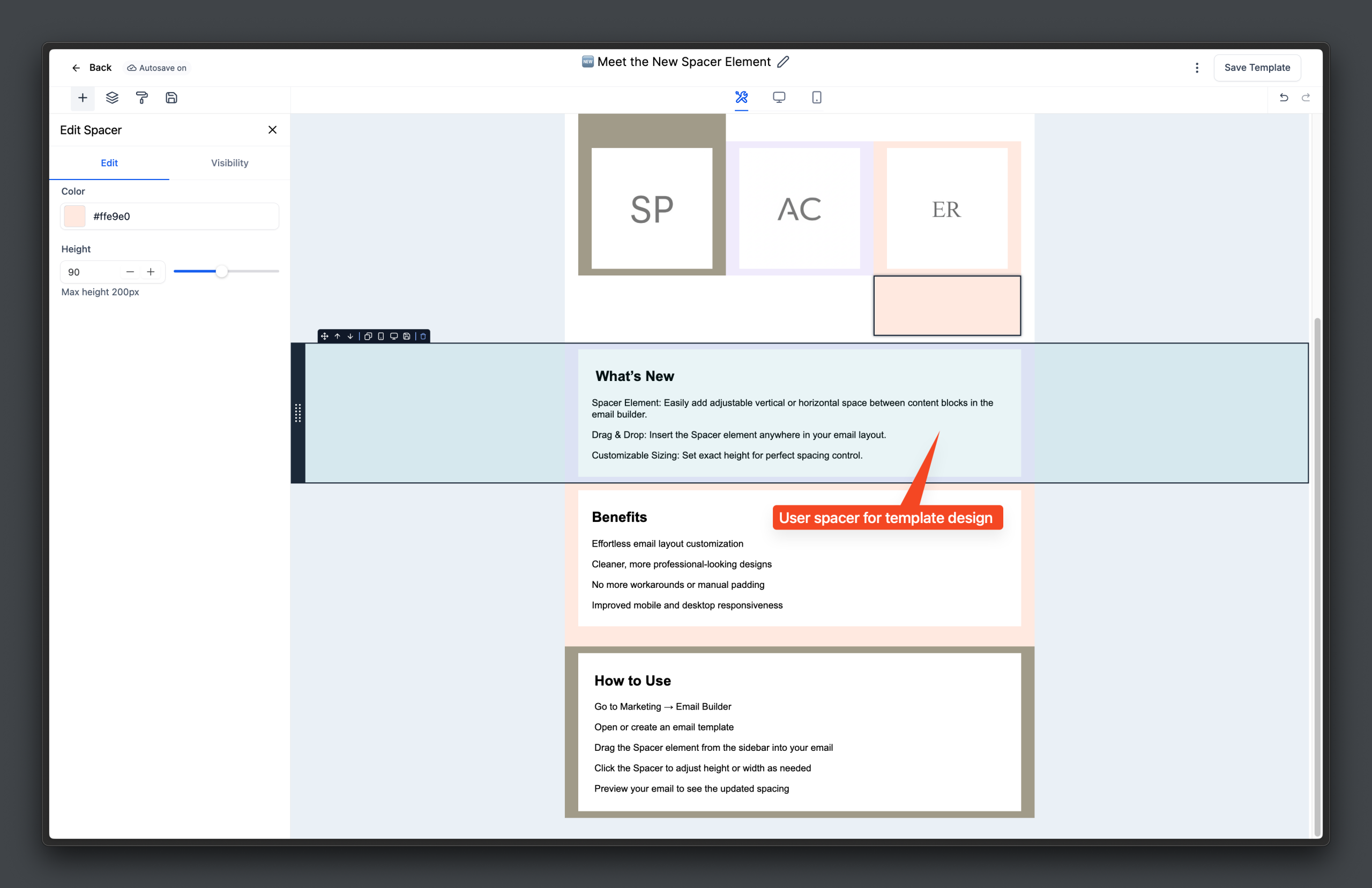
– No more workarounds or manual padding
🔧 How to Use
– Go to Marketing → Email Builder
– Open or create an email template
– Drag the Spacer element from the sidebar into your email
– Click the Spacer to adjust height or width as needed
– Preview your email to see the updated spacing
📌 Notes
– Spacer element is available in all new and existing email templates
– Responsive spacing adjusts automatically for mobile devices
– Spacer does not add content, only visual space