
💡 What We Did
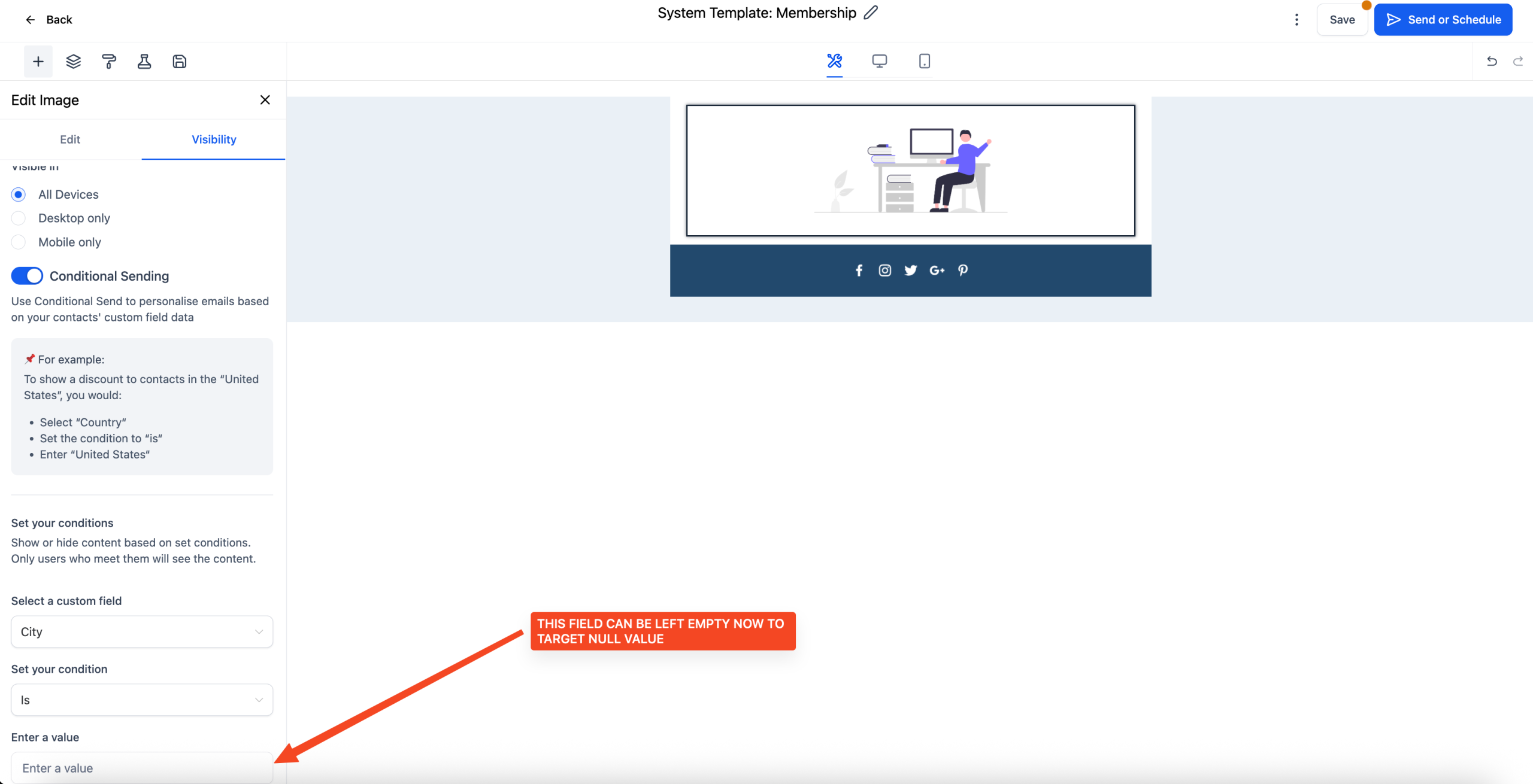
Introduced the ability to set a conditional element’s value to null in the email builder.
🚀 Benefits
– Targeted Content Delivery: Display elements only when specific contact fields are empty.
– Simplified Logic: No need for complex conditions; a null value suffices.
– Enhanced Personalization: Tailor emails based on the absence of contact data.
⚙️ How to Check It
– Navigate to Marketing > Email Marketing.
– Create or edit an email campaign or template.
– Select the desired element and go to the Visibility tab.
– Enable the Conditional Element toggle.
– Set the condition based on the contact field.
– For the value, enter nothing.
– Save your changes.
⚠️ Note: Simply writing the word NULL would not work, the field needs to be kept empty