Custom Objects – Association Limits
📌 Overview
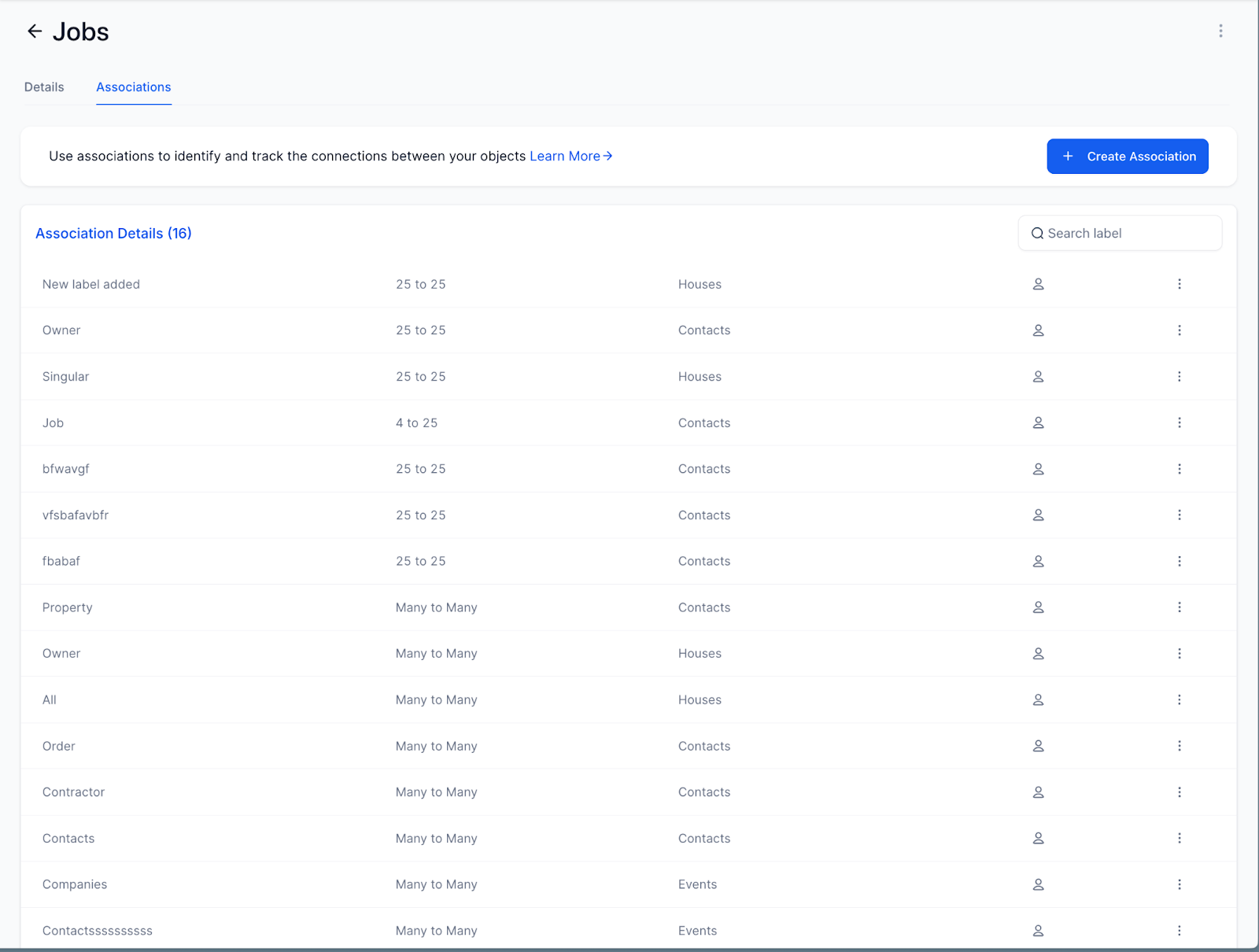
You can now configure how many relationships can exist between objects in your Custom Objects setup. This helps prevent over-association and improves data clarity.
We’ve introduced association limits to ensure more structured object management
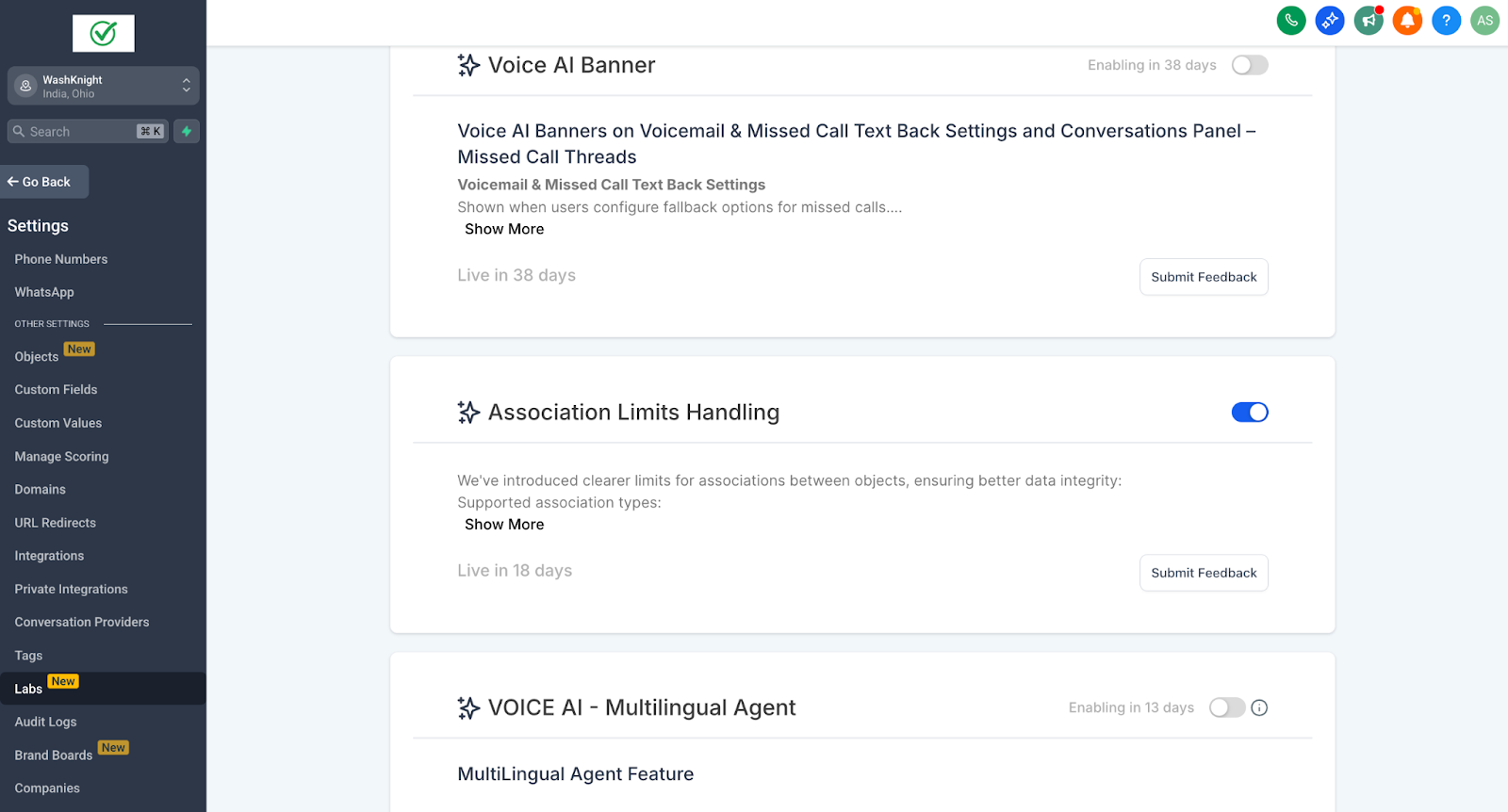
Note: To enable this feature, go to Settings > Labs > Association Limits Handling, and toggle it on.
✨ What’s New
Association Limits
For multi-label associations:
– One-to-One (1:1)
– One-to-N (where N ≤ 1000)
– One-to-Many
– Many-to-Many
For contact-to-contact (single label):
– One-to-One
– Many-to-Many
– Custom N-to-N
📌 UI Improvements
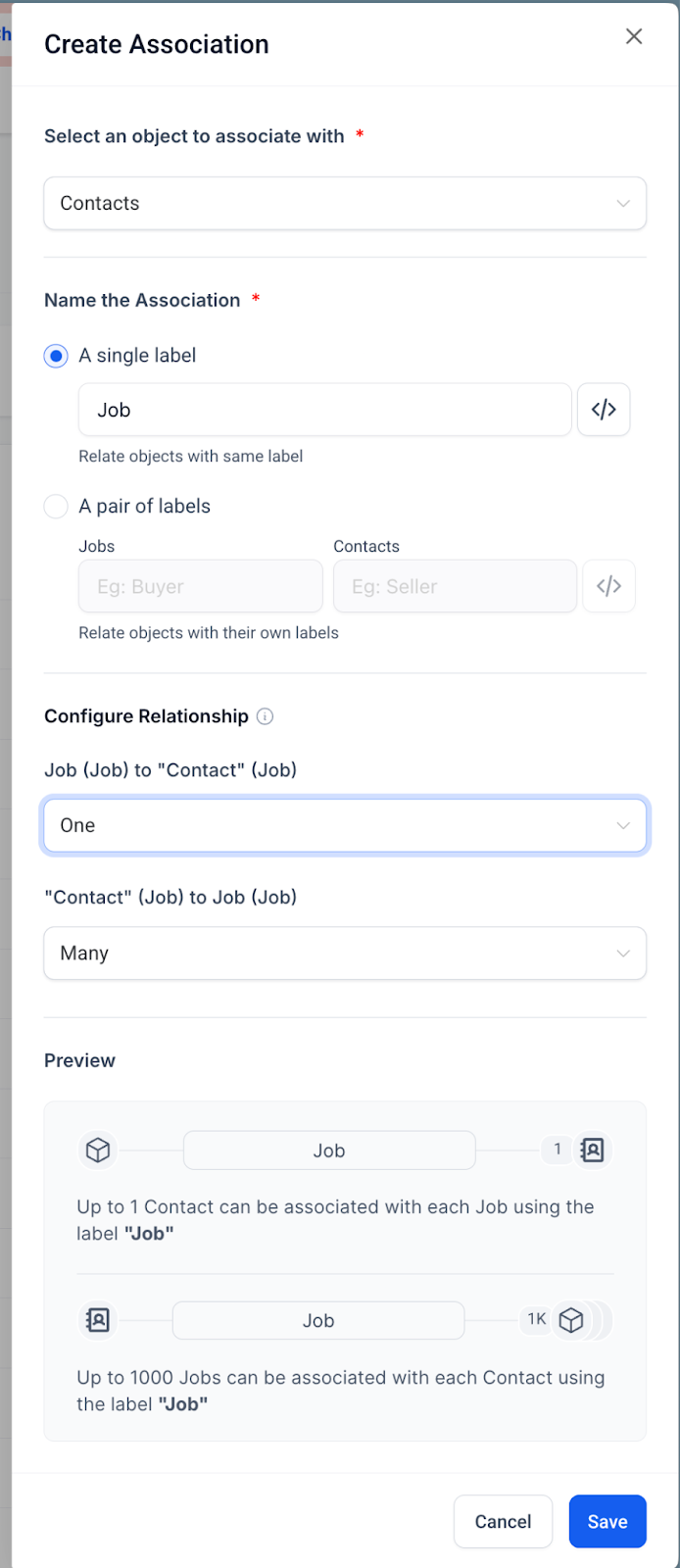
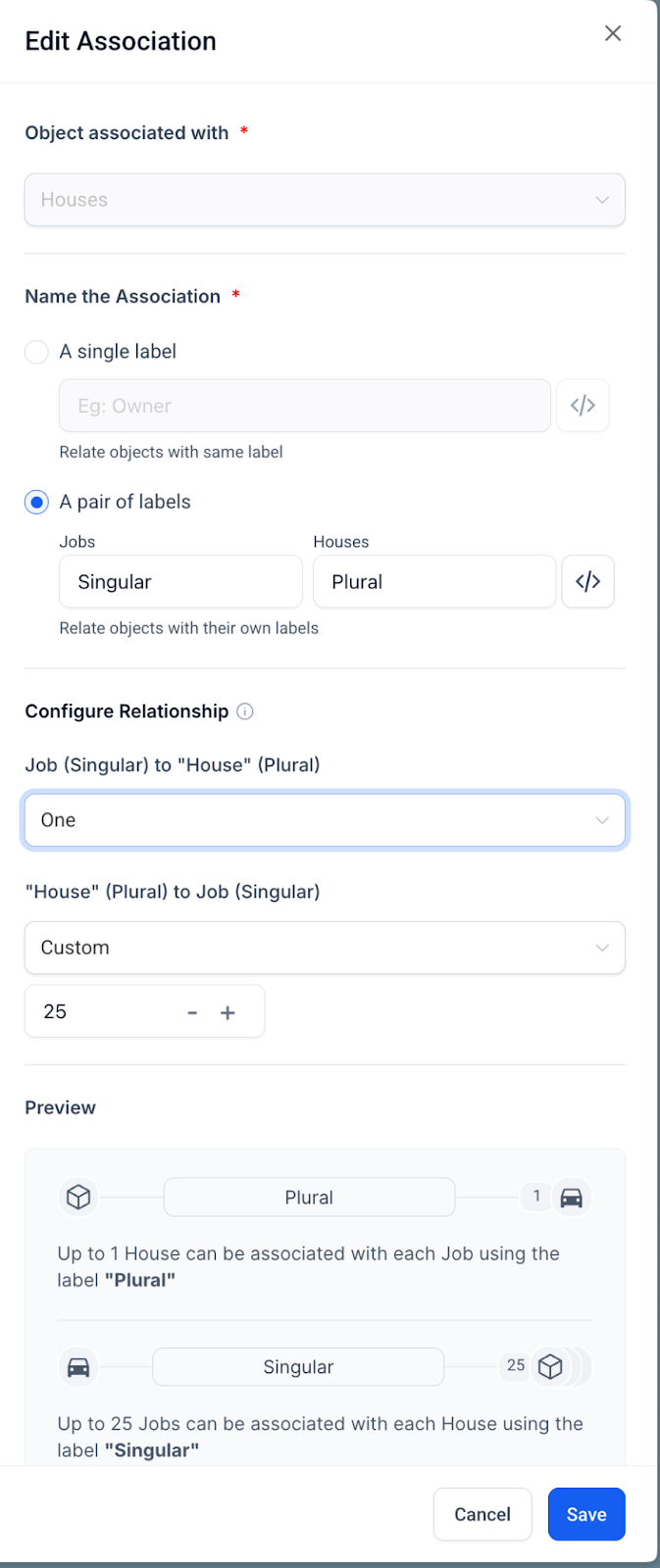
– Preview of association direction + counts when configuring
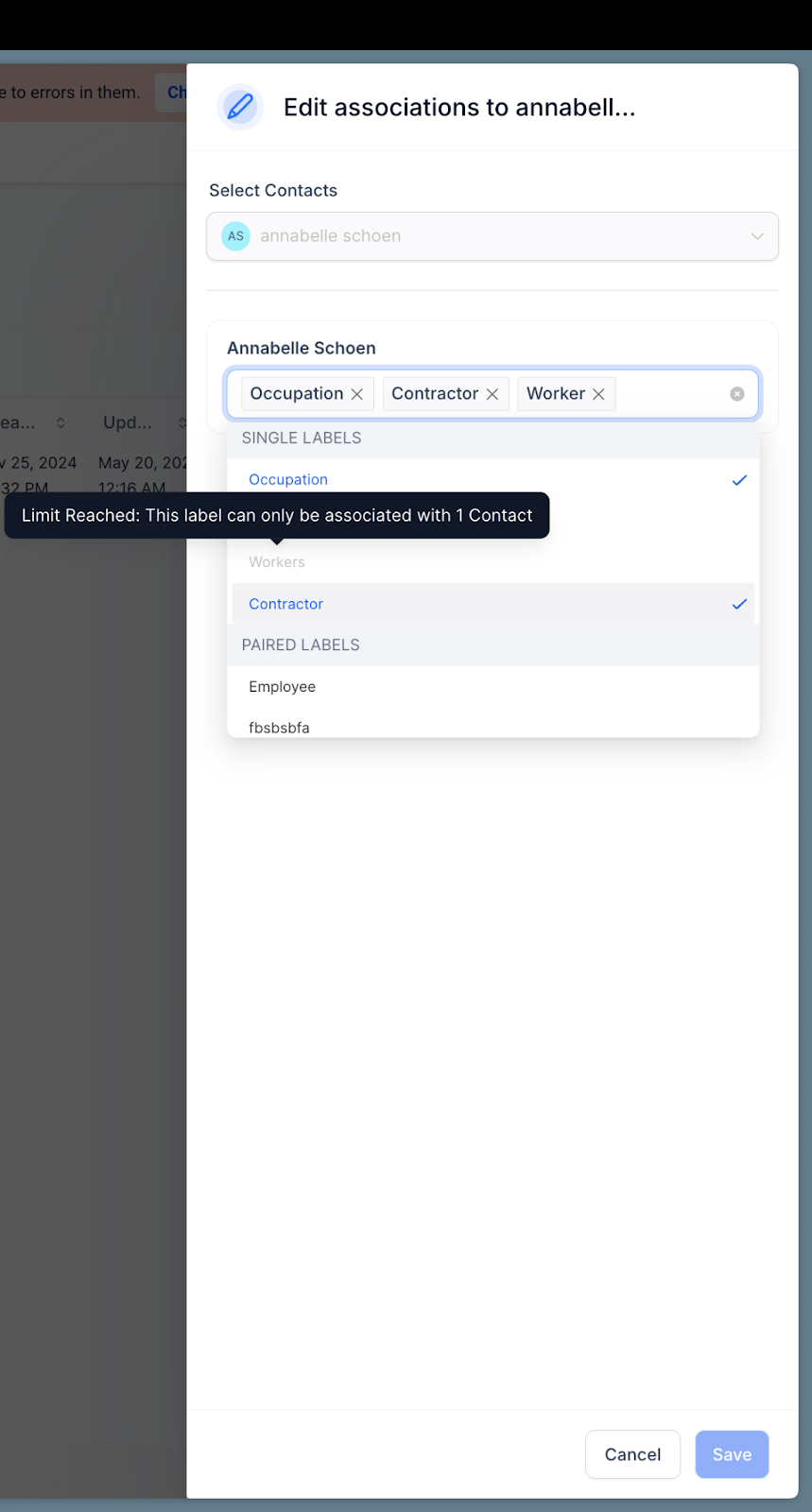
– Error messages shown when the limit is reached
– Enforced limits per label, active immediately after saving
🛠 How to Use
1. Open the Edit Association modal on a custom object
2. Select “Single Label” or “Pair of Labels”
3. Configure relationship type and limit.
4. Review the preview panel.
5. Save and test in your object view.
🤔 Why It Matters
– Avoids over-linking between records.
– Helps keep data structures clean.
– Reduces user confusion when the limits are reached with clear UI feedback.