
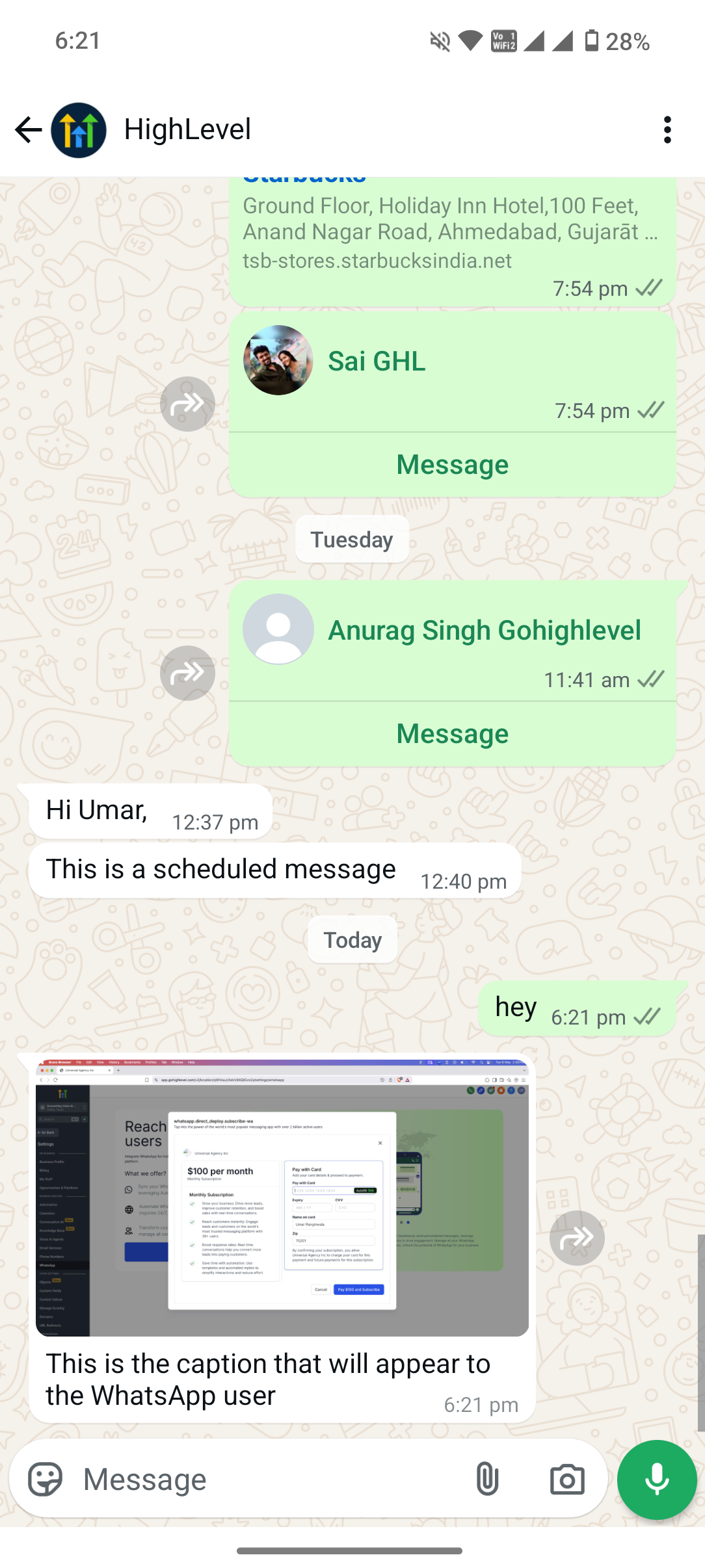
We’re excited to introduce the WhatsApp Media Action—a brand-new workflow step that lets you send rich media (images, videos, documents, and audio) through WhatsApp automatically. Enhance your campaigns and support flows with eye-catching media and clearer context
👀 What’s New?
– 🖼️ Image JPEG, PNG & more
– 🎞️ Video MP4 & other WhatsApp-approved formats
– 📄 Document PDF & other file types
– 🔊 Audio MP3, OGG & more
Contextual Captions: Add captions to images, videos, and documents for richer storytelling or clearer instructions.
🛠️ How It Works
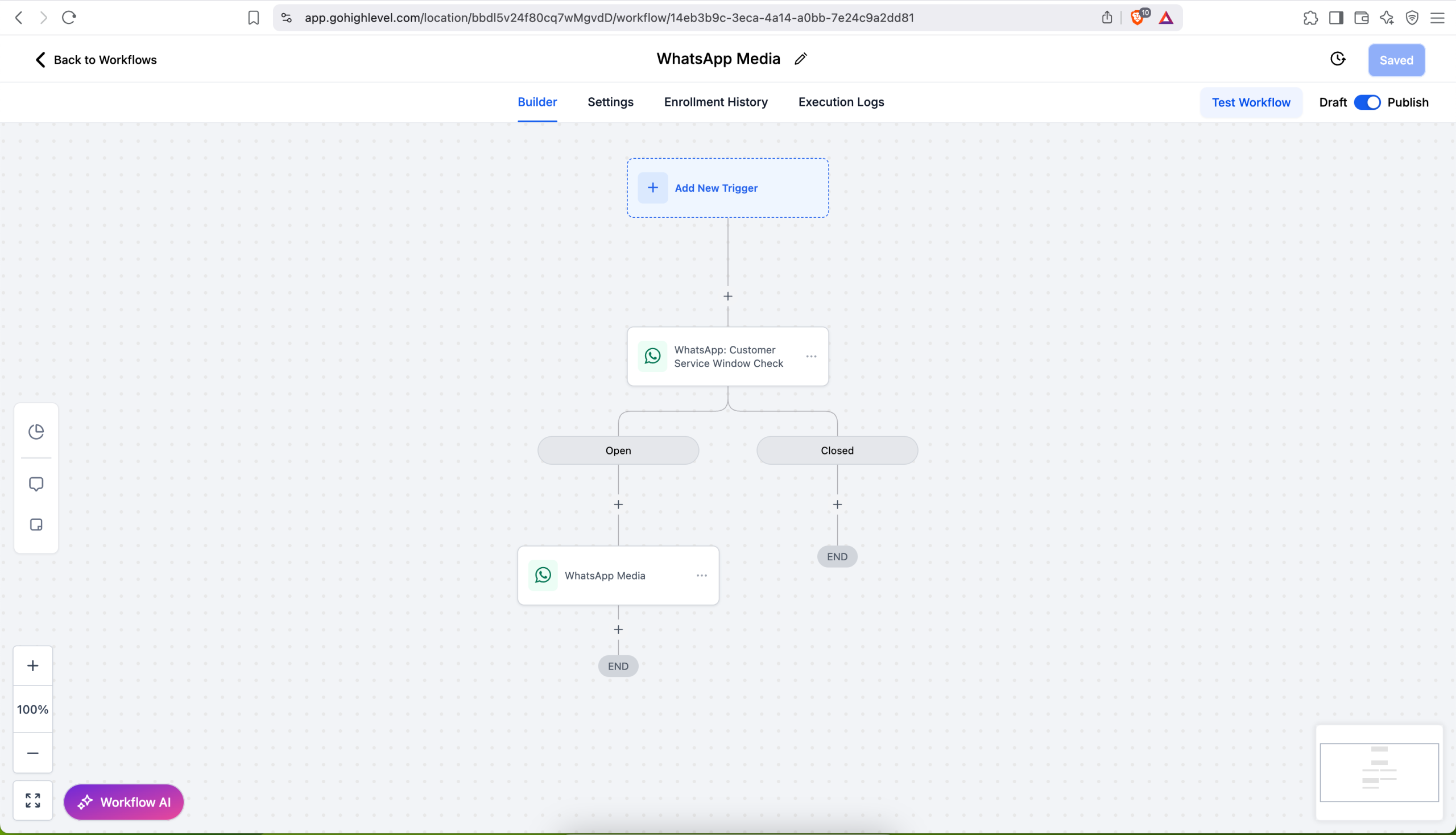
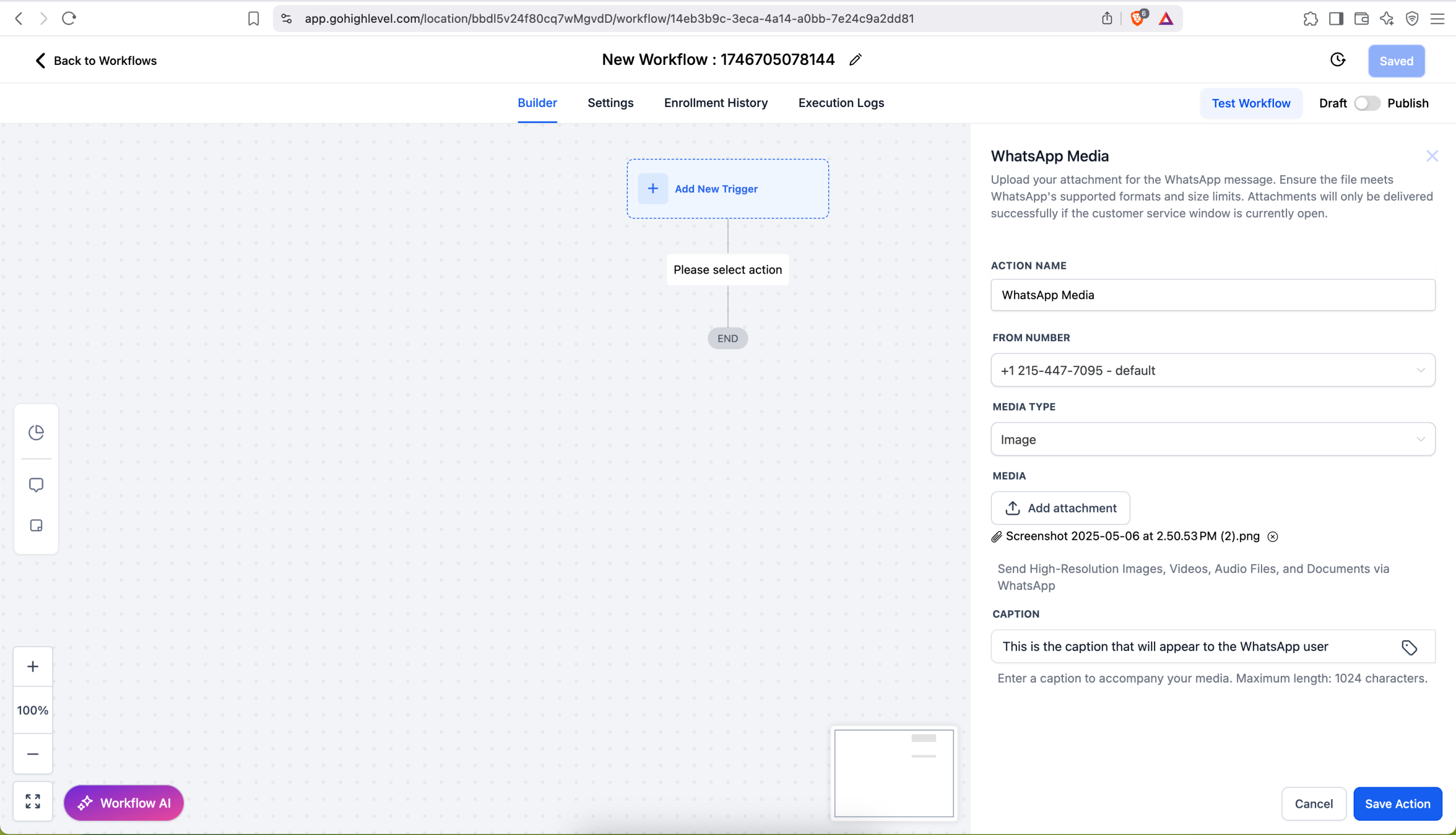
Create / Edit Workflow → Add Action → WhatsApp: Media.
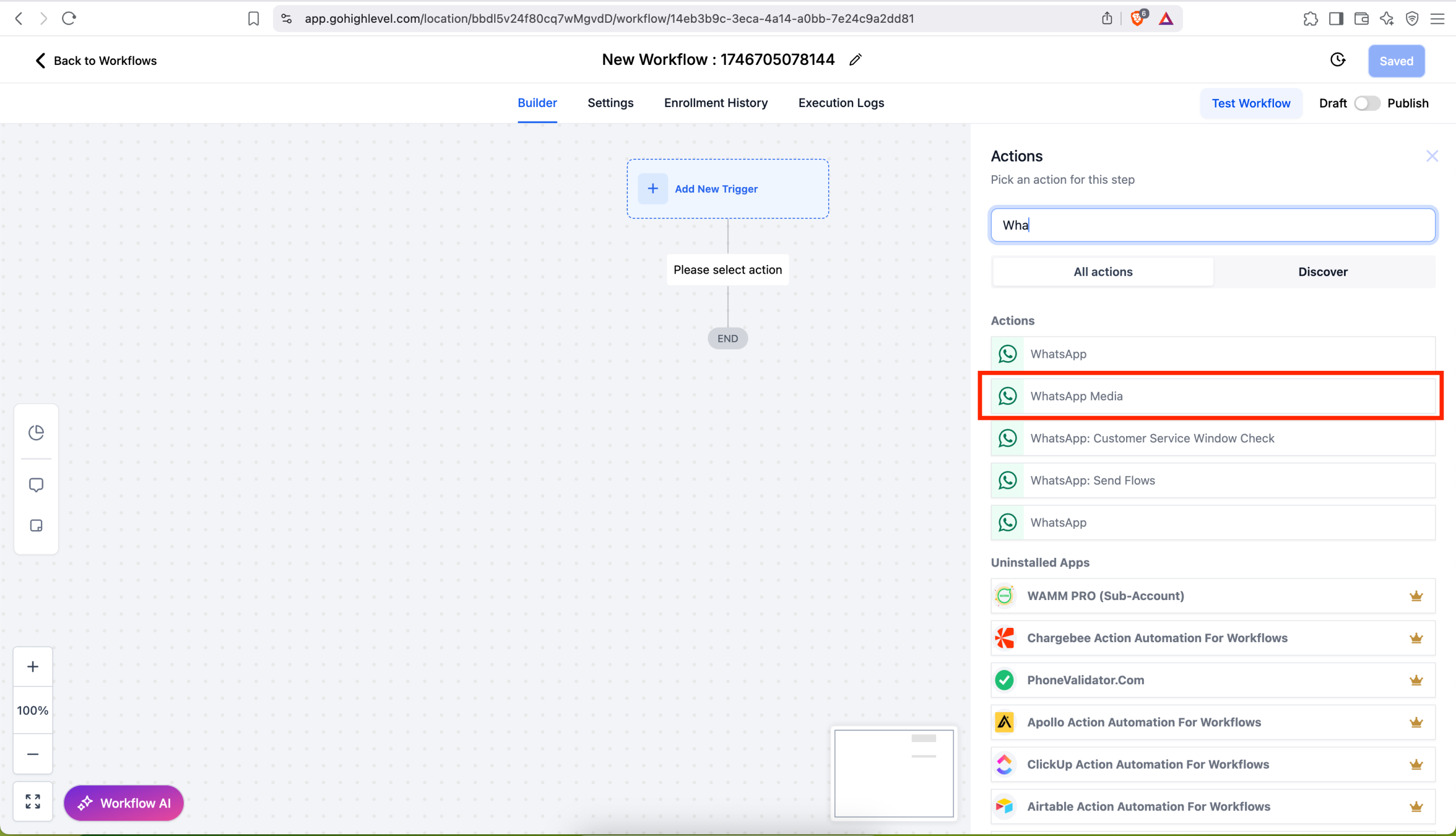
Select Image, Video, Document, or Audio.
Upload your file and (if supported) enter an optional caption.
Save and publish—your workflow now delivers media automatically at the right step.
📌 Considerations
Audio files are sent without captions; any text in the caption field is ignored when Audio mode is selected (WhatsApp API constraint).
Media size limits follow WhatsApp Business API guidelines; keep files within WhatsApp-recommended limits for optimal delivery.
Images: JPEG or PNG less than 5 MB
Videos: MP4 or 3GP less than 16 MB (H.264 video + AAC audio)
Audio: AAC, AMR, MP3, M4A, or OGG (OPUS) less than 16 MB
Documents: TXT, PDF, DOC/X, PPT/X, XLS/X less than 100 MB
✅ Business Benefits
🎨 Richer Customer Interactions – Showcase products, send how-to videos, or deliver PDFs right in WhatsApp.
⚡ Streamlined Automation – No manual sends; media goes out automatically as part of your workflows.
📈 Higher Engagement – Media messages stand out in chat feeds, boosting click-through and response rates.
📚 Support Article: Full setup guide and best-practice tips available .