What’s New?
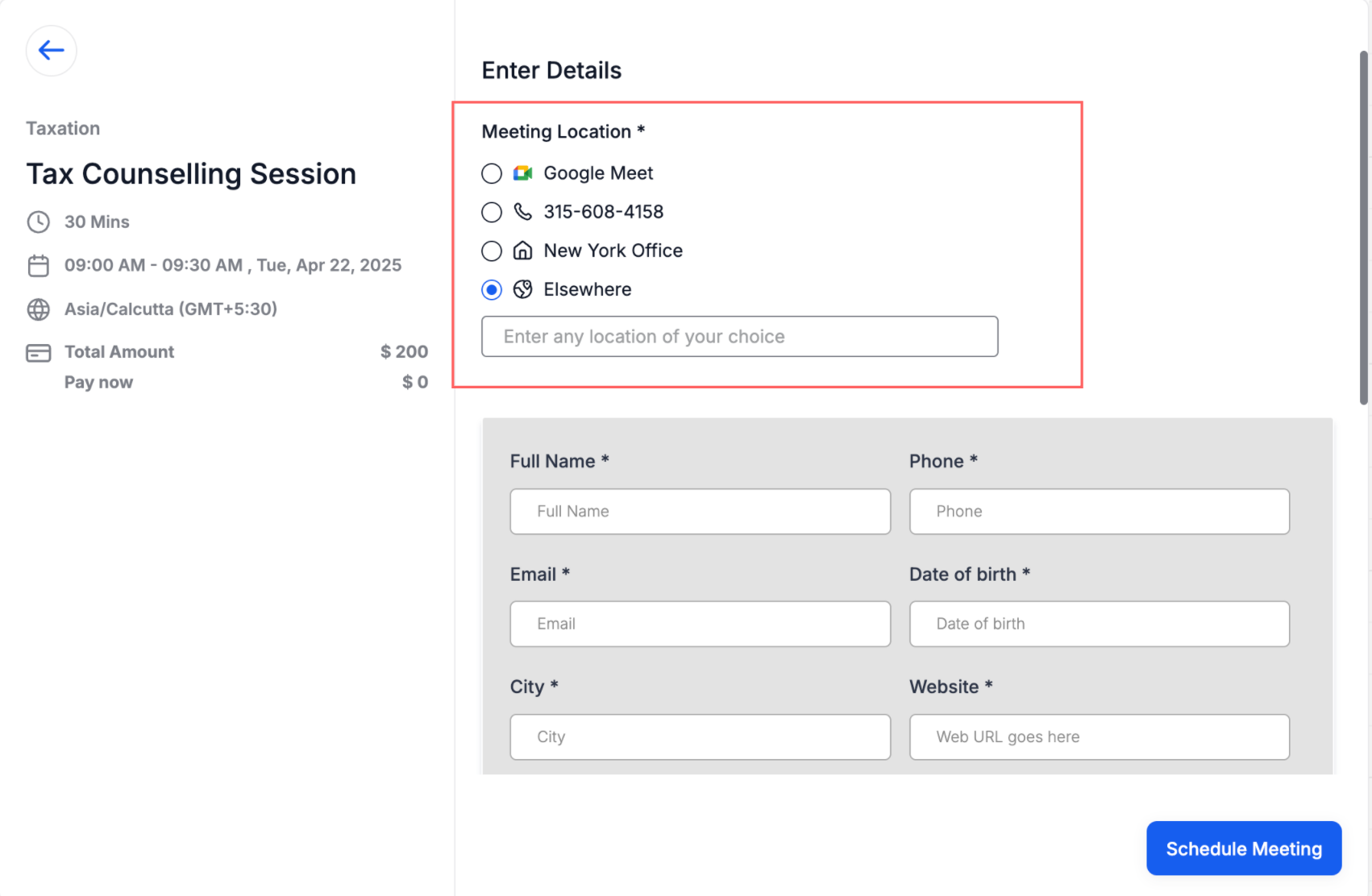
You can now use Multiple Meeting Locations with Custom Forms in your calendars!
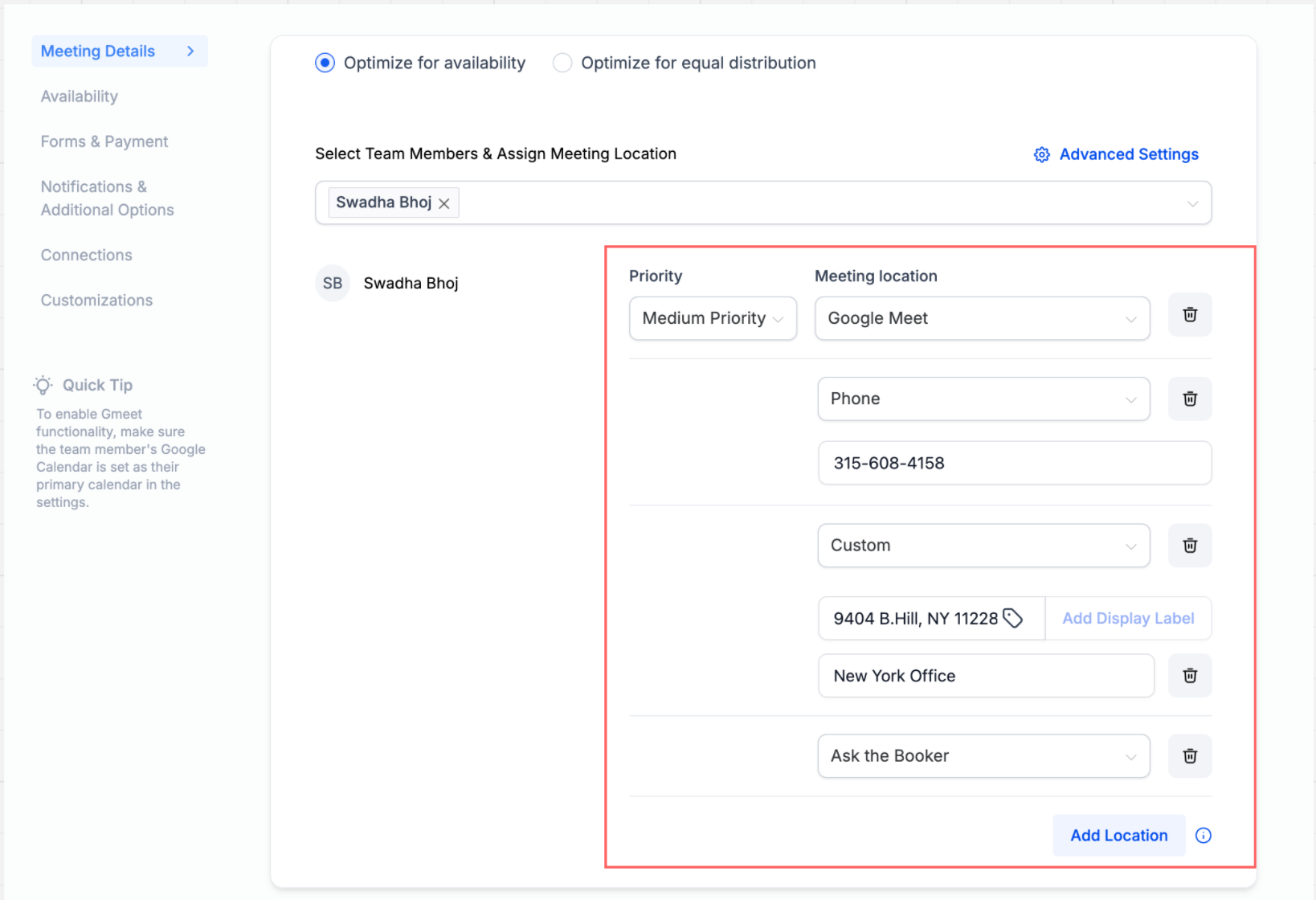
The Multiple Meeting Location feature lets you offer bookers flexible options like:
– A Custom location where you can enter the actual meeting address, along with a Display Label that shows placeholder text (e.g., “New York Office”) on the booking widget until the appointment is booked.
– An “Ask the Booker” option so they can enter their own location
– Standard choices like Zoom, Google Meet, MS Teams, Phone or In-Person
Now, this feature fully supports Custom Forms — allowing you to collect tailored information from bookers as part of the scheduling process.
How to Use?
– Navigate to your calendar settings and select the calendar you wish to configure.
– For Event Calendar: Scroll down to the meeting location section.
– For Round Robin / Service Calendar: Scroll down to the team members section.
– Click on the “+ Add Location” button.
– Choose and configure your desired locations.
– Once you have added your meeting locations, click on “Save.”
Note:
– Multiple meeting locations can only be configured for Event Calendar and Round Robin / Service calendar with one team member.
– This feature is supported only for Neo widget.
Why this Matters?
Enhanced Choice and User Experience: Bookers can choose the most convenient location, whether a physical office, one among multiple stores, or an online meeting, improving the overall booking experience and accommodating various needs.