
⚡ What’s New
– Brand Boards now include both your Design Kit and a new Brand Voice section – a communication guide with business info, tone, and values.
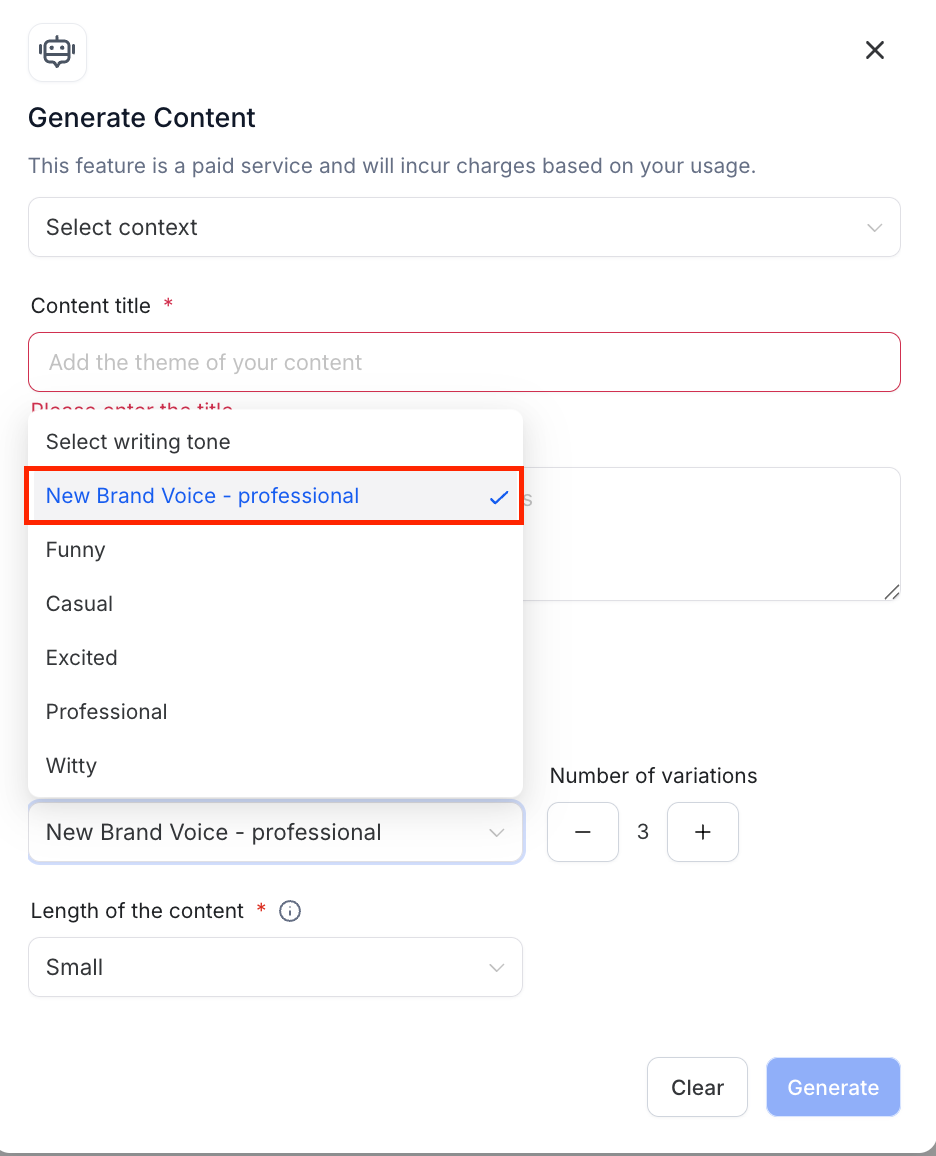
– This can now be used in Content AI to auto-select tone and style.
🔍 Why This Matters
– Customize your experience across the platform
– Power up AI tools with your unique brand identity
🛠️ How to Create a Brand Voice
– Go to Marketing → Brand Boards
– Click on Brand Voice
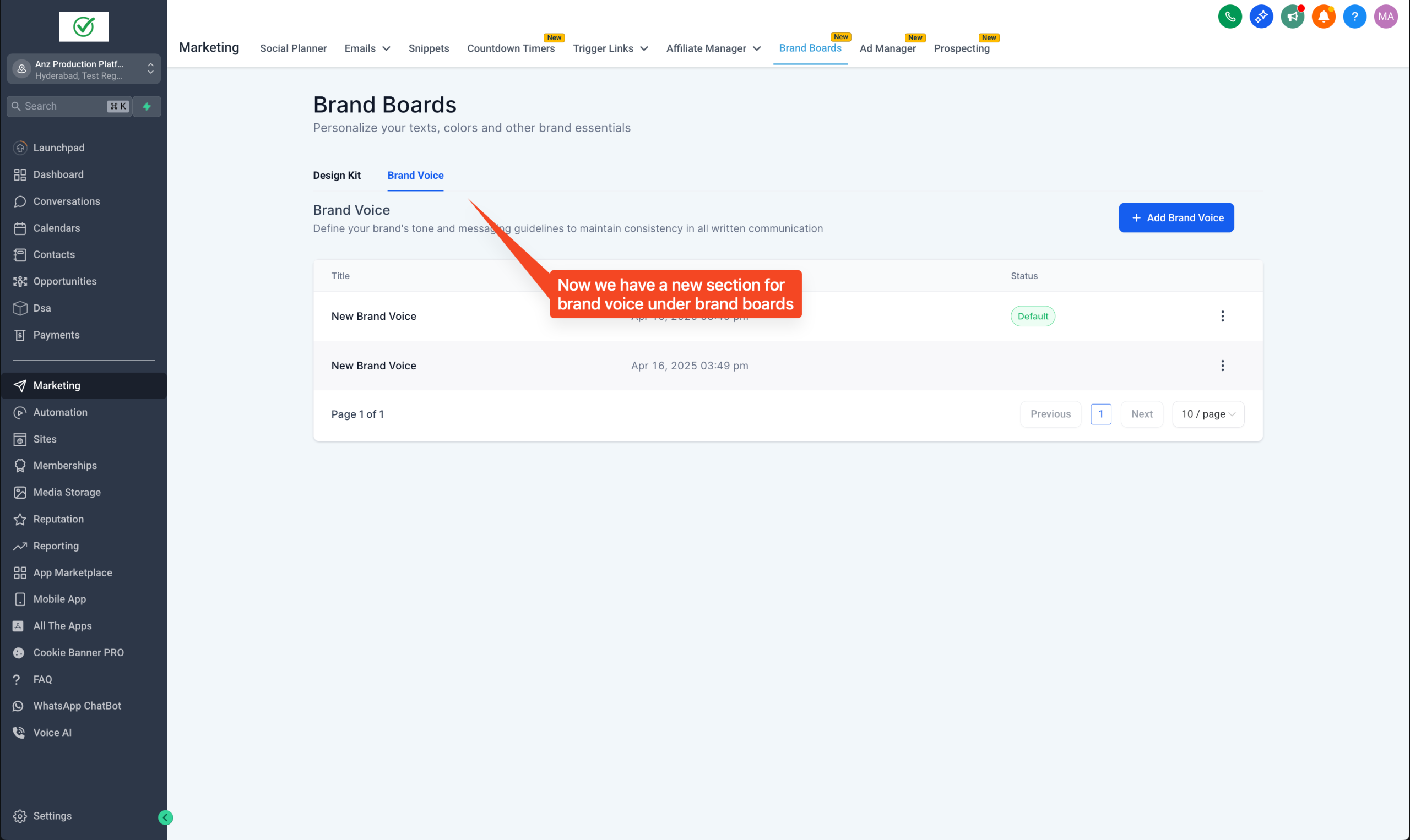
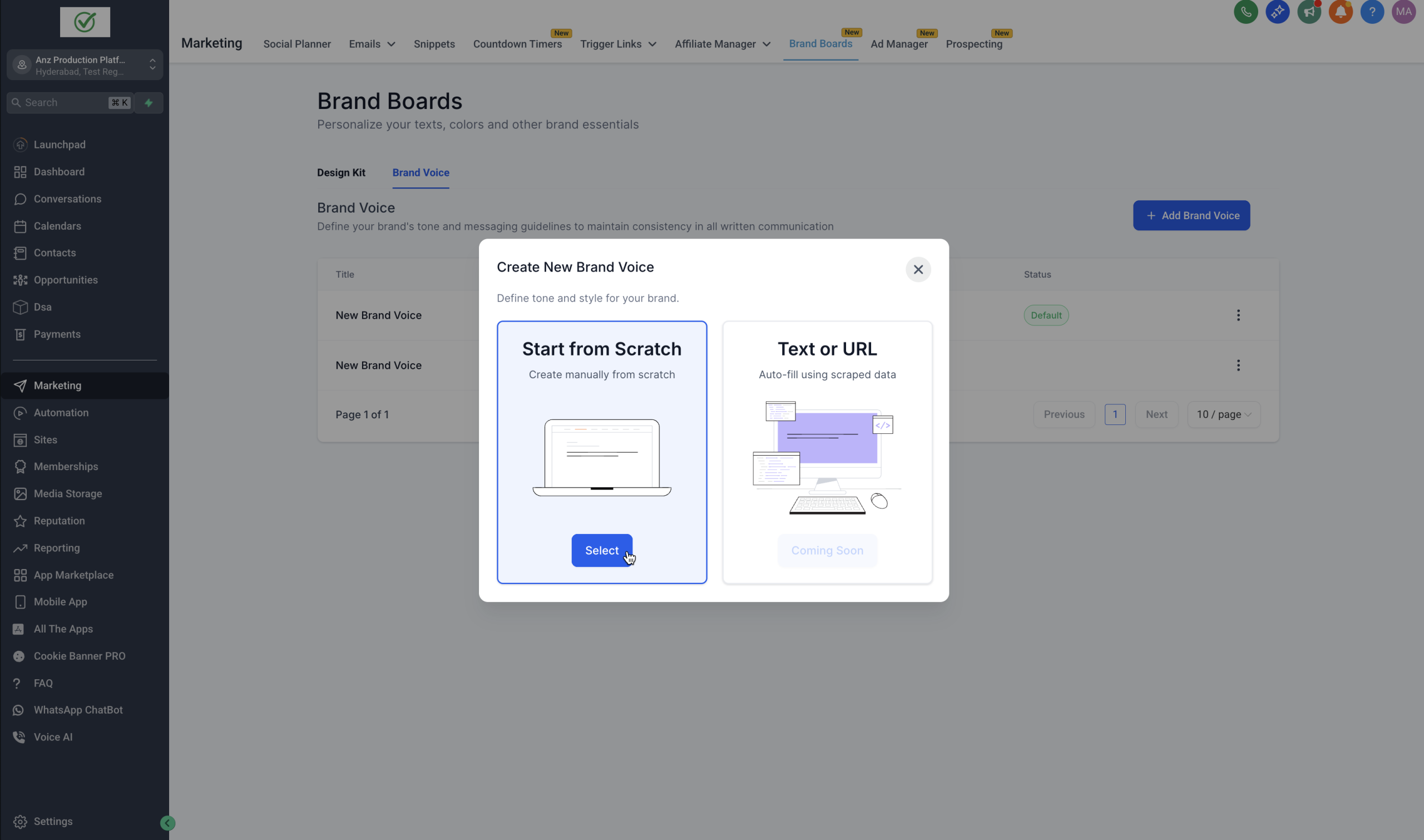
– Click Create New Brand Voice
– Continue with Scratch Option
– Fill in your brand info, values, and tone
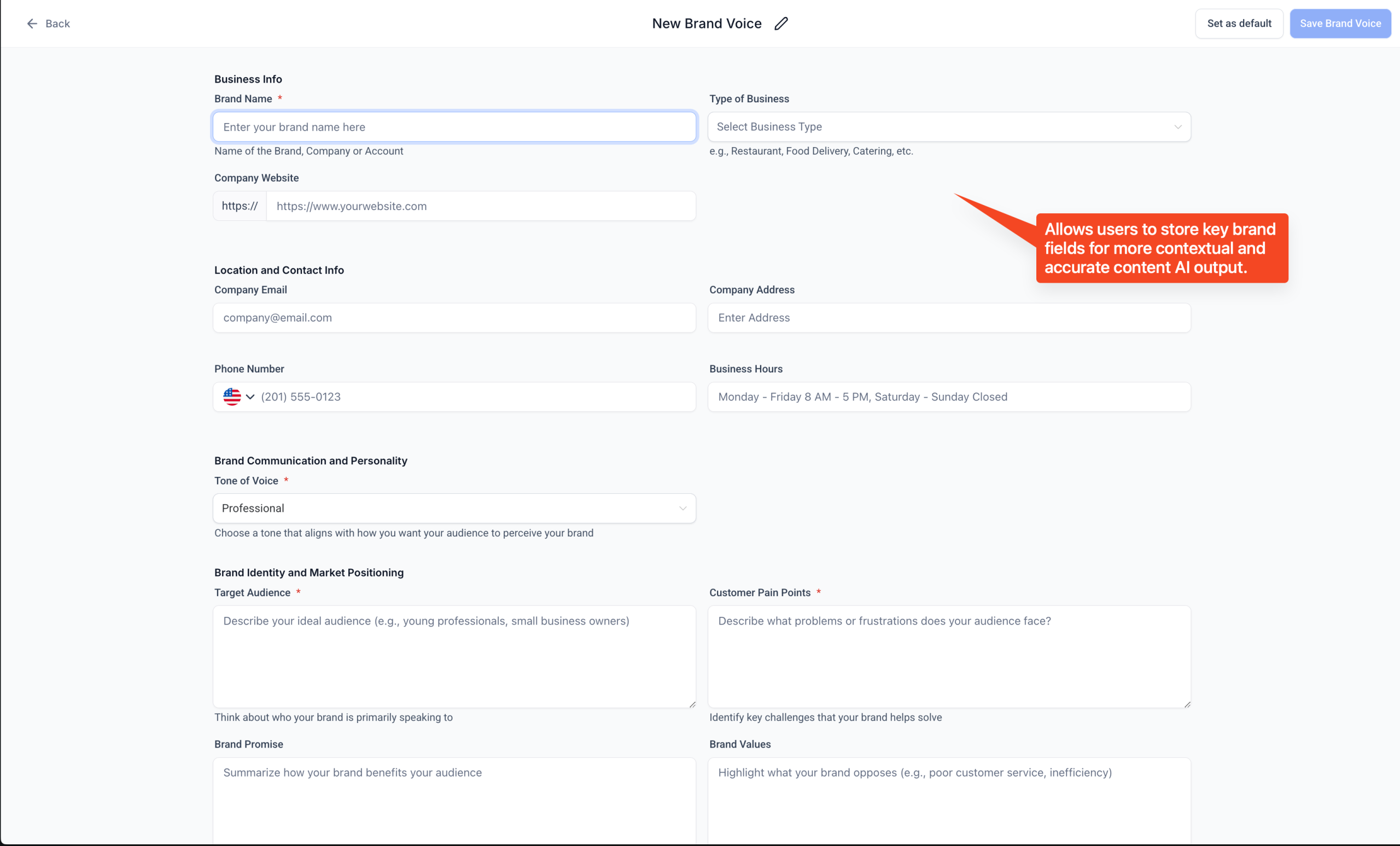
– Click Save
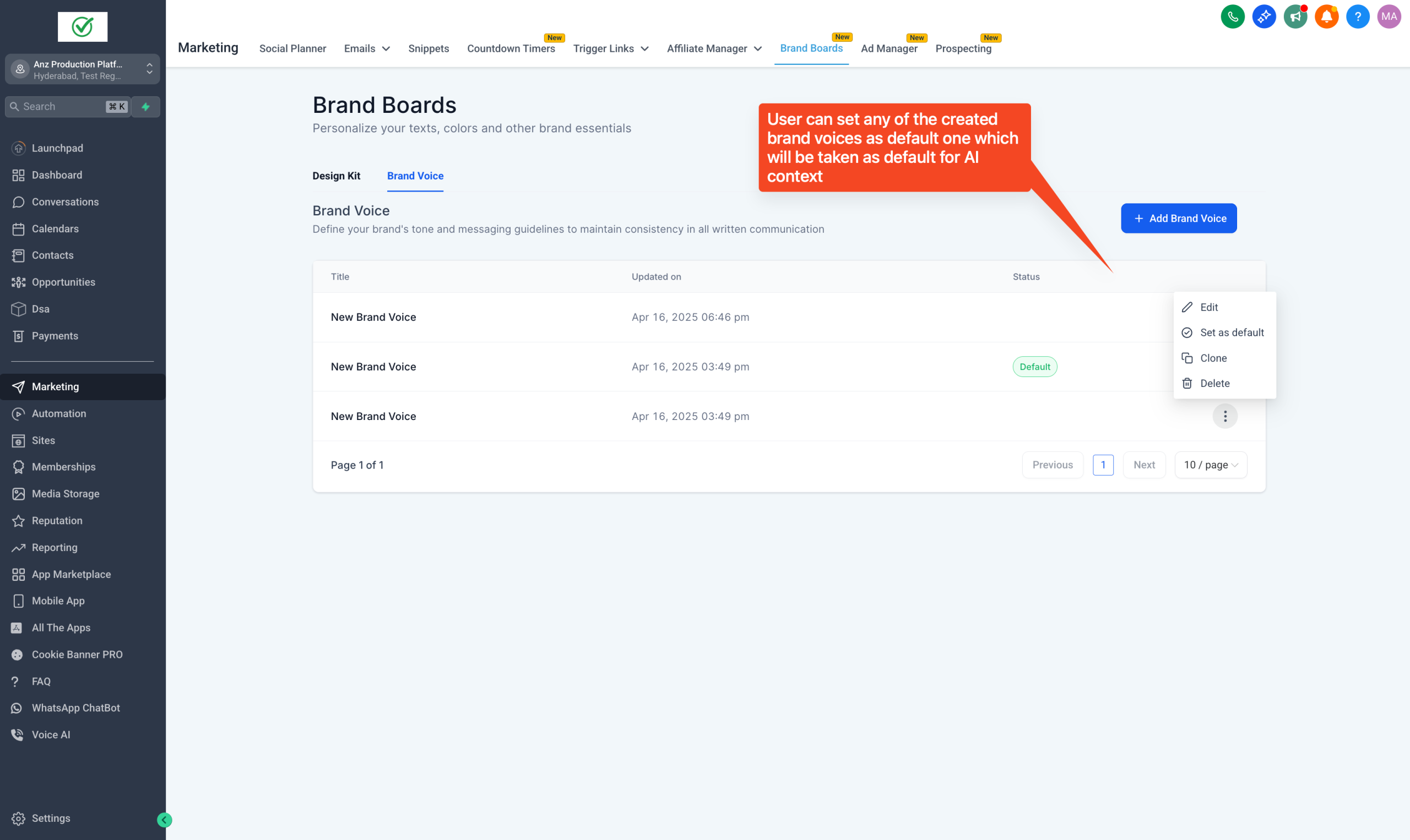
– Open Content AI, in writing tone choose your Brand Voice
👉 Coming Soon-
– Integration with Conversations AI
– Enhanced use of Brand Boards in Content AI
– Create Brand Voice using website URL or Text
🔍 What happens to all your existing Brand Boards?
They are safe and secure under the Design Kit section.