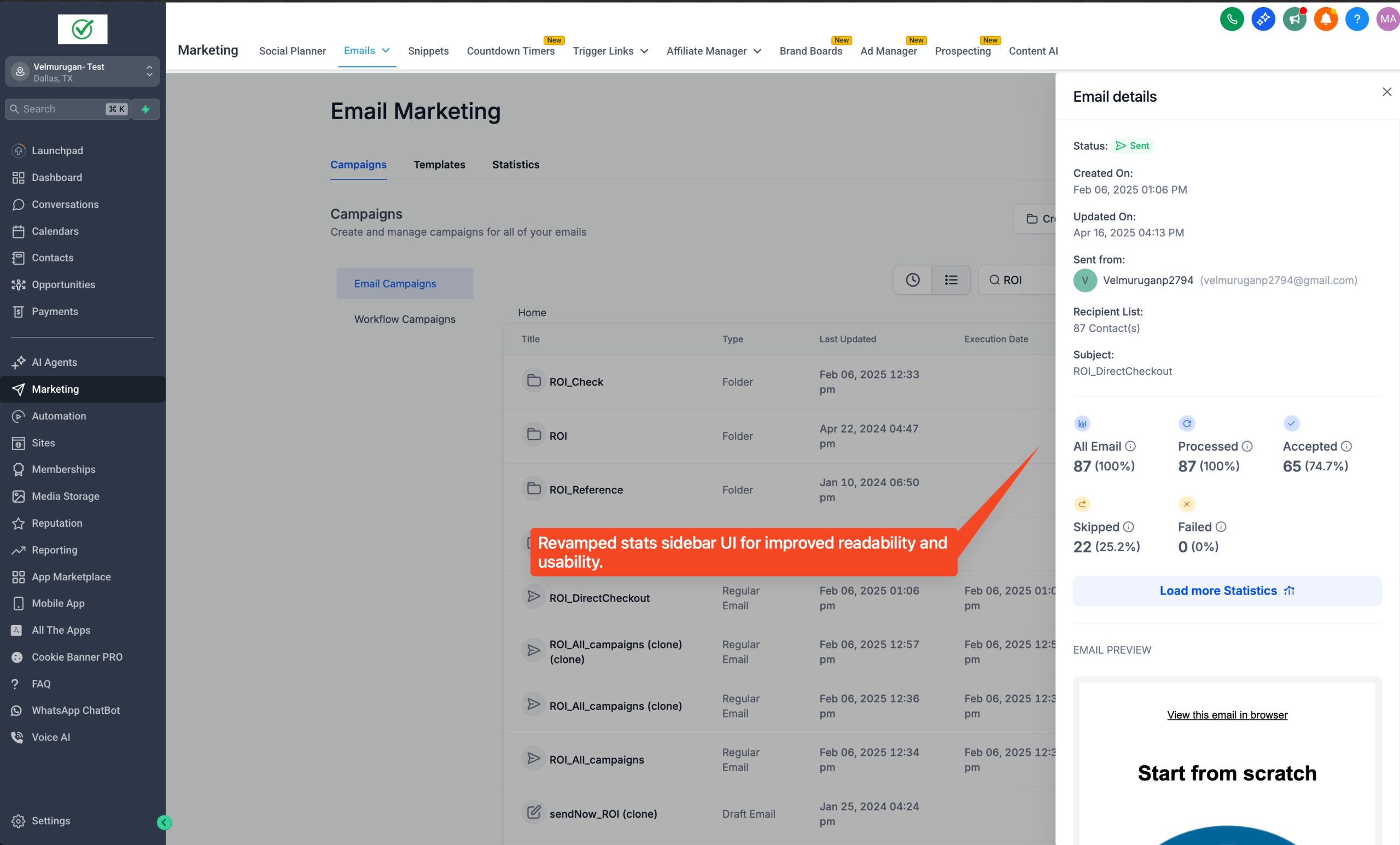
🔍 Problem Statement
– No overall summary — data shown for upto 90 days.
– Inaccurate graphs in Engagement summary
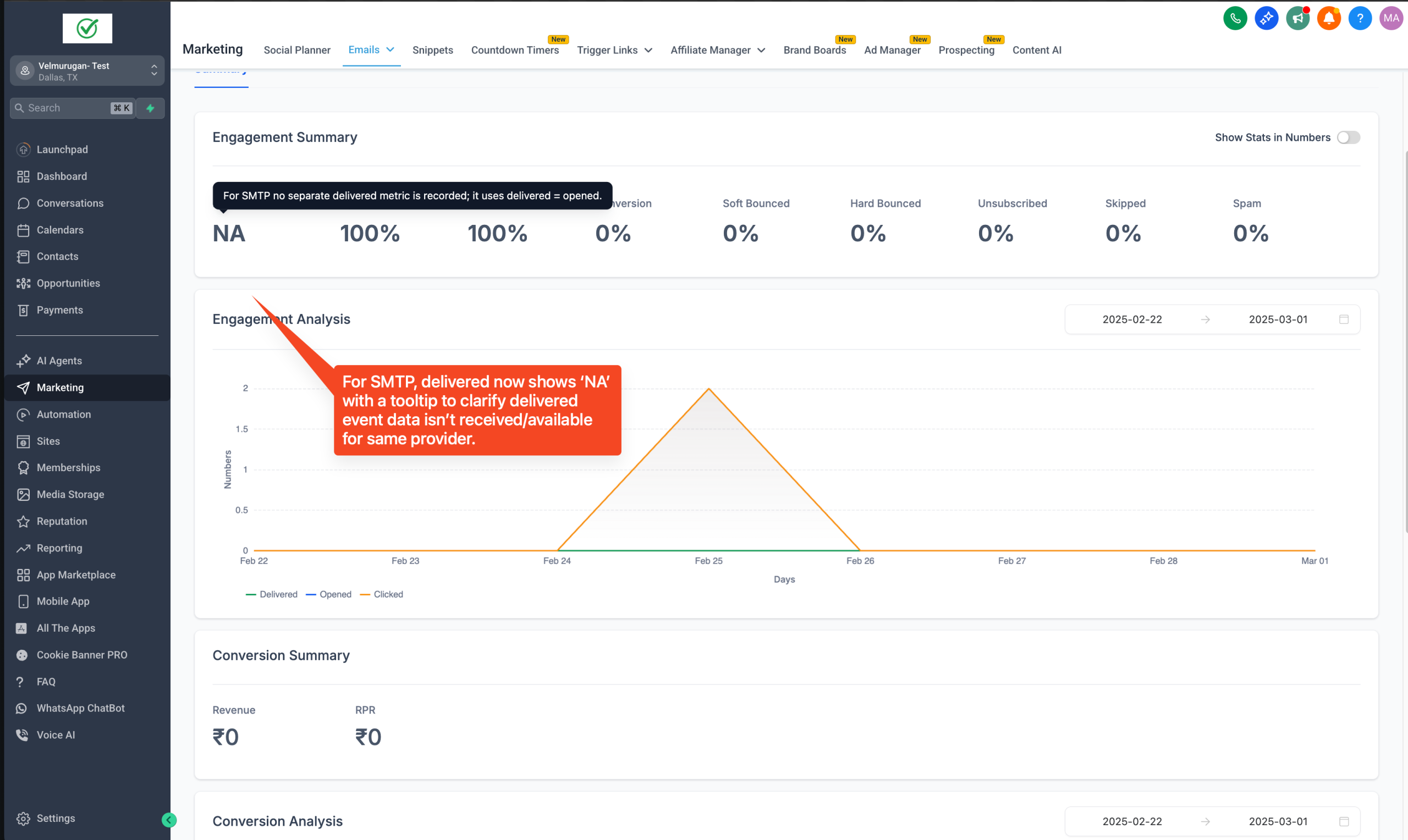
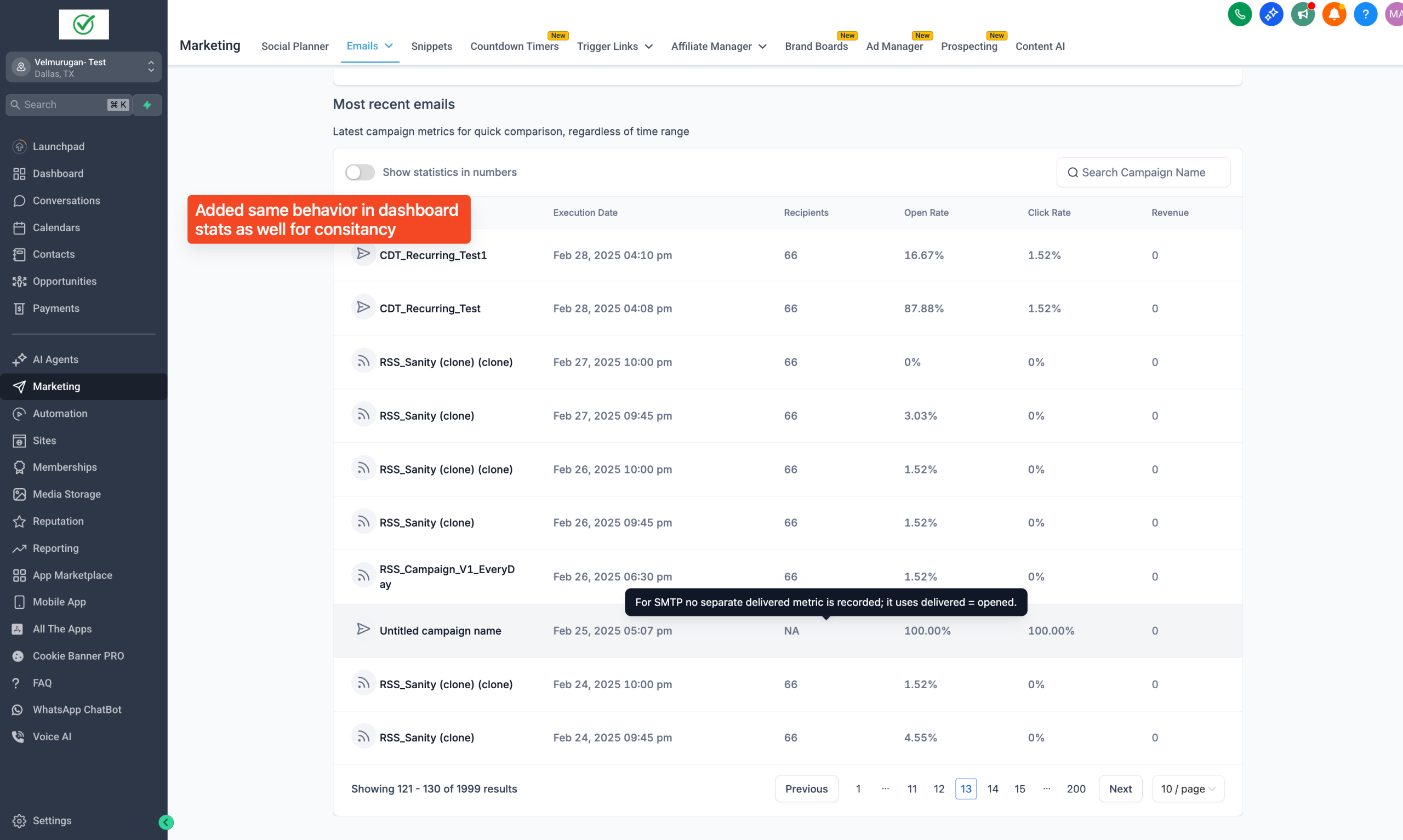
– For SMTP, “Delivered” metric was incorrectly shown as “Opened,” causing confusion.
⚡ What We Did
– Added an Overall Summary section for quick insights.
– Introduced accurate Engagement Analysis over a customizable 90-day window.
– Added Conversions Over Time graph to track order trends.
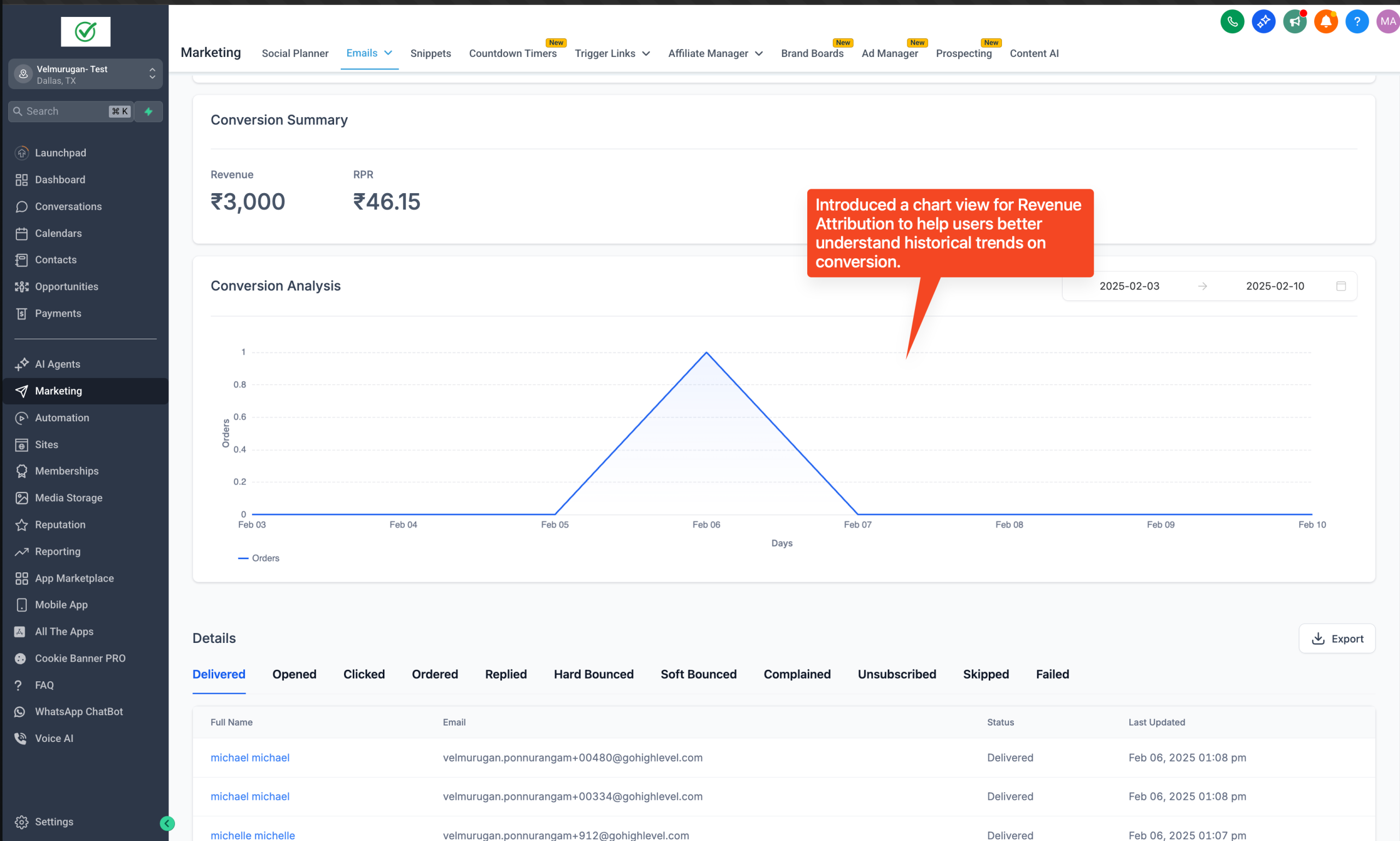
– For SMTP, “Delivered” metric now correctly shows as N/A (not applicable).
✅ Benefits
– Get a complete picture of campaign performance at a glance.
– Better and accurate analysis.
– Less tickets around SMTP campaigns
🛠️ How to Check
– Go to Email Marketing > Campaigns
– Open any campaign and check the updated Statistics section
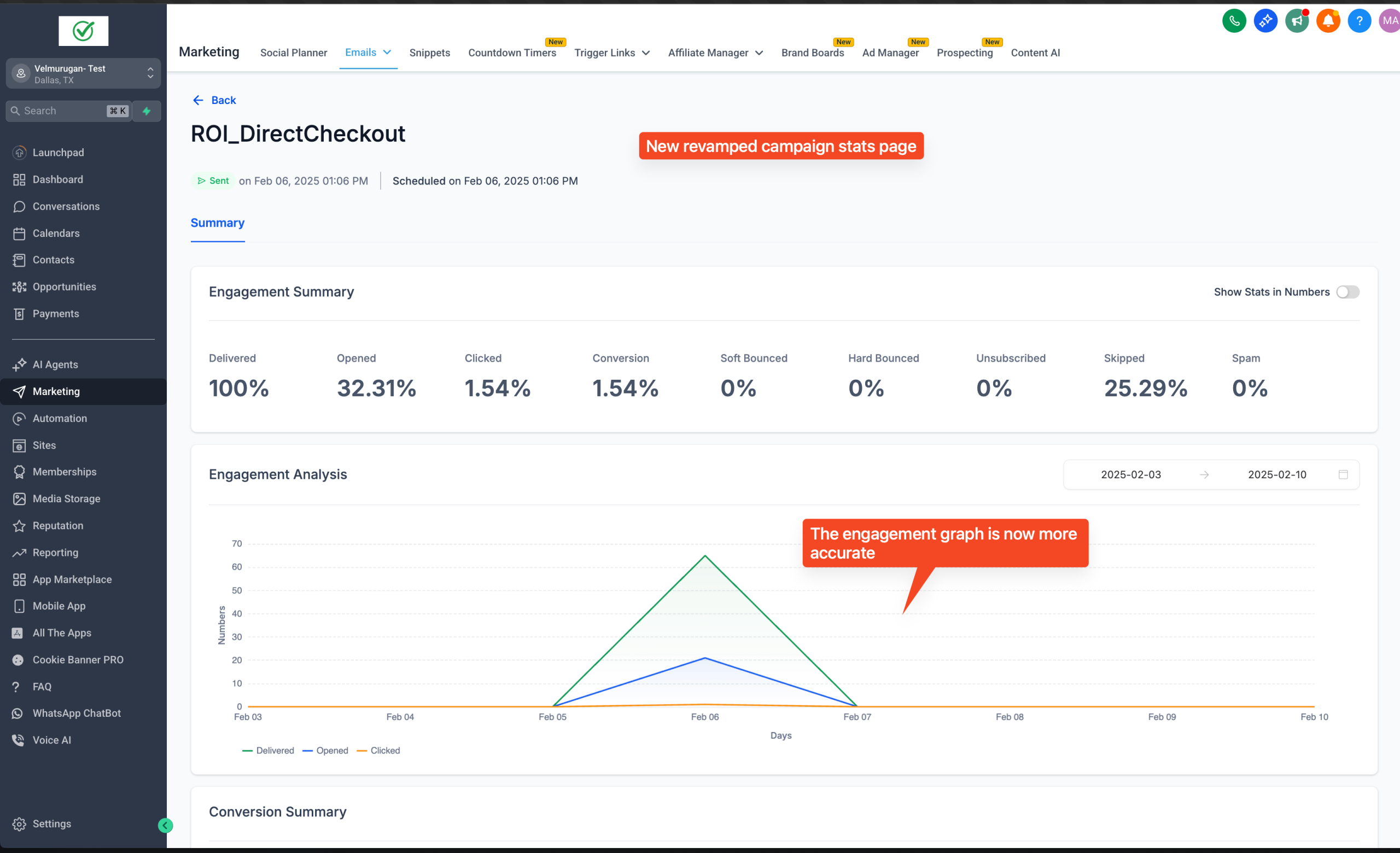
👉 Note: The engagement summary shows total clicks and opens unique for a day.
Other UI Changes