
Introducing new method to create you campaign recipient list
🔍 Problem Statement:
Users had to go to Contacts or Workflows to build Smart Lists or add Tags for segmentation.
🔥 What we did:
Added a Build Segments option directly in the recipient section, so you can create complex recipient lists without leaving the campaign.
✅ Benefits:
– No need to pre-create Smart Lists
– Quick, flexible targeting in one place
– Cleaner and more efficient flow
– Easy exclusions of contacts, tags
🛠️ How to use:
– Open any campaign in new or edit mode
– Go to Send or Schedule Screen
– In Recipient section → Click Build Segments
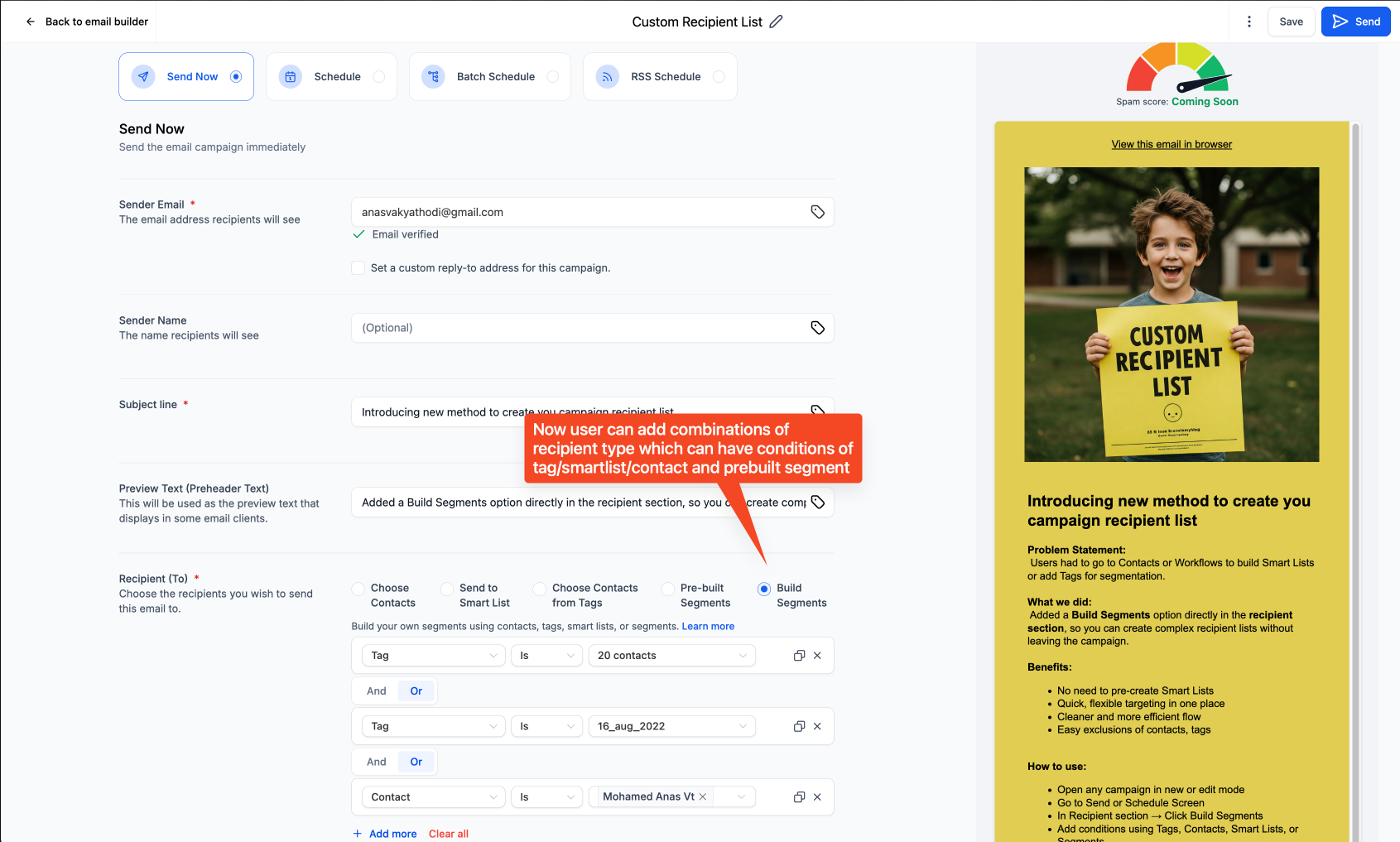
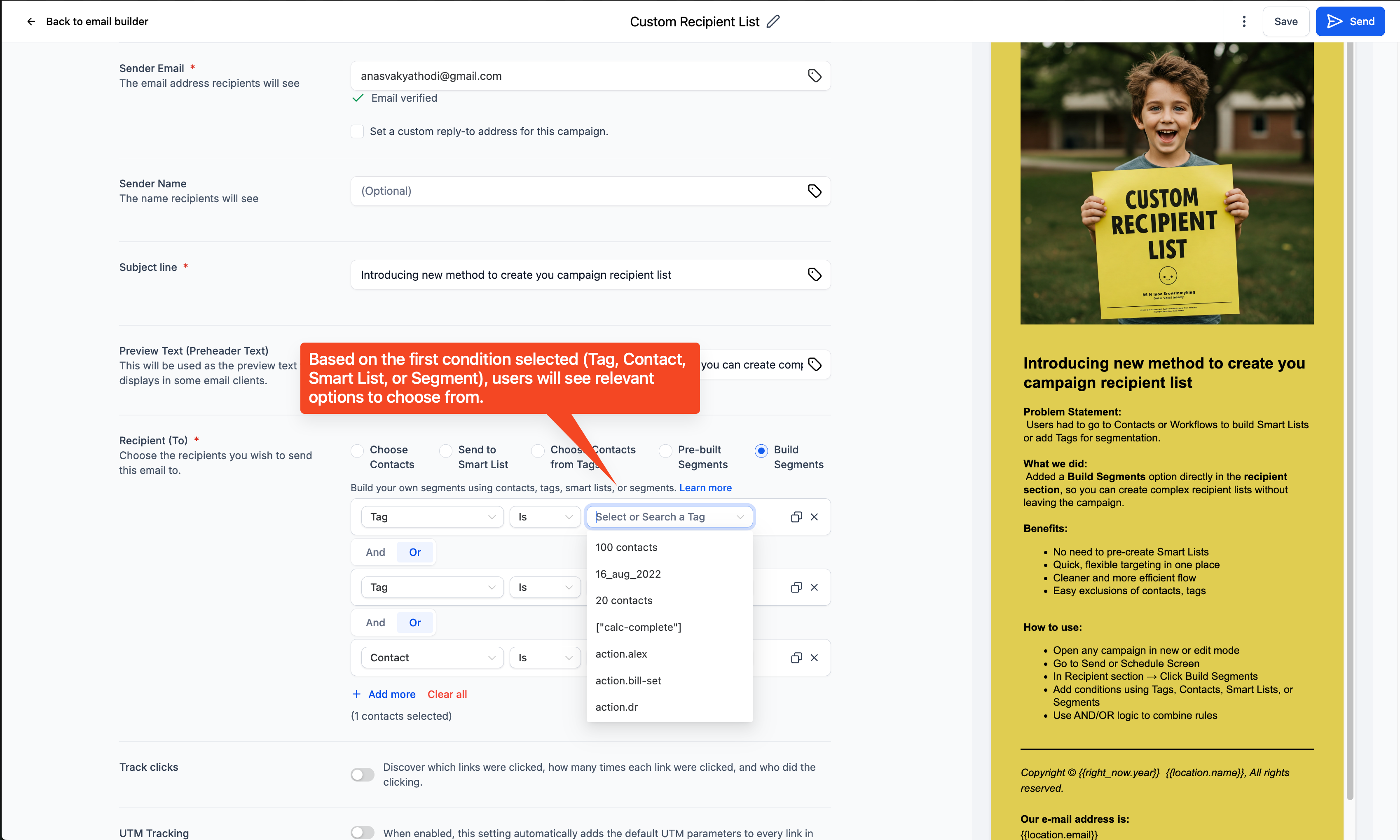
– Add conditions using Tags, Contacts, Smart Lists, or Segments
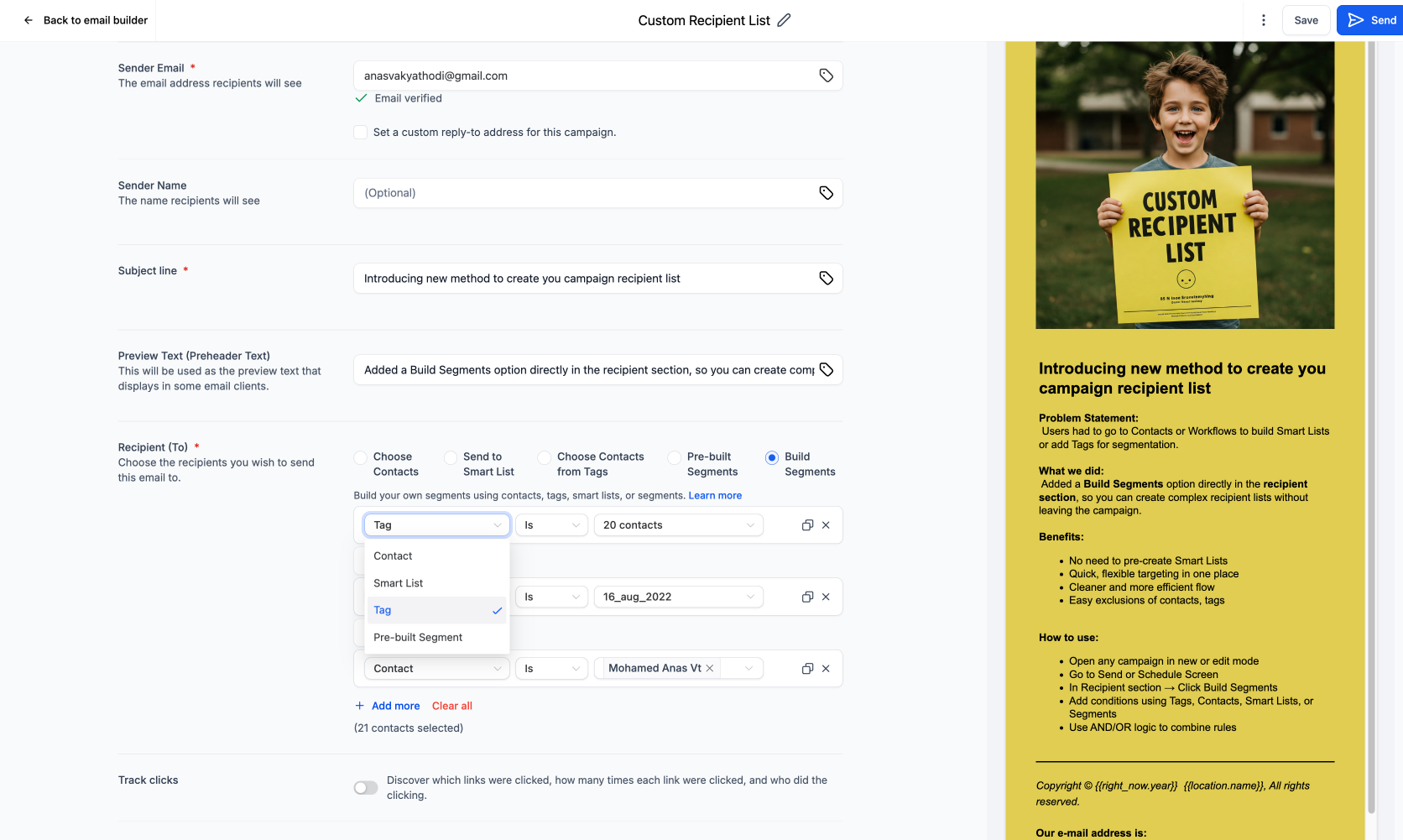
– Use AND/OR logic to combine rules
👉 Support Doc: https://help.gohighlevel.com/a/solutions/articles/155000004994?portalId=48000070066